Belitsoft built a functional, user-friendly, and easy to manage ERP that ensured full visibility both for employees and business stakeholders and automated major manufacturing and financial workflows.
1. Creating an order in a single ERP database to make it visible across departments
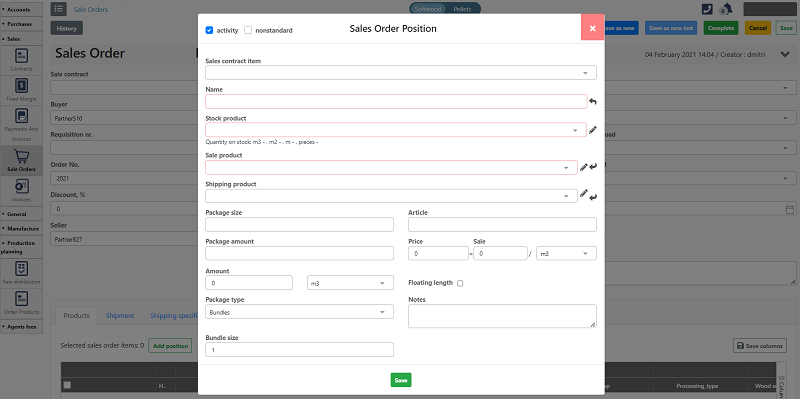
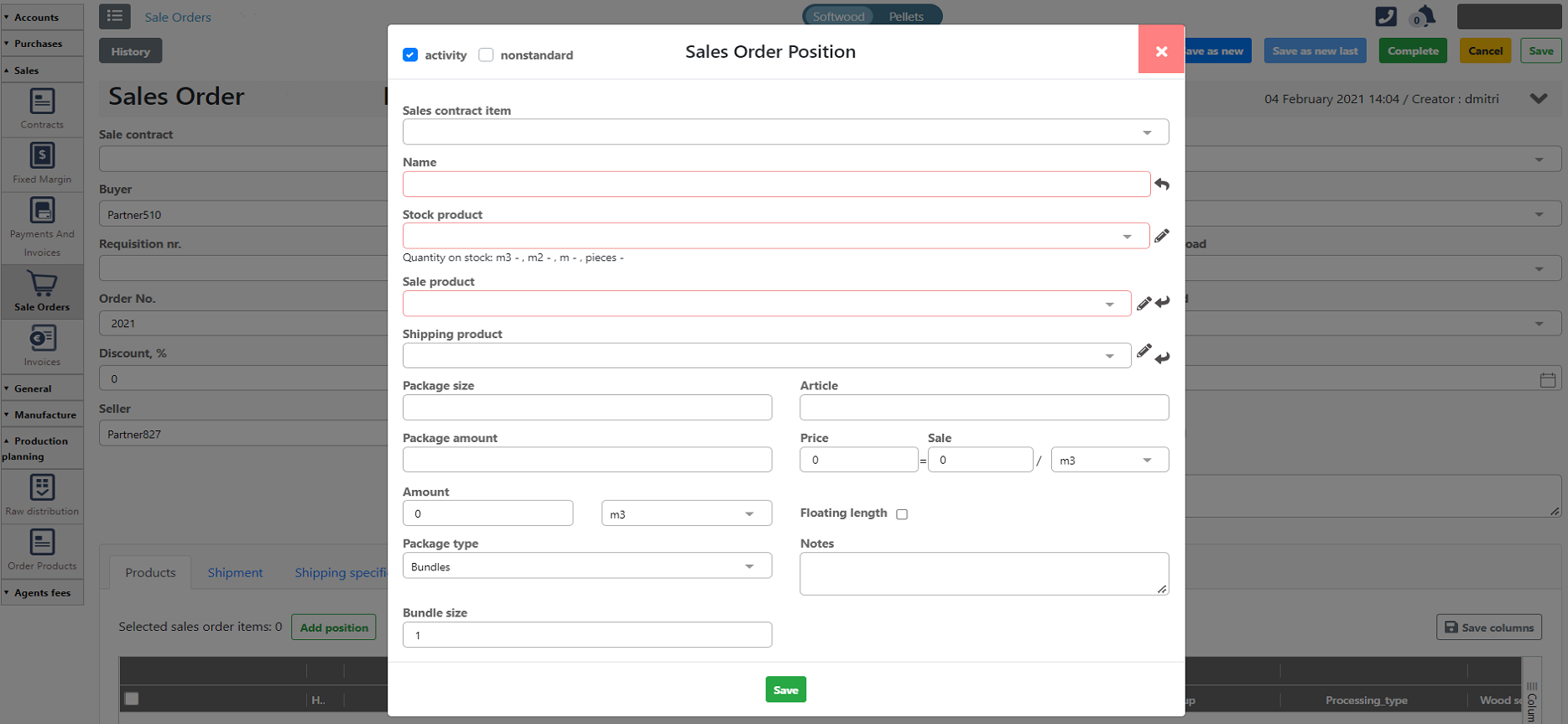
A manager creates a sales order in the ERP after receiving a request from a customer. All the order details are visible to
- the accounting department to generate invoice on time
- the manufacturing department to produce goods without a delay
- the procurement department to timely fulfill the stock
The dashboard shows the process of creating a new sales order
2. Syncing data between warehouse and procurement dept using a mobile app
Together with the web version of the ERP, our developers built a native Android mobile application designed to be installed on scanners and any Android device with a camera both for automating time-consuming manual tasks and for creating real-time visibility among departments.
When a procurement manager creates an operation of pallet reception using the web-based ERP system, a warehouse employee immediately gets this information through the mobile application. Then, using the same mobile app, the warehouse employee scans the barcode indicated on pallets with raw materials/products to add the necessary one to the requested operation.
After adding it, the info syncs automatically with the web ERP app, and the procurement manager gets the update without delay.
3. Getting real-time data from stock to order raw materials on time
The ERP shows real-time information about the amount of raw materials in stock and the number of current orders. It helps predict stock shortage and plan its timely fulfillment.
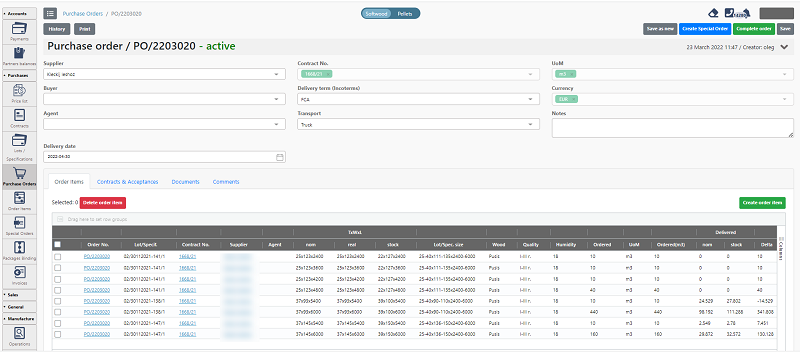
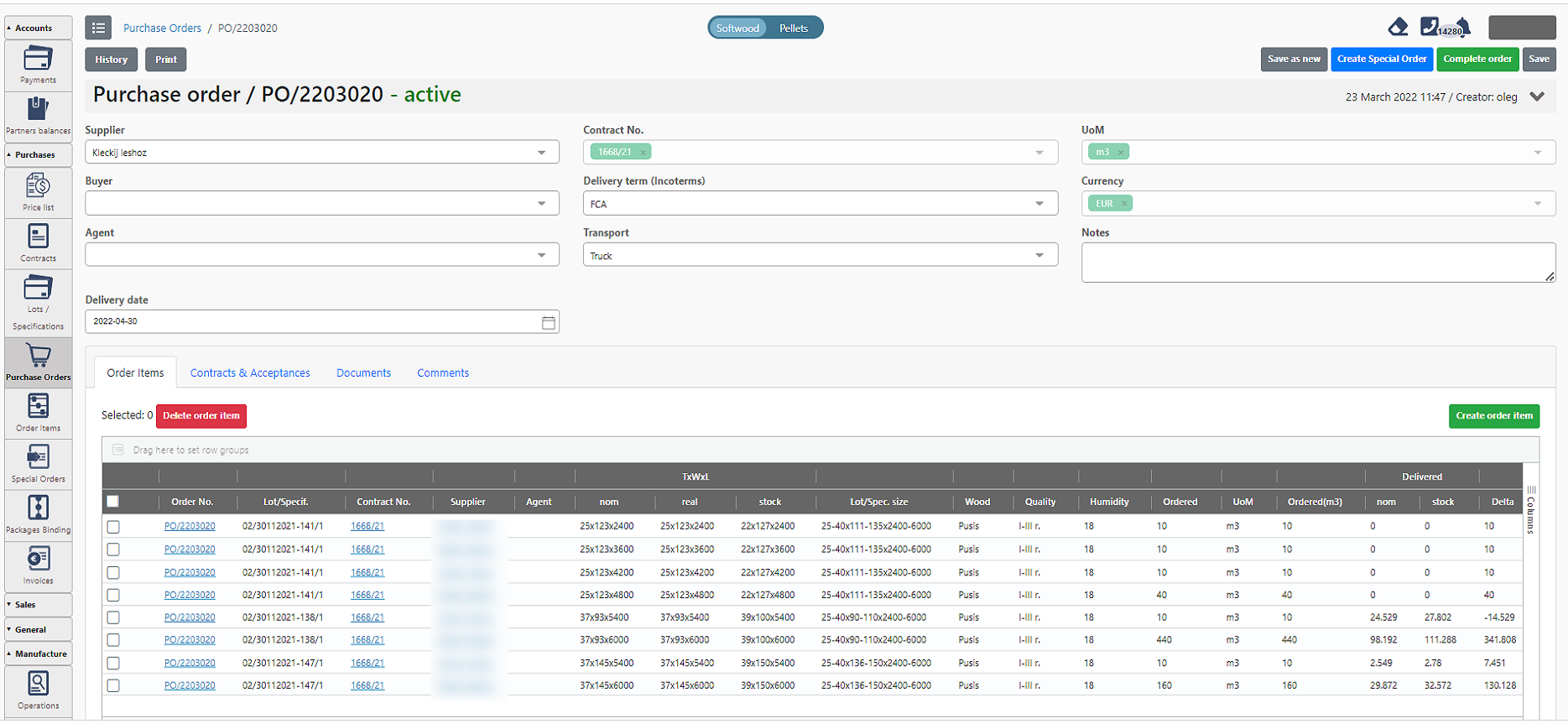
To order raw materials, a procurement manager creates a new purchase order. A selected supplier gets notified about a new order by email.
The dashboard in Purchase Module with details of a supply order
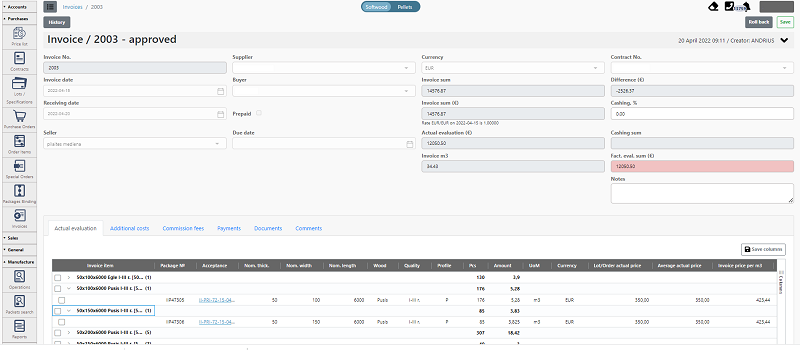
When the ordered raw material comes to the warehouse, the ERP creates a new purchase invoice with all the details already filled in based on the supply order details.
The accountant sees the ready-to-pay invoice and makes a payment.
All the collateral documentation is also uploaded and synchronized with the supply order and becomes visible both to employees (managers and accountants) and business stakeholders.
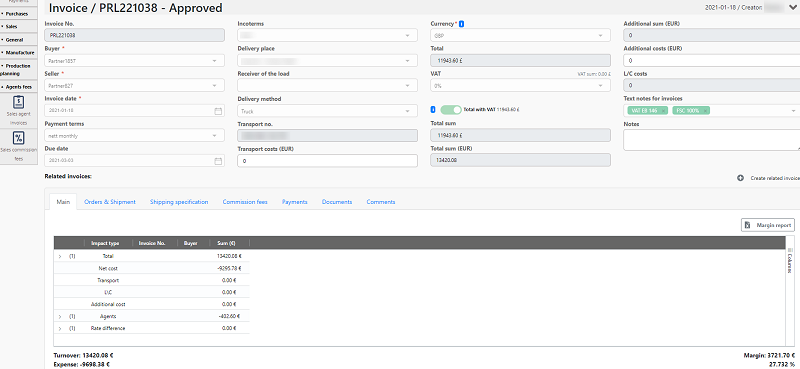
The Approved invoice that is ready to pay and can be sent to a customer
4. Automating manufacturing costs calculation and quality monitoring
The head of production can see order details in the ERP and determine which operations the raw material must undergo to get the end product.
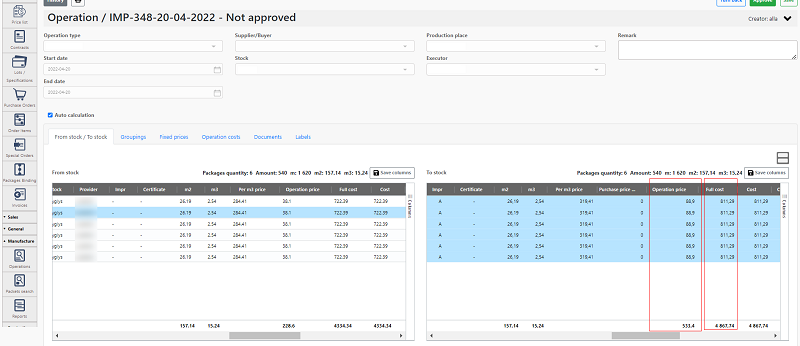
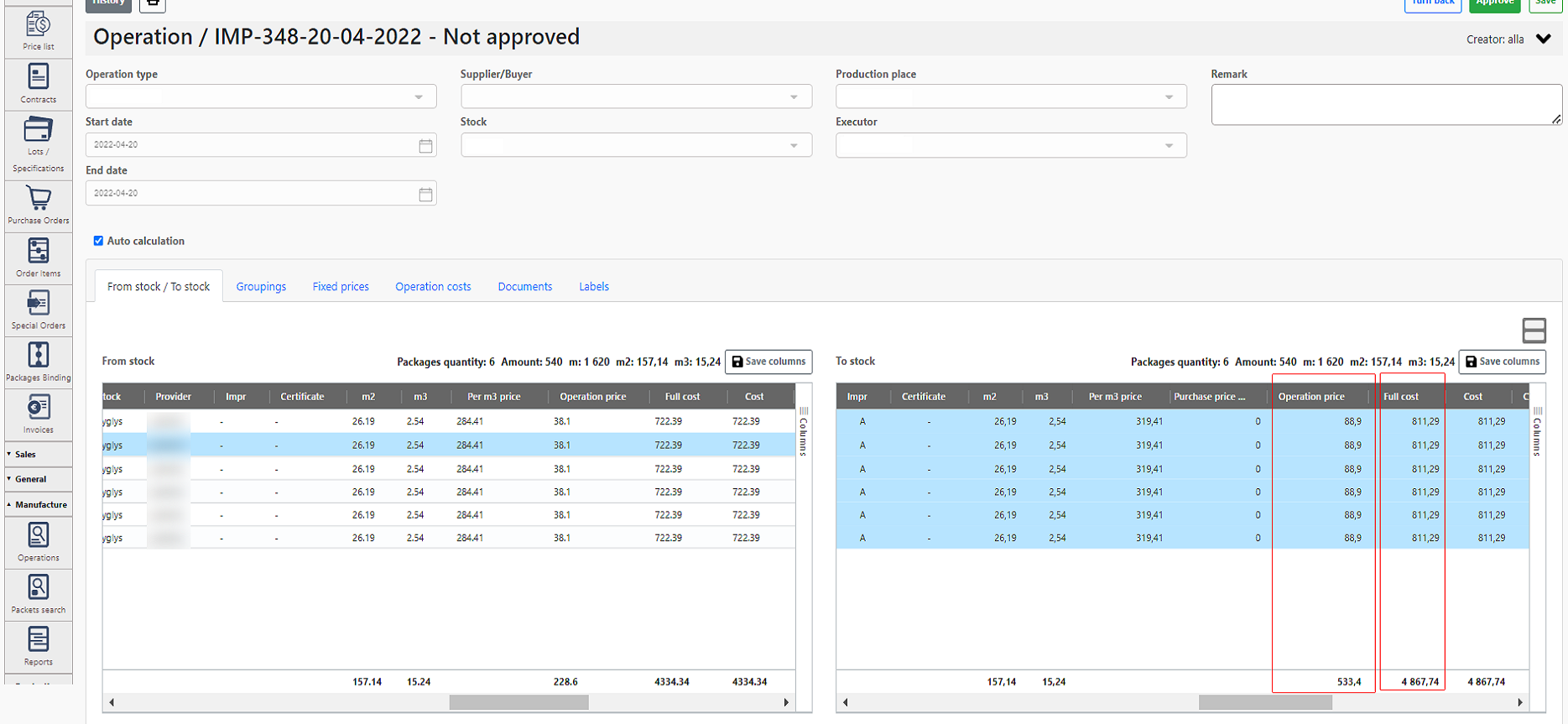
As soon as the raw material undergoes a certain operation, technicians scan barcodes on material packages using a cell phone app. That's how the operation cost is added to the ERP.
The dashboard shows how the ERP calculates an order price based on the number of performed operations and the cost of these operations
In addition, thanks to implementing advanced IoT-based technology on production lines, the ERP gets information about the number of quality end products and the number of defects.
5. Tracking products delivery status and automating invoicing
After completing the manufacturing stage, the end product is shipped to the buyer entirely or partially (in case of large orders). For large orders that are sent in several batches, a sales manager can track the order delivery readiness from 0 to 100%.
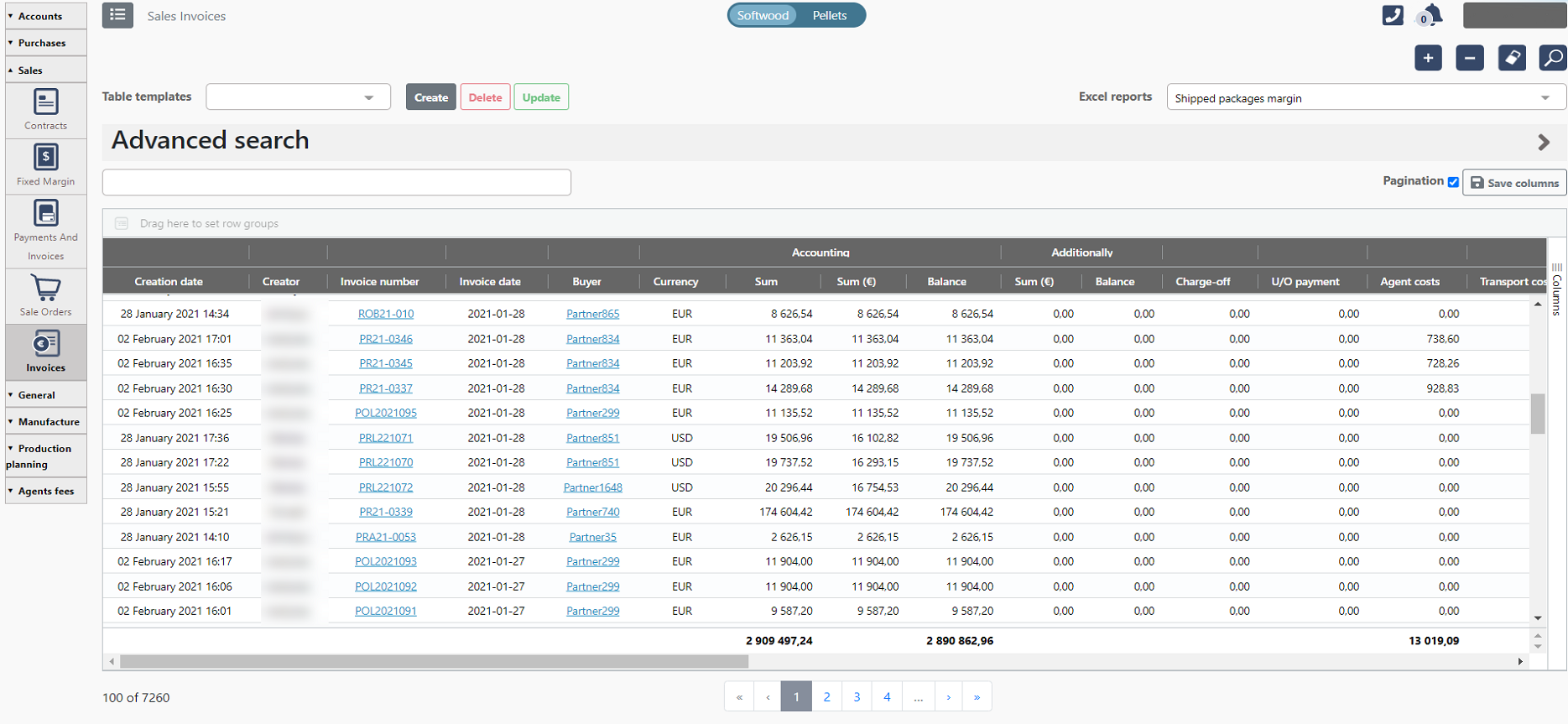
After the shipment, a sales invoice is generated automatically.
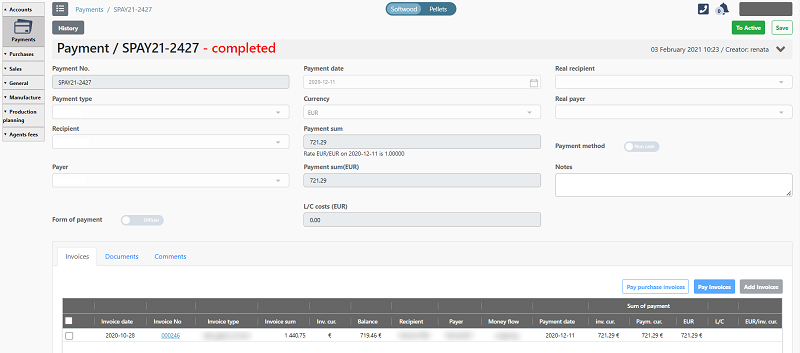
The automatically generated invoice that has already been paid and has a Completed status
6. Gathering and managing all bookkeeping data in a single ERP database
The company accepts all the payments in a single currency – euro. In case a customer prefers paying for another currency, the ERP calculates the sum based on the actual currency exchange rate. For that, the ERP has API integration with the central bank of the country.
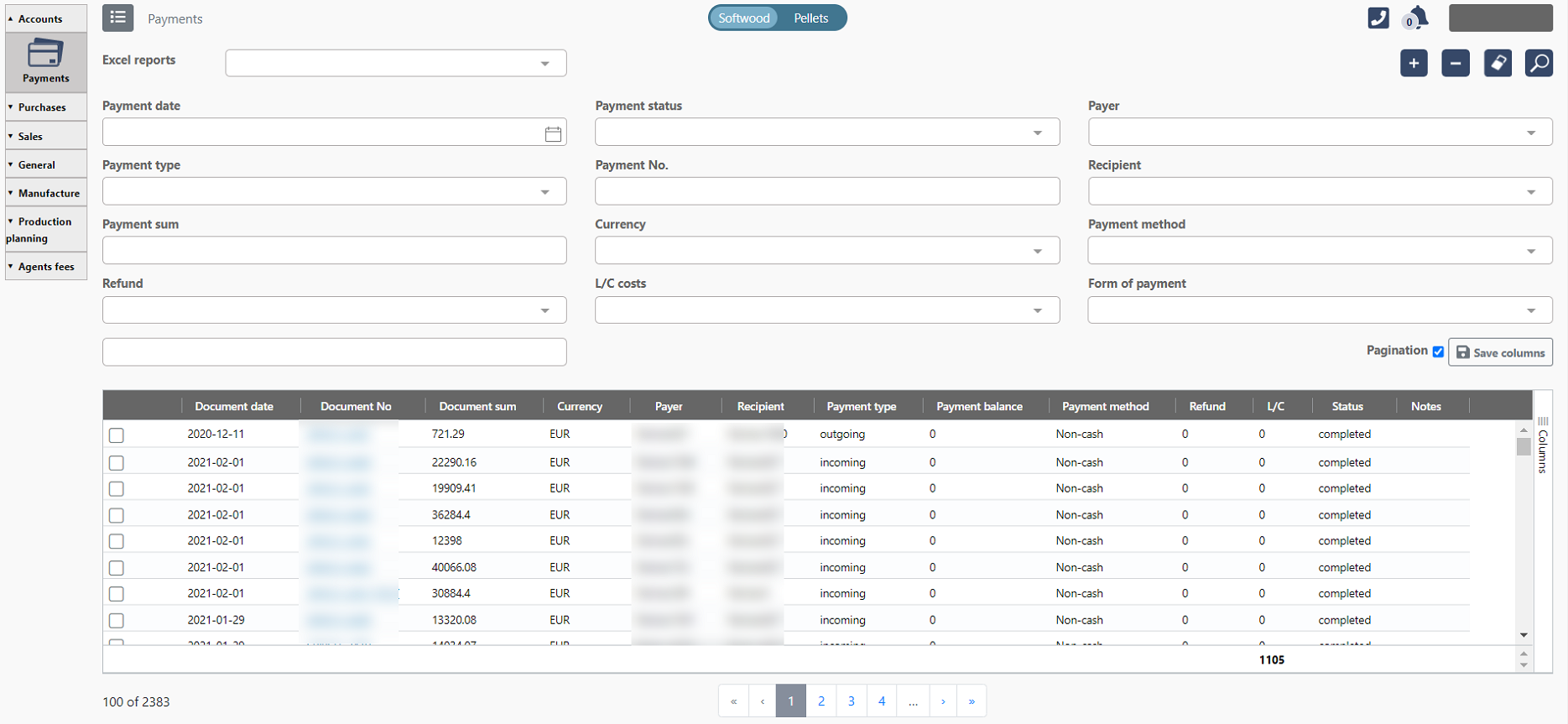
After receiving a payment in the accounting software, an accountant synchronizes the received payment with an order in the ERP.
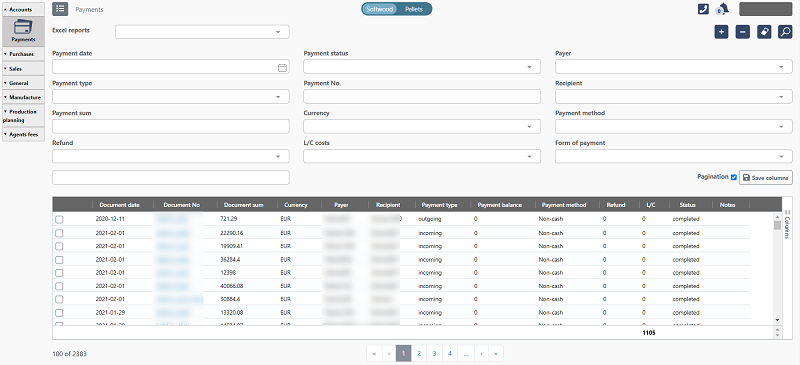
The dashboard shows payment history for a single customer with issued invoices and debts
In addition, the company works with agents (partners or subcontractors) that receive commission for deals.
All sales agents' invoices are registered in the ERP. It allows managing and tracking all financial affairs between the manufacturer and its agents.
The agent's account history with order details and costs
7. Providing business owners with real-time data about financial and manufacturing workflows in a single place
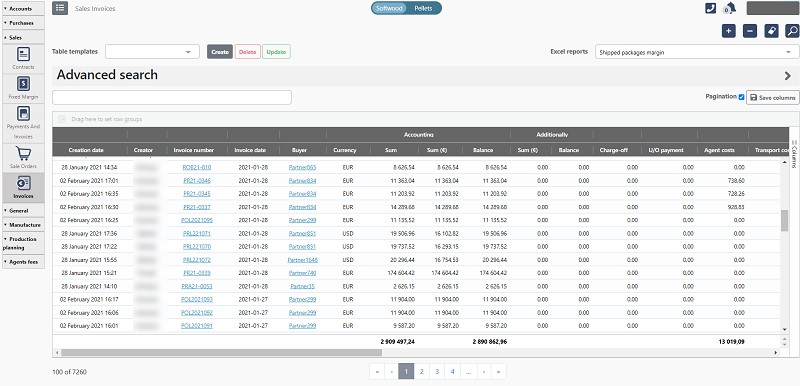
Business stakeholders get regular reports to evaluate the production efficiency, sales margin, turnover volume, managers efficiency, orders details, full visibility of a cashflow, etc.
All in all, the ERP stores information about partners, products, and all company documents. Each report and document can be customized upon individual request.
The report example reflects all the invoices for a certain customer with order dates, paid sums, debts, and other details
The ERP is SaaS software built and stored in the Server.
Tech Stack




.jpg)
.jpg)
.jpg)
.jpg)
.jpg)
.png)
.jpg)