Belitsoft > profile

Denis Perevalov

Microsoft .NET Development Delivery Manager

Denis joined the company in 2020. Since then, he has worked as developer, team lead, and tech lead.

His tech stacks includes .NET Framework, .NET Core, .NET.

Denis specializes in developing web and mobile applications, using cloud technologies like Azure, training and nurturing developers from interns to seniors (expertise in teaching ASP.NET).

Since 2012, he has been fully devoted to software development.

Denis received higher education in IT as a Master of Computer Science. He also has a degree as a programming teacher.

Migration from .NET Framework to .NET Core and AngularJS to Angular for HealthTech Company
Belitsoft migrated EHR software to .NET for the US-based Healthcare Technology Company with 150+ employees.
Custom Development Based on .NET For a Global Creative Technology Company
Custom Development Based on .NET for a Global Company
Based on modern and cost-effective .NET technologies, Belitsoft delivered a robust, scalable, and high-performance core business app as well as modernized the IT infrastructure supporting it.
Mobile App for a Delivery Marketplace
Our client, a European medium-sized logistics provider, came to Belitsoft with a long-term strategy for entering the same-day delivery market with the help of a mobile app.
Features and benefits of the built-in OpenAPI support in ASP.NET Core 10
Using this package gives developers a few specific advantages.  1. Rely on built-in tools ASP.NET Core builds your API documents directly. You skip downloading and updating outside packages to list your endpoints. "Starting with .NET 9, ASP.NET Core includes built-in OpenAPI support. ASP.NET Core provides first-party support for generating information about endpoints in an app through the Microsoft.AspNetCore.OpenApi package."Microsoft Documentation While you do add a package, Microsoft.AspNetCore.OpenApi, the documentation categorizes it as "built-in" and "first-party" support maintained directly by the ASP.NET Core team, allowing you to sidestep third-party/outside tools that were required in previous versions. For Whom This is Important  Application Developers & Maintainers In the past, whenever Microsoft released a new major version of .NET or new C# features, .NET teams often had to wait weeks or months for third-party package maintainers to update their libraries to fully support the new features. A built-in solution means OpenAPI support is guaranteed to be fully compatible with new ASP.NET Core features (like new Minimal API route handlers) on day one. It reduces "dependency bloat" and means one less third-party package to track, update, and configure. Software Architects & Performance Engineers A massive focus in modern .NET development is Native AOT (Ahead-of-Time compilation) and Trimming (removing unused code to make extremely small, fast-starting microservices). Older third-party tools relied heavily on runtime reflection, which breaks when using Native AOT. Microsoft engineered the new built-in Microsoft.AspNetCore.OpenApi package specifically to rely on System.Text.Json and a design that is 100% Native AOT and Trim-compatible. This is critical for teams trying to build high-performance, containerized microservices where startup time and memory footprints must be minimal. Security & Compliance Teams Software supply chain security is a top priority. Every third-party open-source package added to a project introduces a potential surface area for vulnerabilities or abandoned maintenance. 2. Write documentation using newest standards The package writes your documentation using the OpenAPI 3.1 standard and the latest JSON formats by default, though you can shift it down to the older 3.0 standard. "The package provides the following features: support for generating OpenAPI version 3.1 documents, and support for JSON Schema draft 2020-12. The default OpenAPI version for generated documents is 3.1. The version can be changed by explicitly setting the OpenApiVersion property of the OpenApiOptions in the configureOptions delegate parameter of AddOpenApi. By default, OpenAPI document generation creates a document that is compliant with the OpenAPI specification. "Microsoft Documentation Because OpenAPI 3.1 finally converged with strict JSON Schema standards, the third-party tooling (from UI generators to security scanners) can interact with your ASP.NET Core API with zero friction or translation errors. While it acts behind the scenes, you keep the ability to optionally shift down to 3.0) to maintain backward compatibility with older legacy systems. For Whom This is Important  Frontend & Mobile Developers (API Consumers) Under older standards (OpenAPI 3.0), OpenAPI did not perfectly match standard JSON. It used a custom "subset" of JSON Schema. This meant tools that generated TypeScript, Swift, or Kotlin client code often ran into bugs when translating complex data models. OpenAPI 3.1 is 100% aligned with the JSON Schema draft 2020-12. This means that frontend developers can plug the generated API document directly into any standard JSON Schema tool or code generator on the market. It results in flawlessly generated client SDKs, perfectly typed models in TypeScript, and robust client-side validation logic without awkward workarounds. Enterprise API Designers & Architects Modern APIs are rarely just "Request/Response." They are often event-driven, relying heavily on Webhooks (Stripe or GitHub APIs). Older OpenAPI specs had no native way to document these asynchronous events. OpenAPI 3.1 introduced native, first-class support for defining Webhooks. Architects can now use a single specification standard to accurately map out both their synchronous HTTP endpoints and their asynchronous event streams. Furthermore, JSON Schema 2020-12 allows architects to build highly modular, re-usable data schemas across massive codebases without duplication. QA Engineers & Security Teams Automated testing tools (like API fuzzers, DAST security scanners, and contract testers) programmatically read API documentation to try and "break" an API by sending bad data maliciously. The JSON Schema draft 2020-12 introduces much more rigorous and mathematically sound ways to define payloads, arrays, and object constraints. Because the new ASP.NET Core tools generate these highly precise schemas by default, automated security scanners and QA frameworks can instantly understand the exact boundaries of the API payload, making security modeling highly effective. 3. Read routes from any API style The package scans your code and maps your endpoints, whether you organize them into traditional Controllers or write modern Minimal APIs. "ASP.NET Core supports the generation of OpenAPI documents in controller-based and Minimal API apps. [...] An API operation represents a specific action or capability that an API provides [...] Controller action methods in MVC-style APIs and Route handlers in Minimal APIs. An endpoint is a combination of the API's base URL and a specific path to the desired resource, along with the supported HTTP methods: For controller-based APIs, endpoints combine the route template with controller and action. For Minimal APIs, endpoints are explicitly defined with app.MapGet(), app.MapPost(), etc."Microsoft Documentation The built-in system scans and processes your endpoints identically, regardless of which architectural style you choose to build your API. For Whom This is Important  Migration Teams & Legacy Maintainers Many enterprise applications are years old and built entirely on traditional MVC Controllers. When these teams decide to adopt the newer, much faster Minimal APIs in .NET, they usually do so progressively (adding new features in Minimal APIs while leaving legacy features in Controllers). Without this unified support, teams would have fragmented API documentation (part of it documented one way, part another). Because the built-in generator maps both styles automatically, teams can safely migrate large codebases over time without breaking or splitting their public API documentation. Full-Stack / Hybrid Development Teams Controllers exist because they are great for complex logic with heavy routing and dependencies. Minimal APIs exist because they are incredibly lightweight, fast, and perfect for simple read/write data microservices. Developers are no longer forced to pick just one architectural style simply to keep their Swagger/OpenAPI working. A team can freely mix and match, using Controllers for a complex payment gateway and Minimal APIs for a simple health check, and the built-in tooling will perfectly read both into the exact same standardized OpenAPI JSON file. External API Consumers & Partners The developers or businesses consuming your company's API do not care, and should not know, how you structured your backend code in ASP.NET Core. They only care about the JSON contract. By reading routes agnostically across any API style, ASP.NET Core guarantees that the generated OpenAPI document is clean and uniform. When a partner uses a tool to auto-generate a TypeScript or Java client from your OpenAPI document, they receive a perfectly structured client SDK that hides the fact your backend uses two entirely different routing frameworks internally. 4. Keep the app small and fast The package survives code trimming and ahead-of-time compilation. The compiler cuts out unused code, leaving a smaller app that starts up instantly. The Microsoft.AspNetCore.OpenApi package provides the following features: Takes advantage of JSON schema support provided by System.Text.Json. Compatible with native AoT. Trimming and Native AOT OpenAPI in ASP.NET Core supports trimming and native AOT. Microsoft Documentation Native AOT (Ahead-of-Time compilation) and Code Trimming has been the single most heavily advertised feature by Microsoft in recent .NET releases. Historically, third-party OpenAPI tools (like Swashbuckle) heavily relied on "reflection," which completely broke when developers tried to use AOT or trimming. By making OpenAPI generation fully compatible with AOT, Microsoft solved an industry headache. For Whom This is Important  Cloud Architects & FinOps Teams In large-scale enterprise environments (like Kubernetes), cloud providers bill you based on exactly how much CPU and RAM your deployment consumes, as well as the storage cost of Docker images. Code trimming cuts out every piece of unused .NET framework code before the app is deployed. Combined with Native AOT, teams can shrink an API's Docker image from +200MB down to under 50MB, and idle memory usage can drop below 20MB. When scaled across hundreds of microservices, this translates directly into massive reductions in monthly AWS/Azure cloud computing bills. Serverless Developers (Azure Functions / AWS Lambda) In Serverless computing, your API shuts down completely when no one is using it to save money. When a new user sends a request, the API has to boot up from zero (a "Cold Start"). Standard .NET applications use Just-In-Time (JIT) compilation, which can make this cold start take 1 to 3 seconds. Native AOT pre-compiles the app directly into raw machine code (like C++ or Rust). This means the API starts up instantly (in milliseconds). By ensuring the new OpenAPI package natively supports AOT, serverless developers can finally have great API documentation without sacrificing those blazing-fast cold start times. Edge Computing & IoT Developers Edge computing (running code on smart factory devices, medical equipment, or small IoT hubs) typically involves hardware with highly restrictive CPU, storage, and memory limits. An app that "survives code trimming" is essential here. Because the compiler aggressively cuts out unused code, an ASP.NET Core API can run efficiently on highly constrained edge devices where bloated, standard runtime installations are physically impossible to deploy. 5. Process data with standard tools The package relies on System.Text.Json to read and write the shapes of your data. This cuts out extra processing steps because the app already shares this exact tool for other tasks. Microsoft engineered the new built-in Microsoft.AspNetCore.OpenApi package specifically to rely on System.Text.Json and a design that is 100% Native AOT and Trim-compatible. The Microsoft.AspNetCore.OpenApi package provides the following features: Takes advantage of JSON schema support provided by System.Text.Json.Microsoft Documentation Because ASP.NET Core already uses System.Text.Json internally for its standard HTTP Request/Response processing, having the OpenAPI tools use this exact same engine means the framework doesn't have to load a separate, third-party parser (like Newtonsoft.Json) just to read data shapes. This cuts out extra processing steps, saves memory, and ensures perfectly consistent serialization across the entire app. For Whom This is Important  API Developers In the past, if a developer told ASP.NET Core to serialize an Enum as a string instead of a number, they also had to write custom mapping code so that Swashbuckle/OpenAPI would know about that rule. Because the built-in generator uses System.Text.Json, it automatically inherits every custom configuration, JsonSerializerOptions, and naming policy the developer applied to the app. What you configure for your app is automatically and flawlessly reflected in your Swagger documentation - no duplicate work required. Performance & System Engineers Every time you add a new library that processes data shapes, it increases the memory overhead of the application. By reusing the exact same serialization engine the framework already uses for HTTP requests, the API dramatically reduces its physical memory footprint and prevents duplicate computational work on startup. Security & Compliance Teams System.Text.Json is built inherently into the .NET runtime core and is aggressively vetted by Microsoft's security teams. By removing third-party data serialization frameworks from the OpenAPI generation pipeline, security teams remove a massive vector of potential transitive dependency vulnerabilities (CVEs) from the software supply chain. 6. Change the documentation while the app runs Developers write specific functions called "transformers." These transformers scan the raw documentation and update it just before the app sends the final page to the browser. "The Microsoft.AspNetCore.OpenApi package provides the following features: Support for generating OpenAPI documents at runtime and accessing them through an endpoint on the application. Support for "transformer" APIs that modify the generated document. The OpenAPI document is regenerated every time a request to the OpenAPI endpoint is sent. Regeneration enables transformers to incorporate dynamic app state into their operation".Microsoft Documentation Because the document generates "at runtime" and regenerates on each request, developers can use these "transformer" APIs to inject real-time data like current configuration states or HTTP context details right before the JSON is sent to the client's browser. For Whom This is Important  Security & DevSecOps Teams You often want different levels of API visibility depending on where the app is running. For instance, you might want internal "admin" endpoints visible in a Staging environment but completely scrubbed from the OpenAPI document in Production. Because transformers evaluate code dynamically per request, security engineers can write a simple transformer that checks the environment (like if (builder.Environment.IsProduction())). It can then automatically strip out sensitive endpoint schemas or dynamically inject required Security Policies (like OAuth2 or JWT Bearer definitions) globally before presenting the document to the outside world. Multi-Tenant Enterprise Architects Many modern enterprise APIs are "Multi-tenant," meaning the same backend serves multiple different companies. Their API base URLs, or even the endpoints available to them, might differ based on their subscription tier or server region. Transformers can read the active state of the application (or the HTTP Request context). Architects can write logic that mutates the OpenAPI document dynamically on-the-fly, changing the documented Server URL to match the exact tenant requesting the document, or injecting custom vendor extensions (x-tenant-id) dynamically into the JSON. 7. Create documentation files during the build Developers configure the compiler to save the documentation to a text file before the app even runs. Other tools then read this file to automatically write client code or run tests. "The Microsoft.Extensions.ApiDescription.Server package supports generating OpenAPI documents at build time and serializing them. [...] By default, the generated OpenAPI document is saved to the obj directory [...] These scenarios include generating OpenAPI documentation that is: Committed into source control. Used for spec-based integration testing. Served statically from the web server. [...] This structured format allows tools to generate client libraries, server stubs, and interactive documentation automatically."Microsoft Documentation For Whom This is Important  Frontend & Mobile Development Teams (API Consumers) In large companies, frontend and backend teams work simultaneously. Frontend developers rely on code-generation tools (like NSwag, Orval, or OpenAPI Generator) to automatically build their TypeScript or Swift API client code. Getting the documentation at build-time means the backend team does not need to deploy or run the server for the frontend team to get the API contract. As soon as the backend developer types dotnet build and commits the code to GitHub, the build pipeline can grab the generated .json file and instantly push it to the frontend repo, triggering their client SDK generators immediately. QA & Integration Testing Teams Testing teams write "Contract Tests" or "Spec-based Integration Tests" to ensure the API never breaks its promises (like ensuring a POST /purchase route always returns a strictly typed integer ID). QA automation frameworks securely ingest the locally generated OpenAPI JSON file right after the build step finishes in the CI/CD pipeline. They can programmatically analyze the static document to verify that no breaking changes (like a deleted endpoint or a renamed JSON field) were introduced before the application is ever deployed to a testing or staging environment. DevOps Engineers & CI/CD Pipeline maintainers Historically, to get a Swagger JSON file to publish to an API Portal (like Azure API Management), DevOps pipelines had to start up the .NET application server, wait for it to boot up, send an HTTP GET /swagger/v1/swagger.json request with curl, save the file, and then shut the server down. This eliminates that headache. DevOps engineers no longer have to mock database connections in their pipelines just to boot the server temporarily. The pipeline simply runs dotnet build, and the perfectly formed openapi.json is sitting in the obj folder waiting to be uploaded to their documentation site instantly. 8. Group endpoints into separate documents Developers tag their API routes and tell the package to spit out different documents for each group. This way, public users read the public API document, and internal teams read the private API document. "The Microsoft.AspNetCore.OpenApi package provides [...] Support for generating multiple OpenAPI documents with different content from a single ASP.NET Core API app. These scenarios include generating OpenAPI documentation for different: Audiences, such as public and internal APIs. Versions of an API. Parts of an app, such as a frontend and backend API. [...] To generate [them], call the AddOpenApi extension method once for each document [...] The framework uses the ShouldInclude delegate method of OpenApiOptions [...] set on an endpoint using either the WithGroupName extension method or the EndpointGroupNameAttribute attribute [which] determines which endpoints to include in the document."Microsoft Documentation For Whom This is Important  Product Managers & API Strategists (Public vs. Private) Most enterprise applications are monoliths (or large APIs) that contain both publicly marketable endpoints (e.g., GET /products) and highly sensitive internal administrative endpoints (e.g., POST /admin/wipe-database). Instead of splitting the code into two entirely separate C# applications, which drastically increases maintenance, teams keep the code unified. The AddOpenApi groupings allow the system to spit out a clean, safe "Public.json" that gets published to external customer portals, while simultaneously generating a comprehensive "Internal.json" that is only shared privately with backend engineers. Data leakage is prevented securely and natively. Full-Stack Developers & Client SDK Generators When a frontend developer uses automated tools (like NSwag or TypeScript-Fetch) to generate their client code from an OpenAPI document, the size of the generated SDK depends entirely on the size of the Swagger file. If an application has thousands of endpoints, but the React frontend only needs 30 of them, passing a massive OpenAPI document creates bloat. By grouping endpoints into a specific "Frontend" document, the frontend team receives a perfectly tailored, tiny JSON file, resulting in lightweight, highly optimized client SDKs. API Versioning Teams (Maintaining Legacy Systems) When a company updates its API (moving from v1 to v2), they cannot immediately turn off the old version, or they will break existing customers' software. Teams tag their old controllers with "v1" and their new ones with "v2". The ASP.NET Core package automatically produces two distinct documents: v1.json and v2.json. This seamless separation ensures that old customers continue to see accurate legacy documentation, while new integrations use the updated standards, all hosted cleanly from a single running API project. 9. Hide the documentation from real users Developers wrap the endpoint setup in a simple checking statement so the app only turns on the documentation on local computers. This blocks the app from leaking sensitive details to the live internet. "The ASP.NET Core minimal web API template generates the following code [...] if (app.Environment.IsDevelopment()) { app.MapOpenApi(); } [...] MapOpenApi adds an endpoint into the application for viewing the OpenAPI document serialized into JSON. The OpenAPI endpoint is restricted to the Development environment to minimize the risk of exposing sensitive information and reduce the vulnerabilities in production."Microsoft Documentation For Whom This is Important  Security Operations (SecOps) & Penetration Testers In cybersecurity, an OpenAPI/Swagger JSON file is considered an absolute goldmine for hackers. It provides a perfect, fully typed "roadmap" of every single endpoint mapped on the server, including hidden administrative paths, required query parameters, and data payloads. By wrapping the documentation in an IsDevelopment() check, developers ensure the API goes completely "dark" when pushed to the live internet. It drastically reduces the attack surface because automated vulnerability scanners and malicious actors can no longer easily map the application's internal structure or find an overlooked internal endpoint to exploit. Compliance & Legal Verification Teams Heavily regulated industries (like banking under PCI DSS, or healthcare under HIPAA) have strict guidelines about "security by obscurity" and data minimization. You cannot legally expose the technical schematic of a highly sensitive medical database to the public internet. This template behavior guarantees that sensitive intellectual property, proprietary business logic algorithms, and internal data structures are statically blocked from ever leaking into the public domain unless explicitly and purposefully unblocked by an architect. Site Reliability Engineers (SREs) In modern ASP.NET Core, the OpenAPI document regenerates dynamically (which is useful for transformers but utilizes CPU and memory on every request). SREs are tasked with keeping production servers as fast and lean as possible. By blocking the OpenAPI generation in production, they ensure that internet bots, web scrapers, or low-level DDoS attacks cannot waste server CPU cycles repeatedly asking for a massive JSON documentation file, preserving 100% of the server's resources for actual customer traffic.
.NET Linq? ZLinq
.NET Linq? ZLinq
What is LINQ in .NET LINQ (Language-Integrated Query) is a set of tools that lets you query data from C# code. LINQ has been a standard part of C# and .NET since 2007. Even though LINQ is built in, you do not always use it, especially when very high performance is required. LINQ lets developers search and filter data (using C# code instead of switching to separate query languages), as well as transform, sort, group, and aggregate it. LINQ delays execution of queries: the data is only fetched when the results are actually requested. But it also has Immediate Execution. If you call a method that extracts a single value or converts the result to a collection, the query is forced to execute instantly. To query external data sources, LINQ uses providers that translate C# expressions into the target system's native query language, like SQL, before retrieving data. Additionally, LINQ is also used to query local, in-memory collections without needing a provider to translate it into SQL. Zlinq .NET LINQ Library ZLinq, or Zero Allocation LINQ, was released in April 2025. Today it has more than 5,000 GitHub stars. Older .NET systems may more often slow down because they create too many temporary objects in memory that trigger GC cycles, and while tools to avoid this exist, applying them effectively requires significant expertise and is often impractical in real-world codebases. This leads to screen stuttering, dropped frames, and freezes in some types of real-time applications where even short pauses are unacceptable, as well as latency spikes and slow responses. Migrating .NET Framework 4.8 applications, including financial software, to new platforms may not be feasible in some cases, as well as a complete system rewrite. Instead of a full rewrite, senior developers can use ZLinq to make legacy projects run faster without changing the architecture. ZLinq backports .NET 10 LINQ operators and optimizations to older frameworks, including .NET Framework 4.8. It uses struct-based types to avoid creating extra objects in memory, so the system does not have to pause to clean them up. On .NET 8 and above it also uses SIMD-accelerated CPU-level vector operations to process data faster. Tests show ZLinq runs faster than standard LINQ and gets close to basic for loops, keeping code fast. Knowing when to use tools like ZLinq separates less experienced developers from senior ones. Our skilled .NET engineers can make old systems run faster without rebuilding them from scratch. You can hire senior .NET developers from Belitsoft to join your team, speed up older .NET systems, and meet tight deadlines. Ideal Use Cases ZLinq shines across multiple high-performance scenarios: Data Processing Image processing and signal analysis Low-latency finance engines Numeric-heavy libraries High-Throughput Services Real-time analytics JSON/XML tokenization Network-packet parsing Legacy Projects Projects stuck on older .NET Framework versions Any scenario requiring allocation-free performance Game Development Unity and Godot projects Collision checks, ECS queries, per-frame stats Real-time game engines Belitsoft’s .NET development experts work closely with teams to implement high-performance solutions where traditional LINQ falls short. Whether you're building real-time analytics, parsing large datasets, or integrating allocation-free tools like ZLinq, we align performance goals with your system’s architecture and domain needs. Core Purpose: Zero-Allocation & Speed ZLinq is a new .NET-compatible library. It's a drop-in replacement for classic LINQ that delivers zero allocations, lower GC pressure, and noticeably higher throughput on every supported .NET platform. What Makes It Different? ZLinq rewrites the entire LINQ query pipeline to use value-type structs and generics instead of reference-type enumerator objects. Because structs live on the stack, each operator in a query (e.g., Where().Take().Select()) adds zero managed-heap allocations. Classic LINQ creates at least one heap object per operator, so allocations grow with every link in a query chain. Performance Benefits With the per-operator allocations gone, memory pressure stays flat and CPU cache usage improves. In normal workloads, ZLinq is faster than classic LINQ, and in allocation-heavy scenarios (like nesting lots of Select calls) the speed gap becomes dramatic. Even operators that need temporary storage (Distinct, OrderBy, etc.) are quicker because ZLinq aggressively rents and re-uses arrays instead of creating new ones. Because every operator is implemented with value-type enumerators, ZLinq avoids the heap allocations that ordinary LINQ incurs with each iterator hop. It also layers in Span support, SIMD acceleration, aggressive pooling for buffering operators like Distinct/OrderBy, and the same chain-flattening optimizations Microsoft added to LINQ in .NET 9 - so most real-world queries run faster while producing zero garbage. The usual trade-off - readability versus speed - shrinks dramatically. You start by writing the clear query; add .AsVectorizable() or target Span and you're often done. Because it's still LINQ, existing analyzers, tests, and team conventions keep working. No custom DSLs to learn or legacy helpers to maintain. Complete API Coverage & Compatibility ZLinq reproduces 100% of the public LINQ surface that ships with .NET 10, including the newest operators such as Shuffle, RightJoin, and LeftJoin, plus every overload that was added in the latest framework release. It also back-ports every operator-chain optimization that's coming in .NET 9 - so you can get those advancements even on older targets like .NET Framework 4.x. Anything you can call today on Enumerable (or on query syntax) also exists on ZLinq's ValueEnumerable. To ensure it really acts like the reference implementation, the authors ported ~9,000 unit tests from the dotnet/runtime repo. More than 99% run unchanged. The handful that are skipped rely on ref-struct patterns the new type system intentionally avoids. In day-to-day code you should see identical results. Zero-Friction Adoption You can opt-in by adding one Roslyn source-generator attribute that rewrites System.Linq calls to ZLinq at build time. If you'd rather be explicit, drop a single AsValueEnumerable() call at the start of your chain. Either way, existing projects compile and run without edits - just markedly faster and allocation-free. Start with .AsValueEnumerable() in the one hotspot you're profiling - remove it if the gain isn't worth it. No large-scale refactor required. Start with the one-liner, then turn on the source generator for the whole solution when the team is comfortable. If the generator or the value pipeline hits an unsupported type, the call just resolves to the regular LINQ overload - so behavior stays correct even on legacy runtimes. Architecture and Internal Design Classic System.Linq is allocation-heavy because each operator instantiates a heap iterator, hurting latency, cache locality, and GC in hot loops. ZLinq instead represents the entire query as a stack-allocated ValueEnumerable, swapping in a new enumerator struct at each stage. One streamlined iteration method plus optional fast-path hooks delivers LINQ's expressiveness with hand-written-loop performance. Single "vessel" type Everything in the query pipeline is wrapped in one ref struct, "ValueEnumerable". Each time you add an operator (Where, Select, etc.) the library just swaps in a new enumerator struct as the first type parameter. One iterator primitive  Instead of the usual pair "bool MoveNext() / T Current", enumeration is reduced to a single method "bool TryGetNext(out T current);". That halves the call count during iteration and lets each enumerator drop a field, trimming size and improving inlining. Fast-path hooks The optional methods on IValueEnumerator (TryGetNonEnumeratedCount, TryGetSpan, TryCopyTo) let an operator skip the element-by-element walk when it can provide the length up-front, expose a contiguous Span, or copy directly into a destination buffer. Trade-off: you give up interface variance and use a value-centric API, but gain smaller code, predictable JIT behavior, and near-zero garbage. Platform and Language-Version Support ZLinq is for any project that can run .NET Standard 2.0 or newer - from the legacy .NET Framework through .NET 5-8 and game engines such as Unity (Mono) and Godot. The headline feature is "LINQ to Span / ReadOnlySpan" - i.e. you can chain Where, Select, etc. directly on stack-allocated spans with zero boxing or copying. That trick becomes possible only when the upcoming C# 13 / .NET 9 adds the new allows ref struct generic constraint, so the full Span experience lights up there. The same NuGet package works untouched in Unity projects that are stuck on older Roslyn versions. Only the Span-specific perks are gated to .NET 9+. Specialized Extensions Shipped with v1 Memory-tight loops with Span  Every built-in LINQ operator (Where, Select, Sum, etc.) can now run directly on Span / ReadOnlySpan rather than forcing you back to arrays or IEnumerable. Transparent SIMD acceleration  Under the hood, kernels that use Vector kick in for common numeric ops (Sum, Average, Min, Max, Contains, SequenceEqual, etc.). A special SumUnchecked drops overflow checks when you guarantee safety. Intent signalling with .AsVectorizable()  A one-liner that says, "please switch to the SIMD plan if possible." Unified traversal of hierarchical data  ITraverser plus helpers like Ancestors, Descendants, BeforeSelf, etc., work on any tree: file-systems, JsonNode, Unity Transforms, Godot Nodes. Older CPUs or AOT targets that lack SIMD simply get the scalar fallback. Your binaries remain single-build and portable. Differences, Caveats & Limitations There are four ways in which ZLinq's behavior can diverge from the classic library, listed in the order you're most likely to notice them. ZLinq shines when your query is short-lived, stays on the stack, does its math unchecked, and avoids captured variables. Enumeration semantics  For 99% of queries, the two libraries step through a sequence the same way, but exotic cases (custom iterators, deferred side-effects) can yield a different element-by-element evaluation order in ZLinq. Numeric aggregation  ZLinq's Sum is unchecked - integer overflow wraps around silently - whereas System.Linq.Sum throws an OverflowException. ZLinq offers SumChecked if you want the safer behavior. Pipeline lifetime rules  ZLinq pipelines are built from ref struct iterators, which must stay on the stack. You can't stash an in-flight query in a field, capture it in a closure, or return it from a method. Closure allocations  ZLinq removes most internal allocations, but any lambda that captures outer variables still allocates a closure object - just like in standard LINQ. To stay allocation-free you must use static lambdas (new in C# 11) or refactor to avoid captures altogether. Benefits, Risks & Warnings ZLinq's cross-platform reach (Unity, Godot, .NET 8/9, Standard 2.0) is a strong practical advantage. Some teams still avoid LINQ in hot paths due to allocator costs - they welcome libraries such as ZLinq. Benchmarks are published and run automatically on GitHub Actions - they indicate ZLinq wins "in most practical scenarios". Where ZLinq cannot beat classic LINQ, the limitation is structural (like unavoidable extra copies). Lambda-capture allocations remain an important bottleneck which ZLinq does not itself solve. Other developers claim that removing LINQ usually yields negligible gains and harms readability. Concerns are voiced that adopting a third-party LINQ "replacement" might risk long-term maintenance, although ZLinq currently passes the full dotnet/runtime test-suite. Some point out subtle incompatibilities (iteration order, checked arithmetic) that developers must be aware of when switching from the built-in System.Linq implementation to ZLinq. The author stresses that issue/PR turnaround will sometimes be slow owing to limited bandwidth. If You Need Zero-Allocation Behavior Today .NET is getting better at avoiding waste. When your code uses lambdas or LINQ, the runtime used to create little objects on the heap. Starting with .NET 9, if a lambda doesn't capture any outside variables, that temporary object can now live on the stack instead of the heap. The .NET 10 team is experimenting with similar tricks for the Where, Select, etc. objects that LINQ builds under the hood. If it works, a normal LINQ pipeline like source.Where(f).Select(g) could run without creating any heap objects. You don't have to wait if you're in a hurry: Libraries such as ZLinq already deliver "no-allocation LINQ" today, and they plug in without changing your query syntax. How Belitsoft Can Help Whether you need to build a green-field product, revive a legacy .NET estate, squeeze out more performance, or expand capacity with vetted engineers, Belitsoft supplies the skills, processes, and industry insight to make your .NET initiative succeed - end to end, and future-proof. For enterprises that need new business-critical software, Belitsoft offers end-to-end custom .NET development on ASP.NET Core and the wider .NET ecosystem - from discovery to post-launch support. For companies stuck on aging .NET Framework apps, our engineers modernize and migrate to .NET Core / .NET 8+ through incremental steps (code audit → architecture redesign → database tuning → phased rollout). For organizations moving workloads to the cloud (Azure / AWS), Belitsoft provides cloud-native .NET engineering and DevOps (container-ready builds, IaC, CI/CD) plus cloud-migration assessments and post-migration performance monitoring. For teams that work under performance & scalability pressure (high-load APIs, fintech, IoT), we deliver deep .NET performance optimization - profiling, GC-pressure fixes, architecture tweaks, load testing, and continuous performance gates in CI. For product owners who put quality first, Belitsoft runs a QA & Testing Center of Excellence, embedding automated and manual tests (unit, API, UI, performance, security) into every .NET delivery flow. For companies that must scale teams fast, we supply dedicated .NET developers or cross-functional squads that plug into your process boosting velocity while cutting staffing costs. For domain-specific verticals - Healthcare, Finance, eLearning, Manufacturing, Logistics - Belitsoft pairs senior .NET engineers with industry SMEs to deliver compliance-ready solutions (HIPAA, PCI DSS, SCORM, etc.) on proven reference architectures. Our top .NET developers help organizations modernize existing codebases, reduce runtime overhead, and apply performance-first design principles across cloud, on-prem, or hybrid environments. If you're exploring how ZLinq fits into your architecture or need help shaping the path forward, we’re ready to collaborate.
.NET Aspire Benefits and Implementation Overview
What is .NET Aspire Aspire is a set of tools for building, monitoring, and releasing applications made of multiple connected parts and written in various languages, including .NET. .NET Aspire uses a C# App Host, which can be a dedicated project or just a single configuration file, to fully manage the application. It sets up the application code, databases, and caches, and manages service discovery so they can automatically find and connect to each other. It also adds "Service Defaults" (built-in rules for resiliency, health checks, and telemetry) to make the application highly stable. Aspire uses OpenTelemetry to collect traces, metrics, and logs, and displays this data in a Developer Dashboard. If the application uses large language models, a Generative AI Visualizer in the dashboard lets developers inspect the exact prompts and responses being sent. The dashboard also runs an MCP server, which allows AI assistants to connect and read live logs and tracking data directly from the running services. Finally, using the aspire do command, Aspire builds dependency-aware pipelines to deploy the application to cloud servers. Underneath all the modern 2026 features, polyglot support, and AI integrations, Aspire's core engine is literally delivered as a collection of NuGet packages (like Aspire.Hosting, Aspire.Npgsql, Aspire.Hosting.NodeJs, etc.). The orchestrator (App Host) and the Developer Dashboard are both built on .NET. So, when a .NET developer uses Aspire, they are physically just installing NuGet packages to extend their standard .NET development platform tools used by .NET engineers (like Visual Studio and the dotnet CLI). Belitsoft sets up .NET Aspire to launch all services with one command, integrate observability dashboards, and auto-connect dependencies, so your teams ship faster and troubleshoot less. Financial Benefits Adopting Aspire affects two budget lines that matter to executives: onboarding and outage recovery. Onboarding costs fall A new engineer usually spends several days cloning ten micro-service repos, wiring ports, and learning ad-hoc logging rules. With Aspire, the same engineer installs the .NET SDK, runs one command, and sees every service and its dashboard in about an hour. If you assume the old setup takes three eight-hour days and the new process takes one hour, the team frees 23 hours. At a loaded rate of $50 per hour, that is roughly €1 150 saved for every hire. Annualize the number over normal staff turnover and the saving scales with head-count. Incident costs shrink Industry surveys place the average enterprise outage at more than €300 000 per hour. Aspire surfaces cross-service traces in seconds and applies automatic circuit breakers, typically cutting the time to isolate a fault by around ten percent. In a two-hour incident, that ten-percent reduction avoids roughly €60 000. Each avoided minute compounds across the year's incident portfolio. Developer efficiency A sample with two services (Products API and Store front-end) starts on a standard laptop in under 30 seconds the first time and about 5 seconds on each restart. The shorter feedback loop lets engineers test changes almost immediately, speeding feature delivery. A new engineer can clone the repository, install the .NET SDK, and have a working environment in under ten minutes. Aspire makes poor design choices visible. When one service leans too heavily on another, the dashboard flags the dependency and points back to the code that created it. Developers see the issue while they are still working, so they correct it before it reaches production. The local run looks and behaves like the cloud run. With that confidence, teams ship smaller changes more often: each release carries less risk, feedback arrives sooner, and product updates reach customers faster. With Aspire, any team - no matter the time zone - starts the full back-end stack with a single command. A front-end group working overnight can reproduce a customer issue immediately instead of waiting for a shared staging slot, so fixes move ahead while the rest of the company sleeps. Quality engineers run end-to-end tests against real services rather than mocks, because the platform handles all container setup automatically. The result is faster defect turnaround, higher test confidence, and quicker responses to new market or regulatory demands. .NET Aspire Limitations Aspire streamlines most development and deployment work, but four gaps need attention before you commit. Aspire cannot launch sites under local IIS. If your business still uses IIS extensions or SQL Server Reporting Services, those components will require a separate local setup. Account for the extra tooling and support time in the rollout schedule. Telemetry collected during a local run is kept only in memory. Edge devices, kiosks, or long-running demos that rely on historical data must push their logs and metrics to an external store. Plan that storage and its costs up front. Some images supplied for local testing - such as the Cosmos DB emulator - are not designed for production. Live systems will need the managed cloud service instead, bringing the associated subscription fees and governance steps. Factor those operating costs into the business case. Fully isolated, "air-gapped" networks cannot pull images at build time. All required containers must be staged in an internal registry before the first build runs. Schedule this import process early, or initial builds will stall. The Aspire maintainers intend to close these gaps, but no release dates are set. Teams that depend on IIS, require persistent telemetry, or operate in sealed networks should budget time and resources for these workarounds when planning an Aspire adoption. Exit Options Some leaders question whether Aspire will stay supported if Microsoft shifts its attention elsewhere. The track record of long-lived .NET frameworks such as WinForms, WPF, and MVC shows that once Microsoft ships a tool with broad adoption, it tends to keep it running for many years. Aspire is also fully open source, so the community - or your own engineering group - can maintain the code even if Microsoft slows its investment. Aspire installs like any other .NET library, so it can be added or removed without touching business code. If the company adopts a new orchestration tool later, you simply retire AppHost, pass the same environment settings through the new tool, and continue running the services unchanged. All logs, traces, and metrics use open standards. Any monitoring platform that understands those standards can read the data, so switching vendors does not break observability. The result is a platform you can leave or extend at any time without rewriting code or losing operational insight. Interoperability with Existing Infrastructure as Code Aspire slots into the cloud build process you already run. Pulumi, Terraform, or Bicep still provision the virtual networks, identities, and resource groups. Aspire adds its own manifest - that file describes only the application layer, so it never overlaps or conflicts with the infrastructure code. .NET Aspire Performance Overhead Logs and traces run inside each service, send data in batches, and show no measurable latency in normal load tests. If a workload is extremely sensitive to delay, the sampling level can be lowered, or the collectors turned off, giving teams direct control over overhead and spend. Telemetry volume grows with traffic, so capacity plans should include the cost of storing logs and traces in the chosen monitoring system. Tracking this early keeps run rate budgets accurate. Technical Implementation Details Adding AppHost and the Service Defaults library Adding AppHost and the Service Defaults library brings every service, database, and queue under one start command. A single dashboard shows logs and end-to-end latency, so new hires set up in minutes and issues surface faster. The build outputs a manifest that the release pipelines read to provision resources in Azure or any Kubernetes platform, keeping deployment steps identical and cloud choice open. The dashboard is secured by corporate sign-in, telemetry flows to existing monitoring tools, and Aspire flags idle test resources before they incur charges. A unified telemetry stream gives development and operations the same view of performance and failures, shortening outages. Aspire is MIT-licensed and built on standard .NET and container technology, so applications continue to run even if Aspire itself stops evolving. .NET Aspire Defaults Aspire's maintainers have already configured defaults for logging, distributed tracing, health checks, service discovery, automatic retries, and circuit breaker protection. These defaults are built on open standards - OpenTelemetry (for telemetry data) and Polly (for resilience patterns) - so they seamlessly connect to the monitoring systems and automation pipelines that most enterprises already use. Any individual default can be turned off or replaced with a single package change. A team can retain its own log format or metrics store without rewriting code. A new project can accept the defaults, start with enterprise-grade operational practices from day one, and reach production faster. A mature system can adopt Aspire one piece at a time. Teams can add Aspire to one service, confirm that the new logging, tracing, health checks, and resilience policies work, and then move on to the next service. Each step requires only a small code change: adding an Aspire package and calling a helper method. Four Standard .NET Projects to make your .NET Aspire App Work .NET Aspire delivers on its promise - run the entire microservice estate with one command and gain full telemetry - with a starter solution composed of four standard projects. What does each one provide? API Service API Service holds the endpoints that deliver business capabilities: e-commerce orders, policy quotes, or booking data, depending on the domain. This keeps revenue-generating logic separate from support code, enabling feature teams to work faster and releases to stay focused. API Service goes with a Minimal API style for speed, but can easily shift to controller-based Web API or gRPC later, following familiar ASP.NET Core patterns. Web Frontend Web Frontend presents the user interface for web, mobile, or internal admin. Why does it matter? UI development moves at its own pace and can be owned by a separate team. Keeping it in a standalone project lets UI developers change layouts, add pages, or even swap frameworks without touching API code. Build pipelines can compile and deploy the UI independently (for example, to a CDN) while back-end services go to containers. If your product is strictly back-end (an internal service consumed by other systems) you can remove the Web Frontend project entirely. The template uses Blazor to demonstrate connectivity, but any standard web frontend - React, Angular, Vue, or other SPAs - can be used interchangeably. This separation follows standard web architecture patterns and is fully supported by Aspire's orchestration and service wiring. Service Defaults Library Without Aspire Service Defaults, each new microservice requires a significant amount of individual setup before it can run safely in production. Each service needs adjustments for package versions, namespaces, connection names, and environment variables. Multiply that by ten or twenty services, and these "little things" consume many developer weeks and still result in inconsistencies. Service Defaults Library stores shared configuration for logging, tracing, health checks, retries, and circuit breaker rules. Developers who build each microservice reference the library once and automatically receive the same logging, tracing, health check, retry, and circuit breaker configuration that every other service already uses. That single step eliminates days of boilerplate work and guarantees consistency. AppHost Running a full set of microservices on a developer's laptop usually requires many manual steps: building each service, starting the correct versions of databases, caches, and message brokers in separate terminals, selecting free ports, copying those ports into configuration files, and opening extra windows to read logs. New hires can spend days repeating this process, and small differences between machines often lead to the "works on my machine" problem during testing. AppHost removes that overhead. It is a small C# console program in the same repository as the business code. When a developer or continuous integration agent runs AppHost, the program compiles every project, starts the required Docker or Podman containers, assigns ports, creates connection strings, passes those settings to each service through environment variables, and streams all logs and traces into a single browser dashboard. The entire system - services and their dependencies - starts with one command, giving every user the same working environment in minutes and ensuring the local setup matches what the build pipeline sees. These four parts map directly to the core needs of any distributed system: business logic, user interface, shared operational rules, and a reliable way to run everything together. By delivering them pre-assembled, Aspire enables teams to begin building features immediately, maintains consistent operational workflow as the solution grows, and demonstrates on the developer's laptop that the stack will function correctly in the cloud. Daily Workflow with AppHost When you start AppHost, it automatically launches a browser and displays a dashboard. Resources shows every running service or container, its status, its URLs, and the environment variables it received. Console combines all logs into one stream, allowing support staff to see what happened across services in chronological order. Traces generates call diagrams that follow OpenTelemetry standards - the same format used by tools such as Application Insights, New Relic, and Grafana. Metrics tracks request counts, errors, and resource usage, so the team can spot performance slowdowns as they occur. Locally, Aspire assumes you are working at your own workstation, so the dashboard opens automatically without a login screen. When you publish to the cloud, Aspire hosts the same dashboard behind Microsoft Entra ID (or any identity provider you configure). Anyone who is not signed in cannot access it. Local Container Orchestration with AppHost A developer presses Run, and the entire stack - services plus their Redis, PostgreSQL, or other supporting containers - starts, communicates by name, and stops when finished. How Aspire achieves this: Aspire runs databases, caches, and message brokers as Docker or Podman containers, so every machine uses the same versions and settings. All containers join a single internal network, called default-aspire-network. Services connect to each other by service name, so ports never need to be hard-coded. If you mark a container as persistent, its data volume remains in place after you stop AppHost. The next time you run AppHost, this PostgreSQL or Redis container starts with its previous data already loaded, instead of initializing from an empty state. When you close AppHost, it stops every non-persistent container. Dependency Integration with AppHost "Dependency integration" is the way Aspire sets up the external components your services rely on (for example Redis, PostgreSQL, MongoDB, RabbitMQ). To illustrate, consider Redis. Add a single line to AppHost: builder.AddRedis("cache"). When AppHost runs, it pulls a Redis container if one is not already present, starts it, waits until the health probe reports readiness, creates the connection string, and passes that string to every service as an environment variable. The container is automatically linked to the tracing and metrics pipeline, so latency and error counts appear in the dashboard. If you extend the line to builder.AddRedis("cache").WithRedisInsight(), AppHost also launches a RedisInsight container for key and performance inspection in a browser. The same one-line pattern configures PostgreSQL, MongoDB, RabbitMQ, and other supported services. No extra scripts or YAML files are needed - each machine uses the same image and settings, and telemetry for each dependency is collected without further code. Aspire exposes a single list of all external dependencies and a standard health check for each service, giving automated compliance tools one place to confirm that every connection is encrypted and every critical component reports a healthy status. Continuous audit tools can scan the manifest, confirm that every external call uses TLS, and verify that each critical service exposes a health probe. This automation shortens evidence gathering for ISO 27001, SOC 2, and similar reviews. .NET Aspire caching By default, each service comes with a built-in memory cache, so reads are fast and no extra infrastructure is required. When you need, you add the Microsoft.Extensions.Caching.StackExchangeRedis package and call builder.AddStackExchangeRedisCache(). AppHost supplies the Redis connection automatically, so teams can move to a distributed cache. If Redis becomes unavailable, cache calls fail quickly, the service reports an unhealthy state, and the dashboard highlights the outage, reducing time to detection and root cause analysis. Starting with .NET 9, enabling Hybrid Cache allows the service to fall back to local memory when Redis is down, keeping the application online. When Redis is taken offline, Aspire flags the latency spike in two seconds and the built-in circuit breaker cuts user-visible timeouts by roughly 90 percent. Faster fault isolation and automatic load shedding keep service levels steady without manual intervention. The result: you start simple, scale to a shared cache with one code change, and never lose visibility when something goes wrong. Increased Resilience with .NET Aspire Every service uses a shared resilience policy for outbound HTTP calls, so brief network glitches trigger a retry, stalled requests are stopped by a timeout, and repeated failures trip a circuit breaker. This policy is defined in Service Defaults with no extra code required. If requirements change, the operations team updates the retry, timeout, or circuit breaker thresholds in one place, and every service adopts the new settings at the next deployment. When a dependency fails, calls fail quickly, the service marks itself unhealthy, and the dashboard highlights the issue, reducing detection and recovery time. The result is uniform resilience across the estate, less duplicate code, and fewer and shorter outages. .NET Aspire Integrations Aspire provides ready-made packages for common infrastructure components - Redis, PostgreSQL, SQL Server, MongoDB, RabbitMQ, Kafka, Azure Service Bus, Azure Key Vault, and OpenAI endpoints. Teams can add a dependency with a single line of code and automatically receive a tested Docker image, startup parameters, health checks, telemetry integration, and built-in resilience policies. Each integration is independently versioned, so upgrading Redis or RabbitMQ does not require updates to the rest of the Aspire stack. The result is faster onboarding of new services, consistent monitoring, and low-risk dependency upgrades. Continuous integration pipelines Aspire fits into existing CI pipelines. Standard scripts - whether Nuke, PowerShell, or a DevOps runner - call dotnet publish, receive the Aspire manifest, push container images, and generate the Kubernetes files automatically. Teams no longer handwrite YAML for every service, cutting release friction and letting security reviewers validate one consistent format instead of many bespoke manifests. The outcome is faster deployments and simpler compliance checks without retooling the pipeline. How Belitsoft Can Help Belitsoft helps product teams move to .NET Aspire without disrupting day-to-day work. What we do Readiness check - review code, pipelines, and cloud accounts, then hand over a roadmap that shows where Aspire fits and what to change first. First install and training - add AppHost and Service Defaults to one service, connect sample Redis/PostgreSQL/Kafka containers, and walk your engineers through the changes in live pairing sessions. Pipeline update - make the build create an Aspire manifest, push signed images, and stream OpenTelemetry data to the monitoring tools you already use. Gap cover - wrap IIS or SSRS workloads, point logs to a durable store, mirror images to an on-prem registry, and lock the dashboard behind Entra ID with role-based access. Staff boost - supply seasoned .NET and DevOps engineers who keep day-to-day work moving while the switch to Aspire rolls out. Compliance evidence – auto-generate the logs and diagrams auditors ask for and show management how onboarding time and incident length drop after the change. Why us .NET specialists with microservice and cloud experience. A staged migration playbook proven in finance, healthcare, and telecom projects. Engagements sized from a single expert to a complete nearshore team. Belitsoft supplies the skills and process - your team gains a predictable, observable, and lower-risk .NET environment. Discuss your plans with our .NET experts. We’ll help assess your current environment, define a practical rollout, and help you maintain momentum while adding full-service observability and orchestration.
Hire .NET MAUI Developer in 2026
Migrating from Xamarin.Forms to .NET MAUI Microsoft's move away from Xamarin.Forms to .NET MAUI (Multi-platform App UI) is designed to make cross-platform development of mobile and desktop apps easier. Support for Xamarin.Forms ended on 1 May 2024, so it's important to keep up with the frameworks that are supported. Microsoft positions .NET MAUI as the evolution of Xamarin.Forms. It brings a single project structure, built-in support for building desktop apps along with mobile, improved dependency management, XAML hot reload and C# hot reload, and performance tuning, amongst other improvements. During the migration we'll review your current code base, dependencies and custom components to give an accurate estimate of the effort involved. Migration can be done in two ways: a compatibility port that moves your app to .NET MAUI with as little change as possible, so it behaves as it does today and meets current app store requirements, or a full modernization of your application to the latest .NET MAUI framework with custom renderers converted to handlers, built-in dependency injection in place of DependencyService, AOT compilation and trimming for production releases, and more. If an app relies on a third-party library that hasn't yet moved to .NET MAUI, our team will find or build an equivalent so you get every feature back, in full. If you want your app available on desktop computers as well as mobile devices, we replace your Xamarin UWP front end with WinUI 3 for the Windows desktop, and add a macOS desktop build through Mac Catalyst. These modern technologies offer the same native experience as your mobile apps, so users get the same look and feel whether they open the mobile app or the desktop version. When your migration is complete and your new or upgraded application is available to your customers, our team continues to support and maintain it - upgrading everything to the latest available frameworks, updating for new security requirements, fixing issues when they arise, and applying performance improvements when new tooling becomes available. .NET MAUI Developer Skills To Expect .NET MAUI lets one C#/XAML codebase deliver native apps to iOS, Android, Windows, and macOS. The unified, single-project model trims complexity, speeds releases, and cuts multi-platform costs while stable Visual Studio tooling, MAUI Community Toolkit, Telerik, Syncfusion, and Blazor-hybrid options boost UI power and reuse. The payoff isn’t automatic: top MAUI developers still tailor code for platform quirks, squeeze performance, and plug into demanding back-ends and compliance regimes. Migration skills - code refactor, pipeline and test updates, handler architecture know-how - are in demand. Teams that can judge third-party dependencies, work around ecosystem gaps, and apply targeted native tweaks turn MAUI’s "write once, run anywhere" promise into fast, secure, and scalable products. Belitsoft’s .NET MAUI developers create cross-platform apps that integrate cleanly with backend systems, scale securely, and adapt to modern needs like compliance, IoT, and AI. Core Technical Proficiency Modern MAUI work demands deep, modern .Net skills: async/await for a responsive UI, LINQ for data shaping, plus solid command of delegates, events, generics and disciplined memory management. Developers need the full .NET BCL for shared logic, must grasp MAUI’s lifecycle, single-project layout and the different iOS, Android, Windows and macOS build paths, and should track .NET 9 gains such as faster Mac Catalyst/iOS builds, stronger AOT and tuned controls. UI success hinges on fluent XAML - layouts, controls, bindings, styles, themes and resources - paired with mastery of built-in controls, StackLayout, Grid, AbsoluteLayout, FlexLayout, and navigation pages like ContentPage, FlyoutPage and NavigationPage. Clean, testable code comes from MVVM (often with the Community Toolkit), optional MVU where it fits, and Clean Architecture’s separation and inversion principles. Finally, developers must pick the right NuGet helpers and UI suites (Telerik, Syncfusion) to weave data access, networking and advanced visuals into adaptive, device-spanning interfaces. Cross-Platform Development Expertise Experienced .NET MAUI developers rely on MAUI’s theming system for baseline consistency, then drop down to Handlers or platform code when a control needs Material flair on Android or Apple polish on iOS. Adaptive layouts reshape screens for phone, tablet, or desktop, while MAUI Essentials and targeted native code unlock GPS, sensors, secure storage, or any niche API. Performance comes next: lazy-load data and views, flatten layouts, trim images, and watch for leaks, choose AOT on iOS for snappy launches and weigh JIT trade-offs on Android. Hot Reload speeds the loop, but final builds must be profiled and tuned. BlazorWebView adds another twist - teams can drop web components straight into native UIs, sharing logic across the web, mobile, and desktop. As a result, the modern MAUI role increasingly blends classic mobile skills with Blazor-centric web know-how. Modern Software Engineering Practices A well-run cross-platform team integrates .NET MAUI into a single CI/CD pipeline - typically GitHub Actions, Azure DevOps, or Jenkins - that compiles, tests, and signs iOS, Android, Windows, and macOS builds in one go. Docker images guarantee identical build agents, ending "works on my machine" while NuGet packaging pushes shared MAUI libraries and keeps app-store or enterprise shipments repeatable. Unit tests (NUnit / xUnit) cover business logic and ViewModels, integration tests catch service wiring, and targeted Appium scripts exercise the top 20% of UI flows. Such automation has been shown to cut production bugs by roughly 85%. Behind the scenes, Git with a clear branching model (like GitFlow) and disciplined pull-request reviews keep code changes orderly, and NuGet - used by more than 80% of .NET teams - locks dependency versions. Strict Semantic Versioning then guards against surprise breakages during upgrades, lowering deployment-failure rates. Together, these practices turn frequent, multi-platform releases from a risk into a routine. Security and Compliance Expertise Security has to guide every .NET MAUI decision from the first line of code. Developers start with secure-coding basics - input validation, output encoding, tight error handling - and layer in strong authentication and authorization: MFA for the login journey, OAuth 2.0 or OpenID Connect for token flow, and platform-secure stores (Keychain, EncryptedSharedPreferences, Windows Credential Locker) for secrets. All data moves under TLS and rests under AES, while dependencies are patched quickly because most breaches still exploit known library flaws. API endpoints demand the same discipline. Regulated workloads raise the bar. HIPAA apps must encrypt PHI end-to-end and log every access, PCI-DSS code needs hardened networks, vulnerability scans and strict key rotation, GDPR calls for data-minimization, consent flows and erase-on-request logic, fintech projects add AML/KYC checks and continuous fraud monitoring. Experience with Emerging Technologies Modern .NET MAUI work pairs the app shell with smart services and connected devices. Teams are expected to bring a working grasp of generative‑AI ideas - how large or small language models behave, how the emerging Model Context Protocol feeds them context, and when to call ML.NET for on‑device or cloud‑hosted inference. With those pieces, developers can drop predictive analytics, chatbots, voice control, or workflow automation straight into the shared C# codebase. The same apps must often talk to the physical world, so MAUI engineers should be fluent in IoT patterns and protocols such as MQTT or CoAP. They hook sensors and actuators to remote monitoring dashboards, collect and visualize live data, and push commands back to devices - all within the single‑project structure. Problem-Solving and Adaptability In 2025, .NET MAUI still throws the odd curveball - workload paths that shift, version clashes, Xcode hiccups on Apple builds, and Blazor-Hybrid quirks - so the real test of a developer is how quickly they can diagnose sluggish scrolling, memory leaks or Debug-versus-Release surprises and ship a practical workaround. Skill requirements rise in levels.  A newcomer with up to two years’ experience should bring solid C# and XAML, basic MVVM and API skills, yet still lean on guidance for thornier platform bugs or design choices. Mid-level engineers, roughly two to five years in, are expected to marry MVVM with clean architecture, tune cross-platform UIs, handle CI/CD and security basics, and solve most framework issues without help - dropping to native APIs when MAUI’s abstraction falls short.  Veterans with five years or more lead enterprise-scale designs, squeeze every platform for speed, manage deep native integrations and security, mentor the bench and steer MAUI strategy when the documentation ends and the edge-cases begin. .NET MAUI Use Cases and Developer Capabilities by Industry  Healthcare .NET MAUI Use Cases Healthcare teams already use .NET MAUI to deliver patient-facing portals that book appointments, surface lab results and records, exchange secure messages, and push educational content - all from one C#/XAML codebase that runs on iOS, Android, Windows tablets or kiosks, and macOS desktops.  The same foundation powers remote-patient-monitoring and telehealth apps that pair with BLE wearables for real-time vitals, enable video visits, and help manage chronic conditions, as well as clinician tools that streamline point-of-care data entry, surface current guidelines, coordinate schedules, and improve team communication. Native-UI layers keep these apps intuitive and accessible. MAUI Essentials unlock the camera for document scanning, offline storage smooths patchy connectivity, and biometric sensors support secure log-ins. Developers of such solutions must encrypt PHI end-to-end, enforce MFA, granular roles, and audit trails, and follow HIPAA, HL7, and FHIR to the letter while handling versioned EHR/EMR APIs, error states, and secure data transfer. Practical know-how with Syncfusion controls, device-SDK integrations, BLE protocols, and real-time stream processing is equally vital.  Finance .NET MAUI Use Cases In finance, .NET MAUI powers four main app types. Banks use it for cross-platform mobile apps that show balances, move money, pay bills, guide loan applications, and embed live chat. Trading desks rely on MAUI’s native speed, data binding, and custom-chart controls to stream quotes, render advanced charts, and execute orders in real time. Fintech start-ups build wallets, P2P lending portals, robo-advisers, and InsurTech tools on the same foundation, while payment-gateway fronts lean on MAUI for secure, branded checkout flows across mobile and desktop. To succeed in this domain, teams must integrate WebSocket or SignalR feeds, Plaid aggregators, crypto or market-data APIs, and enforce PCI-DSS, AML/KYC, MFA, OAuth 2.0, and end-to-end encryption. MAUI’s secure storage, crypto libraries, and biometric hooks help, but specialist knowledge of compliance, layered security, and AI-driven fraud or risk models is essential to keep transactions fast, data visualizations clear, and regulators satisfied. Insurance .NET MAUI Use Cases Mobile apps now let policyholders file a claim, attach photos or videos, watch the claim move through each step, and chat securely with the adjuster who handles it. Field adjusters carry their own mobile tools, so they can see their caseload, record site findings, and finish claim paperwork while still on-site. Agents use all-in-one apps to pull up client files, quote new coverage, gather underwriting details, and submit applications from wherever they are. Self-service web and mobile portals give customers access to policy details, take premium payments, allow personal-data updates, and offer policy download. Usage-based-insurance apps pair with in-car telematics or home IoT sensors to log real-world behavior, feeding pricing and risk models tailored to each user. .NET MAUI delivers these apps on iOS, Android, and Windows tablets, taps the camera and GPS, works offline then syncs, keeps documents secure, hooks into core insurance and CRM systems, and can host AI for straight-through claims, fraud checks, or policy advice. To build all this, developers must lock down data, meet GDPR and other laws, handle uploads and downloads safely, store and sync offline data (often with SQLite), connect to policy systems, payment gateways, and third-party data feeds, and know insurance workflows well enough to weave in AI for fraud, risk, and customer service. Logistics & Supply Chain .NET MAUI Use Cases Fleet-management apps built with .NET MAUI track trucks live on a map, pick faster routes, link drivers with dispatch, and remind teams about maintenance.  Warehouse inventory tools scan barcodes or RFID, guide picking and packing, watch stock levels, handle cycle counts, and log inbound goods. Last-mile delivery apps steer drivers, capture e-signatures, photos, and timestamps as proof of drop-off, and push real-time status back to customers and dispatch. Supply-chain visibility apps put every leg of a shipment on one screen, let partners manage orders, and keep everyone talking in the same mobile space. .NET MAUI supports all of this: GPS and mapping for tracking and navigation, the camera for scanning and photo evidence, offline mode that syncs later, and cross-platform reach from phones to warehouse tablets. It plugs into WMS, TMS, ELD, and other logistics systems and streams live data to users. Developers need sharp skills in native location services, geofencing, and mapping SDKs, barcode and RFID integration, SQLite storage and conflict-free syncing, real-time channels like SignalR, route-optimization math, API and EDI links to WMS/TMS/ELD platforms, and telematics feeds for speed, fuel, and engine diagnostics. Manufacturing .NET MAUI Use Cases On the shop floor, .NET MAUI powers mobile MES apps that show electronic work orders, log progress and material use, track OEE, and guide operators through quality checks - all in real time, even on tablets or handheld scanners. Quality-control inspectors get focused MAUI apps to note defects, snap photos or video, follow digital checklists, and, when needed, talk to Bluetooth gauges. Predictive-maintenance apps alert technicians to AI-flagged issues, surface live equipment-health data, serve up procedures, and let them close out jobs on the spot. Field-service tools extend the same tech to off-line equipment, offering manuals, parts lists, service history, and full work-order management. MAUI’s cross-platform reach covers Windows industrial PCs, Android tablets, and iOS/Android phones. It taps cameras for barcode scans, links to Bluetooth or RFID gear, works offline with auto-sync, and hooks into MES, SCADA, ERP, and IIoT back ends. To build this, developers need OPC UA and other industrial-API chops, Bluetooth/NFC/Wi-Fi Direct skills, mobile dashboards for metrics and OEE, a grasp of production, QC, and maintenance flows, and the ability to surface AI-driven alerts so technicians can act before downtime hits - ideally with a lean-manufacturing mindset. E-commerce & Retail .NET MAUI Use Cases .NET MAUI lets retailers roll out tablet- or phone-based POS apps so associates can check out shoppers, take payments, look up stock, and update customer records anywhere on the floor. The same framework powers sleek customer storefronts that show catalogs, enable secure checkout, track orders, and sync accounts across iOS, Android, and Windows. Loyalty apps built with MAUI keep shoppers coming back by storing points, unlocking tiers, and pushing personalized offers through built-in notifications. Clienteling tools give staff live inventory, rich product details, and AI-driven suggestions to serve shoppers better, while ops functions handle back-room tasks. Under the hood, MAUI’s CollectionView, SwipeView, gradients, and custom styles create smooth, on-brand UIs. The camera scans barcodes, offline mode syncs later, and secure bridges link to Shopify, Magento, payment gateways, and loyalty engines. Building this demands PCI-DSS expertise, payment-SDK experience (Stripe, PayPal, Adyen, Braintree), solid inventory-management know-how, and skill at weaving AI recommendation services into an intuitive, conversion-ready shopping journey. How Belitsoft Can Help Many firms racing to modern apps face three issues: migrating off end-of-life Xamarin, meeting strict performance + compliance targets, and stitching one secure codebase across iOS, Android, Windows, and macOS. Belitsoft removes those roadblocks. Our MAUI team audits old Xamarin code, rewrites UIs, swaps out dead libraries, and rebuilds CI/CD so a single C#/XAML project ships fast and syncs offline, taps GPS, sensors, camera, and even embeds Blazor for shared desktop-web-mobile logic. Our engineers land industry-grade features: HIPAA chat and biometric sign-on for healthcare, PCI-secure trading screens and KYC checks for finance, telematics-powered claims tools for insurers, GPS-routed fleet and warehouse scanners for logistics, MES, QC, and PdM apps with Bluetooth gauges for factories, and Stripe-ready POS, storefront, and AI-driven recommendation engines for retail. Behind the scenes we supply scarce skills - MVVM/MVU patterns, Telerik/Syncfusion UI, AOT tuning, async pipelines, GitHub-/Azure-/Jenkins-based multi-OS builds, Appium tests, OAuth 2.0, MFA, TLS/AES, and GDPR/PCI/HIPAA playbooks - plus smart layers like chatbots, voice, predictive analytics, MQTT/CoAP sensor links, and on-device ML. Belitsoft stays ahead of MAUI quirks, debugs handler-level issues, and enforces clean architecture, positioning itself as the security-first, AI-ready partner for cross-platform product futures. Partner with Belitsoft for your .NET MAUI projects and use our expertise in .NET development to build secure, scalable, and cross-platform applications tailored to your industry needs. Our dedicated team assists you every step of the way. Contact us to discuss your needs.
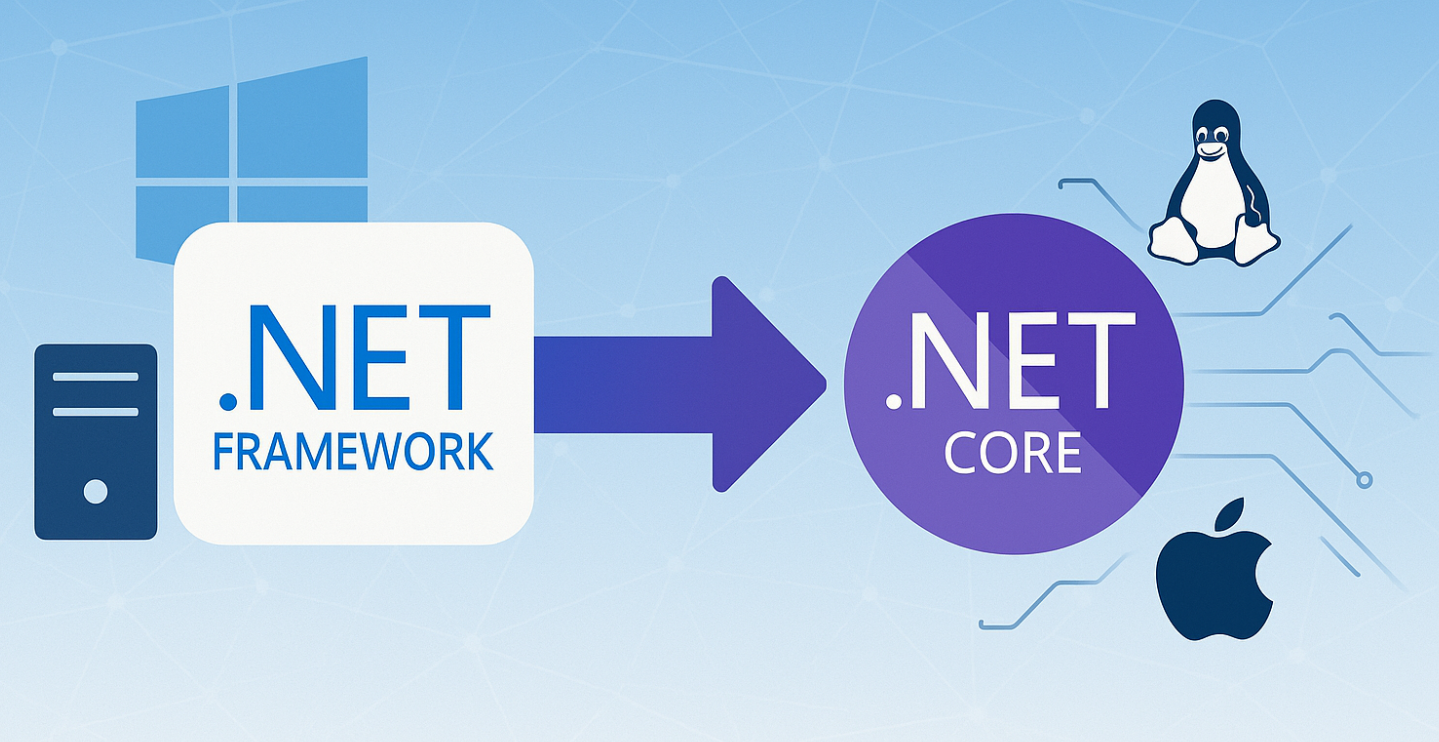
.NET Framework to  .NET 8
.NET Framework to .NET 8
Moving from .NET Framework to .NET 8 is not an upgrade. It's basically building from scratch. The new .NET works on different systems and in the cloud. Everything that uses only Windows will stop working. This includes registry work, event logs, and other things. You need to replace all of it. Web applications are the hardest to move. Going from ASP.NET to ASP.NET Core requires redesigning your app. WebForms don't work at all in the new system. You need to pick a new way to build your app instead of just updating what you have. Even simple console programs and code libraries need changes to how they work and get deployed. Why Migrate .NET Framework to .NET 8? Porting old .NET Framework to the .NET 8 gives you several business benefits. Your apps work faster. You can run them on Windows, Mac, or Linux instead of just Windows. Security is better too: Microsoft uses stronger protection against attacks and uses better encryption. The code is easier to work with. It’s more modular, so your apps can be lighter and scale better. Performance and Scalability .NET 8 is a new way to run apps that works much faster than the old .NET Framework. With over 500 performance improvements, your website or program responds faster even when more clients or staff use it. It doesn't freeze. Your servers don't work as hard, so you spend less money. .NET 8 is smarter about turning your code into things the computer can do with Just-In-Time compiler and runtime optimizations. Cases show CPU usage reductions of up to 50%. It cleans up memory better. And it only loads the parts of your program that you actually need instead of everything compared to monolithic .NET Framework. Infrastructure Cost Reduction Move your apps off old .NET Framework and you can save thousands per server every year. Old .NET only runs on Windows servers and costs a lot. New .NET runs on cheap Linux servers. Microsoft just raised Windows prices another 10-20% this year. You don't pay any of that when you switch to Linux. Your servers work better. Apps built with new .NET use less CPU power and memory than old .NET Framework apps. You can run more apps on the same server or do the same work as earlier with fewer servers. Containers are smaller. New .NET apps fit into smaller Docker containers. Smaller containers cost less to store. You also pay less for bandwidth because the files are smaller.  They deploy faster too. Better cloud setup. New .NET works well with cloud services that only create auto-scaling server instances when you need them. When more people visit your site, new servers start up faster. You pay for what you actually use instead of keeping Windows servers running all the time. Less maintenance work. Moving to new .NET gets rid of old code problems that slow you down. Cross-Platform Deployment Reach customers no matter what operation system they use. You don't need separate engineers for each one. The same code runs on Windows, Linux, and Mac. You write it once and it works everywhere. Works better with cloud tools. You can put your apps in Docker containers and manage them with Kubernetes. Once they're in containers, they can run on any cloud provider. You can scale them up or down automatically. Want to test a new version with just some users? Or switch between versions instantly? Now you can. Each service runs in its own container with everything it needs, so there are no conflicts between services. Updates are easy. If something goes wrong, you can roll back right away. Cloud and Modern DevOps When you migrate to .NET 8, your apps work better with the cloud and make it easier to deploy software. This saves money on servers and gets your software to customers faster. Old .NET Framework still gets updates on Windows, but it only runs on Windows servers. It's also hard to deploy because you can't easily use new cloud tools or automated systems. .NET 8 works differently. It runs on any platform and works well with containers. Your team builds the app once, puts it in a container, and can run that same container image anywhere. It works the same way on different cloud providers. You don't need to set up different environments for each one. With containerized microservices, each part of your app can be scaled separately. When lots of people use one feature, you launch more containers for that feature. When fewer people use it, you remove them automatically. This is better than the old way where you had to add resources to the whole app even if only one part needed more capacity. Platform-as-a-Service lets you write code once and run it anywhere - different cloud companies, different operating systems. You use the same pieces of code everywhere. The best part is that the cloud company handles the boring stuff like keeping servers running and their scaling, security updates, and maintenance. Your developers can spend time building features instead of managing servers. Enhanced Security and Compliance .NET 8 has built-in security that's stronger than what .NET Framework offered, which helps protect against cyber attacks. When you move from old .NET Framework, you get better encryption and modern ways to manage user logins. You get security tools that help meet regulations and compliance rules. But your developers still have to configure the security features the right way. ASP.NET Core Data Protection helps web applications protect sensitive data with encryption and automated key management. It was built to solve problems with the older Windows DPAPI, which worked only on Windows and was not suitable for web or cross-platform use. Data Protection is now the standard for securing authentication tokens, cookies, etc. in ASP.NET Core apps. ASP.NET Core and .NET 8 come with built-in security tools to help you meet GDPR, HIPAA, and PCI-DSS requirements. .NET Framework to ASP.NET Core/.NET 8-10 Migration Process Migration Readiness Assessment A migration readiness assessment starts with a detailed audit of your current applications, looking at each component to see whether it can move to the new environment with minimal changes or will need significant redevelopment. Evaluate the underlying technology stack to identify dependencies, compatibility issues and potential bottlenecks before they become costly problems. Then, perform a business impact analysis that measures the risk of downtime, outlines the resources — both people and infrastructure — required for each phase, and models the expected return on investment. By combining these technical and financial insights, leadership receives a clear, data-driven picture of when to execute the migration and how to allocate budget and staff to keep the project on schedule and under control. Application Inventory Analysis. An application inventory analysis begins by cataloging every software application in use — then documenting how each one interacts with others across your infrastructure. This detailed mapping uncovers dependencies and data flows so you can see, for example, when updating or retiring a single component what downstream systems might be impacted. Risk Impact Modeling. As part of the migration planning, build comprehensive risk-impact models that simulate how the transition might affect core operations. These models outline specific scenarios — such as planned service downtime windows, temporary interruptions in user access and potential delays in data processing — and quantify the effects each could have on revenue, customer satisfaction and internal workflows. Resource Planning Framework For a successful migration to .NET Core, you will need to staff each phase with the right mix of capabilities and allow sufficient time for both execution and up-skilling. In the initial Assessment & Planning phase, a small team can catalog your existing landscape, identify dependencies and establish the target architecture. These professionals will also map out detailed workstreams, risk registers and environment requirements. Once planning is complete, the Pilot Migration phase should be resourced too. During this phase, the team will convert one or two representative services or modules, validate build and deployment pipelines, and prove feasibility against real-world traffic. For the Full Migration, staffing must scale, supported by ongoing code reviews. This core team will execute the bulk of the code refactoring, performance tuning and environment provisioning across all remaining services. If your current headcount cannot absorb this load without jeopardizing other projects, plan to hire additional mid-level developers and infrastructure engineers for the duration. Finally, the Stabilization & Handover phase requires a lean team to resolve residual defects, optimize performance in production and finalize runbooks and operational documentation. Code Compatibility Assessment Code Compatibility Scanning In the Code Compatibility Scanning phase, you'll engage a small, focused team to run an automated assessment across your entire codebase. They'll use the .NET Portability Analyzer to pinpoint every API, NuGet package and Windows-specific call that won't translate to ASP.NET Core/.NET 8-10. As the tool processes each project, it generates a machine-readable report that flags incompatible methods, identifies missing dependencies and lists legacy components or P/Invokes that require replacement or wrapping. Your team then reviews and classifies these findings by effort and business impact, producing a prioritized remediation backlog. Migration Tool Accuracy Assessment In the Migration Tool Accuracy Assessment phase, a compact team works to validate the automated compatibility findings. First, each flagged issue from the Portability Analyzer is reproduced in a controlled sandbox environment. The developers execute small proof-of-concepts or unit tests against the proposed replacements or wrappers, confirming that the suggested API swaps actually compile and behave as expected on ASP.NET Core and .NET/.NET 8-10. The QA engineer builds targeted test cases in isolated sandboxes to confirm that each proposed API swap compiles and behaves correctly, while also uncovering any hidden dependency chains the tool missed. Every discrepancy — whether a true incompatibility or a false positive — is logged with a clear pass/fail result and a concise technical rationale. By the end of this work, you hold a definitive compatibility matrix that lists exactly which code sections must be refactored, upgraded, or replaced, all vetted by human expertise so that your bulk migration proceeds efficiently and without wasted effort. Dependency & Framework Analysis Dependency Resolution In the Dependency Resolution phase, you'll bring together a lean expert team. They begin by inventorying every third-party library, NuGet package and in-house component your applications depend on, then cross-reference each against the ASP.NET Core and .NET/.NET 8-10 ecosystem. Where an updated version exists, they validate compatibility - where it doesn't, they research and prototype alternative open-source or commercial libraries, or plan custom replacements. Because .NET Core's runtime and hosting model differ fundamentally from legacy frameworks, your architect leads several design workshops to reshape any components that can't be "lifted" directly. The developers build small proof-of-concepts — replacing a Windows-only data-access module with a cross-platform ORM, for example — to confirm feasibility. After this phase, you have a detailed dependency map that not only flags gaps but provides vetted solutions or redesign blueprints, ensuring that the full migration can proceed without hidden blockers or last-minute surprises. Package Dependency Mapping In the Package Dependency Mapping phase, a small cross-functional team runs automated discovery tools and manual reviews to catalog every NuGet package, COM component and external library your applications use. Third-Party Library Assessment In the Third-Party Library Assessment phase, a lean team systematically reviews every external component your applications consume. They begin by inventorying all licensed and open-source libraries, SDKs and vendor modules, then engage directly with each supplier to verify whether a fully supported ASP.NET Core and .NET/.NET 8-10 version exists or is on the vendor's roadmap. Where native support is absent, the team researches equivalent offerings in the community and commercial marketplaces, assembles a shortlist of candidates, and builds lightweight proof-of-concept integrations to validate functionality, performance and licensing terms. API Compatibility Analysis In the API Compatibility Analysis phase, a tight-knit group conducts a deep dive into every call your code makes against Windows services, system libraries and third-party APIs. They start by extracting all P/Invoke declarations, COM interop calls and use of Windows-only namespaces (such as System.ServiceProcess, System.DirectoryServices, or direct Win32 calls) from your codebase. For each API or system call, the team evaluates whether a cross-platform equivalent exists in ASP.NET Core and .NET/.NET 8-10 (for example, replacing ServiceController with a Docker or systemd wrapper library, or trading DirectoryServices for a platform-independent LDAP client). Where no direct alternative exists, they prototype thin adapter layers — wrapping native calls in a managed, conditional-compile shim — or redesign the interaction entirely (such as moving from MSMQ to a cloud-agnostic message broker). Framework Feature Assessment In the Framework Feature Assessment phase, a small cross-disciplinary team inventorizes every use of legacy .NET Framework technologies — Web Forms pages, WCF service endpoints and Windows Workflow Foundation workflows — and maps each to a modern ASP.NET Core and .NET/.NET 8-10 approach. They review your existing UI layer and identify Web Forms pages whose event-driven model must be reimagined in MVC or Razor Pages. Concurrently, they analyze each WCF contract, determine whether it should become a RESTful Web API or a gRPC service, and draft interface definitions accordingly. Meanwhile, an integration specialist and the UX lead catalogue every workflow definition built on Workflow Foundation, assessing which processes belong in a microservices-oriented orchestration engine versus a simple background job or function. For each identified feature, the team produces a lightweight design sketch — view model and controller for Web Forms replacements, API surface and serialization format for services, workflow diagram and hosting strategy for background processes — along with high-level effort estimates. Architectural Modernization Strategy During the Architectural Modernization Planning phase, a solution architect, senior developers and a DevOps specialist review your application's existing structure. They pinpoint tightly coupled components and introduce a dependency-injection framework so services no longer depend directly on one another. Configuration settings are moved out of code and into centralized, environment-agnostic providers that load different values for development, testing and production. In parallel, the team breaks up your monolithic assemblies into smaller, domain-aligned modules, builds proof-of-concept libraries to validate each boundary and establishes a consistent folder structure for reuse and test coverage. Finally, they deliver CI/CD pipeline templates that bake in these modular patterns, ensuring every future service or feature automatically follows the new architecture. Cross-Platform Deployment Capabilities Operating System Independence A solution architect teams up with infrastructure engineers and a cloud specialist to verify that every application can run unmodified on Linux hosts, Windows containers or in hybrid cloud environments. They begin by refactoring any OS-specific code — file paths, environment-variable access and native libraries — so that all configuration and dependencies are loaded dynamically at runtime. Next, the team builds and tests container images on both Linux and Windows platforms, exercises end-to-end deployment pipelines against AWS, Azure and on-prem Kubernetes clusters, and validates performance and behavior in each environment. They automate multi-platform CI/CD workflows to guarantee that every build produces artifacts compatible across operating systems. Finally, they produce a set of environment-agnostic deployment templates and detailed runbooks, and train your operations staff in cross-platform monitoring, incident response and provider-agnostic scaling. At the end, your applications are fully decoupled from Microsoft-only infrastructure, giving you the freedom to choose hosting based on cost, performance or geography without any code changes. Multi-Cloud Deployment Strategy During the Multi-Cloud Deployment Strategy phase, a cloud architect works alongside infrastructure engineers and a security specialist to design and validate deployments across multiple providers and on-premises environments. They start by cataloging each application's infrastructure requirements — compute, storage, networking and security — and mapping those to equivalent services in AWS, Azure, Google Cloud and your private data center. Next, the team develops reusable infrastructure-as-code modules (for example, Terraform or ARM templates) that can provision identical resources in each target environment, ensuring consistent configuration and reducing drift. In parallel, they build CI/CD pipelines that detect the target platform — cloud or on-prem — and deploy the correct artifacts and settings automatically. To meet data residency and compliance needs, they establish region-specific storage buckets and network isolation, then run failover drills that replicate production traffic between providers. The security specialist sets up unified identity and access controls — using federated identity and policy-as-code — so that permissions remain consistent regardless of hosting location. Throughout this period, the engineers validate service interoperability by running end-to-end tests in each cloud and on-prem cluster, measuring performance, latency and cost. Container & Cloud-Native Integration During the Container & Cloud-Native Integration phase, a solution architect, DevOps engineers and an infrastructure specialist turn each application component into a standardized Docker image and wire them into a Kubernetes cluster. They build and validate container definitions, set up a private registry and deploy services with Helm charts or equivalent manifests so that scaling, load balancing and self-healing become automatic rather than manual tasks. This work ensures every environment — developer laptops, test servers and production clusters — runs the identical containerized artifacts, cutting out configuration drift and simplifying rollbacks. At the same time, the team evaluates which functions and event-driven workloads map naturally to serverless offerings. They refactor suitable modules into Azure Functions, AWS Lambda or Google Cloud Run handlers, configure deployment scripts to package and publish them, and test cold-start performance and execution limits. Parallel to that effort, they overhaul the CI/CD pipelines: replacing ad hoc scripts with infrastructure-as-code templates (for example, Terraform or ARM) and fully automated build-test-deploy workflows. The result is a set of end-to-end pipelines that automatically build containers or serverless packages, run unit and integration tests, and push to target environments with zero manual intervention — enabling rapid, reliable releases and a true cloud-native operating model. Team Development & Skill Building During the Skill Gap Analysis phase, evaluate your team's proficiency in containerization, cloud deployment, cross-platform debugging and modern .NET Core frameworks. Conduct hands-on coding exercises, review recent project work, and interview developers to score each individual against the skills you'll need for migration. Highlight specific technology areas (Kubernetes orchestration, Linux-based diagnostics or ASP.NET Core and .NET/.NET 8-10 dependency injection) where outside expertise or new hires will be necessary. At the end of this assessment, you receive a detailed gap analysis report, can estimate the investment in hours and budget, and outline a hiring plan to fill any critical shortfalls before full-scale migration begins. Migration Execution Strategy During the Migration Execution Strategy phase, a migration lead and a solution architect define the order in which application modules will move to .NET Core. They rank each module by its technical complexity, business importance and data or functional dependencies, then group any tightly linked components so they migrate together. With that sequence in hand, they build a timeline that includes developer ramp-up time, compatibility testing, rollback plans and buffer days for unexpected integration challenges. As each module is ready, they deploy the new .NET Core version alongside the existing .NET Framework service, routing a portion of user traffic to the updated component while keeping the legacy system live as a fallback. This side-by-side deployment lets you shift workloads gradually, verify each conversion in production and roll back immediately if any issues arise. Comprehensive Testing In the Testing Strategy Expansion phase, a QA lead, QA engineers, and a performance engineer run in-depth validations of your migrated applications. They start by measuring response times, memory usage and CPU load on Windows servers, Linux hosts and in Docker containers, comparing each against pre-migration baselines to uncover any platform-specific slowdowns. At the same time, they execute targeted tests that exercise threading models, garbage-collection behavior and memory management under .NET Core to reveal subtle stability or performance issues. Once performance and runtime characteristics are confirmed, the team runs end-to-end checks of your core business processes — data calculations, workflow operations and external integrations — across standard and edge-case scenarios to ensure every result matches the original .NET Framework behavior. Finally, they assemble a full-scale staging environment mirroring your production infrastructure and data volumes, then execute load tests and integration drills to catch any issues with database connections, third-party services or resource contention before go-live. Operational Stability During Transition During the Operational Stability Maintenance phase, your solution architect, operations engineers and a performance specialist put in place the systems and processes that keep your services running without interruption. First, they build parallel environments so your .NET Framework applications and the new ASP.NET Core and .NET/.NET 8-10 components operate side by side. A load balancer is configured to route traffic to whichever version proves most stable, with automated fail-over rules that send users back to the legacy system if any errors or performance drops occur. Next, the team establishes a set of benchmarks — measuring response time, throughput and resource use under normal and peak loads — and updates your monitoring stack to track those metrics in real time across both environments. This lets you quantify the performance gains .NET Core delivers and spot any regressions immediately. Finally, they schedule each cut-over during known low-traffic windows and roll out a stakeholder communication plan that alerts business owners and support teams to the migration timetable and potential service variations. Performance Monitoring & Optimization Performance Baseline Establishment During Performance Baseline Establishment, a performance engineer and operations specialists run controlled load tests against your existing .NET Framework applications. They script key business workflows, simulate typical and peak user loads, and record response times, throughput rates, memory usage and CPU utilization. These measurements are stored in a centralized report. Monitoring System Integration Next, during Monitoring System Integration, a DevOps engineer and an application reliability manager deploy and configure APM tools that understand .NET Core internals. They analyze your services to capture garbage-collection pauses, thread-pool behavior and container resource metrics, and integrate those feeds into your existing dashboards and alerting rules. With cross-platform visibility in place, you can watch performance in real time as components move from Framework to Core. Performance Gain Realization Finally, in Performance Gain Realization, the same team works alongside senior developers to tune hotspots identified by the new monitoring data. They optimize critical code paths, adjust in-memory caches and right-size container resource limits. As each change goes live, engineers compare against the baseline report to confirm reduced latency, higher throughput and lower infrastructure utilization. Key influencing factors to evaluate when choosing the best .NET Framework to ASP.NET Core and .NET/.NET 8-10 Migration Сompany Portfolio Assessment Portfolio Assessment Maturity describes how deeply a migration partner analyzes your existing .NET Framework applications to understand what it will take to move them to .NET Core.  A mature assessment process begins with an inventory of every application’s current state — its code structure, third-party and in-house dependencies, performance characteristics and the specific business value each delivers.  The vendor then categorizes applications according to the effort required for migration and the impact on your operations, distinguishing between systems that can be ported with minimal changes, those that need targeted refactoring and those that require a complete architectural overhaul.  By treating each application according to its unique complexity and strategic importance rather than applying a one-size-fits-all approach, the partner ensures you focus resources where they will deliver the greatest return. Technical Debt Remediation Strategy Technical Debt Remediation Strategy defines how a migration partner identifies and resolves the hidden costs in your existing .NET Framework code before moving to ASP.NET Core and .NET/.NET 8-10.  It begins with a comprehensive scan of your applications to pinpoint legacy code patterns, obsolete or unsupported libraries and fragile third-party integrations that will break or perform poorly on the new platform.  The vendor uses automated tools and manual review to classify debt items by severity and impact — isolating modules that require simple updates, those that need significant refactoring and those that must be rewritten entirely. For outdated libraries, they map replacements that are fully supported in .NET Core or propose alternative solutions when direct equivalents don’t exist.  Architectural anti-patterns such as monolithic designs or tightly coupled components are broken down into more modular services or refactored to leverage dependency injection and modern design patterns. Throughout this process, the partner maintains your existing functionality by writing tests, using feature toggles and staging changes in parallel environments.  By systematically reducing technical debt — rather than forcing a lift-and-shift — they minimize rework, mitigate migration risks and ensure that the resulting codebase is maintainable, performant and ready for future .NET releases. Business Continuity Risk Management Business Continuity Risk Management describes how a migration partner keeps your applications running without interruption as they move from .NET Framework to ASP.NET Core and .NET/.NET 8-10.  It starts with designing parallel environments so that the new .NET Core services operate alongside your existing .NET Framework systems, allowing traffic to shift gradually and fall back instantly if issues arise.  The vendor defines clear rollback procedures — automated scripts or configuration switches that restore the legacy system in seconds — and tests those procedures in staging before any production cutover.  They schedule migrations in phases, beginning with low-risk components, monitor key metrics in real time and provide live dashboards so you can spot anomalies immediately. If an upgrade fails or performance degrades, they trigger pre-configured fail-over routines to divert traffic back to the stable environment, run hot-fixes on isolated test beds and only reattempt cutover once the fix is validated.  Throughout the process, they coordinate with your operations and support teams, document every step, and maintain communication channels so that everyone knows exactly when and how each application will switch over — minimizing downtime, preserving SLAs and protecting the end-user experience. Financial Impact Modeling Financial Impact Modeling Accuracy describes a partner’s ability to forecast the true costs of moving and running your applications on .NET Core by building detailed, assumption-driven financial models.  A capable vendor starts by using cloud provider cost calculators and custom rate sheets to estimate your future infrastructure expenses, selecting instance types, storage tiers, operating systems and network configurations that reflect your performance and availability needs.  They layer in software licensing fees, third-party support contracts and anticipated operational overhead — automation, monitoring and backup services — to produce a multi-year total cost of ownership projection.  By validating their assumptions against your historical usage patterns and including sensitivity analyses for variable workloads, they ensure you see realistic budgets, break-even timelines and ROI estimates rather than optimistic guesses.  This precision lets you make informed investment decisions and plan your migration with confidence. Performance Benchmark Validation Performance Benchmark Validation describes how a vendor measures throughput, latency and response times before and after migration by running the same workload scripts in identical test environments.  They record baseline metrics on the .NET Framework system, repeat the tests on the ASP.NET Core and .NET/.NET 8-10 version, compare the two sets of measurements, investigate any regressions to locate bottlenecks, apply targeted optimizations, and provide you with the raw before-and-after data so you can see exactly where performance changed and which areas may still need tuning. Security Architecture Transformation Security Architecture Transformation defines how a migration partner replaces Windows-specific security controls with cross-platform frameworks while preserving encryption, access control and audit capabilities.  The partner begins by mapping existing Active Directory authentication, role-based permissions and audit settings, then designs an equivalent solution using ASP.NET Core Identity or OAuth2/OpenID Connect for authentication and authorization.  They inventory data at rest and in transit, apply the Data Protection API for encryption, configure TLS for transport security and integrate cloud or third-party identity services where required.  Centralized logging and structured audit trails are implemented, and automated security scans, penetration tests and threat-modeling workshops verify that controls meet or exceed original standards.  Finally, the partner checks compliance with regulations such as PCI-DSS, HIPAA and GDPR, and delivers the documentation needed for regulatory audits. Vendor Stability Vendor Organizational Stability measures whether a migration partner can sustain the long-term commitments that enterprise migrations demand.  It begins with financial health indicators — revenue trends, profitability margins and debt levels — to ensure the company can fund multi-year projects without cash-flow interruptions.  Team retention rates and bench strength show whether they can staff complex engagements from start to finish without losing critical expertise.  Capacity planning aligns preferred team size and skills with your project’s budget and timeline, while industry experience confirms they’ve weathered similar challenges and know the domain.  Geographic and time-zone coverage determine how effectively they can collaborate with your internal teams and provide follow-the-sun support.  A stable leadership team, transparent governance and audited financials all point to a partner less likely to abandon a multi-phase migration before completion. Data Quality Assurance Methodology Data Quality Assurance Methodology describes how a migration partner systematically verifies that your data remains accurate, complete and usable throughout and after the move to ASP.NET Core and .NET/.NET 8-10.  The process starts with profiling your source data to measure current levels of accuracy, completeness, consistency and validity across all tables and fields. During extraction, the vendor applies automated checks — row counts, checksum comparisons and schema validations — to ensure no records are lost or altered.  As data is transformed and loaded into the new environment, they run reconciliation scripts that compare source and target datasets on key dimensions such as precision (numeric rounding), interpretability (field formats) and timeliness (timestamps and transactional order). Parallel validation environments let them catch issues before production cutover, and they maintain an audit trail of every data validation step.  Post-migration, the vendor executes end-to-end test scenarios — customer lookups, report generation and batch jobs — to confirm that downstream processes produce identical or improved results.  Throughout, they document validation rules, exception rates and remediation actions so you can see exactly where any data gaps occurred and how they were resolved.  This approach guarantees that your data quality remains at or above its original level, with full transparency into every step of the migration. Belitsoft: Leading .NET Framework to ASP.NET Core and .NET/.NET 8-10 Migration Company Technical competency in .NET Framework to ASP.NET Core and .NET/.NET 8-10 migrations Over 20 years in the Microsoft ecosystem (specializing in .NET since 2004). Engineers perform full re-architecture of legacy .NET Framework code, replace deprecated libraries, and apply automated tooling and performance tuning for migrations to ASP.NET Core and .NET/.NET 8-10. Expertise spans ASP.NET Core web applications, Blazor UI, cloud-native architectures (including containerization and microservices), and legacy system modernization. Relevant industry experience Healthcare. Since 2015, have built and migrated electronic health record systems under HIPAA requirements, embedding data security practices at every stage. Fintech. Delivered transaction-processing platforms emphasizing accuracy, high throughput, low latency, and strict security controls. Team composition and availability Nearshore delivery teams based in Poland, with working-hour overlap across Central European and U.S. time zones to minimize coordination delays. Small, dedicated squads of .NET specialists integrate with client staff from Day 2 and scale up or down as requirements change. Clients receive regular updates on team composition alongside progress reports. Project management methodology Agile delivery with short iterations and daily standups to keep scope, deliverables, and risks visible. Automated test suites and Azure DevOps CI/CD pipelines are established at project kickoff to catch issues early. Status reports include milestones achieved, key risks, and actual vs. planned spend. Pricing competitiveness and value proposition Rates are approximately 30% below those of many Western firms due to streamlined processes and low overhead. Itemized cost estimates are provided before engagement. Clients choose time-and-materials or fixed-price contracts with no hidden fees. Ongoing transparency via regular updates on progress and actual spend enables tight ROI monitoring.
ASP.NET Cloud Development: Enterprise Strategy and Best Practices
Belitsoft is a cloud-native ASP.NET software development company that provides end-to-end product-development and DevOps services with cross-functional .NET & cloud engineers. Types of ASP.NET Applications to Build ASP.NET Core MVC The Model-View-Controller framework is a scalable pattern for building dynamic web applications with server-rendered HTML UI. An ASP.NET MVC app returns views (HTML/CSS) to browsers and is ideal for internal web portals or customer-facing websites. MVC can also expose APIs, but its primary role is delivering a self-contained web application (UI + logic). ASP.NET Core Web API A Web API project provides RESTful HTTP services and returns data (JSON or XML) for client applications. This is the preferred approach when building backend services for single-page applications (Angular, React, Vue), mobile apps, or B2B integrations. Unlike MVC, Web API projects do not serve HTML pages – they deliver data via endpoints to any authorized client. You can mix MVC and API in one project, but if a UI is not needed at all, a pure Web API project is a good choice. Blazor Applications Blazor is a modern ASP.NET Core framework for interactive web UIs in C# (alternative to JavaScript front-ends). Blazor can run on the server (Blazor Server) or in the browser via WebAssembly (Blazor WebAssembly).  Blazor is ideal when you want a single-page application and prefer .NET for both client and server logic. It reuses .NET code on client and server and integrates with existing .NET libraries.  Blazor improves developer productivity for .NET teams. (For comparison, Razor Pages – another ASP.NET option – also provides server-rendered pages, but Blazor is more dynamic on the client side.) Cloud Services & Features to Prioritize Successful ASP.NET cloud architectures rely on managed services that provide scalability, reliability, and efficiency out-of-the-box.  Automatic Scaling Autoscaling adjusts capacity on demand. Enable elastic scaling so the application can handle fluctuations in load. Cloud platforms offer auto-scaling for both PaaS and container workloads.  For example, Azure App Service can automatically adjust instance counts based on CPU or request load, and AWS Auto Scaling groups or Google Cloud’s autoscalers can do similarly for VMs or containers.  Designing stateless application components is important – if the app keeps little or no session state in-memory, new instances can spin up or down seamlessly. Use health checks and load balancers to distribute traffic across instances.  CI/CD Pipelines A continuous integration/continuous deployment pipeline is required for enterprise projects.  Automated build and release pipelines ensure that every code change goes through build, test, and deployment stages consistently All major clouds support CI/CD: Azure offers Azure DevOps pipelines and GitHub Actions, AWS provides CodePipeline/CodeBuild, and GCP has Cloud Build. These services (or third-party tools like Jenkins) automate compiling the .NET code, running tests, containerizing apps if needed, and deploying to staging or production.  Investing in DevOps automation and infrastructure-as-code reduces errors and speeds up delivery. For example, Azure DevOps or GitHub Actions can build and deploy an ASP.NET app to Azure App Service or AKS with every commit, including running tests and security scans. CI/CD lets you release updates often and reliably, and makes rollbacks easy. Containerization Containerize ASP.NET applications using Docker to gain portability and consistency across environments.  A container image bundles the app and its runtime, ensuring it runs the same on a developer’s machine, in testing, and in production. Containerization is especially useful for microservices or when moving legacy .NET Framework apps to .NET in Linux containers.  All cloud platforms have container support: Azure App Service can deploy Docker containers, AWS offers Elastic Container Service (ECS) and Fargate, and Google Cloud Run or GKE run containers without custom infrastructure.  Kubernetes is widely used to orchestrate containers – Azure Kubernetes Service (AKS), Amazon EKS, and Google GKE are managed Kubernetes offerings to run containerized .NET services at scale.  Kubernetes provides features like service discovery, self-healing, and rolling updates, but also adds complexity. If your application consists of many microservices or requires multilanguage components, Kubernetes is a powerful choice.  For simpler needs, consider PaaS container services (Azure App Service for Containers, AWS App Runner, or Cloud Run) which allow running container images without managing the full Kubernetes control plane.  Containers wrap .NET apps so they run the same everywhere, and orchestration tools manage scaling and resilience — things like automatic restarts and traffic routing during updates. Serverless Functions Serverless computing allows running small units of code on demand without managing any servers.  For ASP.NET, this means using Functions-as-a-Service to run .NET code for individual tasks or endpoints. Azure Functions supports .NET for building event-driven pieces – an HTTP-triggered function to handle a form submission or a timer-triggered job for nightly data processing, etc. AWS Lambda similarly supports .NET for serverless functions, and Google Cloud Functions can be used via .NET runtimes (or run .NET code in a container with Cloud Run for a serverless effect).  These services automatically scale and charge based on execution rather than idle time. Serverless is ideal for sporadic or bursty workloads like processing messages from a queue, image processing, or lightweight APIs. For example, an e-commerce app might offload PDF report generation or thumbnail image processing to an Azure Function that spins up on-demand.  By using serverless, you gain extreme elasticity (including scale-to-zero when no requests) and fine-grained cost control (pay only for what you use). Combine serverless with event-driven design (using queues or pub/sub topics) to decouple components and improve resilience through asynchronous processing. Managed Backing Services Beyond compute, prioritize cloud-managed services for databases, caching, and messaging in your architecture.  Cloud providers offer database-as-a-service (Azure SQL Database, Amazon RDS for SQL Server or Aurora, Google Cloud SQL/Postgres, etc.) so you don’t manage VMs for databases.  Use distributed caches (Azure Cache for Redis or AWS ElastiCache) instead of in-memory caches on app servers, so that new instances have immediate access to cached data.  Likewise, use managed message brokers (Azure Service Bus, AWS SQS/SNS, Google Pub/Sub) for reliable inter-service communication and to implement asynchronous processing. These services are built to scale, highly available, and maintained by the provider, freeing your team from patching. Monitoring and Diagnostics Enable logging, monitoring, and tracing. Cloud-native monitoring tools like Azure Application Insights for .NET apps provide distributed tracing, performance metrics, and error logging with minimal configuration, Amazon CloudWatch with X-Ray for tracing on AWS, or Google Cloud Operations suite for GCP. These provide real-time telemetry on system health and user activity.  Set up alerts on key metrics (CPU, error rates, response times) and use centralized log search. In production, a monitoring setup helps quickly pinpoint issues –  tracing a slow API request across microservices in Application Insights, etc. This is critical for meeting enterprise reliability requirements. Cloud Deployment Models for ASP.NET Applications Deciding on the right deployment model is a fundamental architectural choice. ASP.NET applications can be deployed using Platform as a Service, Infrastructure as a Service, or container-based solutions, each with pros and cons. Often a combination is used in enterprise solutions (for example, using PaaS for the web front-end and Kubernetes for a complex back-end). Below we outline the main models. Platform-as-a-Service (PaaS) PaaS offerings allow you to deploy applications without managing the underlying servers.  For ASP.NET, the prime example is Azure App Service – a fully managed web app hosting platform. You simply publish your Web App or API to App Service and Microsoft handles the VM infrastructure, OS patching, load balancing, and auto-scaling for you.  Azure App Service has built-in support for ASP.NET (both .NET Framework and .NET Core/5+), including easy deployment from Visual Studio, integration with Azure DevOps pipelines, and features like deployment slots (for staging), custom domain and SSL support, and auto-scale settings.  AWS offers a comparable PaaS in AWS Elastic Beanstalk, which can deploy .NET applications on AWS-managed IIS or Linux with .NET Core. Elastic Beanstalk simplifies provisioning of load-balanced EC2 instances and auto scaling for your app, with minimal manual configuration. Google Cloud’s closest equivalent is App Engine (particularly the App Engine Flexible Environment which can run containerized .NET Core apps). However, Google now often recommends Cloud Run (a container-based PaaS) as a simpler alternative for new projects. When to use PaaS PaaS is ideal for most web applications and standard enterprise APIs. It accelerates development by removing the OS and server maintenance.  For example, an internal business web app for a bank or manufacturer can run on Azure App Service and benefit from built-in high availability and scaling without a dedicated infrastructure team.  PaaS supports continuous deployment –  developers can push updates via Git or CI pipeline and the platform deploys them.  The trade-off is slightly less control over the environment compared to VMs or containers, but for .NET apps the managed environment is usually well-optimized.  In Azure App Service, you can still configure .NET version, scalability rules, and use deployment slots for zero-downtime releases.  Similarly, AWS Elastic Beanstalk provides configuration for instance types and scaling policies, but handles the heavy lifting of provisioning.  PaaS is a productivity booster that covers most needs for web and API apps, unless you have custom OS dependencies or very specific networking needs. Infrastructure-as-a-Service (IaaS) With IaaS, you manage the virtual machines, networking, and OS yourself on the cloud. All three major clouds provide easy ways to create VMs (Azure Virtual Machines, Amazon EC2, Google Compute Engine) with Windows or Linux images for .NET.  In this model, you could deploy an ASP.NET app to a Windows Server VM (perhaps running IIS for a traditional .NET Framework app) or to a Linux VM with .NET Core runtime. IaaS offers maximum control – you configure the OS, you install any required software or dependent services, and you manage scaling (perhaps via manual provisioning or custom scripts). However, this also means more maintenance overhead: you must handle OS updates, scaling out/in, and ensuring high availability via load balancers, etc. When to use IaaS Pure IaaS is typically chosen for legacy applications or scenarios requiring custom server configurations that PaaS cannot support.  For example, if an enterprise has an older ASP.NET Framework app that relies on specific COM components or third-party software that must be installed on the server, it might need to run on a Windows VM in Azure or AWS.  You might also choose VMs if you need full control over networking (custom network appliances or domain controllers in the environment) or if you’re lifting-and-shifting a whole environment to cloud.  In modern cloud strategies, IaaS is often a stepping stone – many organizations first rehost their VMs on cloud, then gradually migrate to PaaS or containers for easier management.  While you can achieve great performance and security with IaaS, it requires cloud engineering expertise to set up auto-scaling groups, manage images, use infrastructure-as-code for consistency, etc. Whenever possible, cloud architects recommend PaaS over IaaS for web apps to reduce management burden, unless specific requirements dictate otherwise. Container & Kubernetes Deployments Containers can be seen as a middle ground between pure PaaS and raw VMs. Using Docker containers, you package the app and its environment, which guarantees consistency, and then you have choices in how to run those containers. Managed Container Services Both Azure and AWS offer simplified container hosting without needing a full Kubernetes setup. Azure App Service for Containers allows you to deploy a Docker image to the App Service platform – giving you the benefits of PaaS (easy deployment, scaling, monitoring) while letting you use a custom container ( if your app needs specific OS libraries or you just prefer Docker workflows).  AWS App Runner is a similar service that can directly run a web application from a container image or source code repo, automatically handling load balancing and scaling.  Google Cloud Run is another service in this category – it runs stateless containers and can scale them from zero to N based on traffic, effectively a serverless containers approach. These services are great for microservices or apps that need custom runtimes without the complexity of managing Kubernetes. They are often cheaper and simpler for small to medium workloads, and you pay only for resources used (Cloud Run even scales to zero on no traffic). Kubernetes (AKS, EKS, GKE) For large-scale microservices architectures or multi-container applications, a Kubernetes cluster offers the most flexibility.  Azure Kubernetes Service (AKS), Amazon Elastic Kubernetes Service (EKS), and Google Kubernetes Engine (GKE) are managed services where the cloud provider runs the Kubernetes control plane and you manage the worker nodes (or even those can be serverless in some cases).  With Kubernetes, you can run dozens or hundreds of containerized services (each could be an ASP.NET Web API, background processing service, etc.), and take advantage of advanced scheduling, service meshes, and custom configurations.  Kubernetes excels if your system is composed of many independent services that must be deployed and scaled independently – a common case in complex enterprise systems or SaaS platforms.  It also allows scenarios when some services are in .NET, others maybe Python or Java, etc. - all on one platform.  The trade-off is operational complexity: running Kubernetes requires cluster maintenance, monitoring of pods/nodes, and knowledge of container networking, which is why some enterprises only adopt it when needed. When considering containers vs other models, ask how much control and flexibility you need.  If you simply want to “lift and shift” an on-premises multi-tier .NET app, Azure App Service or AWS Beanstalk might do it with minimal changes.  But if you plan a modern microservice design from the ground up, containers orchestrated by Kubernetes provide maximum flexibility (at the cost of more management). Many enterprise solutions use a mix: for example, an e-commerce SaaS might host its front-end Blazor server app on Azure App Service, use Azure Functions for some serverless tasks, and run an AKS cluster for background processing microservices that require fine-grained control.  Enterprise Use Cases and Examples Internal Business Application (Manufacturing or Corporate ERP) Many enterprises build internal web applications for employees – such as an inventory management system for a manufacturing company or an internal CRM/ERP module. In this scenario, security and integration with corporate systems are key.  An ASP.NET Core MVC app could be deployed on Azure App Service with a VNet integration to securely connect to on-premises databases (via VPN or ExpressRoute). Using Azure Active Directory for authentication allows single sign-on for employees (similarly, AWS IAM Identity Center or GCP Identity-Aware Proxy could be used if on those clouds).  For a manufacturing firm, the app might need to ingest data from IoT devices or factory systems – an architecture could include an IoT Hub (in Azure) or IoT Core (AWS) feeding data to a backend API.  The web app itself can use a tiered architecture: a Web API layer for data access and an MVC or Blazor front-end for the UI.  Autoscaling might not be heavily needed if usage is predictable (office hours), but the design should still handle spikes (end-of-month processing, etc.) by scaling out or up.  Given its internal, compliance is usually about data protection and perhaps SOX if it deals with financial records. All cloud resources for this app should likely reside in a specific region close to the corporate HQ or factory locations (for low latency).  For example, a European manufacturer might host in West Europe (Netherlands) region to ensure data stays in the EU. Backup/DR: They might use a secondary region in the EU for redundancy. Key best practices applied: use managed services like Azure SQL for the database (with Transparent Data Encryption on), App Insights for monitoring usage by employees, and infrastructure-as-code to be able to reproduce dev/test instances of the app easily. Software-as-a-Service (SaaS) Platform (Healthcare SaaS) Consider a startup or enterprise unit providing a SaaS product for healthcare providers – for example, a patient management system or telehealth platform delivered as a multi-tenant web application. Here, multi-tenancy and data isolation are critical.  An ASP.NET solution might use a single application instance serving multiple hospital customers, with row-level security per tenant in the database or separate databases per tenant. Cloud choices like Azure SQL elastic pools or AWS’s multi-tenant database patterns can help.  This SaaS could be built based on microservices architecture for different modules (appointments, billing, notifications) – implemented as ASP.NET Web APIs running in containers orchestrated by AKS or EKS, for example, to allow independent scaling of each module.  Front-end could be Blazor WebAssembly for a client, served from Azure Blob Storage/Azure CDN or AWS S3/CloudFront (since Blazor WASM is static files plus an API backend).  For a healthcare SaaS, regulatory compliance (HIPAA) is a top priority: you’d ensure all services used are HIPAA-eligible and sign BAAs with the cloud provider.  Data encryption and audit logging is mandatory – every access to patient data should be logged (using App Insights or AWS CloudTrail logs).  The SaaS might need to operate in multiple regions: US and EU versions of the service for respective clients, to address data residency concerns. You could deploy separate instances of the platform in Azure’s US regions and EU regions, or use a single global instance if legally allowed and implement data partitioning logic.  Auto-scaling is critical here because usage might vary widely as customers come on board. Using Azure Functions or AWS Lambda could be an effective way to handle certain workloads in the SaaS – processing medical images or PDFs asynchronously as a function, rather than tying up the web app.  CI/CD must be very rigorous for SaaS: with frequent updates, automated testing and blue-green deployments (perhaps using deployment slots or separate staging clusters) will ensure new releases don’t interrupt service. Another best practice is to implement tenant-specific encryption or keys if possible, so that each client’s data is isolated (Azure Key Vault can hold separate keys per tenant).  The cloud platform comparison factor here: Azure’s strong integration with enterprise logins might help if your SaaS allows customers to use their hospital’s Active Directory for SSO.  On the other hand, AWS’s emphasis on scalability and its reliable infrastructure might appeal for global reach. In practice, both Azure and AWS have large healthcare customers, and both have healthcare-specific offerings (Azure has the Healthcare API FastTrack, AWS has health AI services) that could enhance the SaaS.  The decision might come down to which cloud the development team is more adept with and where the majority of target customers are (some European healthcare organisations might prefer Azure due to data sovereignty assurances by EU-based Microsoft Cloud for Healthcare initiatives). B2B API Service (Finance Trading API or Supply Chain Integration) In this case, an enterprise offers an API that external business partners or clients integrate with. For example, a financial company might expose market data or trading operations via a RESTful API, or a manufacturing company might provide an API to suppliers for inventory updates. Reliability, performance, and security (especially authentication/authorization and rate limiting) are key here.  An ASP.NET Web API project is a natural fit to create the HTTP endpoints. This could be hosted on a scalable platform like Azure App Service or in AWS EKS if containerized. Often, an API gateway is used in front: Azure API Management or AWS API Gateway can provide a single entry point, with features like request throttling, API keys/OAuth support, and caching of frequent responses.  For a finance API, you might require client certificate authentication or JWT tokens issued via Azure AD or an IdentityServer – implement robust auth to ensure only authorized B2B clients access it.  Because this is external-facing, a Web Application Firewall and DDoS protection (which Azure and AWS include by default at some level) should be in place.  In terms of cloud specifics, if low latency is critical (electronic trading), you might choose regions carefully and possibly even specific services optimized for performance (AWS has placement groups, Azure has proximity placement, etc., though those matter more for internal latency).  A trading API could be latency-sensitive enough to consider an on-premises edge component, but assuming cloud-only, one might choose the cloud region closest to major financial hubs (New York or London, for example).  For manufacturing supply chain APIs, latency is less critical than reliability – partners must trust the API will be up.  Here multi-region active-active deployment might be warranted: run the API in two regions with a traffic manager that fails over in case one goes down, to achieve near 24/7 availability. Data behind the API (like inventory DB or market data store) would then need cross-region replication or a highly available cluster.  .NET’s performance with JSON serialization is very good, but you can further speed up responses with caching - frequently requested data can be cached in Redis so the API call returns quickly.  Monitoring for a B2B API must be very granular – use Application Insights or CloudWatch to track every request, and possibly create custom dashboards for API usage by each partner (this helps both in capacity planning and in showing value to partners).  In terms of compliance, a finance API may need to log extensively for audit (like MiFID II in EU for trade logs) – ensure those logs are stored securely (perhaps in an append-only storage or a database with write-once retention).  Manufacturing APIs might have less regulatory burden but could involve trade secrets, so ensuring no data leaks and using strong encryption is important.  When supporting external partners, also consider providing a sandbox environment – here cloud makes it easier: you can have a duplicate lower-tier deployment of the API for testing, isolated from prod but easily accessible to partners for integration testing.  Deployment automation helps spin up such environments on demand.  Finally, documentation is part of the deployment – using OpenAPI/Swagger with ASP.NET, you can expose interactive docs, and API Management services often provide developer portal capabilities out of the box. How Belitsoft Can Help Belitsoft is your cloud-native ASP.NET partner. We supply full-stack .NET architects, cloud engineers, QA specialists, and DevOps professionals as a blended team, so you get code, pipelines, and monitoring from a single partner. Our "startup squads" feature product-minded developers who code, test, and deploy — no hand-holding required. We provide cross-functional .NET and DevOps teams that design, build, and operate secure, scalable applications. Whether you need to migrate a 20-year-old intranet portal, launch a healthcare SaaS platform, or deliver millisecond-latency trading APIs, Belitsoft brings the expertise to match your goals.
Azure Services for .NET Developers
Azure App Service (Web Apps) This is a PaaS for hosting web applications, REST APIs, and background services. For .NET teams, Azure App Service is often the easiest on-ramp to the cloud - you can deploy ASP.NET or ASP.NET Core applications directly (via Visual Studio publish or DevOps pipelines) without worrying about the underlying servers.  It provides built-in load balancing, autoscaling, and patched Windows or Linux OS images.  Scaling up or out is as simple as a configuration change.  App Service also supports deployment slots (for blue-green deployments) and seamless integration with other Azure services (like VNets, Azure AD authentication, etc.).  Cost/ROI App Service runs on an App Service Plan (with various tiers). You pay for the plan (which can host multiple apps) by the capacity of VMs (shared or dedicated). Scaling out adds more instances linearly.  While this means you have a baseline cost for the allocated instance even if your app is idle, the convenience and reduced operations overhead provide great ROI for most web workloads.  With App Service, you eliminate the labor of managing VMs, OS, and middleware, allowing a smaller team or reallocation of staff to higher-value tasks.  It’s also cost-efficient at scale – running 10 small web apps on one S1 plan can be cheaper than 10 separate VMs.  Many enterprises modernizing .NET apps find that Azure App Service and Azure SQL Database are optimized for hosting .NET web workloads in the cloud, making them a logical first choice. Azure Functions (Serverless Compute) This is a Function-as-a-Service platform to run small pieces of code (functions) in response to events or on a schedule, with automatic scaling and pay-per-use pricing.  Azure Functions is ideal for event-driven workflows, processing queue messages, file uploads, or IoT events, running scheduled jobs (like nightly data sync), or extending an application with minimal overhead.  You can write functions in C# (or other .NET languages, as well as Python, Java, etc.), and simply deploy them - Azure handles provisioning containers to run them.  Cost/ROI In the Consumption Plan, Azure Functions cost $0 when idle and you are billed only for the execution time and memory used, in fractions of a second.  This model can be extremely cost-effective for spiky or low-volume workloads.  For example, a background task that runs only a few times per day will cost virtually nothing, yet it’s always available to scale out during a sudden burst.  This provides excellent ROI by aligning costs directly with usage - no need to pay for a server 24/7 if it’s only used occasionally.  On the other hand, for consistently high-load scenarios, one can switch to an App Service Plan for functions or use Azure Durable Functions (for orchestrations) which still benefit from built-in scaling.  The key value is agility: developers can create new function endpoints quickly to handle new events (a function to process an order placed event and update CRM) without needing full application deployments. Azure Kubernetes Service (AKS) This is a managed Kubernetes service for running containerized applications and microservices.  AKS offloads the complexity of managing a Kubernetes control plane - Azure runs the masters for you (free of charge), and you manage the agent nodes (as VMs or VM scale sets).  AKS is the go-to solution when you have a microservices architecture or need to deploy containers (Docker images) for your .NET (and not only) applications.  It offers fine-grained control over container scheduling, service mesh integration (Dapr or Linkerd), and can run both Linux and Windows containers side by side.  Cost/ROI You pay for the underlying VM nodes that run your containers (plus any add-ons like Azure Monitor or a minimal charge for load balancers). Kubernetes itself is free, thus, AKS cost scales with the compute resources you allocate.  One advantage is that AKS can potentially be more cost-efficient at scale than multiple PaaS instances - for example, packing many containerized services on a set of VMs can save cost if those services have complementary usage patterns.  In one comparison, AKS was 30% cheaper than an equivalent setup on App Services for large deployments, because you have more control over resource utilization.  However, AKS likely incurs higher operational costs in terms of expertise required - you need skilled DevOps/Kubernetes engineers to manage upgrades, scaling, and to optimize the cluster.  The ROI of AKS is strongest for organizations that require Kubernetes’s flexibility (to avoid platform lock-in, or to run open-source components like Kafka, or to utilize existing containerized workloads). For pure .NET web/API apps, AKS might be overkill - but for large-scale microservices or multi-application deployments, it provides an enterprise-grade platform.  Microsoft continues to integrate AKS with other services (Azure AD for auth, Azure Monitor for logging, Azure Policy for governance) to reduce the overhead.  Executives view AKS as an investment. It can unify your application infrastructure and allow virtually any workload to run in Azure, but be prepared to invest in the learning curve. One mitigant is using Azure’s container ecosystem (like Azure Container Registry for managing images, and tools like Helm or Bicep for managing deployments) to streamline operations. Azure Cosmos DB This is a fully-managed NoSQL database service - globally distributed and low-latency at scale.  Cosmos DB supports multiple data models (document, key-value, graph, columnar) and APIs (SQL API for JSON, MongoDB API, Cassandra API, etc.).  For cloud-native .NET apps, Cosmos DB is often used to store JSON documents or application state that needs to be highly responsive and distributed across regions (for example, user profile data in a global app, or telemetry and event data).  Azure guarantees
Cloud-Native .NET Development on Azure
Cloud-Native Core Implementation Practices Cloud-native applications use the cloud’s built-in features — automatic scaling, managed services, and global distribution. Cloud-native architectures are built on different principles than traditional on-premises designs. Elastic workload sizing Elastic workload sizing refers to cloud infrastructure that automatically adjusts the number of running instances as demand rises or falls. Applications that keep little or no state in memory can scale this way without interruption. Asynchronous processing Asynchronous processing moves slow or bursty tasks to background queues or event streams, allowing user-facing requests to finish quickly while the deferred work runs in parallel. Resilience by design Resilience by design assumes components will fail and prioritizes restoring service quickly (low MTTR) instead of eliminating every failure (high MTBF). Polyglot persistence Polyglot persistence stores each workload’s data in the engine that matches its needs: relational tables for structured transactions, document databases for flexible schemas, in-memory key-value caches for rapid reads, and column stores for analytics. Loose coupling Loose coupling means each service communicates through APIs, messages, or events, so a fault in one part stays isolated and the rest of the system keeps running. Infrastructure as code Servers, networks, and security rules are stored as code in version-controlled templates. Automation tools read these files and create or update the resources exactly as described. Each change is recorded, repeatable, and easy to roll back. Immutable servers An immutable server never changes once it is in production. When a new version of the application or its dependencies is ready, automation builds a fresh machine image, starts new instances from that image, shifts traffic to them, and then removes the old instances. Operational foundations built in Operational foundations built in means the system handles three routines by default: Automated deployment pipelines – every code change moves through the same build, test, and release steps, so each production release is predictable. Security in code and templates – access rules, secret storage, and compliance checks are written into the same files that define servers and networks, keeping them version-controlled and repeatable. Monitoring and telemetry – logs, metrics, and traces are collected automatically, giving current data on system health and user activity. High-Level Cloud-Native System Design Approaches Microservices Architecture Microservices help a team release software faster. Each service is a small, self-contained program, so a dedicated team can build, test, and deploy it on its own schedule, and the service can be scaled up or down without affecting the rest of the system. If one service fails, the failure is less likely to bring down the whole application. This flexibility adds operational overhead. Running many services means more work for routing requests, discovering endpoints, and keeping data consistent across service boundaries. Solid DevOps practices — automated pipelines, clear observability, and well-rehearsed incident response — become important. Choose microservices when a part of the application maps naturally to a single business domain and benefits from its own release cycle or elastic scaling. For a small or straightforward system, a well-structured monolith or simple N-tier design may be easier to build and run, yet still count as cloud native if it uses features like autoscaling and infrastructure as code.  Web Applications (N-Tier) Many customer-facing web apps or internal tools can be built as modern 3-tier applications (front-end, API/backend, database) using Azure’s PaaS offerings.  This simpler architecture is often sufficient and easier to govern. Azure App Service (for web/API) with a managed database can deliver scalability and resilience without breaking the app into dozens of services. Cloud design patterns (like caching, retry policies, CDNs for static content, etc.) can still be applied to increase reliability and performance. Serverless & Event-Driven For certain workloads, an event-driven serverless approach is ideal. Azure Functions (Functions-as-a-Service) allow running .NET code triggered by events (HTTP requests, queue messages, timers, etc.) with automatic scaling and a pay-per-execution model. This is great for sporadic workloads, background jobs, or integrating application events.  Serverless architectures can speed up development (no infrastructure to manage) and minimize costs for low-volume services since you "pay only for what you use" in compute.  Event-driven patterns (using message queues or pub/sub) further decouple components – instead of direct calls, services communicate via events, which improves resiliency and allows asynchronous processing to smooth out load spikes. Designing apps to be eventually consistent and reactive to events is a common cloud-native pattern, especially in microservices environments. Implementation Guidelines for Cloud-Native .NET Applications Cloud-native .NET applications should follow modern best practices akin to the 12-Factor App guidelines. Below we highlight 6 of these principles that are particularly relevant for .NET cloud applications. Store every setting outside the codebase In Azure App Configuration or environment variables. A change reaches running instances in about 30 – 60 seconds, so recovering from a bad value rarely takes more than a minute. Manage external configuration Reach databases, queues, and caches through injected connection strings kept in configuration. Moving from Azure SQL to Cosmos DB or resizing Redis becomes a configuration switch - downtime is limited to the brief connection cut-over. Keep the service stateless Persist data in Cosmos DB, Azure SQL, or Azure Cache for Redis, not local memory. With no pod owning state, Kubernetes can add or replace replicas in well under a minute during a traffic spike or node failure. Publish the API contract first Each microservice or function exposes a versioned HTTP or gRPC interface before implementation. Clear boundaries let other teams develop and deploy independently, which reduces integration defects and shortens release cycles. Build in observability Emit structured logs, correlation IDs, and distributed traces to Azure Application Insights. A support engineer can trace a failing request across services in one query and usually find the root cause within minutes. Wrap all outbound calls in resilience policies Polly applies retries with exponential back-off, circuit breakers, and fallback handlers around every HTTP or database call. Most transient errors recover automatically and are never visible to the user. Adopting these steps gives you zero-downtime configuration changes, rapid horizontal scaling, and predictable recovery. This is the baseline for any cloud-native .NET system. Well-Architected Framework Use Microsoft’s Azure Well-Architected Framework as the baseline checklist for every cloud workload. The framework groups guidance into reliability, security, cost optimization, operational excellence, and performance efficiency.  Reliability Design for high availability and disaster recovery (multi-zone or multi-region deployment, use of Azure load balancers or Traffic Manager, database replication, etc.) to meet uptime SLAs. Security Enforce strong identity (Azure Active Directory integration for apps), protect secrets (Azure Key Vault), apply network controls (Azure Firewall, NSGs), and adopt a zero-trust posture. Ensure compliance requirements are met (discussed later). Cost Optimization Avoid over-provisioning with autoscale and Azure’s pay-as-you-go model. Use Azure Cost Management and Azure Advisor to continually optimize spending. Operational Excellence Invest in DevOps automation, CI/CD pipelines, and infrastructure as code to enable frequent, reliable releases and simplified management. This reduces human error and speeds up feature delivery. Performance Efficiency Use Azure’s global infrastructure (CDNs, caching, geo-distribution of data) to minimize latency for users, and design for scalability so that performance remains acceptable even under peak loads. Evaluate each cloud-native .NET project against those areas before it moves to production. Building New Cloud-Native .NET Applications on Azure Designing a new application is the best time to implement cloud-native principles from the ground up. For new development, a cloud-first strategy is recommended – meaning you architect the solution with Azure’s PaaS and serverless services, rather than on-premises or VM-based deployments. This leads to immediate scalability.  Use Modern .NET and Cross-Platform Tools Build on the latest .NET (which is cross-platform, high-performance, and designed for cloud workloads) to stay compatible with Linux containers and Azure services. Development teams use Visual Studio or VS Code along with Azure SDKs to streamline integration with Azure services (storage, identity, etc.). All major Azure services have .NET SDK support, which accelerates development. PaaS-over-IaaS Favor Azure’s platform-as-a-service offerings to minimize infrastructure management. For example, instead of self-managing VMs for web servers, use Azure App Service to host web apps and APIs – it’s a fully managed web platform with servers, load balancing, auto scaling, and patching. Similarly, use Azure Functions to run background tasks or microservices without provisioning servers.  By offloading infrastructure to Azure, your team concentrates on application code and business logic, delivering value faster.  PaaS services also come with built-in high availability and scalability. Adopt Microservices & Containers thoughtfully If the application domain is large or complex, consider a microservices architecture from the start. Design the system as a suite of small services, each representing a specific business capability, communicating via REST APIs, gRPC, or messaging.  Azure offers Azure Kubernetes Service (AKS) as a managed container orchestration platform to run microservices in Docker containers. AKS gives full flexibility to run any custom or open-source stacks alongside .NET (useful if some services use Python, Node.js, etc.), and makes easier rolling updates, self-healing, and orchestration of the services.  AKS introduces more operational complexity than purely using PaaS – it’s optimized for scenarios where you have many microservices or need fine-grained control over container runtime and networking.  If your new app doesn’t require the full power of Kubernetes, opt for simpler alternatives like Azure App Service (which can also host containerized apps) or Azure Container Apps (a newer service that runs containers in a serverless way).  The key is to choose the right hosting model for each component: use Azure App Service for front-end web apps or standard business APIs (it provides built-in load balancing and multi-region failover out-of-the-box for high availability), use AKS for complex microservice backends, and Functions for event-driven or intermittent tasks. Use Azure-Managed Datastores New applications store data in several models—relational, document, and key-value—and Azure supplies a managed service for each. Use Azure SQL Database for relational data. It keeps SQL Server features and adds automatic scaling, backups, and auto-tuning. Entity Framework runs without code changes, so .NET projects can adopt it quickly. Use Azure Cosmos DB for global NoSQL workloads. It offers Core (SQL), MongoDB, and Cassandra APIs, replicates across regions, and targets under 10 ms read latency at the 99th percentile. This suits SaaS apps that need low latency and flexible schemas. For event sourcing or CQRS design pattern, write event logs to Cosmos DB or Azure Storage. Both scale without preset limits. Store documents and images in Azure Blob Storage. Use Tables for key-value data, Files for shared file storage, and Queues for message buffering. Integrate Advanced Services as Needed New .NET projects can plug directly into Azure’s managed services and add advanced features without building new infrastructure. To bring in AI, call Azure Cognitive Services or Azure OpenAI and use their vision or language models through simple APIs. When your product needs a custom model, train and deploy it in Azure Machine Learning and keep all model assets in one place. For analytics, load bulk data into Azure Synapse Analytics or Azure Data Lake Storage and stream device or application events through Azure Event Hubs. Synapse then runs queries at scale, so reports and dashboards stay fast as data grows. Azure manages scaling, patching, and security for each service, so engineering teams spend their time on application logic and new capabilities reach customers sooner. Security and DevOps from Day One Start with security. Use Azure AD for authentication and role management. Run sensitive workloads inside virtual networks and expose databases only through private endpoints. Store every secret — API keys, connection strings — in Azure Key Vault, not in code or configuration files. Create a basic CI/CD pipeline as soon as the first commit lands with Azure DevOps or GitHub Actions. Keep infrastructure as code, run automated tests on every commit, and publish monitoring dashboards with each release. Early setup is a small task when the codebase is new. It prevents later refactoring and lets the team ship updates quickly and safely. Modernizing Existing .NET Applications Many enterprises have a portfolio of legacy .NET applications (ASP.NET MVC/Web Forms, WCF services, Windows Services, etc.) that are critical to the business. Modernizing these applications to the cloud provides access to scalability, reliability, and cost efficiency – but it needs to be done strategically. A one-size-fits-all approach does not work. Assess each application and choose an appropriate modernization strategy.  Rehost ("Lift and Shift" to Azure IaaS) A lift-and-shift migration places the existing application on Azure virtual machines that mirror the on-premises servers, leaving the code untouched. Azure Migrate assesses the environment, replicates each virtual machine or database, and orchestrates the cutover. Projects of this type usually complete in days or weeks. User experience stays stable while Azure assumes responsibility for hardware, redundancy, and a 99.95 percent virtual machine–level service-level agreement. Capital tied up in data center assets can be retired, and operational overhead decreases. The workload still runs on infrastructure as a service, so it gains baseline cloud benefits such as elastic virtual machine scale sets and global reach. However, the architecture itself remains unchanged, and platform-level efficiencies become available only if the application is refactored later. Replatform ("Lift, Tinker, and Shift" to Azure PaaS/Containers) Replatforming requires light adjustments so that an existing application can run on newer, more managed Azure services without changing its core logic.  A legacy .NET workload may be containerized and scheduled on Azure Kubernetes Service or Azure Container Instances, or an IIS-based site may move from virtual machines to Azure App Service. Teams often replace a self-hosted SQL Server with Azure SQL Database, or upgrade from .NET Framework to a current .NET release to support Linux hosting. You get autoscaling, managed patching, and built-in monitoring while leaving business rules untouched. App Service assumes operating system maintenance and load balancing. AKS containers gain Azure Monitor insights and can be split into smaller components over time.  As a result, companies benefit from cloud elasticity without a full rewrite, making replatforming a middle step between lift-and-shift and full refactoring. Refactor / Rearchitect (Cloud-Optimized Rewrite) Refactoring is a major modernization where you significantly redesign and recode the application to align with cloud-native principles.  This means decomposing a monolithic application into microservices, rewriting portions to use serverless functions or managed services, and restructuring the solution to be cloud-native (twelve-factor compliant, highly scalable, loosely coupled).  For example, a legacy on-premises ASP.NET app might be refactored into a set of .NET microservices running in containers on AKS, with a React front-end, using Azure Service Bus for communication and Cosmos DB for certain data, etc.  Or you might replace parts of the system with Azure PaaS offerings (like using Azure Functions to run background jobs that were previously Windows scheduled tasks).  This approach offers the full benefits of the cloud – maximizing scalability, agility, and resilience – because the application is re-built to natively exploit Azure capabilities (autoscale, distributed caching, global distribution, etc.).  The obvious downside is the effort, time, and cost: refactoring is a significant software project, akin to developing a new application. It requires strong technical teams and careful change management.  It’s best suited for applications that are strategic to the business where long-term benefits (feature agility, virtually unlimited scalability, etc.) justify the upfront investment.  Companies that succeed with refactoring often do it in stages (module by module) or use the strangler pattern (gradually replacing parts of the old system with new services) to mitigate risk. Rebuild (Replace with a New Cloud-Native Application) In some cases, the fastest way to modernization is to start over and build a new application that fulfills the same needs, then migrate the users/data from the old system to the new one.  Rebuilding allows you to design the solution with a clean slate, using modern architecture from day one (a brand new .NET microservices or serverless architecture on Azure) without any legacy constraints.  Microsoft’s guidance and tooling can accelerate such rebuilds – for example, using the latest .NET project templates, perhaps the "Modernization Platform" guidance for cloud-native .NET, and ready-to-use services.  The advantage is maximum flexibility and innovation: you can incorporate cloud-native features freely, integrate AI/analytics from the ground up, eliminate all technical debt, and create a solution that will serve for the next decade.  As an example, if you have a legacy on-prem ERP-like system, you might decide to build a new solution using microservices on AKS, with each service aligned to a business domain, and a separate modern web front-end – delivering a next-generation product.  This approach is appropriate if the legacy app is too outdated or inflexible to justify incremental fixes, and if the business can afford the time and cost of a full rebuild.  Often, this goes hand-in-hand with a strategic shift (offering a SaaS version of a historically on-premises product).  The risk is ensuring feature parity and data migration, but if done successfully, the new application can dramatically out-perform the old one and be much easier to evolve going forward. When planning modernization, consider the strategic importance of each application, its current pain points (scalability issues? high operations cost? etc.), and regulatory or compatibility constraints. Not every app warrants an expensive refactor – some can remain on VMs if they are low priority, whereas customer-facing or revenue-generating systems likely deserve full modernization. Conduct a portfolio assessment to segment applications and assign a modernization strategy to each (often with Azure’s guidance via a Cloud Adoption Framework methodology). Key Azure Services for Modernization For web apps and APIs, Azure App Service is a great target (it supports running full .NET Framework apps on Windows or .NET Core on Linux). Microsoft provides the Azure App Service Migration Assistant (a free tool) that can scan your IIS-hosted .NET sites and automate moving them to App Service. This can significantly accelerate rehosting/replatforming of web applications. If you containerize legacy apps (for example, using Docker images for older .NET apps with Windows Containers), Azure Kubernetes Service can run those containers with enterprise-grade orchestration. AKS is often used when modernizing large .NET apps that are broken into multiple services or where you introduce new microservices alongside parts of the old system. It provides consistency – you can run both Linux and Windows containers, meaning you can host older .NET Framework components (which require Windows Server) and newer .NET Core services together in one AKS cluster. For legacy WCF or service bus scenarios, consider Azure Service Bus or Azure Relay to bridge connectivity, and look at modern alternatives like gRPC or REST APIs for internal communications going forward. Azure Service Bus is often part of modernization to decouple and "cloud-enable" communications – replacing older MSMQ or in-process calls with Service Bus topics/queues for asynchronous messaging between components. Data modernization If you have on-prem SQL Server, migrating to Azure SQL Database or Azure SQL Managed Instance is usually the best route.  These provide the same T-SQL surface area with automatic patches, high availability, and scaling. Managed Instance is ideal if you need near-100% SQL Server compatibility (supports more legacy features), whereas Azure SQL DB is a great target for most new .NET apps or simple migrations.  For NoSQL data (like if you used MongoDB or Couchbase on-prem), Azure Cosmos DB’s MongoDB API could allow a relatively easy switch to a fully managed service. Azure’s Database Migration Service can facilitate migrating data with minimal downtime. Also, consider moving on-prem file shares to Azure Storage or Azure Files, and using Azure Blob Storage for archival data as part of modernization. DevOps and Process Modernization isn’t just about where the app runs – it’s an opportunity to improve how it’s built and operated.  Introduce a proper CI/CD pipeline for applications being moved to Azure (if you didn’t have one).  Azure DevOps or GitHub Actions can automate the build, testing, and deployment of even legacy apps once they are in the cloud environment.  Future updates or refactoring can be delivered continuously, not in big painful releases. Quick Wins vs Long-Term Refactoring An effective strategy is to identify "low-hanging fruit" that can be quickly replatformed to show immediate value – like an internal tool that can move to Azure App Service in a couple of weeks and demonstrate reduced downtime or improved performance.  These wins build confidence and support for deeper changes. Meanwhile, plan for more challenging refactoring of core systems on a realistic timeline. It’s often wise to time major refactoring efforts with business cycles (do not overhaul a critical customer system right before peak season, instead, do a portion off-season and another portion later). Use feature flags or parallel running (blue-green deployments) to minimize risk when deploying refactored components. How Belitsoft Can Help Belitsoft supplies dedicated teams and full-lifecycle services that help enterprises and mid-market organizations modernize existing .NET applications and build new ones on Azure, ensuring secure, resilient, and scalable systems for the decade ahead. Engagements are staffed with cloud architects, senior .NET/Azure developers, DevOps engineers, QA automation specialists, project managers, and security experts, scaled to the project’s size and regulatory context. After deployment, Belitsoft provides managed services for updates, monitoring, incident response, performance tuning, and cost control.
.NET Development Tools and Technologies [2025 Trends]
1. The Unified .NET Platform (.NET 8 and Beyond) What it is .NET is now a single, cross-platform foundation that runs the same code on Windows, Linux, and macOS and spans every mainstream workload - web, desktop, mobile, cloud, IoT, and AI. It unifies the old Windows-only .NET Framework with the open-source .NET Core line. Microsoft ships an update every November (.NET 6 LTS 2021, .NET 7 2022, .NET 8 LTS 2023, .NET 9 2024), giving technology leaders a predictable cadence. Under the hood are the Common Language Runtime (CLR) and one class library, so all languages in the family (C#, F#, VB) share the same engine and APIs. Why it's popular / benefits One runtime, one library, three languages. Developers reuse code across front-end and back-end services, shrinking training budgets and contractor spend. Performance upgrades every release. Continuous tuning of JIT/AOT compilation, garbage collection, and native container images delivers double-digit drops in CPU and memory consumption - yielding direct savings on cloud invoices. Cloud-native by design. Built-in container, WebAssembly, and Azure integrations turn "works on my machine" code into a globally deployable service in minutes, keeping teams cloud agnostic and speeding time to market. Open source + Long-Term Support. Community innovation flows daily, while Microsoft's three-year LTS guarantee on even-numbered releases (e.g., .NET 8) locks in security patches and compliance windows. Business problem solved Running multiple stacks fragments skills, inflates infrastructure costs, and complicates governance. Unified .NET replaces that spread with one technology set that: Handles every tier - UI, APIs, background jobs - without code rewrites, whether on-premises or in any cloud. Uses resources more efficiently, trimming compute spend and carbon footprint. Provides fixed support horizons, so critical projects have clear upgrade milestones rather than surprise end-of-life fires. In short, Unified .NET compresses cost, complexity, and risk - freeing capital and talent for the features that grow the business. 2. Microsoft Visual Studio (Full-Featured IDE) What it is Visual Studio is Microsoft's 64-bit, Windows-native integrated development environment (IDE). It rolls the entire .NET toolchain - as well as C++, Python, and other language plug-ins - into one workspace. The code editor, UI designers, debuggers, profilers, database tools, and one-click links to Azure, Git, Docker, and Kubernetes all live under the same roof, so teams write, test, and deploy without jumping between apps. Why it's popular / benefits AI-assisted productivity – IntelliSense, IntelliCode, and GitHub Copilot auto-suggest code in real time, trimming keystrokes and cutting ramp-up time for new hires. Built-in quality gates – Integrated debugging, performance profiling, static analyzers, and unit test runners expose defects early - before they reach staging or production. Seamless DevOps flow – Native hooks for GitHub Actions and Azure DevOps allow a developer to commit, build, and deploy to any Azure service without leaving the IDE, reducing handoffs and cycle time. Enterprise-scale handling – The 64-bit engine opens multi-million-line solutions, enforces coding standards automatically, and supports real-time pair programming through Live Share. Business problem solved Visual Studio consolidates every phase of enterprise .NET delivery - coding, testing, security scanning, and cloud rollout - into a single, governed environment. The result: fewer context switches, shorter release cycles, and lower production risk, all while preserving compliance and architectural consistency at scale. 3. Visual Studio Code (Lightweight Cross-Platform Editor) What it is Visual Studio Code (VS Code) is Microsoft's free, open-source code editor that runs the same on Windows, Linux, and macOS. With the C# Dev Kit (OmniSharp) extension, it becomes a focused .NET workspace - editing, debugging, and project management - without the heavier footprint of a full IDE. Why it's popular / benefits Zero-cost, zero-drag – Sub-second startup and low memory usage make VS Code ideal for quick fixes, remote sessions, or modest laptops - no license, no waiting. On-demand extensibility – A marketplace of 50k+ extensions lets teams add C#, Azure, Docker, GitLens, test runners, or security scanners in minutes, scaling the tool to each project instead of the other way around. Built-in DevOps workflow – Integrated Git UI, terminal, and command palette keep commit, build, and deploy actions in one window, trimming context switching overhead. Cloud-native ready – Remote Development and Dev Containers run the editor inside Docker or over SSH, so dev and prod share the same environment and "works on my machine" bugs disappear. Real-time collaboration – Live Share enables cross-platform pair programming and debugging without screen sharing, accelerating knowledge transfer across distributed teams. Business problem solved VS Code gives cross-platform .NET teams a lightweight, license-free environment that mirrors containerized and cloud workflows. The outcome: faster onboarding, seamless remote work, lower tooling costs, and a consistent developer experience across every OS - all without sacrificing quality or governance. 4. ASP.NET Core (High-Performance Web Framework) What it is ASP.NET Core is the open-source, cross-platform web engine shipped with .NET 6/7/8. One codebase in C# delivers everything from REST APIs and MVC/Razor web apps to SignalR real-time hubs and gRPC services - running identically on Windows, Linux, macOS, or inside any Docker/Kubernetes cluster. Why it's popular / benefits Performance that scales – Consistently ranks at or near the top of industry benchmarks for throughput and latency, so you meet SLAs without overprovisioning hardware. Deploys anywhere, unchanged – Works the same behind IIS, NGINX, Azure App Service, or any container platform - avoiding cloud lock-in and easing disaster recovery planning. Productivity built in – Native dependency injection, middleware pipeline, structured logging, and security helpers cut boilerplate and spot issues early. Microservice ready – Minimal APIs and Native AOT deliver sub-second cold starts and tiny memory footprints, ideal for serverless or edge deployments. First-class ecosystem hooks – One-click ties to Azure AD, SQL Server, Cosmos DB, Blazor UI components, and full Visual Studio / VS Code tooling streamline the whole delivery chain. Business problem solved With ASP.NET Core, enterprises build high-scale, secure web front ends and back-end services on a single C# skill set. Teams ship faster, runtime errors drop, and the same service can run on-premises or in any cloud with predictable cost and performance - reducing both operational risk and total cost of ownership. 5. Blazor (C# Front-end Web Development) What it is Blazor is an ASP.NET Core framework that brings interactive web UIs to life with C# instead of JavaScript. Blazor WebAssembly — ships the .NET runtime into the browser so code executes client-side and can even work offline or be served from a CDN. Blazor Server — keeps execution on the server; UI events travel over SignalR and only lightweight UI "diffs" return to the browser, making it ideal for sensitive data that must stay inside the firewall. Both modes share the same component model, letting teams swap hosting strategies without rewriting code. Why it's popular / benefits One language, full stack – Existing C# and .NET skills now cover front-end and back-end work - no separate JavaScript framework to learn or maintain. Type-safe, DRY codebase – Shared models and validation logic eliminate duplicate rules between client and server and catch errors at compile time. Fast, modern experience – .NET 8 WebAssembly trimming shrinks download size; Hot Reload accelerates iterations to nearly instant. Interop when you need it – JavaScript interop remains available for charts or specialized widgets, so teams don't give up ecosystem breadth. Flexible deployment – WebAssembly for offline or CDN scenarios; Server for thin clients, centralized security, and small browser payloads - choose per app or even per page. Business problem solved Blazor lets organizations extend their .NET talent pool straight into the browser, unifying skills, libraries, and tooling. Internal portals and line-of-business apps go live faster, run with fewer integration errors, and cost less to maintain than split C#/JavaScript stacks - while still meeting offline, security, or performance requirements with the hosting model that fits each case. 6. .NET MAUI (Multi-platform App UI for Mobile & Desktop) What it is .NET MAUI is Microsoft's next-generation, cross-platform UI framework - successor to Xamarin.Forms - that lets one C#/XAML project ship native apps to Android, iOS, macOS, and Windows (with community toolkits adding Tizen and more). The same source renders each platform's native controls, while Native AOT (iOS and macOS in .NET 7 and 8) trims startup time and memory to near-Swift/Java levels. Unified device APIs - camera, sensors, notifications - sit under the .NET Essentials umbrella, so developers access hardware features through a single code path. Why it's popular / benefits One codebase, four OSs – Eliminates parallel projects and duplicate logic, reducing both capex and maintenance effort. Near-native performance – Native rendering plus AOT compilation delivers fast launch and low memory usage—passing app store performance gates without extra tuning. Full device reach from .NET – .NET Essentials exposes camera, GPS, biometrics, and notifications via type-safe APIs; no platform-specific plug-ins required. Hybrid flexibility – "Blazor Hybrid" mode embeds web UI components alongside native views, letting web teams reuse existing Razor/Blazor assets inside mobile or desktop apps. Productive tooling – Visual Studio/VS Code hot reload, device simulators, and built-in profilers cut feedback loops to seconds. Business problem solved .NET MAUI enables a single C# team to deliver and maintain consumer-grade apps across phone, tablet, and desktop - without hiring separate iOS, Android, and Windows specialists. Shared business logic, validation, and UI components accelerate feature rollouts, reduce defects, and give users a consistent experience everywhere, all while containing total cost of ownership. 7. Data and ORM: Entity Framework Core and Modern Databases What it is Entity Framework Core (EF Core) is Microsoft's open-source object-relational mapper for .NET 6/7/8+. It maps C# classes to tables and converts LINQ queries to SQL for engines such as SQL Server, Azure SQL, PostgreSQL, MySQL, Oracle, and SQLite. Why it is useful LINQ removes most handwritten SQL while keeping compile-time checks and IntelliSense. Automatic change tracking, code-based migrations, and compiled queries (EF Core 7+) shorten both development time and query execution. Database providers can be swapped with minimal code change; parameterized commands lower SQL injection risk. The library ties into the standard .NET dependency injection and logging APIs and offers an in-memory provider for unit tests. Business problem solved EF Core reduces boilerplate code, lowers defect rates, and makes later moves between database engines less risky and less costly. 8. Cloud-Native .NET Development with Azure (Containers and Microservices) What it is Cloud-native .NET means packaging .NET 6+ applications in official Docker images, orchestrating them with Azure Kubernetes Service (AKS), and connecting them to Azure's managed databases, messaging, and serverless Azure Functions. Microsoft's sidecar runtimes - Dapr for service-to-service plumbing and Orleans for high-throughput stateful workloads - eliminate much of the boilerplate code developers used to write for scale, state, and resilience. Why it's popular / benefits Repeatable everywhere – Microsoft-maintained .NET Docker images guarantee the same build on a laptop, in QA, and in production. Managed Kubernetes, minus the hassle – AKS delivers autoscaling, self-healing, and zero-downtime upgrades without the cost or risk of running your own control plane. "Batteries-included" Azure services – First-party services such as App Service, SQL, and Cosmos DB ship SDKs and deployment tasks tuned for .NET, cutting integration time. Elastic serverless bursts – Azure Functions runs .NET code on a pay-per-execution model, scaling instantly for unpredictable traffic spikes. Infrastructure logic off your to-do list – Dapr handles calls, state, secrets, and pub/sub as sidecar APIs, while Orleans' virtual actor model simplifies high-throughput state management - both reduce custom infrastructure code. Business problem solved By containerizing .NET services and relying on Azure's managed platform, organizations can break up monoliths, ship updates weekly instead of quarterly, and pay only for the compute they actually use. AKS keeps uptime high with rolling upgrades; Dapr and Orleans remove scaling and state headaches; Azure Functions absorbs bursty workloads without idle servers. The net result: faster release cycles, higher reliability, and a cloud bill that tracks real demand rather than peak capacity. 9. Azure Cloud Services (PaaS) for .NET Applications What it is Azure Platform-as-a-Service supplies managed building blocks above virtual machines and containers. For .NET teams, the main options are: Azure App Service for web apps and APIs Azure Functions for event-driven serverless code Logic Apps for low-code workflows Hosted Azure DevOps pipelines or GitHub Actions for build and release automation Cognitive Services and Azure OpenAI Service for ready-made AI endpoints Service Bus, Event Hubs, and Event Grid for messaging and event streaming All services have official .NET SDKs and are integrated with Visual Studio and VS Code. Why it is useful Microsoft manages patching, scaling, load balancing, and regional redundancy, so teams do not run infrastructure. Publish profiles in the IDE or YAML pipelines deploy code directly to each service. Pay-per-execution and autoscale tiers match spend to actual traffic. Deployment slots, role-based access policies, and platform logging support compliance requirements. The same configuration, authentication, and diagnostics libraries are used across services, keeping code consistent. Business problem solved PaaS enables teams to move websites, background work, and messaging into managed services, cutting operating costs and reducing release risk while allowing engineers to concentrate on product features rather than infrastructure upkeep. 10. Testing and Quality Assurance Tools (.NET Testing Frameworks, Automation) What it is This toolset provides automated quality checks for .NET code: Unit testing — MSTest, xUnit, and NUnit Behaviour and integration testing — SpecFlow and FluentAssertions UI testing — Playwright for .NET, Selenium, Appium, WinAppDriver Static code analysis and security scanning — Roslyn analyzers, SonarQube, GitHub CodeQL Performance profiling and load testing — Visual Studio Profiler, dotnet-trace and dotnet-counters, PerfView, JetBrains profilers, Azure Load Testing All of these tools can run inside Visual Studio or VS Code and execute automatically in Azure DevOps and GitHub pipelines. Why it is useful Unit, integration, and behaviour tests run on every commit, catching regressions before code reaches staging. Playwright and Selenium confirm end-to-end browser workflows; Appium and WinAppDriver cover mobile and desktop clients. Static analysis blocks insecure or low-quality code at pull-request time. Profilers and load tests reveal CPU, memory, and concurrency issues before release. Standardised reports allow CI pipelines to fail builds automatically and give developers immediate feedback. Business problem solved Continuous automated testing, analysis, and profiling reduce late-stage defects, prevent security incidents, and verify performance targets. This supports frequent, predictable releases while meeting uptime and compliance requirements. 11. Microservice Orchestration with .NET Aspire What it is .NET Aspire is a .NET 8+ add-on that lets developers launch an entire microservices stack - services, databases, caches - with a single command. It includes default logging, tracing, health checks, retries, and circuit breakers, all preconfigured for OpenTelemetry. Visual Studio, VS Code, and the dotnet CLI recognize the whole setup as one project, so local runs exactly mirror the cloud. Why it matters One action spins up the complete environment, eliminating manual container scripts and setup errors. Standardized telemetry and resilience settings reduce "works on my machine" problems, and all monitoring data flows into your existing tools by default. Teams can swap out any component or setting with a package change - no rewrites. Business impact Teams cut onboarding and environment setup time, trace issues faster, and move code from laptops to production without last-minute surprises. In short, .NET Aspire lowers engineering cost, accelerates releases, and makes cloud adoption routine - not risky. 12. Azure DevOps and GitHub (CI/CD and Project Management) What it is Azure DevOps is Microsoft's end-to-end software delivery suite - Git repos, work tracking, CI/CD pipelines, test plans, and package feeds - in one SaaS offering. GitHub, also under Microsoft, pairs the world's largest code host with GitHub Actions for CI/CD and GitHub Packages for artifacts. Organizations can run each service separately or mix and match (e.g., GitHub code + Azure Pipelines) to fit existing workflows. Why it's popular / benefits All work, one pane – Backlog, code, build, test, release: every stage sits in a single system, so status reports write themselves. Push-to-prod automation – Azure Pipelines and GitHub Actions compile .NET, run security and unit tests, publish artifacts, and deploy to any Azure or on-premises target on every commit - no manual handoffs. Built-in traceability – Commits, builds, deployments, and work items link automatically, giving auditors and managers an end-to-end "who-changed-what-when" view. Reusable pipeline templates – YAML snippets and marketplace tasks slash setup time; new projects inherit enterprise standards out of the box. Governance by default – Branch policies, quality gates, mandatory reviews, and audit logs satisfy ISO, SOC 2, and internal compliance without bolt-on tools. Business problem solved Manual release steps invite errors, elongate cycles, and conceal who is accountable. Azure DevOps and GitHub replace that friction with fully automated, policy-driven pipelines: Fewer failures – Every change is built, tested, and security scanned before it can reach production. Faster delivery – Teams ship small, frequent increments instead of big-bang weekends. Clear visibility – Management can trace any user story or incident back to the exact commit in seconds. The net result: predictable releases, lower operational risk, and a provable audit trail - freeing teams to focus on customer value instead of deployment mechanics. 13. Monitoring and Observability (Application Insights, OpenTelemetry) What it is Azure Monitor with Application Insights is Microsoft's performance monitoring platform. It gathers logs, metrics, and distributed traces from .NET services running in Azure or on-premises. The .NET runtime exposes telemetry through ILogger, EventCounters, and Activity tracing. The OpenTelemetry SDK for .NET can send the same data to Azure Monitor or any backend that accepts the OpenTelemetry protocol. Why it is useful A single SDK and connection string start automatic capture of requests, exceptions, dependencies, and live metrics. Built-in dashboards, application maps, and Kusto queries let engineers inspect the data without extra tools. OpenTelemetry support allows the same instrumentation to feed Grafana, Jaeger, Dynatrace, and other systems. Using the standard System.Diagnostics APIs keeps telemetry consistent across libraries and user code. Business problem solved Consistent, automated monitoring cuts the time to detect and fix production issues, helping teams meet service level agreements. Slow queries, failing dependencies, and capacity trends become visible early, and the same instrumentation works across different clouds without rewriting code. 14. Security and Identity (OAuth, Active Directory, and Secure Coding) What it is ASP.NET Core gives every .NET project built-in libraries for sign-in, access control, and data protection. These tools support industry standards - OAuth 2.0, OpenID Connect, SAML, and JWT - and integrate with Azure Active Directory (Entra ID) through Microsoft Authentication Library. For consumer or custom scenarios, you can connect to Azure AD B2C or run IdentityServer in-house. The stack also encrypts secrets, enforces HTTPS, and validates signed NuGet packages to protect the software supply chain. Why it matters Proven defaults block the top web threats and enable single sign-on, multi-factor prompts, and breach alerts from day one - no custom code or extra infrastructure. Adding secure token validation takes a few lines, while open standards mean apps link easily to partners or switch providers as business needs change. Static analyzers and package signing catch unsafe changes early, reducing risk before anything ships. Business impact Development teams ship secure apps faster and pass audits with less hassle, while organizations avoid the breach risks and support costs of custom-built authentication. 15. Low-Code Integration (Power Platform with .NET) What it is Microsoft Power Platform - Power Apps, Power Automate, and Power BI - lets business users build apps and workflows without waiting on developers. Professional developers connect these low-code tools to .NET business logic through REST APIs, Azure Functions, or ASP.NET Core services. Why it matters Non-developers can launch new screens and workflows on their own, cutting IT ticket queues and speeding up routine changes. .NET services handle data access, validation, and business rules securely and centrally, while Azure Active Directory provides unified sign-in and Power BI embeds analytics right in .NET dashboards. Business impact Low-code tools clear IT backlogs and deliver business improvements in days, not weeks. Centralized .NET code keeps critical data and security controls with the right team, freeing skilled engineers to focus on complex projects that move the business forward. How Belitsoft Can Help Belitsoft supplies ready-to-deploy .NET engineering teams that cover the full Microsoft stack expected in 2025. For enterprises running legacy .NET Framework applications, the company audits and refactors code, then incrementally migrates it to cloud-agnostic .NET 8 or 9. The team also improves performance. When customers adopt cloud-native or microservice architectures, Belitsoft containerizes workloads, scripts Azure Kubernetes Service clusters, and introduces Dapr or Orleans where needed, frequently within .NET Aspire implementations. The company decomposes monoliths, models domains, and implements resilience patterns. Continuous delivery and security are achieved through pipelines in Azure DevOps or GitHub Actions. Each commit is built, tested, scanned, and promoted automatically, with integrated unit, user interface, and load tests, software composition and code quality analysis, software bill of materials generation, and policy enforcement. Secrets management and environment parity scripts ensure that local and production configurations stay aligned. For cross-platform product engineering, Belitsoft provides full stack C# teams that work across ASP.NET Core APIs, Blazor WebAssembly or Server front ends, and .NET MAUI desktop and mobile clients. The teams maintain shared component libraries, publish to app stores and desktop installers, and produce progressive web app builds from a single codebase. Data-rich solutions are supported through Entity Framework Core design and optimization, Azure OpenAI or Cognitive Services integration, real-time dashboards, and embedded Power BI reports. The teams also expose REST or gRPC endpoints, create Azure Functions, and build connectors or custom Power Apps components so that developers can extend workflows while core services remain secure. Belitsoft enables comprehensive observability, and setting up dashboards, and alerts. Security is reinforced through zero trust identity, multi-factor authentication, secret rotation, etc. A managed support service provides incident response under agreed service level agreements. Hire dedicated .NET enginners from Belitsoft for full-cycle .NET development, modernization, and support of complex web, mobile, desktop, and cloud applications. Contact us for details.
Blazor development services | Blazor development company
What is Blazor Blazor is a framework made by Microsoft to build interactive websites with C#. Before Blazor, you had to write server code in C# and browser code in JavaScript. Frameworks like Angular and React force teams to maintain more languages, build tools, and packages. You needed to know both languages and manage two sets of tools. Blazor gives the same interactive experience without requiring a separate JavaScript framework. You can write most of your code in C#. When you need specific JavaScript libraries or browser features, you can call JavaScript from C#. Hosting models Blazor Server keeps all working code on the server. SignalR connects the browser to the server and sends small updates in response to user interactions (button clicks, form submissions, etc.). This makes the page load faster initially and works on older browsers. But the connection between the browser and server must stay open the whole time. Your server uses more memory too for each user. Blazor WebAssembly loads the .NET runtime into the browser. It doesn't need to send requests to a server for each action. You can work offline with it. WebAssembly shifts compute load to the client and lowers ongoing server costs. But the downside is that it takes longer to load at first because a visitor's browser is downloading the runtime and your application code. .NET 8 introduced Auto render mode as part of the new Blazor Web App template. This mode combines Server and WebAssembly. Pages load quickly using Blazor Server first, then .NET downloads WebAssembly in the background. Once it is ready, the application switches to run in the browser. User interactions no longer require a server connection. Blazor Hybrid puts the same C# components inside a .NET MAUI WebView. So you write your UI in Razor/HTML with C#. It looks the same on desktop and mobile. These apps also have access to native device features like cameras and GPS. Advantages of Blazor to create a .NET application No JavaScript Required (though you can use it if needed) Blazor enables you to write client-side code in C# that runs in the browser without you writing JavaScript. You can add interactive elements to the UI (to update with real-time data, or handle complex forms) using C# code. Previously, ASP.NET MVC and Razor Pages were server-based. To add client-side features, developers had to add JavaScript or build a separate single-page application. Fast Initial Load, Less CPU/Memory Usage With pure Blazor WebAssembly or pure Blazor Server (before .NET 8), you had to choose one model upfront (each had significant trade-offs). Auto mode gives you both without any reconfiguration. Initially, you get fast page loads with server rendering. The WebAssembly runtime downloads in the background. Once it has finished downloading, the application switches to WebAssembly. Server load is reduced, and user interface interactions become faster. On subsequent visits, the cached WebAssembly files are used from the start. Built-in security and compliance New Blazor web application projects are configured with HTTPS, HSTS, and antiforgery middleware enabled by default. Assemblies are packaged in the Webcil format rather than as raw DLLs, preventing antivirus or host blocks that would otherwise block DLL downloads. Static hosting option when needed For scenarios that allow only static files (such as file shares, GitHub Pages, or Azure Static Web Apps), the Blazor WebAssembly Standalone template packages the application without server dependencies, preserving deployment flexibility. Long-term support and streamlined templates .NET 8 is a long-term support (LTS) release, providing security and servicing updates through 2028. Microsoft has reduced the Blazor template set to two main web options plus one hybrid template, lowering maintenance overhead and simplifying project selection. Shared C# code reduces duplication Business models, validation logic, and user interface components can run on both the server and the client, reducing duplicate code and speeding delivery. Free, cross-platform development tools It's a modern .NET platform feature that Blazor gets automatically. The old .NET technologies like Web Forms and the original ASP.NET MVC on .NET Framework only worked on Windows. You needed expensive Visual Studio Professional or Enterprise licenses. Blazor supports cross-platform development: Windows, macOS, Linux. You do not need expensive development tools: Visual Studio Community Edition, Visual Studio Code, JetBrains Rider, and the dotnet CLI are free. This is a significant advantage for companies maintaining legacy .NET applications and planning to migrate from Web Forms or old ASP.NET MVC. State management in a Blazor application Every modern application has to remember things - customer choices, the items in a basket, user preferences, and so on. In Blazor-based systems, that memory, or "state," can be stored in different places.  When the application runs on the server, a real-time SignalR connection holds the state in server memory. When it runs entirely in the browser (WebAssembly), the state is in the user’s tab. If the page reloads or the connection drops, everything in memory disappears, which is why state management is critical to a smooth customer experience. There are several practical ways to keep the data safe: Server storage Databases, blob stores, and similar services hold information permanently and are always accessible, no matter how the front end is hosted. The URL Small identifiers - like a blog post ID or a page number - can be placed in the address bar so that a link will always recreate the same view. It is useful for sharing links but unsuitable for anything that should remain private or invisible. Browser storage. Modern browsers offer local storage (persists across sessions) and session storage (cleared when a tab closes). On the server version of Blazor, the data can be encrypted automatically; on the browser-only version, it remains readable, so it must never hold sensitive details such as prices, discounts, or personal data. In-memory services A small C# service kept alive by dependency injection can act as a "live clipboard" while the user is on the site. In the server model, one instance can serve every visitor and even broadcast changes instantly - useful for dashboards or live editing. For browser-only hosting, the same effect requires a lightweight real-time channel such as SignalR. Root-level cascading values This feature lets the application publish a single object - say, the user’s theme preference - and have every component pick it up automatically, refreshing whenever the value changes. Each approach has trade-offs in performance, security, and development cost, but together they give the organization a flexible toolkit: Customers do not lose their basket when the page reloads. Links carry the right context for marketing campaigns. Administrators can push live updates to every open screen without writing JavaScript. Sensitive data stays on the server or in encrypted storage. Custom Blazor Components Blazor delivers web applications as collections of modular "components," each packaged in a single .razor file that combines layout and C# logic. Engineers can keep code and markup together for rapid prototyping, separate them for easier maintenance, or write purely in C# when low-level control is required. Underlying this model is Blazor’s dependency injection framework. Shared services - such as data access, configuration, or logging - can be registered once and injected wherever they are needed. Services can be scoped to the whole application, to each user’s active session, or to individual operations, giving architects clear levers for controlling resource use and isolation. Every component can be delivered in one of four modes. It can be a cost-efficient static page, a live server connected screen, a fully client-side WebAssembly experience that relieves the server of processing, or a hybrid that starts on the server and migrates to the browser automatically. These decisions are made on a page-by-page basis, allowing teams to match hosting cost and performance to business needs without restructuring the application. Because components compile into standard .NET libraries, the same user interface code can be shared across multiple projects and can switch data sources - from a local JSON file today to a cloud API tomorrow - without rewriting the front end. This modular, service-oriented architecture reduces development effort, eases future integration work, and lets organizations tune operating costs and user experience with precision. Advanced Blazor Components Blazor approaches the user interface as a collection of small, self-contained building blocks called components. Each component can display data, react to user input, and be reused wherever it is needed.  Data moves between a component and its on-screen representation in one of two ways. With one-way binding, the component pushes information to the page. With two-way binding, the page can also push changes back to the component. Two-way binding relies on a simple naming rule - pair each value with a companion "Changed" callback - and Blazor takes care of synchronizing the data and refreshing the screen. A component signals that something has changed through an EventCallback. This callback is lightweight and automatically triggers a screen refresh when it completes, so developers do not have to write additional plumbing. When more than one downstream function must react, the developer can expose an ordinary .NET action or event instead. A component can accept a slice of markup - called a render fragment - and incorporate it directly into its output. This ChildContent lets a developer drop custom content between the component’s start and end tags without extra code. Render fragments are lighter than creating a separate component for every item in a list, so they reduce memory use and speed up page rendering. These capabilities encourage teams to package repeating patterns into shared components and to wrap third-party controls behind well-defined abstractions. The result is a codebase that stays consistent across developers, adapts quickly to design changes, and scales without unnecessary performance overhead. Building Forms with Validation in Blazor Blazor lets a development team build web forms with features out of the box.  Its form wrapper, EditForm, removes the need to hand-code submission targets - it automatically tracks which fields the user has touched, validates input, and reports problems in real time. The platform supplies ready-made controls - text boxes, check boxes, date and number pickers, file uploads, radio buttons, dropdowns, and components that display validation errors - so engineers focus on business rules, not low-level plumbing. Validation is driven by the Data Annotations attributes. By tagging model properties with declarations such as "Required" or "Range," developers gain automatic front-end and back-end checks without extra code. Blazor also adds CSS classes that indicate whether a field is valid, and these can be remapped to match the chosen design framework (for example, Bootstrap’s .is-valid and .is-invalid).  Teams can choose to update data on every keystroke, after a field loses focus, or under explicit programmatic control.  Blazor also protects unsaved work. A NavigationLock feature prevents accidental data loss when users, for example, refresh, or close the tab, ensuring they don’t discard work unintentionally. An accompanying helper component determines when the warning should appear and suppresses it once data is saved. The mechanism works seamlessly in interactive render modes and, with minor limitations, in static server-rendered pages. Finally, server-rendered forms can post data without relying on WebAssembly or persistent SignalR connections. Developers tag the form with a standard method="post" plus a name, and add an attribute to preserve scroll position after submission.  Individual fields marked as "permanent" keep their values between navigations, which streamlines common tasks such as repeated searches. In short, the framework now provides a pipeline for secure, validated data entry that is easy to style, easy to extend - all while keeping development effort low and future maintenance predictable. Creating an API in Blazor Blazor Server already keeps the code and its security checks on the server and does not need that extra layer.  Blazor WebAssembly, by contrast, runs entirely in the browser, so every request to read or change data must pass through a small REST service on the server.  The API exposes the three actions for every data type: GET retrieves data, POST creates new records, PUT updates existing ones - the server decides whether a record already exists, DELETE removes records. Any operation that changes or removes information is automatically locked behind authentication, while reads can stay open if desired.  Microsoft’s Minimal API syntax declares these endpoints in just a few lines, keeping the codebase small but still ready to grow.  In the browser, a WebAssembly client calls the same endpoints through an HttpClient that attaches the user’s access token and redirects to the sign-in page if the token is missing.  Because both server and client use the same interface, the rest of the application behaves identically whether it is hosted on the server or in the browser. Authentication and Authorization in Blazor Only authorized users should be able to change website content. ASP.NET Core supplies the authentication framework (cookie handling, token validation, role checks, etc.). Auth0 then acts as the external identity provider. When someone clicks Log in, the browser is redirected to Auth0. Auth0 confirms the person’s identity and returns a signed token that lists the user’s ID, email, and any roles such as Administrator. ASP.NET Core receives that token, sets a secure cookie, and from then on checks the cookie on every request. If the UI is running on the server (Blazor Server), the SignalR connection that streams screen updates carries the same cookie, so the server knows who is sending each action. If the UI has moved to the browser (Blazor WebAssembly), the browser includes the cookie with each call back to the server or to the API, so the same permissions apply. Because both hosting modes rely on the same cookie, every part of the site - server-rendered pages, browser-side components, and the API - enforces the same access rules without extra work. Content-management screens stay hidden unless the token lists the Administrator role; regular visitors see only the public content. The business gains protection of its content, removes the liability of password storage, delivers a friction-free sign-in experience, and preserves the flexibility to scale or rearchitect later without revisiting the authentication approach. Sharing Code and Resources in Blazor A single library of Blazor components, styles, and static assets can be built once and reused in any hosting model - server-side, WebAssembly, or a hybrid - so the same codebase can power both a public customer portal and an internal CRM without modification.  By packaging everything, including images and corporate styles, into that library, every product inherits the same look and behavior, and a change made in one place is rolled out everywhere immediately.  Because Blazor emits standard HTML, teams remain free to pick the styling approach that best fits their skills and brand guidelines - whether that is Bootstrap, Tailwind, SASS, or another tool - while the library mechanism keeps deployment as simple as approving a new NuGet version.  Component-scoped "isolated CSS" further guarantees that brand-critical styles cannot clash across projects, eliminating regression defects.  Role-based visibility controls improve security without extra code.  The benefits for the organization are faster delivery cycles, consistent customer experience, and the flexibility to shift hosting technologies or refresh branding with minimal engineering effort and no disruption to live systems. ASP.NET Core Blazor JavaScript interoperability Blazor lets development teams write full-stack web apps in C#, but it still leans on JavaScript for the handful of things browsers expose only through JS - updating the DOM at runtime, catching resize or scroll events, downloading files, reading local storage, or tapping advanced APIs such as Bluetooth. This interlanguage "interop" lets Blazor reach every corner of the modern browser. On the outbound side (.NET → JavaScript) developers have the modern approach - JavaScript Isolation - that treats each component’s script as a private ES module that Blazor loads automatically and exactly once. This keeps codebases tidy, eliminates manual script tags, and lets vendors offer drop-in components that just work. Inbound calls (JavaScript → .NET) are required when the browser fires events that C# must handle. Blazor exposes static methods or live object instances to JavaScript with one attribute, so a Bluetooth device event, for example, can flow straight into C# business logic. Disposal patterns are built in, preventing the memory leaks that plague long-running SPAs. For executives worried about technical debt, the guidance is: favor native Blazor components wherever possible - major vendors already deliver fully C# controls that hide their minimal JS under the hood. When a niche JavaScript library really is the only game in town, Blazor’s interop lets you wrap it behind a stable component façade so the rest of the app remains pure .NET. Finally, WebAssembly hosting amplifies these benefits. Because the .NET runtime itself lives inside the browser, interop no longer makes round trips to a server - the new JSHost / JSImport and JSExport APIs give near-native performance while keeping the developer experience symmetrical on both sides. Debugging ASP.NET Core Blazor apps Blazor, Microsoft’s web-UI framework, gives development teams an end-to-end way to find and fix problems quickly.  Whether the application runs on the server or in the browser, engineers can pause execution, inspect live data, and see errors the moment they occur - using the same Visual Studio tools they already know. That consistency shortens onboarding for new projects and keeps troubleshooting costs low. For WebAssembly deployments, the browser itself can also host a streamlined debugger, adding flexibility for support scenarios. Beyond traditional debugging, Blazor’s Hot Reload feature lets coders change a running application and watch the update appear almost instantly, usually without losing page state. This means faster feedback loops, fewer full rebuilds, and noticeably higher developer throughput. Taken together, these capabilities reduce time to market, shrink the risk of undetected defects reaching production, and reinforce Blazor’s fit inside a modern Microsoft stack - all outcomes that matter directly to schedule, quality, and budget. Testing Razor components in ASP.NET Core Blazor Automated tests give us a quick, reliable way to confirm that new code hasn’t broken anything, so development teams can move faster without manually checking each screen.  Traditional browser-based tests accomplish this by launching the full site in different browsers and devices, but that cycle - start a browser, run a test, shut it down - takes time.  With Blazor, the development team can avoid much of that overhead by using bUnit, a purpose-built testing framework that renders each component in memory, lets us inspect the output instantly, mocks browser calls, authentication, or JavaScript interactions. Setting up bUnit takes a few minutes: install a Visual Studio template, create a test project, and write tests in C# or Razor syntax.  If components rely on an API, you replace the live service with a simple mock that returns predictable data, making every test repeatable. One short test can confirm, for example, the home page lists exactly 20 posts. Another can verify that the login link switches to logout once a user is marked as authenticated.  Engineers can also validate that the code calls the expected JavaScript functions without running script in a browser.  For broader, end-to-end coverage, it's possible to add Playwright tests, but bUnit handles most day-to-day checks in seconds.  A free Visual Studio extension called Blazm streamlines common Blazor chores and generates starter tests.  The result: developers catch regressions early, sustain quality, and move on to deployment with confidence. Deploying ASP.NET Core Blazor apps  Deploying a Blazor application is about turning finished code into a service your customers can reach. The safest way to do that is through an automated pipeline - often called CI/CD - so the build that leaves source control is exactly the one that arrives in production.  Relying on a developer to publish from a local machine leaves you guessing whether the code is current or whether every recent fix made it in. With GitHub Actions, Azure DevOps, Jenkins, or similar tools, the handoff is automatic and repeatable, and any test suite you already run for ASP.NET will run for Blazor without extra effort. Once the pipeline is in place, you simply need a host that can run ASP.NET Core - or you package the app as "self-contained," which ships the required .NET runtime along with your code. If you choose Blazor Server or the interactive mode that uses SignalR, be sure the hosting provider keeps WebSockets switched on, because that protocol carries the live connection to the user’s browser. If the app is a standalone Blazor WebAssembly build, you can drop it onto a static site service like Azure Static Web Apps or GitHub Pages and skip the server runtime entirely. For organizations that still run Internet Information Services, installing the .NET Hosting Bundle and enabling WebSockets is sufficient. A typical upgrade through Azure DevOps causes several seconds of visible downtime while SignalR reconnects, which most end users barely notice. Put an automated pipeline between source control and production, run the test suite every time, and deploy either to a cloud host that supports the right .NET version or as a self-contained package if it does not. With those pieces in place, the release process becomes predictable, fast, and easy to audit, letting your teams focus on new features. Angular, React & Blazor Blazor lets you modernize an existing website without shutting the old one down. Microsoft designed it to coexist alongside other frameworks, so you can move pages or features over gradually instead of rewriting everything at once. Teams gain flexibility - front-end developers can keep using Angular or React where they already excel, while new work can start in Blazor - this as a transition phase, running multiple stacks increases complexity, testing effort, and support costs. Many organizations run the old and new sites side by side behind a proxy until all functionality is rebuilt. Blazor’s key advantage is simplicity. It uses C# and Razor syntax on both client and server, so developers work in one language and avoid the heavy JavaScript toolchains that Angular and React require. A standard feature called "custom elements" turns any Blazor component into a normal browser tag, making it easy to drop a Blazor feature into an Angular, React, or traditional ASP.NET MVC page. For Angular or React, the component runs in WebAssembly entirely in the browser, for Razor Pages or MVC, you can choose WebAssembly or a server-hosted mode that keeps state on the server. Either way, a component can be moved later with only minor code changes. The same mechanism works in reverse: if a best-of-breed JavaScript control has no Blazor equivalent, it can be loaded as a web component and used from Blazor with minimal glue code. This opens the whole JavaScript ecosystem to a Blazor project without surrendering the single-language development model. Blazor gives enterprises a low-risk, incremental path from legacy web stacks to a modern, unified C# front end, reducing long-term tooling overhead while preserving the option to reuse proven JavaScript assets during the transition. Future of Web Development with ASP.NET Core & Blazor At Microsoft Build, the ASP.NET Core team outlined where the platform stands today and what is coming in .NET 10. More than two million developers now use ASP.NET Core every month, and it already powers Microsoft 365, Bing, Teams, Copilot, Xbox, and most Azure services. Benchmarks show it running roughly three times faster than Node’s Express and up to five times faster than Go’s Gin, so Microsoft continues to choose it for high-traffic, latency-sensitive workloads. The speakers stressed that ASP.NET Core slots neatly into Microsoft’s expanding AI stack. New libraries such as Microsoft.Extensions.AI, Evaluations, VectorData, Semantic Kernel, and the C# Model-Context-Protocol SDK sit on top of the framework, and turnkey project templates let teams add chat-style interfaces in minutes. For cloud-native composition, they presented .NET Aspire, an optional layer that injects health checks, OpenTelemetry, HTTPS, resiliency patterns, and service-to-service discovery.  Blazor is Microsoft’s flagship framework for building .NET web front-ends. The upcoming release makes it easier for an app to remember what a user was doing: developers simply tag the data that matters, and the framework saves it automatically when a session goes idle and restores it when the user returns. This boosts resilience without extra coding. The grid component gains more flexible row-level formatting and cleaner filters, and the connection between .NET and browser JavaScript is now straightforward, so teams can call browser features directly. Out-of-the-box templates include a customizable "reconnecting" screen, letting companies keep their branding even during brief outages. Finally, the test harness can spin up a full web server, allowing automated Playwright or Selenium tests to run against a production-like environment. Together, these changes lower risk, cut support effort and speed up delivery. The final release is scheduled for November 2025 and will be launched during .NET Conf 2025. How Belitsoft Can Help Belitsoft offers end-to-end engineering services for companies that want to build or modernize .NET products with Blazor.  A cross-functional team of solution architects, C# and .NET developers, UI/UX specialists, QA engineers, and DevOps professionals implements the plan in two-week sprints, shows incremental demos, and keeps code in a continuous integration pipeline so every commit is tested and deployable. For clients that already run ASP.NET MVC, Angular, or React, Belitsoft follows an incremental migration path. Legacy pages continue to operate while new Blazor components - packaged as standard web custom elements - replace them one by one. If a client’s priority is extra capacity rather than a full project, Belitsoft supplies dedicated or augmented staff. The company maintains a pool of more than two hundred engineers, so it can present candidate CVs, arrange interviews, and start work quickly. Engagement models cover single specialists, blended teams that embed into the customer’s organization, and standalone squads that own an entire feature set. All developers adhere to a mandatory code review workflow, write unit tests, integrate Playwright, and scan code to enforce security and quality gates.
.NET Machine Learning & AI Integration
Benefits of using AI with .NET Access to Large & Small Language Models Large and small language models from OpenAI, Mistral, Cohere, and Meta are available through Azure, GitHub Models, or Hugging Face and can be invoked directly from .NET code or via official SDKs. Native Vector Databases for High-Dimensional Search Vector databases such as Milvus, Qdrant, and Azure AI Search store and query embeddings so high-dimensional data can be searched efficiently at production scale. Rich .NET AI Libraries & SDKs Libraries - including Semantic Kernel, Azure AI Foundry, Azure AI Inference SDK, ML.NET, and Microsoft.Extensions.AI - provide components for prompt handling, model orchestration, and streaming responses. Generative & Analytical Use Cases Developers can build chat interfaces, summarize large text collections, generate text, code, images, or audio, and run semantic search or analytics over document repositories. Multimodal Vision, Speech & Workflow Automation The same approach extends to computer vision pipelines that detect objects in images or video, speech synthesis services that produce natural voices, classification systems that label incoming issues, and workflow automation that triggers downstream tasks. Enterprise-Grade Deployment on Azure Azure supports enterprise deployment with identity integration, private networking, role-based access control, audit logging, and other compliance mechanisms, enabling applications to run at global scale while meeting security and privacy requirements. .NET AI Stack The .NET ecosystem for AI can be understood through four informal categories that clarify when to choose a particular library or approach. Microsoft AI Extensions Much like other Microsoft.Extensions packages, they expose common interfaces such as IChatClient, so developers can swap providers - like replacing an OpenAI back end with a local Ollama instance - without changing application code. The central package, Microsoft.Extensions.AI.Abstractions, defines the shared types for chat, embeddings, and function calls, while concrete packages such as Microsoft.Extensions.AI.OpenAI or Microsoft.Extensions.AI.Ollama supply the actual implementations. Helpers like AsChatClient adapt service clients to the interface. Future releases may implement it directly, making the helper unnecessary. Orchestration frameworks to coordinate multiple models, agents, or data sources In .NET, the main choices are Semantic Kernel and AutoGen. Semantic Kernel has connectors for many systems. AutoGen focuses on multi-agent workflows. They are useful when an application needs complex prompt routing, chaining of calls, or integration of several AI services, and they can be combined with or substituted for the Microsoft AI Extensions. Azure AI Services official SDKs for each Azure offering The most widely used is Azure.AI.OpenAI, which adds Azure-specific features and identity-based authentication on top of the standard OpenAI client. Other libraries target vision, speech, translation, search, and more. These purpose-built services are typically cheaper, more capable in their niche, and expose richer, task-specific APIs than relying on GPT models for everything. Direct use of Azure OpenAI, rather than via the abstraction layer, also provides features that Extensions do not yet surface, such as image or audio generation. Third-party and self-hosted options .NET can call any REST-based AI service - the OpenAI client for non-Azure endpoints, Amazon Bedrock, the OlSharp package for a local Ollama server, and vector database libraries such as Qdrant. Connectors in Semantic Kernel and similar frameworks further simplify using these external or on-premises resources, proving that effective AI development in .NET is not limited to Azure. .NET AI Example Projects The barriers to experimenting with generative AI in enterprise .NET stacks have dropped. A small proof-of-concept can be online within a day, letting you validate both impact and risks before making larger investments. This video demonstrates the demo that runs the language model locally in Docker using a tool called Ollama. Running on-premises lowers cloud costs and, more importantly, ensures that no customer data leaves your network - an immediate benefit for privacy, compliance, and latency. In another example, using the Semantic Kernel library, the presenters demonstrated how they started from an empty console program and, in minutes, turned it into a conversational application that could draw on LLM models.   Coding the feature is quick. What takes time is evaluation, prompt refinement, and building dashboards that grade usefulness, accuracy, and cost on every answer. The company also could need model fine-tuning or complex retraining. How to build Generative AI applications in .NET .NET developers can build AI apps fully in .NET now. If they already use C#, they do not have to jump to Python or JavaScript to use modern AI. At the Build conference a few weeks ago, Microsoft showed hands-on labs and live demos proving this point.  Almost everything was recorded and posted online for free. Microsoft’s GitHub holds small, copy-and-paste-ready projects (search, chatbots, agents, etc.), plus one-command Azure deploy scripts.  Here is one more starter kit for adding artificial intelligence features to .NET software. Everything is open source and licensed under the MIT license. The samples show how to plug services such as Azure OpenAI, the public OpenAI API, or locally hosted models into any .NET application.  Microsoft.Extensions.AI gives developers the interface for all major AI providers. That design means your teams can experiment, switch vendors, or run models on-premises without rewriting code, and it keeps individual features neatly componentized and easy to test. A companion library - Microsoft.Extensions.AI.Evaluation - lets teams measure how well a large language model answer meets business quality standards, so you can track accuracy and risk before deploying new AI features. Ready-made quickstarts cover common use cases such as summarizing text, building a chatbot, or calling custom business functions from natural language, and a recorded Build 2024 session walks through the whole process step by step. Chat with your Data "Chat with your Data" is a showcase built in Microsoft’s .NET ecosystem that lets employees question their own documents and receive precise, well-sourced answers instead of generic chatbot replies. The solution pairs OpenAI’s latest large language model with a search index in Azure, so each answer is grounded in your organization’s content rather than the public internet. The system comes with two lightweight web apps.  The first is the chat interface your staff will use every day. The second is a document manager that business teams can open to upload or revise source files. Behind the scenes, a dashboard called Aspire tracks every running microservice, while Azure Application Insights maps calls between components and flags performance issues. All cloud resources are in a single Azure resource group, making them easy to locate, govern, and, if necessary, de-provision in one step. A prepared script signs in to Azure, spins up the required services, and returns two URLs: one for chat and one for document management. You choose the subscription and region up front - everything else is automated. The package can be pointed at your existing Azure estate if you prefer to reuse models or search instances already in place. Uploaded documents are automatically broken into small fragments, embedded as vectors, and stored in Azure AI Search. When a user asks a question, the system looks up the most relevant fragments, feeds them into OpenAI’s GPT-4o model, and delivers a response that cites the source material. This "retrieval-augmented" flow improves accuracy and reduces the risk of hallucination. The Aspire dashboard gives a snapshot of health and throughput, and Application Insights captures request rates, latencies, and failures for deeper analysis. Together, they offer the end-to-end monitoring enterprise support teams expect. OpenAI usage is metered by tokens, Search and Application Insights follow pay-as-you-go rules, and Container Apps remain on a low-cost consumption tier by default. Because everything is contained in one resource group, a single delete action - or the supplied "azd down" command - will shut the deployment off and stop charges. Security is handled through Azure Managed Identity wherever possible, avoiding hard-coded keys. A GitHub Action scans the infrastructure scripts for misconfigurations, and secret scanning is recommended for any downstream forks. If needed, you can also place the container apps behind an internal firewall or virtual network. For leaders evaluating generative AI pilots, this reference implementation offers a clear view of the architecture, operating model, and cost profile required to make private-data chat a reality, while letting technical teams dig into the code, infrastructure, and observability tooling at their own pace. eShopLite Since February 2025, the .NET advocacy group has maintained eShopLite as an e-commerce codebase that demonstrates all currently relevant generative AI patterns.  The repository now contains six fully working variants: vector search on ChromaDB, Azure AI Search, real-time audio inference with DeepSeek R1, agent orchestration over the Model Context Protocol, a pure multi-agent example, and a SQL Server implementation hosted with .NET Aspire.  Every variant includes complete source, infrastructure code, service-graph metadata, and OpenTelemetry tracing. A clone followed by "azd up" deploys the whole stack to Azure, giving teams an out-of-the-box reference they can copy into their own pipelines. All agent interactions use MCP, the standard published by Anthropic in late 2024. Visual Studio Code and a first-party C# SDK allow engineers to host or consume MCP services without custom code, while Azure AI Foundry extends the same protocol to cross-vendor agent workers. A dotnet new ai-chat template adds a Blazor front end, Microsoft.Extensions.AI back end, and Aspire health checks in minutes, and can target GitHub Models, Azure OpenAI, plain OpenAI, or a local Ollama endpoint without code changes. Local execution is handled through two routes.  Docker Desktop’s Model Runner now hosts GGUF or Ollama models on Windows and macOS, keeping development and production identical when containers move to the cloud.  The VS Code AI Toolkit can also download and expose a model locally with the same client, so the application code stays unchanged whether it calls GPT-4o in Azure or a laptop-hosted model. The result is a repeatable, standards-aligned path from prototype to production that lets teams decide at any point whether to run models locally or in Azure, while keeping security, tracing, and compliance artifacts in place. .NET AI and Machine Learning Case Studies Below are several examples across different domains, demonstrating tangible outcomes from combining .NET and AI. Image Recognition and Anomaly Detection Scancam Industries is a small Australian security and investigations firm that focuses on end-to-end anti-fuel-theft systems for service station operators.  To address the problem, Scancam equips pumps with cameras whose motion sensors raise events whenever a vehicle arrives. An ASP.NET Core endpoint running in Docker receives each event. ML.NET models running in the same process first confirm vehicle presence and then locate any visible license plate region. A specialized recognition engine reads the characters. An Azure Function completes the cloud pipeline by checking the plate against a database of outstanding debts and broadcasting results to iPad and TV displays via SignalR. The attendant’s iPad application, shows every detected plate at each pump and flags known offenders so staff can require prepayment or withhold activation of the nozzle.  Scancam adopted ML.NET after exporting its Custom Vision object detection model to ONNX, replacing a separate Python container and unifying all machine learning code with the existing .NET codebase. ML.NET models are also being deployed for anomaly detection to spot spikes from misconfigured motion zones and dips caused by blocked or misaligned cameras, giving the team proactive insight into hundreds of installations.  Industrial IoT process monitoring and predictive analytics Evolution Software Design, Inc., a small United States consulting firm has extended its work into hazelnut processing by collaborating with several processors to improve nut quality from harvest through distribution.  In commercial practice, hazelnuts must leave the dryer with 8.5 to 11.5 percent moisture: under-drying leads to mould and spoilage, over-drying causes excessive shrinkage.  Evolution Software addressed these issues with the Hazelnut Monitor application.  During the day, sensors send temperature and humidity numbers to the server, while workers type in the missing facts: when the batch started and finished, its weight, the nut variety, which dryer was used, where the dryer sits and an occasional hand-held moisture reading. At night the system converts every typed word into simple 0-or-1 columns, lines these columns up with the day’s sensor numbers, and feeds the whole table into a learning routine that figures out how the numbers map to the true moisture. The freshly trained model is saved as a small zip file in cloud storage. When the web app starts each morning it loads that zip into memory so every new sensor reading immediately gets a moisture prediction. This cycle - collect, label, retrain, reload - runs every 24 hours. A web portal built with .NET Core and Aurelia presents real-time predictions alongside raw measurements, and a rules engine hosted in Azure Functions triggers SMS and email notifications when target moisture is reached, when temperatures drift or when sensors fail. Operators can therefore monitor dryers from mobile devices, reduce physical sampling and make timely adjustments. The model’s job is to guess the nut moisture percentage in real time so workers don’t have to keep pulling hot samples. A few handheld moisture samples are still needed, but far fewer than before, and they are samples the crew already had to take for quality control anyway. Email Classification Software SigParser is a United States software company with fewer than one hundred employees. Its API and service automate the labor-intensive and often expensive job of adding to and maintaining customer relationship management systems by extracting names, email addresses, and phone numbers from email signatures and loading that information into CRMs or other databases A significant operational issue is that many messages entering a customer’s mailbox are automated items such as newsletters, payment notifications, and password reset messages. If these non-human messages were treated as real correspondence, their senders would pollute CRM contact lists. To prevent this, SigParser built a machine learning model that predicts whether a message is "spammy looking," meaning it originates from an automated source. For example, a notification from a forum’s noreply address is flagged as spammy, so the sender is excluded from the contact database. Chief executive officer Paul Mendoza moved all training and inference to ML.NET, where models can be trained and tested directly in the production codebase. After adopting ML.NET it now operates six models covering different aspects of email parsing. The team labeled several thousand of their own messages, classifying each as human or non-human while remaining compliant with the General Data Protection Regulation. The resulting dataset feeds a binary classification pipeline that uses two features: a boolean flag indicating whether the body contains "unsubscribe" or "opt out," and a cleaned HTML body string that is language agnostic and stripped of personally identifiable information. These features are supplied to a decision tree algorithm. The data is split twenty percent for testing, and the trained model is saved as zip. The classifier runs in production against millions of emails each month. Its predictions prevent non-human senders from entering customer contact lists and allow SigParser to export accurate contact data automatically, eliminating manual entry errors and delays.  AI-Based Customer Support Visma Spcs, a Nordic software provider of accounting, HR, payroll, and related services, serves several hundred thousand customers. The company had integrated an "AI Assistant" based on Microsoft Semantic Kernel to improve customer support.  Customer research had shown that users needed to locate information quickly, ask questions and receive correct answers, and obtain links to the relevant documents.  To meet those needs, Visma Spcs implemented a retrieval augmented generation pipeline that queries existing product documentation through Azure AI Search and uses GPT-4 hosted on Azure OpenAI for response generation, with Semantic Kernel handling orchestration inside the company’s .NET stack. Semantic Kernel was selected because it aligns with the organization’s predominant use of .NET, offers built-in orchestration, agent and automation capabilities required for deep product integration, provides abstraction that allows model substitution as new or specialist LLMs emerge.  The AI Assistant has been deployed to the full customer base. Several percent of daily active users engage with the chat each day, many repeatedly, and roughly 40 percent of all messages arrive outside normal support hours. Internal telemetry shows that about 90 percent of requests receive a satisfactory answer, latency to first reply is consistently a few seconds with variations tied mainly to global API load, and usage levels and quality metrics are trending upward. The assistant also supports newly hired customer success staff when they handle unfamiliar questions. Health-Related and Clinical Text Classification Hunter Medical Research Institute (HMRI) is a large Australian healthcare sector organisation . HMRI created a Human-in-the-Loop (HITL) machine learning development framework for clinical research. The framework, built entirely with ML.NET, Visual Studio, SQL Server, ASP.NET Core, and Office 365, enables clinicians to label data, train models, and perform inference without prior programming or machine learning expertise.  Its first use case focused on classifying causes of mortality and hospitalisation arising from extreme heat, and the approach is documented in the publication "A method for rapid machine learning development for data mining with Doctor-in-the-Loop." The project addressed the persistent difficulty healthcare institutions face in extracting insights from large volumes of mostly unstructured text despite digitisation. Traditional solutions such as regular expressions, SQL queries, and general purpose NLP tools provided only limited value, while conventional machine learning workflows demanded skills beyond most medical professionals and often produced models that, when left unsupervised, performed poorly in operational settings. HMRI therefore required a system that could incorporate clinicians’ domain expertise directly into the modeling process and yield high-quality results from comparatively small annotated datasets. ML.NET was selected because it allowed the team to remain entirely within the existing .NET ecosystem, avoiding the technical overhead of integrating non-.NET components and enabling staff to apply their existing knowledge. Using Model Builder, researchers rapidly confirmed that machine learning could solve their classification problem, after which the ML.NET AutoML API automated algorithm selection, pipeline construction, and hyperparameter tuning inside the custom HITL framework.  Clinicians interact with the framework through a web application backed by SQL Server. Initial datasets comprised a 40-year mortality database of roughly 30,000 records and an aeromedical retrieval set of around 13,000 records. Experts first label a test set through the web interface, then trigger server-side ML.NET code to train a model on a small randomly chosen subset. The model assigns predictions and confidence scores to the remaining records, and SQL Server stored procedures immediately compute recall, specificity, and other accuracy metrics against the labeled test set. Results appear in seconds, enabling clinicians to identify additional cases for labeling by reviewing both low confidence predictions and high confidence errors, an active learning strategy that accelerates performance gains. The resulting models achieved mid- to high-ninety percent accuracy, giving researchers confidence to apply the automated categorizations in ongoing studies. Because training completes quickly and the feedback loop is easy to repeat, the same workflow can be applied efficiently and cost effectively to new classification tasks or additional datasets without compromising accuracy.  Automated Classification of Survey Responses Brenmor Technologies is a small U.S. healthcare sector firm that supplies patient satisfaction solutions to medical groups and health plan providers. Its core service is a customizable survey system designed to deliver statistically reliable insight into the strengths and weaknesses of clinical encounters. Each survey includes at least one free-text question. Historically, Brenmor staff spent about 16 hours every month manually classifying these comments into topical categories - such as Provider, Staff, Appointments, and Telephone - and assessing sentiment so relevant teams could plan quality improvement measures. The manual workflow was slow, subject to inconsistency, limited to monthly cycles, and produced no confidence scores. To eliminate these constraints, Brenmor replaced manual labeling with a multiclass text classification model built in ML.NET, Microsoft’s machine learning framework for .NET developers. According to Brenmor’s CTO, successive ML.NET releases have increased both classification speed and accuracy. The initial training set comprised roughly 3,000 HIPAA-cleansed survey comments.  In operation, the application now classifies responses in real time. Low-confidence predictions are reviewed by staff and added to the training set, and new model versions are stored in source control and deployed automatically through Azure DevOps. Classification accuracy is about 76 percent, and every prediction carries a confidence score. Clients receive topic-segmented feedback immediately and can allocate issues to the appropriate clinical or administrative teams without delay. Developers no longer spend time experimenting with algorithms - instead, they focus on curating higher-quality data.  The company concludes that automating text classification meets the healthcare market’s growing need for near real-time, high-precision analysis of patient comments. This enables medical groups and health plans to act on survey findings more quickly and reliably than before. Automated Legal Text classification Williams Mullen is a medium-sized U.S. law firm that focuses on corporate law, litigation, finance, and real estate matters. Attorneys at the firm produce large volumes of unstructured content such as Word files, PDFs, and emails. These documents are stored in a document management system that covers decades of material. Attorneys typically search this data using document metadata. However, the firm found that the metadata for roughly one-fifth of all documents - amounting to millions of files - was missing, inaccurate, or outdated. This deficiency made many documents difficult to retrieve, took up attorney time, and reduced billable work. The cost to correct the metadata manually was estimated in the hundreds of thousands of dollars. Williams Mullen adopted ML.NET.  The solution that was implemented consists of two .NET Core console applications and a database. The first application downloads about two million training documents from the document management system, prepares the data, and trains the model. The second application retrieves production data, loads the trained model, classifies each record, and writes updated metadata back to the database. By deploying this approach, Williams Mullen corrected metadata issues across millions of documents, restored the ability to search, and improved attorney productivity.  How Belitsoft Can Help Belitsoft is a .NET development company that brings together GenAI architects, machine learning engineers, and cloud DevOps experts in a single team. We transform your C# stack into an AI-driven solution that is secure, fast, and flexible enough to run on Azure, on-premises, or with any large language model provider you select.
.NET Performance Testing
.NET Performance Testing Tools When a leadership team decides to test the performance of its .NET apps, the central question is which approach will minimize risk and total cost of ownership over the next several years. You can adapt an open source stack or purchase a commercial platform. Open source Apache JMeter remains the workhorse for web and API tests. Its plugin ecosystem is vast and its file-based scripts slot easily into any CI system. Gatling achieves similar goals with a concise Scala DSL that generates high concurrency from modest hardware. Locust, written in Python, is popular with teams that prefer code over configuration and need to model irregular traffic patterns. NBomber brings the same philosophy directly into the .NET world, allowing engineers to write performance scenarios in C# or F#. JMeter, k6, or Locust can be downloaded today without a license invoice, and the source code is yours to tailor. That freedom is valuable, but it moves almost every other cost inside the company. Complex user journeys must be scripted by your own engineers. Plugins and libraries must be updated whenever Microsoft releases a new .NET runtime. For high volume tests, someone must provision and monitor a farm of virtual machines or containers. When a defect appears in an open source component, there is no guaranteed patch date. Your team waits for volunteers or writes the fix themselves. For light, occasional load tests, these overheads are tolerable. Once you run frequent, large-scale tests across multiple applications, the internal labor, infrastructure, and delay risk often outstrip the money you saved on licenses. If you have one or two web applications, test them monthly, and can tolerate a day's delay while a developer hunts through a GitHub issue thread, open source remains the cheaper choice. Commercial OpenText LoadRunner remains the gold standard when the estate includes heavy ERP or CRM traffic, esoteric protocols, or strict audit requirements. Its scripting options cover everything from old style terminal traffic to modern web APIs, and the built-in analytics reveal resource bottlenecks down to individual threads on the application server. Tricentis NeoLoad offers many of the same enterprise controls but with a friendlier interface and stronger support for microservice architectures. Organizations already invested in IBM tooling often default to Rational Performance Tester because it fits into existing license agreements and reporting workflows. Modern ecosystems extend the scope from pure load to holistic resilience. Grafana's k6 lets developers write JavaScript test cases and then visualize the results instantly in Grafana dashboards. Taurus wraps JMeter, Gatling, and k6 in a single YAML driver so that the CI pipeline remains declarative and consistent. Azure Chaos Studio or Gremlin can inject controlled failures, such as dropped network links or CPU starvation, during a load campaign to confirm that the application degrades gracefully. Overlaying these activities with Application Insights or another application performance monitoring platform closes the loop. You see not just that the system slowed down, but precisely which microservice or database call was responsible. Cloud native, fully managed services have changed the economics of load testing. Instead of buying hardware to mimic worldwide traffic, teams can rent it by the hour, sometimes within the same cloud that hosts production. Broadcom's BlazeMeter lets you upload JMeter, Gatling, or Selenium scripts and run them across a global grid with a few clicks. LoadRunner Cloud provides a similar pay-as-you-go model for organizations that like LoadRunner's scripting depth but do not want to maintain the controller farm. For a .NET shop already committed to Azure, the fastest route to value is usually Azure Load Testing. It executes open source JMeter scripts at scale, pushes real time metrics into Azure Monitor, and integrates natively with Azure DevOps pipelines. A product such as LoadRunner, NeoLoad, or WebLOAD charges an annual fee or a virtual user tariff. This fee bundles in the engineering already done. You receive protocol packs for web, Citrix, or SAP traffic, built-in cloud load generators, and reporting dashboards that plug straight into CI/CD. You receive a vendor service level agreement. When the next .NET Core version is released, the vendor - not your staff - handles the upgrade work. The license line in the budget is higher, but many organizations recover those dollars in reduced engineering hours, faster test cycles, and fewer production incidents. If you support a portfolio of enterprise systems, face regulatory uptime targets, or need round-the-clock vendor support, the predictability of a commercial contract usually wins. Financially, the inflection often appears around year two or three of steady growth, when the cumulative salary and infrastructure spend on open source surpasses the subscription fee you declined on day one. Types of .NET Performance Testing Load testing verifies whether the system can handle the expected number of concurrent users or transactions and still meet its SLAs, whereas stress testing focuses on finding the breaking point and observing how the system fails and recovers when demand exceeds capacity Load Testing for .NET Applications Load testing is a rehearsal for the busiest day your systems will ever face. By pushing a .NET application to, and beyond, its expected peak traffic in a controlled environment, you make sure it will stay online when every customer shows up at once. A realistic load test doubles or triples the highest traffic you have seen, then checks that pages still load quickly, orders still process, and no errors appear. PriceRunner, UK's biggest price and product comparison service, once did this at twenty times normal traffic. As you raise traffic step by step, you see the exact point where response times slow down or errors rise. That data tells you whether to add servers, increase your Azure SQL tier, or tune code before real customers feel the pain. The same tests confirm that auto scaling rules in Azure or Kubernetes start extra instances on time and shut them back down when traffic drops. This way you pay only for what you need. Run the same heavy load after switching traffic to a backup data center or cloud region. If the backup hardware struggles, you will know in advance and can adjust capacity or move to active-active operation. Take a cache or microservice offline to verify the system degrades gracefully. The goal is for critical functions, such as checkout, to keep working even if less important features pause. After each test, report three points. Did the application stay available? Did it keep data safe? How long did it take to return to normal performance once the load eased? Answering those questions in the lab protects revenue and reputation when real world spikes arrive. Stress Testing for .NET Applications Stress testing pushes a .NET application past its expected peak, far beyond typical load testing levels, until response times spike, errors appear, or resources run out. By doing this in a controlled environment, the team discovers the precise ceiling (for example, ten thousand concurrent users instead of the two thousand assumed in requirements) and pinpoints the weak component that fails first, whether that is CPU saturation, database deadlocks, or out of memory exceptions. Equally important, stress tests reveal how the application behaves during and after failure. A well designed system should shed nonessential work, return clear "server busy" messages, and keep core functions, such as checkout or order capture, alive. It should also recover automatically once the overload subsides. If, instead, the service crashes or deadlocks, the test has exposed a risk that developers can now address by adding throttling, circuit breakers, or improved memory management. Long running stress, sometimes called endurance testing, uncovers slower dangers such as memory leaks or resource exhaustion that would never surface in shorter load tests. Combining overload with deliberate fault injection, such as shutting down a microservice or a cache node mid-test, shows whether the wider platform maintains service or spirals into a cascade failure. The findings feed directly into contingency planning. The business can set clear thresholds, such as "Above three times peak traffic, we trigger emergency scale out," and document recovery steps that have already been proven in real scenarios. How to Test ASP.NET Web Applications When you plan performance testing for an ASP.NET web application, begin by visualizing the world in which that software will operate. An on-premises deployment, such as a cluster of IIS servers in your own data center, gives you total control of hardware and network. Your chief risk is under sizing that infrastructure or introducing a single network choke point. By contrast, once the application moves to Azure or another cloud, Microsoft owns the machines, your workloads share resources with other tenants, and hidden service ceilings such as database throughput, storage IOPS, or instance SKU limits can become the new bottlenecks. Effective tests therefore replicate the production environment as closely as possible. You need the same network distances, the same resource boundaries, and the same scaling rules. The application's architecture sets the next layer of strategy. A classic monolith is best exercised by replaying full customer journeys from log in to checkout, because every transaction runs inside one code base. Microservices behave more like a relay team. Each service must first prove it can sprint on its own, then the whole chain must run together to expose any latency that creeps in at the handoffs. Without this end to end view, a single chatty call to the database can silently slow the entire workflow. Location matters when you generate load. Inside a corporate LAN you need injectors that sit on matching network segments so that WAN links and firewalls reveal their limits. In the cloud you add a different question. How fast does the platform react when demand spikes? Good cloud tests drive traffic until additional instances appear, then measure how long they take to settle into steady state and how much that burst costs. They also find the point at which an Azure SQL tier exhausts its DTU quota or a storage account hits the IOPS wall. APIs require special attention because their consumers - mobile apps, partner systems, and public integrations - control neither payload size nor arrival pattern. One minute they ask for ten rows, the next they stream two megabytes of JSON. Simulate both extremes. If each web request also writes to a queue, prove that downstream processors can empty that queue as quickly as it fills, or you have merely moved the bottleneck out of sight. Static files are easy to ignore until an image download slows your home page. Confirm that the chosen CDN delivers assets at global scale, then focus the bulk of testing effort on dynamic requests, which drive CPU load and database traffic. Executives need just four numbers at the end of each test cycle: the peak requests per second achieved, the ninety-fifth percentile response time at that peak, average resource utilization under load, and the seconds the platform takes to add capacity when traffic surges. If those figures stay inside agreed targets - typically, sub two second page loads, sub one hundred millisecond API calls, and no resource sitting above eighty percent utilization - the system is ready. How to Test .NET Applications After Modernization A migration is never just a recompile. Every assumption about performance must be retested. Some metrics improve automatically. Memory allocation is leaner and high performance APIs such as Span are available. Other areas may need tuning. Entity Framework Core, for example, can behave differently under load than classic Entity Framework. Running the same scenarios on both the old and new builds gives clear, comparable data. Higher speed can also surface new bottlenecks. When a service doubles its throughput, a database index that once looked fine may start to lock, or a third party component might reach its license limit. Compatibility shims can introduce their own slowdown. An unported COM library inside a modern host can erase much of the gain. Performance tests should isolate these elements so that their impact is visible and remediation can be costed. Modernization often changes the architecture as well. A Web Forms application or WCF service may be broken into smaller REST APIs or microservices and deployed as containers instead of a single server. Testing, therefore, must show that the new landscape scales smoothly as more containers are added and that shared resources, such as message queues or databases, keep pace. Independent benchmarks such as TechEmpower already place ASP.NET Core near the top of the performance tables, so higher expectations are justified, especially for work that uses JSON serialization, where .NET 5 introduced substantial gains. Finally, deployment choices widen. Whereas legacy .NET is tied to Windows, modern .NET can run in Linux containers, often at lower cost. Although the framework hides most operating system details, differences in file systems, thread pool behavior, or database drivers can still affect results, so test environments must reflect the target platform closely. .NET Performance Testing Team Structure and Skill Requirements Every sizable .NET development team needs a performance testing capability. Performance Test Engineers They are developers who also can use load testing tools. Because they understand C#, garbage collection behavior, asynchronous patterns, and database access, they can spot whether a sluggish response time is coming from a misused async or await, an untuned SQL query, or the wrong instance type in Azure. Performance Test Analyst When tests face problems, an experienced Performance Test Analyst or senior developer digs into profilers such as dotTrace or PerfView, then translates findings into concrete changes, whether that means caching a query, resizing a pool, or refactoring code. Performance Center of Excellence This unit codifies standards, curates tooling, and assists on the highest risk projects. As teams scale or adopt agile at speed, that model is often complemented by "performance champions" embedded in individual scrum teams. These champions run day-to-day tests while the Center of Excellence safeguards consistency and big picture risk. The blend lets product teams move fast. Integration into the delivery flow From the moment architects design a new service expected to handle significant traffic, performance specialists join design reviews to highlight load bearing paths and make capacity forecasts. Baseline scripts are written while code is still fresh, so every commit runs through quick load smoke tests in the CI/CD pipeline. Before release, the same scripts are scaled up to simulate peak traffic, validating that response time and cost per transaction targets remain intact. After go-live, the team monitors live metrics and tunes hot spots. This process often reduces infrastructure spend as well. Continuous learning Engineers rotate across tools, such as JMeter, NBomber, and Azure Load Testing, and domains, such as APIs, web, and databases, so no single expert becomes a bottleneck. Quarterly "state of performance" reports give product and finance leaders a clear view of user experience trends and their cost implications. This ensures that performance data informs investment decisions. A focused team of three to five multi-skilled professionals, embedded early and measured against business level KPIs, can shield revenue, protect brand reputation, and control cloud spend across an entire product portfolio. Belitsoft provides performance testing expertise for .NET systems - supporting architecture reviews, CI/CD integration, and post-release tuning. This helps your teams identify scalability risks earlier, validate system behavior under load, and make informed decisions around infrastructure and cost. Hiring Strategy Hiring the right people is a long term investment in the stability and cost effectiveness of your digital products. What to look for A solid candidate can write and read C# with ease, understand how throughput, latency, and concurrency affect user experience, and have run large scale tests with tools such as LoadRunner, JMeter, Gatling, or Locust. The best applicants also know how cloud platforms work. They can create load from, or test against, Azure or AWS and can interpret the resulting monitoring data. First hand experience tuning .NET applications, including IIS or ASP.NET settings, is a strong indicator they will diagnose problems quickly in your environment. How to interview Skip trivia about tool menus and focus on real situations. Present a short scenario, such as "Our ASP.NET Core API slows down when traffic spikes," and ask how they would investigate. A capable engineer will outline a step by step approach. They will reproduce the issue, collect response time data, separate CPU from I/O delays, review code paths, and consult cloud metrics. Follow with broad questions that confirm understanding. Finally, ask for a story about a bottleneck they found and fixed. Good candidates explain the technical details and the business result in the same breath. Choosing the engagement model Full time employees build and preserve in-house knowledge. Contractors or consultants provide fast, specialized help for a specific launch or audit. Many firms combine both. External experts jump start the practice while mentoring internal hires who take over ongoing work. Culture fit matters Performance engineers must persuade as well as analyze. During interviews, listen for clear, concise explanations in non-technical terms. People who can translate response time charts into business impact are the ones who will drive change. Training and Upskilling Formal certifications give engineers structured learning, a shared vocabulary, and external credibility. The ISTQB Performance Testing certificate covers core concepts such as throughput, latency, scripting strategy, and results analysis. This credential acts as a reliable yardstick for new hires and veterans alike. Add tool specific credentials where they matter. For example, LoadRunner and NeoLoad courses for enterprises that use those suites, or the Apache JMeter or BlazeMeter tracks for teams built around open source tooling. Because .NET applications now run mostly in the cloud, Azure Developer or Azure DevOps certifications help engineers understand how to generate load in Kubernetes clusters, interpret Azure Monitor signals, and keep cost considerations in view. Allocate a modest training budget so engineers can attend focused events such as the Velocity Conference or vendor run hands-on labs for k6, NBomber, or Microsoft Azure Load Testing. Ask each attendee to return with a ten minute briefing to share with the team. .NET Consulting Partner Selection The most suitable partner will have delivered measurable results in an environment that resembles yours, such as Azure, .NET Core, and perhaps even your industry's compliance requirements. Ask for concrete case studies and contactable references. A firm that can describe how it took a financial trading platform safely through a market wide surge, or how it defended an e-commerce site during sales peaks, demonstrates an understanding of scale, risk, and velocity that transfers directly to your own situation. Tool familiarity is equally important. If your standard stack includes JMeter scripting and Azure Monitor dashboards, you do not want consultants learning those tools on your time. Look for a team with depth beyond the load generation tool itself. The partner you want will field not only seasoned testers but also system architects, database specialists, and cloud engineers - people who can pinpoint an overloaded SQL index, a chatty API call, or a misconfigured network gateway and then fix it. One simple test is to hand them a hypothetical scenario, such as "Our ASP.NET checkout slows noticeably at one thousand concurrent users. What do you do first?" Observe whether their answer spans test design, code profiling, database tuning, and infrastructure right sizing. Engagement style is the next filter. Some firms prefer tightly scoped projects that culminate in a single report. Others provide a managed service that runs continuously alongside each release. Still others embed specialists within your teams to build internal capability over six to twelve months. Choose the model that matches your operating rhythm. Whichever path you take, make knowledge transfer non negotiable. A reputable consultancy will document scripts, dashboards, and runbooks, coach your engineers, and carefully design its own exit. Performance investigations can be tense. Release dates loom, customers are waiting, and reputations are on the line. You need a partner who communicates clearly under pressure, respects your developers instead of lecturing them, and can brief executives in language that ties response time metrics to revenue. Sector familiarity magnifies that value. A team that already knows how market data flows in trading, or how shoppers behave in retail, will design more realistic tests and deliver insights that resonate with product owners and CFOs alike. The strongest proposals list exactly what you will receive: test plans, scripted scenarios, weekly dashboards, root cause analyses, and a close out workshop. They also define how success will be measured, whether that is a two second page response at peak load or a fully trained internal team ready to take the reins.
.NET Unit Testing
.NET Unit Testing
Types of .NET Unit Testing Frameworks When your engineering teams write tests for .NET code, they almost always reach for one of three frameworks: NUnit, xUnit, or MSTest. All three are open-source projects with active communities, so you pay no license fees and can count on steady updates. NUnit NUnit is the elder statesman, launched in 2002. Over two decades, it has accumulated a set of features - dozens of test attributes, powerful data-driven capabilities, and a plugin system that lets teams add almost any missing piece. That breadth is an advantage when your products rely on complex automation. xUnit xUnit was created later by two of NUnit's original authors. xUnit express almost everything in plain C#. Microsoft's own .NET teams use it in their open-source repositories, and a large developer community has formed around it, creating a steady stream of how-tos, plugins, and talent. The large talent pool around xUnit reduces hiring risk. MSTest MSTest goes with Visual Studio and plugs straight into Microsoft's toolchain - from the IDE to Azure DevOps dashboards. Its feature set sits between NUnit's abundance and xUnit's austerity. Developers get working tests the moment they install Visual Studio, and reports flow automatically into the same portals many enterprises already use for builds and deployments. MSTest works out of the box means fewer consulting hours to configure IDEs and build servers. Two open-source frameworks - xUnit and NUnit - have become the tools of choice, especially for modern cloud-first work. Both are maintained by the .NET Foundation and fully supported in Microsoft's command-line tools and IDEs. While MSTest's second version has closed many gaps and remains serviceable - particularly for teams deeply invested in older Visual Studio workflows - the largest talent pool is centered on xUnit and NUnit. Open-source frameworks cost nothing but talent, while commercial suites such as IntelliTest or Typemock promise faster setup, integrated AI helpers, and vendor support. We help teams align .NET unit testing frameworks with their architecture, tools, and team skills and get clarity on the right testing stack - so testing fits your delivery pipeline, not the other way around. Talk to a .NET testing expert. How safe are the tests? xUnit creates a new test object for each test, so tests cannot interfere with each other. Cleaner tests mean fewer false positives. Where are the hidden risks? NUnit allows multiple tests to share the same fixture (setup and teardown). This can speed up development, but if misused, it may allow bugs to hide. Will your tools still work? All major IDEs (Visual Studio, Rider) and CI services (GitHub Actions, Azure DevOps, dotnet test) recognize both frameworks out of the box, with no extra licenses, plugins, or migration costs. Is one faster? Not in practice. Both libraries run tests in parallel - the total test suite time is limited by your I/O or database calls, not by the framework itself. Additional .NET Testing Tools While the test framework forms the foundation, effective test automation relies on five core components. Each one must be selected, integrated, and maintained. 1. Test Framework The test framework is the engine that actually runs every test. Because the major .NET runners (xUnit, NUnit, MSTest) are open-source and mature, they rarely affect the budget. They simply need to be chosen for their fit and community support. The real spending starts further up the stack with developer productivity boosters, such as JetBrains ReSharper or NCrunch. The license fee is justified only if it reduces the time developers wait for feedback. 2. Mocking and Isolation Free libraries such as Moq handle routine stubbing - they create lightweight fake objects to stand in for things like databases or web services during unit tests, letting the tests run quickly and predictably without calling the real systems. However, when the team needs to break into tightly coupled legacy code - such as static methods, singletons, or vendor SDKs - premium isolators like Typemock or Visual Studio Fakes become the surgical tools that make testing possible. These are tools you use only when necessary. 3. Coverage Analysis Coverlet, the free default, tells you which lines were executed. Commercial options, such as dotCover or NCover, provide richer analytics and dashboards. Pay for them only if the extra insight changes behavior - for example, by guiding refactoring or satisfying an auditor. 4. Test Management Platforms Once your test counts climb into the thousands, raw pass/fail numbers become unmanageable. Test management platforms such as Azure DevOps, TestRail, or Micro Focus ALM turn those results into traceable evidence that links requirements, defects, and regulatory standards. Choose the platform that already integrates with your backlog and ticketing tools. Poor integration can undermine every return on investment you hoped to achieve. 5. Continuous Integration Infrastructure The continuous integration (CI) infrastructure is where "free" stops being free. Cloud pipelines and on-premises agents may start out inexpensive, but compute costs rise with every minute of execution time. Paradoxically, adding more agents in services like GitHub Actions or Azure Pipelines often pays for itself because faster runs reduce developer idle time and catch regressions earlier, cutting down on rework. Three principles keep costs under control: start with the free building blocks, license commercial tools only when they solve a measurable bottleneck, and always insist on a short proof of concept before making any purchase. Implementing .NET Unit Testing Strategy With the right tools selected, the focus shifts to implementation strategy. This is where testing transforms into a business differentiator. Imagine two product launches. In one, a feature-rich release sails through its automated pipeline, reaches customers the same afternoon, and the support queue stays quiet. In the other, a nearly done build limps into QA, a regression slips past the manual tests, and customers vent on social media. The difference is whether testing is treated as a C-suite concern. IBM's long-running defect cost studies reveal that removing a bug while the code is still on a developer's machine costs one unit. The same bug found in formal QA costs about six units, and if it escapes to production, the cost can be 100 times higher once emergency patches, reputation damage, and lost sales are factored in. Rigorous automated tests move defect discovery to the cheapest point in the life cycle, protecting both profit margin and brand reputation. Effective testing accelerates progress rather than slowing it down. Test suites that once took days of manual effort now run in minutes. Teams with robust test coverage dominate the top tier of DORA metrics (KPIs of software development teams), deploying to production dozens of times per week while keeping failure rates low. What High-Performing Firms Do They start by rewriting the "Definition of Done". A feature is not finished when the code compiles. It is finished when its unit and regression tests pass in continuous integration. Executives support this with budget, but insist on data dashboards to track coverage for breadth, defect escape rate, and mean time to recovery and watch those metrics improve quarter after quarter. Unit Testing Strategy During .NET Core Migration Testing strategy becomes even more critical during major transitions, such as migrating to .NET Core/Platform. When teams begin a migration, the temptation is to dive straight into porting code. At first, writing tests seems like a delay because it adds roughly a quarter more effort to each feature. But that small extra investment buys an insurance policy the business can't afford to skip. A well-designed test suite locks today's behavior in place, runs in minutes, and triggers an alert the moment the new system isn't perfectly aligned with the old one. Because problems appear immediately, they can be solved in hours, not during a frantic post-go-live scramble. Executives sometimes ask, "Can't we just rely on manual QA at the end?" Experience says no. Manual cycles are slow, expensive, and incomplete. They catch only what testers happen to notice. Automated tests, by contrast, compare every critical calculation and workflow on every build. Once they are written, they cost almost nothing to run - the ideal fixed asset for a multi-year platform. The biggest technical obstacle is legacy "God" code - monolithic difficult to maintain, test, and understand code that handles many different tasks. The first step is to add thin interfaces or dependency injection points, so each piece can be tested independently. Where that isn't yet possible, isolation tools like Microsoft Fakes allow progress without a full rewrite. Software development engineers in test (SDETs) from day one write characterization tests around the old code before the first line is ported, then keep both frameworks compiling in parallel. This dual targeted build lets developers make progress while the business continues to run on the legacy system - no Big Bang weekend cutover required. Teams that invested early in tests reported roughly 60 percent fewer user acceptance cycles, near-zero defects in production, and the freedom to adopt new .NET features quickly and safely. In financial terms, the modest test budget paid for itself before the new platform even went live. Unit Tests in the Testing Pyramid While unit tests form the foundation, enterprise-scale systems require a comprehensive testing approach. When you ask an engineering leader how they keep software launches both quick and safe, you'll hear about the testing pyramid. Picture a broad base of unit tests that run in seconds and catch most defects while code is still inexpensive to fix.  Halfway up the pyramid are integration tests that verify databases, APIs, and message brokers really communicate with one another.  At the very top are a few end-to-end tests that click through an entire user journey in a browser. These are expensive to maintain. Staying in this pyramid is the best way to keep release cycles short and incident risk low. Architectural choices can bend the pyramid. In microservice environments, leaders often approve a "diamond" variation that widens the middle, so contracts between services get extra scrutiny. What they never want is the infamous "ice cream cone", where most tests occur in the UI. That top-heavy pattern increases cloud costs, and routinely breaks builds. These problems land directly on a COO's dashboard. Functional quality is only one dimension. High growth platforms schedule regular performance and load tests, using tools such as k6, JMeter, or Azure Load Testing, to confirm they can handle big marketing pushes and still meet SLAs. Security scanning adds another safety net. Static analysis combs through source code, while dynamic tests probe running environments to catch vulnerabilities long before auditors or attackers can. Neither approach replaces the pyramid. They simply shield the business from different kinds of risk. From a financial standpoint, quality assurance typically absorbs 15 to 30 percent of the IT budget. The latest cross-industry average is close to 23 percent. Most of that spend goes into automation. Over ninety percent of surveyed technology executives report that the upfront cost pays off within a couple of release cycles, because manual regressions testing almost disappears. The board level takeaway is: insist on a healthy pyramid, or diamond if necessary, supplement it with targeted performance and security checks, and keep automation integrated end to end. That combination delivers faster releases, fewer production incidents, and ultimately, a lower total cost of quality. Security Unit Tests Among the specialized testing categories, security testing deserves particular attention. In the development pipeline, security tests should operate like an always-on inspector that reviews every change the instant it is committed. As code compiles, a small suite of unit tests scans each API controller and its methods, confirming that every endpoint is either protected by the required [Authorize] attribute or is explicitly marked as public. If the test discovers an unguarded route, the build stops immediately. That single guardrail prevents the most common access control mistakes from traveling any farther than a developer's laptop, saving the business the cost and reputation risk of later stage fixes. Because these tests run automatically on every build, they create a continuous audit log. When a PCI-DSS, HIPAA, or GDPR assessor asks for proof that your access controls really work, you just export the CI history that shows the same checks passing release after release. Audit preparation becomes a routine report. Good testing engineers give the same attention to the custom security components - authorization handlers, cryptographic helpers, and policy engines - by writing focused unit tests that push each one through success paths, edge cases, and failure scenarios. Generic scanners often overlook these custom assets, so targeted tests are the surest way to protect them. All of these tests are wired into the continuous integration gate. A failure - whether it signals a missing attribute, a broken crypto routine, or an unexpected latency spike - blocks the merge. In this model, insecure or slow code simply cannot move downstream. Performance matters as much as safety, so experienced QA experts add microbenchmark tests that measure the overhead of new security features. If an encryption change adds more delay than the agreed budget, the benchmark fails, and they adjust before users feel any slowdown or cloud bills start to increase. The unit testing is the fastest and least expensive place to catch the majority of routine security defects. However, unit tests, by nature, can only see what happens inside the application process. They cannot detect a weak TLS configuration, a missing security header, or an exposed storage bucket. For those risks, test engineers rely on integration tests, infrastructure as code checks, and external scanners. Together, they provide complete coverage. Hire Experts in .NET Unit Testing Implementing all these testing strategies requires skilled professionals. Great testers master the language and tools of testing frameworks so the build pipeline runs smoothly and quickly and feedback arrives in seconds. They design code with seams (technique for testing and refactoring legacy code) that make future changes easy instead of expensive. They also produce stable test suites. The result is shorter cycle times and fewer defects that are visible to customers. According to the market, "quality accelerators" are scarce and highly valued. In the USA, test focused engineers (SDETs) average around $120k, while senior developers who can lead testing efforts command $130k to $140k. Hiring managers can see mastery in action. A short question about error handling patterns reveals conceptual depth. A live coding exercise, run TDD style, shows whether an engineer works with practiced rhythm or with guesswork. Scenario discussions reveal whether the candidate prepares for future risks, like an unexpected surge in traffic or a third party outage, instead of just yesterday's problems. Behavioral questions complete the picture: Have they helped a team improve coverage? Have they restored a flaky test suite to health? Belitsoft combines its client-focused approach with longstanding expertise in managing and providing testing teams from offshore locations to North America (Canada, USA), Australia, the UK, Israel, and other countries. We deliver the same quality as local talent, but at lower rates - so you can enjoy cost savings of up to 40%.
Dot NET Application Migration and Development Services Company
Why Belitsoft? With more than two decades devoted to .NET modernization, we’ve helped over 1,000 organizations achieve their technology goals - including the delivery of 200+ complex projects. After we deliver an MVP, nine out of ten customers choose to keep working with us. Our modernization work is a targeted intervention aligned with the dominant business driver in each vertical, which is why the resulting gains meet sector-specific needs. For finance - it's security and compliance, for e-commerce - it's latency under load, for healthcare - it's data integrity and privacy. The improvements after our migration and modernization efforts will be measurable - less manual work hours, lower page-load times, faster claim cycles, or higher orders per second. These KPIs are tracked before and after the cut-over, so the impact will be visible. With Belitsoft, you’ll gain cross-platform deployment, cloud scalability, and stronger security - each of which ties directly to a business advantage like lower costs, higher uptime, or audit readiness. Looking to modernize your legacy .NET applications? Belitsoft's dedicated .NET developers modernize legacy apps with minimal disruption, ensuring your systems are scalable, secure, and technologically up-to-date. Our .NET Migration Services We provide a full-spectrum offering - architecture consulting to future-proof the design, performance testing to validate speed under load, cloud deployment to land you in Azure or AWS with best-practice pipelines, and ongoing support. Every layer of the stack is covered by experts. If all you need is a tight, migration-only engagement, we’ll deliver it. Basic .NET Migration Services We specialize in straightforward "lift-and-shift" migrations that move your applications from older .NET Framework versions to the latest .NET releases (such as .NET 10) with minimal code changes. We move your legacy software - whether it’s built on older versions of .NET - to the newest Microsoft .NET platform. The migration process is quick and cost-effective. We safeguard your data and keep downtime to a minimum. Our migration experts adjust each step to match your specific needs. As part of the process, we update project files, upgrade infrastructure components, such as IIS or cloud-based services, assess environment configurations, and modernize web app deployment settings, so everything aligns with current best practices.  Where data is involved, we migrate database schemas and stored procedures - whether you’re upgrading on-premises SQL Server or transitioning to Azure SQL - so your data layer remains fully compatible. The end result - once the migration is complete, your application just works, delivering the same functionality you rely on, now running on fully supported, modern technology. Enhanced .NET Modernization Services Beyond simply moving code, this type of migration elevates your application. We begin by upgrading the codebase to cross-platform .NET 10 so you immediately benefit from the runtime’s performance and memory management gains - many organizations report 25-30% faster throughput after this step alone.  While the upgrade is underway, we profile the app, tune hot paths, and harden security: HTTPS is enforced by default, authorization is refactored using ASP.NET Core’s modern policy model, and known vulnerabilities are patched. If your legacy architecture limits agility, we refactor it - splitting monoliths into modular services or refreshing tiered designs - so the solution scales cleanly and is easier to maintain.  At the same time, we can integrate new features or UX improvements from your wish list, ensuring the product that emerges feels both familiar and unmistakably better. The result is an application that is faster, more secure, and cloud-ready - an upgrade in capability and value, not merely a change of runtime. .NET Migration Service Delivery Models We Offer Remote (Offshore) Team Our offshore delivery model lets you tap into a global pool of seasoned .NET engineers, giving you enterprise-grade expertise at a lower cost than exclusively onshore teams. To make sure distance never dilutes quality, we build in robust communication rhythms - daily stand-ups, shared sprint boards, and overlapping core hours - so questions are answered promptly and priorities stay aligned. Operating remotely also trims your overhead: you avoid extra office space and equipment costs while our teams handle the infrastructure. Throughout every sprint, collaborative tools and agile ceremonies keep progress transparent, pulling you into each decision loop and ensuring that "off-site" never feels out of sight. Time-Zone Alignment We can staff teams that work in your time zone, joining daily stand-ups and reacting to issues in real time. When using fully offshore talent for cost efficiency, we schedule guaranteed overlap windows. The result is a global team that feels local: quick hand-offs, instant feedback loops, and faster resolution of critical issues - no matter where the engineers are seated. Engagement Models Fixed-scope, one-off projects deliver a turnkey migration: we lock requirements, schedule, and price up front, then execute to meet the agreed-upon deadline and budget. This gives you maximum cost and timeline predictability while ensuring the application is fully migrated and ready for production on day one. Ongoing partnerships extend the relationship beyond the initial cutover. After go-live, our team stays embedded as a strategic extension of your IT organization - handling iterative modernization, performance tuning, future .NET upgrades, routine maintenance, and rapid troubleshooting. This continuous engagement keeps the software evergreen and lets you evolve features at the pace your business demands. Whether you need a single, predictable handoff or a long-term ally who shares your roadmap, we align our approach. Need a team fast?  We can spin up a dedicated, full-cycle team in just a few weeks, delivering approximately 170 hours per month of focused engineering capacity.  If you already have developers in place, we integrate seamlessly as team augmentation - powered by a high-velocity recruitment engine that provides certified experts exactly when you need them.  Engage us under an outsourcing model, and we take on the timeline and budget risk - freeing you to focus on the roadmap, not resourcing concerns. .NET Applications Types We Migrate Belitsoft offers end-to-end modernization across every part of a legacy application. User interfaces Desktop tools - whether WinForms, WPF, or console apps - are ported to the latest .NET so they run smoothly on Windows 11. If you have a VB.NET WinForms application, we can either move it intact onto .NET 10 to keep the familiar look and feel, or redesign the interface in WPF or Blazor for a more modern experience. Web-based systems We migrate classic ASP.NET Web Forms step by step into ASP.NET MVC or ASP.NET Core. Pages are replaced gradually, allowing the business to stay online during the process. If you want a new interface - React, Angular, or Blazor - we can add it on top of your existing logic, keeping functionality stable while improving the experience. The updated system runs on ASP.NET Core’s streamlined platform, giving you cleaner code, better performance, and room to scale in the cloud. Backends-migration Legacy ASMX or WCF services are rebuilt as modern REST APIs or high-speed gRPC endpoints on .NET 10. Background jobs that used to run as console or Windows services are migrated to .NET Worker Services - or Azure Functions, if you're moving to the cloud - to align with today’s DevOps and serverless models. Databases Whether you're upgrading an old SQL Server or switching to Azure SQL, we migrate your data and schema with full integrity checks. Mappings and stored procedures are updated and regression-tested, so your system picks up right where it left off - only faster, easier to maintain, and ready for what’s next. Our dedicated .NET developers deliver scalable, secure solutions handling everything from web app upgrades to cloud-ready service layers and database migrations. Let’s talk about your application migration project. .NET Migration Tools And Automation We Use Our migrations are driven by automation and repeatable tooling. When using a Code First approach, every database change is scripted as an Entity Framework Core migration, so the schema evolves incrementally, can be replayed in any environment, and never relies on manual SQL. In Database First scenarios, we work from the existing database structure and apply updates directly using specialized tools to ensure consistency and traceability. Before a single line is merged into "main", we run static code analyzers - the .NET Portability Analyzer, Roslyn-based rules, and custom security checks - to identify unsupported APIs, deprecated calls, or vulnerabilities. Changes then flow through a CI/CD pipeline in platforms such as Azure DevOps or GitHub Actions: each push triggers clean builds, automated tests, and deployment to a staging slot. That feedback loop catches integration issues or performance regressions within minutes. By the time we hand the project back, you get the fully automated build-and-release pipeline, which comes complete with green-to-green dashboards and one-click rollbacks. .NET Migration for Large Enterprises We deliver an end-to-end engagement that covers every phase - initial assessment, full-scale execution, and post-migration support - so you never manage multiple vendors. We begin with an application-portfolio assessment and a pilot migration, identifying quick wins and hidden risks, and validating tooling in a controlled setting before any large-scale cut-over. This diligence de-risks the roadmap for the most complex enterprise estates. Throughout execution, we coordinate tightly with your PMO and align to all internal compliance and security mandates, ensuring milestones, reporting, and governance dovetail with your existing processes. Because our bench spans databases, security, UI/UX, and cloud architecture, you get one-stop shopping - no need to stitch together separate specialists. As the project wraps, we provide structured knowledge transfer and training so your teams can operate, extend, and modernize the platform long after we step back.  .NET Migration for Cost-Conscious Organizations Our offshore delivery model makes large-scale migrations financially viable without compromising quality.  By tapping into global talent pools, we assign specialized .NET engineers to each task - often at significantly lower rates than fully onshore teams - and pass those savings directly to you.  Mature processes, overlapping work hours, and disciplined communication rhythms eliminate common offshore pitfalls, keeping progress fast and expectations clear.  This approach allows you to modernize mission-critical systems within tight budgets, rescuing projects that might otherwise have been shelved due to cost. .NET Migration for Internal Development Teams We serve as an on-demand extension of your engineering staff, stepping in wherever your migration hits a skills gap. Whether the sticking point is a VB6 module, an Entity Framework data layer, or a cloud uplift to Azure, our specialists plug directly into your workflow to tackle the hardest problems. Collaboration is hands-on: pair programming sessions, structured code reviews, and quick-fire whiteboard problem-solving all happen in real time. Along the way, we can mentor your developers - explaining design choices, demonstrating modern patterns, and sharing practical tips. By project close, you gain a fully modernized application and an upskilled in-house team equipped with the confidence and knowledge to own the codebase going forward. Book a free migration assessment or request a no-obligation cost estimate today.
Dot NET Automated Testing
What kinds of tests are we talking about? Unit tests exercise a single "unit of work" - typically a method or class - completely in isolation, without access to a database, filesystem, or network. Integration tests verify that two or more components work together correctly and therefore interact with infrastructure, such as databases, message queues, or HTTP endpoints. Load (or stress) tests measure whether the entire system remains responsive under a specified number of concurrent users or transactions, and how it behaves when pushed beyond that limit. Belitsoft brings 20+ years' experience in manual and automated software testing across platforms and industries. From test strategy and tooling to integration with CI/CD and security layers, our teams support every stage of the quality lifecycle. Why Invest in .NET Test Automation Automation looks expensive up front (tools, infrastructure), but the lifetime cost curve bends downward - machines handle repetitive work, catch bugs earlier, speed up testing, and prevent costly production issues. Script maintenance, support contracts, and hidden expenses (even for open source) remain - but they’re predictable once you plan for them. Security automation multiplies the ROI further, while shifting test infrastructure to the cloud reduces capital expense. For modern, fast-moving, compliance-sensitive products, automation is the economically rational choice. .NET Automation Testing Tools Market A billion-dollar automation testing market is stabilizing (most companies now test automatically, mostly in the cloud) and reshuffling (all tool categories blend AI, governance, and usability). Understanding where each family of automated testing tools for .Net applications shines, helps buyers plan test automation roadmaps for the next two to three years. Major platform shift For nearly a decade, VSTest was the only engine that the dotnet test command could target. Early 2024 brought the first stable release of Microsoft.Testing.Platform (MTP), and the .NET 10 SDK introduces an MTP-native runner. Teams planning medium-term investments should expect to support both runners during the transition or migrate by enabling MTP in a dotnet.config file. Build, Buy, or Hybrid? Before diving into tool categories, first decide how to acquire the capability: build, buy, or combine the two. Building on open source (like Selenium, Playwright, SpecFlow) removes license fees and grants full control, but it also turns the team into a framework vendor that needs its own roadmap and funding line. Buying a commercial suite accelerates time-to-value with vendor support and ready-made dashboards, at the price of recurring licenses and potential lock-in. Hybridizing by keeping core tests in open source while licensing targeted add-ons such as visual reporting or cloud grids. A simple three-year Net Present Value (NPV) worksheet - covering developer hours, licenses, infrastructure, and defect-avoidance savings - gives stakeholders a quantitative basis for choosing the mix. Mature Open-Source Frameworks Selenium WebDriver (C# bindings), Playwright for .NET, NUnit, xUnit, MSTest, SpecFlow, and WinAppDriver remain the first stop for many .NET teams because they offer the deepest, most idiomatic C# hooks and the broadest browser or desktop reach. New on the scene is TUnit, built exclusively on Microsoft.Testing.Platform. Bridge packages let MSTest and NUnit run on either VSTest or MTP, easing migration risk. That flexibility comes at a price: you need engineers who can script, maintain repositories, and wire up infrastructure. Artificial intelligence features such as self-healing locators, visual-diff assertions, or prompt-driven test generation are not built in - you bolt them on through third-party libraries or cloud grids. Hidden costs surface in headcount and infrastructure - especially when you scale Selenium Grid or Playwright across Kubernetes clusters and have to keep every node patched and performing well. From a financial angle, this path is CapEx-heavy up front for people and hardware and then rolls into ongoing OpEx for cloud or cluster operations. Full-Stack Enterprise Suites Azure Test Plans, Tricentis Tosca (Vision AI), OpenText UFT One (AI Object Detection), SmartBear TestComplete, Ranorex Studio, and IBM RTW wrap planning, execution, analytics, and compliance dashboards into one commercial package. Most ship at least a moderate level of machine-learning help: Tosca and UFT lean on computer vision for self-healing objects, while other vendors layer in GenAI script creation or risk-based test prioritization. Azure Test Plans slots neatly into existing Azure DevOps pipelines and Boards - an easy win for Microsoft-centric shops that already build and deploy .NET code in that environment. The flip side is the license bill and the strategic question of lock-in - once reporting, dashboards, and compliance artifacts live in a proprietary format, migrating away can be slow and costly. Mitigate that risk by insisting on open data exports, container-friendly deployment options, and explicit end-of-life or service-continuity clauses, while also confirming the vendor’s financial health, roadmap, and support depth. Licenses here blend CapEx (perpetual or term) with OpEx for support and infrastructure. AI-Native SaaS Platforms Cloud-first services such as mabl, Testim, Functionize, Applitools Eyes (with its .NET SDK), and testRigor promise a lighter operational load. Their AI engines generate and self-heal tests, detect visual regressions, and run everything on hosted grids that the vendor patches and scales for you - so a modern ASP.NET, Blazor, or API-only application can achieve meaningful automation coverage in days rather than weeks. testRigor, for example, lets authors express entire end-to-end flows (including 2FA by email or SMS) in plain English steps, dramatically cutting ramp-up time. That convenience, however, raises two flags. First, the AI needs to "see" your test data and page content, so security and privacy clauses deserve a hard look. Demand exportable audit trails that show user, time, device, and result histories, plus built-in PII discovery, masking, and classification to satisfy GDPR or HIPAA. Second, most of these vendors are newer than the open-source projects or the long-standing enterprise suites, which means less historical evidence of long-term support and feature stability - so review SOC 2 or ISO 27001 attestations and the vendor’s funding runway before committing. Subscription SaaS is almost pure OpEx and therefore aligns neatly with cloud-finance models, but ROI calculations must capture the value of faster onboarding and reduced maintenance as well as the monthly invoice. Testing Every Stage Whichever mix you choose, the toolset must plug directly into CI/CD platforms such as Azure DevOps, GitHub Actions, or Jenkins, influence build health through pass/fail gates, and surface results in Git and Jira while exporting metrics to central dashboards. Embedding SAST, DAST, and SCA checks alongside functional tests turns the pipeline into a true "security as code" control point and avoids expensive rework later. Modern, cloud-native load testing engines - k6, Gatling, Locust, Apache JMeter, or the Azure-hosted VSTS load service - push environments to contractual limits and verify service level agreement headroom before release. How to Manage Large-Scale .NET-Based Test Automation Governance First If nobody sets rules, the test code grows like weeds. A governance model (standards, naming, reviews, ownership) is the guardrail that keeps automation valuable over time. Testing Center of Excellence (CoE) Centralize leadership in a CoE, so it owns the enterprise automation roadmap, shared libraries, KPIs, training, and tool incubation. Scalable Infrastructure & Test Data Systems need to test against huge, varied datasets and many browsers/OSs. Best practices to scale safely and cost-effectively: Test-data virtualization/subsetting/masking to stay fast and compliant Cloud bursting: spin up hundreds of VMs or containers on demand, run in parallel, then shut them down Reporting & Debugging Generate clear reports Log test steps and failures for traceability Talent & Hiring Tools don’t write themselves. Two key roles: Automation Architects design the enterprise framework and enforce governance. SDETs (Software Devs in Test) craft and maintain the individual tests. Benefits of DevSecOps for .NET Test Automation An all-in-one DevSecOps platform is a modern solution that plugs directly into your CI/CD pipeline to automatically scan every code change, rerun tests after each patch, run load- and latency-tests, generate tamper-evident audit logs, and continuously mask or synthesize test data - everything you need for security, performance, compliance, and data protection. Find and Fix Fast Run security tests automatically every time code changes (Static App Security Testing - SAST, Dynamic - DAST, Interactive - IAST, and Software Composition Analysis - SCA). Doing this in the pipeline catches bugs while developers are still working on the code, when they’re cheapest to fix. The pipeline reruns only the relevant tests after a patch to prove it really worked - fast enough to satisfy tight healthcare-style deadlines. Prevent Incidents and SLA Violations Because flaws are found early, there are fewer breaches and outages. The same pipelines also run load- and latency-tests so production performance won’t miss the service-level agreements (SLAs) you’ve promised customers. Prove Compliance Continuously Every automated test spits out tamper-evident logs and dashboards, so auditors (SOX, HIPAA, GDPR, etc.) can see exactly what was tested, when, by whom, and what the result was - without manual evidence gathering. Protect Sensitive Data Along the Way Test data management tooling scans for real customer PII, masks or synthesizes it, versions it, and keeps the sanitized data tied to the tests. That lets teams run realistic tests without risking a data leak. Test Automation in C# on .NET with Selenium Pros and Cons of Selenium Why Everyone Uses Selenium Selenium is still the go-to framework for end-to-end testing of .NET web apps. It’s been around for 10+ years, so it supports almost every browser/OS/device combination. The C# API is mature and well-documented. There’s a huge community, lots of plug-ins, tutorials, CI/CD integrations, and the license is free. The Hidden Catch Running the test "grid" (the pool of browser nodes) is resource-hungry. If CPU, RAM, or network are tight, test runs get slow and flaky. Self-hosting a grid means you must patch every browser/driver as soon as vendors release updates - or yesterday’s green builds start failing. Cloud grids help, but low-tier plans often limit parallel sessions or withhold video logs, hampering debugging. Symptoms of grid trouble: longer execution time, browsers crashing mid-test, intermittent failures creeping above ~2–5% - developers waiting on slow feedback. Solution Watching the right KPIs (execution time, pass vs. flake rate, defect-detection effectiveness & coverage, maintenance effort & MTTR, grid utilization) turns Selenium into a cost-effective cornerstone of .NET quality engineering. Reference Architecture Here is an example of reference architecture to show how .NET test automation engineers make their Selenium C# tests scalable, reliable, and fully integrated with modern DevOps workflows. Writing the Tests QA engineers write short C# “scripts” that describe what a real user does: open the site, log in, add an item to the cart. They tuck tricky page details inside “Page Object” classes so the scripts stay simple. Talking to Selenium Each script calls Selenium WebDriver. WebDriver is a translator: it turns C# commands like Click() into browser moves. Driving the Browser A tiny helper program - chromedriver, geckodriver, etc. - takes those moves and physically clicks, types, and scrolls in Chrome, Edge, Firefox, or whatever browser you choose. Running in Many Places at Once On one computer, the tests run one after another. On a Selenium Grid (local or in the cloud), dozens of computers run them in parallel, so the entire suite finishes fast. The Pipeline Keeps Watch A CI/CD system (GitHub Actions, Jenkins, Azure DevOps) rebuilds the app every time someone pushes code. It then launches the Selenium tests. If anything fails, the pipeline stops the release - bad code never reaches customers. Seeing the Results While tests run, logs, screenshots, and videos are captured. A dashboard turns those raw results into a green–red chart anyone can read at a glance. Why This Matters Every code change triggers the same checks, catching bugs early. Parallel runs mean results in minutes. Dashboards show managers and developers exactly how healthy today’s build is. Need API, load, or security tests? Plug them into the same pipeline. 30-60-90-Day Plan for .NET Test Automation Success Once a leadership team has agreed on why automated testing matters and how much they are willing to invest, the real hurdle becomes execution. A three-phase, 90-day roadmap gives CTOs and CIOs a clear plotline to follow - whether they are building a bespoke framework on Selenium and NUnit or purchasing an off-the-shelf platform that snaps into their existing .NET Core stack. Days 1-30 – Plan & Pilot Align Strategy and People The first month is about laying foundations. Product owners, Development, QA, and DevOps must all understand why automation matters and what success looks like. Choose a pilot application of moderate complexity but high business value, so early wins resonate with leadership. Decide on Tools - or a Partner Whether you commit to an open-source stack (for example, Selenium and NUnit wired into Azure DevOps) or commercial suites, selection must finish in this window. The requirement is full support for .NET Core and the rest of your tech stack. Stand Up Environments Provision CI pipelines, configure Selenium Grid or cloud equivalents, and verify that the system under test is reachable. For commercial platforms, installation and licensing should be complete, connectivity smoke-tested, and user accounts issued. Automate the Pilot Tests Automate five to ten critical path end-to-end tests. Establish coding standards, solve for authentication and data management, and integrate reporting. By Day 30, those tests should run headlessly in CI, publish results automatically, and capture baseline metrics - execution time, defect count, and manual effort consumed. Communicate Early Wins Present those baselines - and the first bugs caught - to executives. Tangible evidence at Day 30 keeps sponsorship intact. Days 31-60 – Expand & Integrate Grow Coverage Start adding automated tests every sprint, prioritizing the "high-value" user journeys. Use either (a) home-built frameworks that may need helper classes or (b) commercial "codeless" tools to accelerate things. Keep the growth steady so people still have time to fix flaky tests. You get quick wins without overwhelming the team or creating a brittle suite. Embed in the Delivery Pipeline By about day 60, every commit or release candidate should automatically run that suite. A green run becomes a gating condition before code can move to the next environment. Broadcast results instantly (dashboards, Slack/Teams alerts). Makes tests part of CI/CD, so regressions are caught within minutes, not days. Upskill the Organization Run workshops on test-automation patterns (page objects, dependency injection, solid test design). Bring in outside experts if needed so knowledge isn’t trapped with one "automation guru". Building internal skill and shared ownership prevents bottlenecks and maintenance nightmares later. Measure and Adjust Track metrics: manual-regression hours saved, bugs caught pre-merge, suite runtime, flaky test rate. Tune hardware, add parallelism, and improve data stubs/mocks to keep the suite fast and reliable, then share the gains with leadership. Hard numbers prove ROI and keep the initiative funded. Days 61-90 – Optimize & Scale Broaden Functional Scope Aim for 50-70% automation of critical regression by the end of month three. Once the framework is stable, onboard a second module or an API component to prove reuse. Pursue Stability and Speed Large suites fail when there are unstable tests. Introduce parallel execution, service virtualization, and self-healing locators where supported. Quarantine or fix brittle tests immediately so CI remains authoritative. Instrument Continuous Metrics Dashboards should track pass rate, mean runtime, escaped defects, and coverage. Compare Day 90 numbers to Day 30 baselines: perhaps regression shrank from three days to one, while deployment frequency doubled from monthly to bi-weekly. Convert those gains into person-hours saved and incident reductions for a concrete ROI statement. How Belitsoft Can Help Belitsoft is the .NET quality engineering partner that turns automated testing into a profit: catching defects early, securing every commit, and giving leadership a numbers-backed story of faster releases and lower risk. From unit testing to performance and security automation, Belitsoft brings proven .NET development expertise and end-to-end QA services. We help teams scale quality, control risks, and meet delivery goals with confidence. Contact our team.
ASP.NET Core Development: Skillset Evaluation
  General ASP.NET Core Platform Knowledge To work effectively on ASP.NET Core open-source framework, developers need deep familiarity with the .NET runtime.  That starts with understanding the project layout and the application start-up sequence - almost every extensibility point hangs from those hooks.  Proficiency in modern C# features (async/await, LINQ, span-friendly memory management) is assumed, as is an appreciation for how the garbage collector behaves under load.  The day-to-day tool belt includes the cross-platform .NET CLI, allowing the same commands to scaffold, build and test projects. A competent engineer can spin up a Web API, register services against interfaces, and flow those dependencies cleanly through controllers, background workers and middleware.  The resulting codebase stays loosely coupled and unit-testable, while the resulting Docker image deploys identically to Kubernetes or Azure App Service.  Essential skills include choosing the correct middleware order, applying async all the way down to avoid thread starvation, or swapping a mock implementation via DI for an integration test. ASP.NET Core’s performance overhead is low, so bottlenecks surface in application logic rather than the framework itself. Mis-configurations, on the other hand, quickly lead to unscalable systems. For the business, these skills translate directly to faster release cycles, fewer production incidents and “happier” operations dashboards.  When assessing talent, look for developers who can articulate how .NET differs from the legacy .NET Framework and who keep pace with each LTS release - such as adopting .NET 8’s minimal-API hosting model.  They should confidently discuss middleware ordering, demonstrate swapping concrete services for tests, and show they follow NuGet, async and memory-usage best practices. Those are the signals that a candidate can harness ASP.NET Core’s strengths. Every ASP.NET Core developer we provide is evaluated using the same criteria - from runtime fundamentals to real-world middleware patterns - so you know exactly what you're getting before the work begins. Web Development Paradigms with ASP.NET Core On the server-side you can choose classic MVC - where Model, View and Controller are cleanly separated - or its leaner cousin Razor Pages, which combines view templates and handler logic together for page-centric development.  For service endpoints, the ASP.NET Core framework offers three gradations:  full-featured REST controllers;  gRPC for high-throughput internal calls;  and the super-light Minimal APIs that strip the ceremony from micro-services.  When a use-case demands persistent client-side state or rich interactivity, you can reach for a Single-Page Application built with React, Angular or Vue - or stay entirely in .NET land with Blazor. And for real-time fan-out, SignalR pushes messages over WebSockets while falling back gracefully where browsers require it. Choosing among these paradigms is largely a question of user experience, scalability targets, and team productivity.  SEO-sensitive storefronts benefit from MVC’s server-rendered markup. A mobile app or third-party integration calls for stateless REST endpoints that obey HTTP verbs and return clean JSON. Rich, internal dashboards feel snappier when the heavy lifting is pushed to a SPA or Blazor WebAssembly, while live-updating widgets - stock tickers, chat rooms, IoT telemetry - lean on SignalR to avoid polling. Minimal APIs shine where every millisecond and container megabyte counts, such as in micro-gateways or background webhooks.  Selecting the right model prevents over-engineering on the one hand and a sluggish user experience on the other. From an enterprise perspective, fluency across these choices lets teams pick the tool that aligns best with maintainability and long-term performance.  Hire candidates who can: wire up MVC from routing to view compilation;  outline a stateless REST design with proper verbs, versioning and token auth;  explain when Razor Pages beats MVC for simplicity;  discuss Blazor and SignalR.  They won’t default to the wrong paradigm simply because it’s the only one they know. Application Security in ASP.NET Core Identity, OAuth 2.0, OpenID Connect and JWT bearer authentication give teams a menu of sign-in flows that range from simple cookie auth to full enterprise single sign-on with multifactor enforcement.  Once a user is authenticated (authN), a policy-based authorization (authZ) layer decides what they can do, whether that means “finance-report readers” or “admins with recent MFA.” Under the hood, the Data Protection API encrypts cookies and antiforgery tokens, while HTTPS redirection and HSTS can be flipped on with a single middleware - shutting the door on downgrade attacks. Those platform primitives only pay off when paired with secure-coding discipline.  ASP.NET Core makes it easy - input validation helpers, built-in CSRF and XSS defenses, and first-class support for ORMs like Entity Framework Core that handle parameterized SQL - but developers still have to apply them consistently. Secrets never belong in source control - they live in user-secrets for local work and in cloud vaults (Azure Key Vault, AWS Secrets Manager, HashiCorp Vault) once the app ships. Picture a real banking portal: users log in through OpenID Connect SSO backed by MFA, role policies fence off sensitive reports, every request travels over HTTPS with HSTS, and configuration settings (DB strings, API keys) sit in a vault. Each API issues and validates short-lived JWTs, while monitoring hooks, watch for anomalous traffic and lock out suspicious IPs.  Assessing talent, therefore, means looking for engineers who can: wire up Identity or JWT auth and clearly separate authentication from authorization  recite the OWASP Top Ten and show how ASP.NET Core’s built-ins mitigate them  pick the right OAuth 2.0 / OIDC flow for a mobile client versus server-to-server  encrypt data in transit and at rest, store secrets in a vault, stay current on package updates, enforce linters, and factor in compliance mandates, such as GDPR or PCI-DSS.  Those are the developers who treat security as a continuous practice, not a checklist at the end of a sprint. ASP.NET Core Architectural Patterns Early in a product’s life, you usually need speed of delivery more than anything else. A monolith - one codebase, one deployable unit - gets you there fastest because there’s only a single place to change, test, and ship. The downside appears later: every feature adds tighter coupling, builds take longer, and a single bug (or spike in load) can drag the whole system down. Left unchecked, the codebase turns into the dreaded "big ball of mud." When that friction starts to hurt, teams often pivot to microservices. Here, each service aligns with an explicit business capability ("billing," "reporting," "notifications," etc.). Services talk over lightweight protocols - typically REST for request/response and an event bus for asynchronous messaging - so you can scale, deploy, or even rewrite one service without disturbing the rest.  ASP.NET Core is a natural fit: it’s cloud-ready, and container-friendly, so every microservice can live in its own Docker image and scale independently. Regardless of whether the whole system is one process or a constellation of many, you still need internal structure.  Four variants - Layered, Clean, Onion, and Hexagonal - all enforce the same rule: business logic lives at the center (Domain), use-case orchestration around it (Application), and outer rings (Presentation and Infrastructure) depend inward only. Add standard patterns - Repository, Unit-of-Work, Factory, Strategy, Observer - to keep persistence, object creation, algorithms, and event handling tidy and testable. For read-heavy or audit-critical workloads, you can overlay CQRS - using one model for updates (commands) and another for reads (queries) - so reporting doesn’t lock horns with writes. Couple that with an event-driven architecture (EDA): each command emits domain events that other services consume, enabling loose, real-time reactions (like billing finished → notification service sends invoice email). Why it matters to the enterprise Good architecture buys you scalability (scale what’s slow), fault isolation (one failure ≠ total outage), and evolutionary freedom (rewrite one slice at a time). Poor architecture does the opposite, chaining every new feature to yesterday’s shortcuts. What to look for when assessing engineers Can they weigh monolith vs. microservices trade-offs? Do they apply SOLID principles and dependency injection beyond the basics? Do they explain and diagram Clean Architecture layers clearly? Have they implemented CQRS or event-driven solutions and can they discuss the pitfalls (data duplication, eventual consistency)? Most telling: can they sketch past systems from memory, showing how the pieces fit and how the design evolved? A candidate who hits these notes is demonstrating the judgment needed to keep codebases healthy as systems - and teams - grow. ASP.NET Core Data Management A mature developer has deep proficiency in relational databases and Entity Framework Core: designing normalized schemas, mapping entities, writing expressive LINQ queries, and steering controlled evolution through migrations. They understand how navigation properties translate into joins, recognize scenarios that can still trigger N+1 issues, and know when to apply eager loading to avoid them. That is complemented by fluency with NoSQL engines (Cosmos DB, MongoDB) and high-throughput cache stores such as Redis, allowing them to choose the right persistence model for each workload. The experienced engineer plans for hot-path reads by layering distributed or in-memory caching, tunes indexes, reads execution plans, and falls back to raw SQL or stored procedures when analytical queries outgrow ORMs. They wrap critical operations in ACID transactions, apply optimistic concurrency (row-versioning) to avoid lost updates, and always parameterize inputs to shut the door on injection attacks. Encryption - both at rest and in transit - and fine-grained permission models round out a security-first posture. Picture an HR platform: EF Core loads employee-to-department relationships to keep the UI snappy, while heavyweight payroll reports are managed by a dedicated reporting service that runs optimized queries outside the ORM when needed. A Redis layer serves static reference data in microseconds, and read-replicas or partitioned collections absorb seasonal load spikes. Automated migrations and seed scripts keep every environment in sync. For the enterprise, disciplined data management eliminates the slow-query bottlenecks that frustrate users, cuts infrastructure costs, and upholds regulatory mandates such as GDPR. Well-governed data pipelines also unlock reliable analytics, letting the business trust its numbers. What to look for when assessing this competency Can the candidate optimize EF Core queries with .AsNoTracking, server-side filtering, and projection? Do they write performant SQL and interpret execution plans to justify index choices? Have they designed cache-invalidation strategies that prevent stale reads? Can they articulate when a document or key-value store is a better fit than a relational model? Do their code samples show consistent use of transactions, versioning, encryption, and parameterized queries? ASP.NET Core Front-End Integration Modern enterprise UIs are frequently built as separate single-page or multi-page applications, while ASP.NET Core acts as the secure, performant API layer. Developers therefore need a working command of both sides of the contract: Produce and maintain REST or gRPC endpoints. Manage CORS so browsers can call those endpoints safely. Understand HTML + CSS + JavaScript basics - even on server-rendered Razor Pages. Host or proxy compiled Angular/React/Vue assets behind the same origin, or serve them from a CDN while keeping API paths versionable. Leverage Blazor (Server or WebAssembly) when a C#-to-browser stack simplifies team skill-sets or sharing domain models. Document and version the API surface with OpenAPI/Swagger, tune it for paging, filtering, compression, and caching. Ensure authentication tokens (JWT, cookie, BFF, or SPA refresh-token flows) move predictably between client and server. Enable SSR or response compression when required by Core Web Vitals. Real-world illustration A production Angular build is copied into wwwroot and served by ASP.NET Core behind a reverse-proxy. Environment variables instruct Angular to hit /api/v2/. CORS rules allow only that origin in staging, and the API returns 4xx/5xx codes the UI maps directly to toast messages. A small internal admin site uses Razor Pages for CRUD because it can be delivered in days. Later, the same team spins up a Blazor WebAssembly module to embed a complex charting dashboard while sharing C# DTOs with the API. Enterprise importance A single misconfigured CORS header, token expiry, or uncompressed 4 MB payload can sabotage uptime or customer satisfaction. Back-end developers who speak the front-end’s language shorten feedback loops and unblock UI teams instead of becoming blockers themselves. Proficiency indicators Designs REST or gRPC services that are discoverable (Swagger UI), sensibly versioned (/v1/, media-type, or header-based), and performance-tuned (OData-style querying, gzip/brotli enabled). Sets up AddCors() and middleware so that preflight checks, credentials, and custom headers all behave in pre-prod and prod. Has personally written or debugged JavaScript fetch/Axios code, so they recognise subtle issues like missing await or improper Content-Type.Experiments with Blazor, MAUI Blazor Hybrid, or Uno Platform to stay current on C#-centric front ends. Profiles payload size, turns on response caching, or chooses server-side rendering when TTI (Time to Interactive) must be under a marketing SLA. ASP.NET Core Front-End Middleware When an ASP.NET Core application boots, Kestrel accepts the HTTP request and feeds it into a middleware-based request pipeline. Each middleware component decides whether to handle the request, modify it, short-circuit it, or pass it onward. The order in which these components are registered is therefore critical: security, performance, and stability all hinge on that sequence. Pipeline Mechanics ASP.NET Core supplies a rich catalog of built-in middleware - Static Files, Routing, Authentication, Authorization, Exception Handling, CORS, Response Compression, Caching, Health Checks, and more. Developers can slot their own custom middleware anywhere in the chain to address cross-cutting concerns such as request timing, header validation, or feature flags. Because each middleware receives HttpContext, authors have fine-grained control over both the request and the response. Dependency-Injection Lifetimes Behind the scenes, every middleware that needs services relies on ASP.NET Core’s built-in Dependency Injection (DI) container. Choosing the correct lifetime is essential: Transient – created every time they are requested. Scoped – one instance per HTTP request. Singleton – one instance for the entire application. Misalignments (like resolving a scoped service from a singleton) quickly surface as runtime errors - an easy litmus test of a developer’s DI proficiency. Configuration & Options Settings flow from appsettings.json, environment variables, and user secrets into strongly-typed Options objects via IOptions. A solid grasp of this binding model ensures features remain portable across environments - development, staging, and production - without code changes. Logging Abstraction The Microsoft.Extensions.Logging facade routes log events to any configured provider: console, debug window, Serilog sinks, Application Insights, or a third-party service. Structured logging, correlation IDs, and environment-specific output levels differentiate a mature setup from “it compiles” demos. Practical Pipeline Composition A developer who has internalized the rules will: Register UseStaticFiles() first, so images/CSS bypass heavy processing. Insert UseResponseCompression() (like Gzip) immediately after static files to shrink dynamic payloads. Place UseAuthentication() before UseAuthorization(), guaranteeing identity is established before policies are enforced. Toggle the Developer Exception Page in dev, while delegating to a generic error handler and centralized logging in prod. Insert bespoke middleware - say, a timer that logs duration to ILogger - precisely where insight is most valuable. Enterprise Significance Correctly ordered middleware secures routes, improves throughput, and shields users from unhandled faults - advantages that compound at enterprise scale. Built-ins accelerate delivery because teams reuse battle-tested components instead of reinventing them, keeping solutions consistent across microservices and teams. When these mechanics are orchestrated correctly, the payoff is tangible: payloads shrink, latency drops, CORS errors disappear, compliance audits pass, and on-call engineers sleep soundly. Misplace one middleware, however - say, apply CORS after the endpoint has already executed - and the application may leak data or collapse under its own 403s. Skill-Assessment Cues Interviewers (or self-assessors) look for concrete evidence: Can the candidate sketch the full request journey - from Kestrel through each middleware to the endpoint?Do they name real built-in middleware and explain why order matters? Have they authored custom middleware leveraging HttpContext? Do they register services with lifetimes that avoid the scoped-from-singleton pitfall? Can they configure multi-environment settings and wire up structured, provider-agnostic logging? A developer who demonstrates mastery of the foundational moving parts in ASP.NET Core is equipped to architect resilient, high-performance web APIs or MVC applications. ASP.NET Core DevOps Effective deployment of an ASP.NET Core application begins with understanding its hosting choices.  On Windows, the framework typically runs behind IIS, while on Linux it’s hosted by Kestrel and fronted by Nginx or Apache - either model can also be containerised and orchestrated in Docker.  These containers (or traditional processes) can be delivered to cloud targets - Azure App Service, Azure Kubernetes Service (AKS), AWS services, serverless Functions - or to classic on-premises servers. Whatever the venue, production traffic is normally routed through a reverse proxy or load balancer for resilience and SSL termination. Developers bake portability in from the start by writing multi-stage Dockerfiles that compile, publish and package the app into slim runtime images. A continuous-integration pipeline - implemented with GitHub Actions, Azure DevOps, Jenkins or TeamCity - then automates every step: restoring NuGet packages, building, running unit tests, building the container image, pushing it to a registry and triggering deployment.  Infrastructure is created the same way: Infrastructure-as-Code scripts (Terraform, ARM or Bicep) spin up identical environments on demand, eliminating configuration drift. After deployment, Application Performance Monitoring tools such as Azure Application Insights collect request rates, latency and exceptions, while container and host logs remain at developers’ fingertips. Each environment (dev, test, staging, prod) reads its own connection strings and secrets from injected environment variables or a secrets store. A typical cloud path might look like this: a commit kicks off the pipeline, which builds and tests the code, bakes a Docker image, and rolls it to AKS. A blue-green or staging-slot swap releases the new version with zero downtime. For organizations that still rely on on-premises Windows servers, WebDeploy or PowerShell scripts push artifacts to IIS, accompanied by a correctly-tuned web.config that loads the ASP.NET Core module. The business result is a repeatable, script-driven deployment process that slashes manual errors, accelerates release cadence and scales elastically with demand.   When assessing skills, look for engineers who: Speaks fluently about a real CI/CD setup (tool names, stages, artifacts). Differentiates IIS module quirks from straight-Kestrel Linux hosting and container tweaks. Diagnoses environment-specific failures - stale config, port bindings, SELinux, etc. Bakes health checks, alerts, and dashboards into every deployment. Writes IaC scripts and documentation so any teammate - or pipeline - can rebuild the stack from scratch. A practitioner who checks these boxes turns deployment into a repeatable, push-button routine - one that the business can rely on release after release. ASP.NET Core Quality Assurance Quality assurance in an ASP.NET Core project is less a checklist of tools than a continuous story that begins the moment a feature is conceived and ends only when real-world use confirms the application’s resilience. It usually starts in the red-green-refactor rhythm of test-driven development (TDD). Developers write unit tests with xUnit, NUnit or MSTest, lean on Moq (or another mocking framework) to isolate dependencies, and let the initial failures (“red”) guide their work. As code turns “green,” the same suite becomes a safety net for every future refactor. Where behavior spans components, integration tests built with WebApplicationFactory and an EF Core In-Memory database verify that controllers, middleware and data access layers collaborate correctly. When something breaks - or, better, before users notice a break - structured logging and global exception-handling middleware capture stack traces, correlation IDs and friendly error messages. A developer skims the log, reproduces the problem with a failing unit test, and opens Visual Studio or VS Code to step through the offending path. From there they might: Attach a profiler (dotTrace, PerfView, or Visual Studio’s built-in tools) to spot memory churn or a slow SQL query. Spin up Application Performance Monitoring (APM) dashboards to see whether the issue surfaces only under real-world concurrency. Pull a crash dump into a remote debugging session when the fault occurs only on a staging or production host. Fixes graduate through the pipeline with new or updated tests, static analysis gates in SonarQube, and a mandatory peer review - each step shrinking the chance that today’s patch becomes tomorrow’s outage. Occasionally the culprit is performance rather than correctness. A profiler highlights the hottest code path during a peak-traffic window; the query is refactored or indexed, rerun under a load test, and the bottleneck closes. The revised build ships automatically, backed by the same green test wall that shielded earlier releases. Well-tested services slash downtime and let teams refactor. Organizations that pair automated coverage with debugging shorten incidents and protect brand reputation.  Interviewers and leads look for developers who: Write comprehensive unit and integration tests (and can quote coverage numbers). Spin up Selenium or Playwright suites when UI risk matters. Debug methodically - logs → breakpoint → dump. Apply structured logging, correlation IDs, alerting from day one. Implement peer reviews and static analysis. How Belitsoft Can Help Belitsoft is the partner that turns ASP.NET Core into production-grade, secure, cloud-native software. We embed cross-functional .NET teams that architect, code, test, containerize and operate your product - so you release faster and scale safely. Our senior C# engineers apply .NET tools, scaffold APIs, design for DI & unit-testing, and deliver container-ready builds. Web Development We provide solution architects that select the right paradigm up-front, build REST, gRPC or real-time hubs that match UX and performance targets. Application Security Our company implements Identity / OAuth2 / OIDC flows, policy-based authZ, secrets-in-vault, HTTPS + HSTS by default, automated dependency scanning & compliance reporting. Architectural Patterns Belitsoft engineers deliver Clean / Onion-architecture templates, DDD workshops, micro-service road-maps, event-bus scaffolding, and incremental decomposition plans. Data Management We optimize EF Core queries, design schemas & indexes, add Redis/L2 caches, introduce Cosmos/Mongo where it saves cost, and wrap migrations into CI. Front-End Integration Our developers expose discoverable REST/gRPC endpoints, wire CORS correctly, automate Swagger/OpenAPI docs, and align auth flows with Angular/React/Vue or Blazor teams. Middleware & Observability Belitsoft experts can re-order pipeline for security ➜ routing ➜ compression, inject custom middleware for timing & feature flags, and set up structured logging with correlation IDs. DevOps & CI/CD We apply TDD with xUnit/MSTest, spin up WebApplicationFactory integration suites, add load tests & profilers to the pipeline, and surface metrics in dashboards. Looking for proven .NET engineers? We carefully select ASP.NET Core and MVC developers who are proficient across the broader .NET ecosystem - from cloud-ready architecture to performance-tuned APIs and secure, scalable deployments.Contact our experts.
Top .NET Developers in 2025
General Skill Areas and Core .NET Proficiency In 2025, the .NET platform powers high-traffic web applications, cross-platform mobile apps, rich desktop software, large-scale cloud services, and finely scoped microservices.  Hiring managers focus on the top .NET developers who not only excel in .NET 8/9+ and modern C# but also understand cloud-native patterns, containerization, event-driven and microservice designs, front-end, and automated DevOps. The most valuable .NET engineers are also experts in communication, empathy, and collaboration. Candidates are expected to apply core object-oriented principles and the classic design patterns that turn raw language skill into clean, modular, and maintainable architectures.  High-performing apps demand expertise in asynchronous and concurrent programming (async/await, task orchestration), and design that keeps applications responsive under load. Elite engineers push further, profiling and optimizing their code, managing memory and threading behavior, and squeezing every ounce of performance and scalability from the latest .NET runtime. All of this presupposes comfort with everyday staples - generics, LINQ, error-handling practices - so that solutions stay modern. Belitsoft provides dedicated .NET developers who apply modern C# patterns, async practices, and rigorous design principles to deliver robust production-grade .NET systems. .NET Software Architecture & Patterns At the enterprise scale, today’s .NET architects must pair language expertise with architectural styles (microservices, Domain-Driven Design (DDD), and Clean Architecture).  Top .NET developers can split a system into independently deployable services, model complex domains with DDD, and enforce boundaries that keep solutions scalable, modular, and maintainable.  Underneath lies a working toolkit of time-tested patterns - MVC for presentation, Dependency Injection for inversion of control, Repository and Factory for data access and object creation - applied in strict alignment with SOLID principles to support codebases that evolve as requirements change. Because “one size fits none”, so employers prize architects who can judge when a well-structured monolith is faster, cheaper, and safer than a microservice, and who can pivot just as easily in the other direction when independent deployment, team autonomy, or global scalability demand it.  The most experienced candidates can apply event-driven designs, CQRS, and other advanced paradigms where they provide benefit.  Web Development Expertise (ASP.NET Core & Front-End) This end-to-end versatility – delivering complete, production-ready web solutions – is what hiring managers now prize. Senior developers should craft ASP.NET Core, the framework at the heart of high-performance web architectures. They create REST endpoints with either traditional Web API controllers or the lighter minimal-API style, mastering routing, HTTP semantics, and the nuances of JSON serialization so that services remain fast, predictable, and versionable over time. Seasoned .NET engineers know how to lock down endpoints with OAuth 2.0 / OpenID Connect flows and stateless JWT access tokens, then surface every route in Swagger / OpenAPI docs so front-end and third-party teams can integrate with confidence.  The strongest candidates step comfortably into full-stack territory: they “speak front-end”, understand browser constraints, and can collaborate - or even contribute - on UI work. That means practical fluency in HTML5, modern CSS, and JavaScript or TypeScript, plus hands-on experience with the frameworks that dominate conversations: Blazor for .NET-native components, or mainstream SPA libraries like React and Angular. Whether wiring Razor Pages and MVC views, hosting a Blazor Server app, or integrating a single-page React front end against an ASP.NET Core back end, top developers glide without friction.  Belitsoft offers ASP.NET Core MVC developers who are skilled in crafting maintainable, high-performance web interfaces and service layers. .NET Desktop & Mobile Development Top-tier .NET engineers add business value wherever it’s needed. The most adaptable .NET professionals glide among web, desktop, and mobile project types, reusing skills and shared code whenever architecture allows.  On the desktop side, Windows Presentation Foundation (WPF) and even legacy Windows Forms still power critical line-of-business applications across large enterprises. Mastery of XAML or the WinForms designer, an intuitive feel for event-driven UI programming, and disciplined use of MVVM keep those apps maintainable and testable. Modern cross-platform development in .NET revolves around .NET MAUI, the successor to Xamarin, which lets a single C#/XAML codebase target Android, iOS, Windows, and macOS. Engineers should understand MAUI’s shared-UI and platform-specific layers and know how to recall Xamarin’s native bindings.  .NET Cloud-Native Development & Microservices Top .NET developers are hired for their ability to architect cloud-native solutions.  That means deep proficiency with Microsoft Azure: App Service for web workloads, Azure Functions for serverless bursts, a mix of Azure Storage options and cloud databases for durable state, and Azure AD to secure everything. .NET engineers should design applications to scale elastically, layer in distributed caching, and light up end-to-end telemetry with Application Insights. Familiarity with AWS or Google Cloud adds flexibility, yet hiring managers prize mastery of Azure’s service catalog and operational model.  At the same time, cloud expertise should be linked with distributed-system thinking. Top developers decompose solutions into independent services - often microservices - pack them into Docker containers, and orchestrate them with Kubernetes (or Azure Kubernetes Service) so that each component can scale, deploy, and recover in isolation. Containerization aligns naturally with REST, gRPC, and message-based APIs, all of which must be resilient and observable through structured logging, tracing, and metrics. Serverless and event-driven patterns round out the toolkit. Leading candidates can trigger Azure Functions (or AWS Lambdas) for elastic event processing, wire components together with cloud messaging such as Azure Service Bus or RabbitMQ, and bake in cloud-grade security - identity, secret storage, encryption.  Data Management & Databases for .NET Applications Effective data handling is the backbone of every real-world .NET solution, so top developers pair language skill with database design and integration expertise.  On the relational side, they write and tune SQL against SQL Server - and often PostgreSQL or MySQL - designing normalized schemas, crafting stored procedures and functions, and squeezing every ounce of performance from the query plan. They balance raw SQL with higher-level productivity tools such as Entity Framework Core or Dapper, understanding exactly when an ORM’s convenience begins to threaten throughput and how to mitigate that risk with eager versus lazy loading, compiled queries, or hand-rolled SQL. Because modern workloads rarely fit a single storage model, elite engineers are equally comfortable in the NoSQL and distributed-store world. They reach for Cosmos DB, MongoDB, Redis, or other cloud-native options when schema-less data, global distribution, or extreme write velocity outweighs the guarantees of a relational engine - and they know how to defend that decision to architects and finance teams alike. LINQ mastery bridges both worlds, turning in-memory projections into efficient SQL or document queries while keeping C# code expressive and type-safe. They also configure performance: asynchronous data calls prevent thread starvation, connection pools are sized and monitored, indices align with real query patterns, and hot paths are cached when network latency threatens user experience.  .NET Integration A top-tier .NET engineer is a master integrator. They make disparate systems - modern microservices, brittle legacy apps, and SaaS - talk to one another reliably and securely, often as part of broader application migration initiatives. Whether it’s a classic REST/JSON contract, a high-performance gRPC stream, or an event fan-out over a message queue, they design adapters that survive time-outs, retries, schema drift, and version bumps. Payment gateways, OAuth and OpenID providers, shipping services, analytics platforms - they wrap each in well-tested, fault-tolerant clients that surface domain events. Rate-limit handling, token refresh, and idempotency are table stakes. They lean on the right integration patterns for the job. Webhooks keep systems loosely coupled yet immediately responsive. Asynchronous messaging de-risks long-running workflows and spikes in traffic. Scheduled ETL jobs reconcile data at rest, moving and transforming millions of records without locking up live services. AI .NET Development With clean data in hand, they bring intelligence into the stack.  For vision, speech, language understanding scenarios they wire up Azure Cognitive Services, abstracting each REST call behind strongly typed clients and retry-aware wrappers.  When custom modeling is required, they reach for ML.NET or ONNX-runtime, training or importing models in C# notebooks and packaging them alongside the application with versioned artifacts. At runtime, these developers surface predictions as domain-level features: a next-best-offer service returns product suggestions, a fraud-risk engine flags suspicious transactions, a dynamic-pricing module produces updated SKUs - all with confidence scores and fallback rules. They monitor drift, automate re-training, and expose explainability dashboards so the business can trust (and audit) every recommendation. DevOps & Continuous Delivery for .NET Software By 2025, employers expect every senior developer to shepherd code from commit all the way to production. That starts with Git fluency: branching strategies, disciplined pull-request workflows, and repository hygiene that keeps multiple streams of work flowing. On each push, elite engineers wire their projects into continuous-integration pipelines - Azure DevOps Pipelines, GitHub Actions, Jenkins, or TeamCity - to compile, run unit and integration tests, and surface quality gates before code merges. Strong candidates craft build definitions that package artifacts - often Docker images for ASP.NET Core microservices - and promote them through staging to production with zero manual steps. They treat infrastructure as code, using ARM templates, Bicep, or Terraform to spin up cloud resources, and they version those scripts in the same Git repos as the application code to guarantee repeatability. Container orchestration gets first-class treatment too: Kubernetes manifests or Docker Compose files live beside CI/CD YAML, ensuring that the environment developers test locally is identical to what runs on Azure Kubernetes Service or Azure Container Apps. Automation ties everything together. Scripted Entity Framework Core migrations, smoke tests after deployment, and telemetry hooks for runtime insights are all baked into the pipeline so that every commit marches smoothly from "works on my machine" to "live in production". Testing, Debugging & Quality Assurance for .NET Excellent .NET developers place software quality at the core of everything they do. Their first line of defense is a rich suite of automated tests. Unit tests - written with xUnit, NUnit, or MSTest - validate behavior at the smallest grain, and the code itself is shaped to make those tests easy to write: dependency-injection boundaries, clear interfaces, and, in many cases, Test-Driven Development guide the design. Once individual units behave as intended, great developers zoom out to integration tests that exercise the seams between modules and services. Whether they spin up an in-memory database for speed or hit a real one for fidelity, fire REST calls at a local API, or orchestrate messaging pipelines, they prove that the moving parts work together. For full-stack confidence, they add end-to-end and UI automation - Selenium, Playwright, or Azure App Center tests that click through real screens and journeys. All of these checks run continuously inside CI pipelines so regressions surface within minutes of a commit. When something slips through, top .NET engineers switch seamlessly into diagnostic mode, wielding Visual Studio’s debugger, dotTrace, PerfView, and other profilers to isolate elusive defects and performance bottlenecks. Static-analysis gates (Roslyn analyzers, SonarQube, FxCop) are another option to flag code-quality issues before they run. Industry-specific Capability Sets of Top. NET Developers Top .NET Developers Skills for Healthcare Building software for hospitals, clinics, laboratories, and insurers starts with domain fluency. Developers must understand how clinicians move through an encounter (triage → orders → documentation → coding → billing), how laboratories return results, and how payers adjudicate claims. That knowledge extends to the big systems of record - EHR/EMR platforms - and to the myriad of satellite workflows around them such as prior-authorization, inventory, and revenue-cycle management. Because patient data flows between so many actors, the stack is defined by interoperability standards. Most messages on the wire are still HL7 v2, but modern integrations increasingly use FHIR’s REST/JSON APIs and, for imaging, DICOM. Every design decision is filtered through strict privacy regimes - HIPAA and HITECH in the US, GDPR in Europe, and similar laws elsewhere - so data minimization, auditability, and patient consent are non-negotiable. From that foundation, .NET teams tend to deliver five repeatable solution types: EHR add-ins and clinical modules (problem lists, med reconciliation, decision support). Patient-facing web and mobile apps - ASP.NET Core portals or Xamarin/.NET MAUI mHealth clients. Integration engines that transform HL7, map to FHIR resources, and broker messages between legacy systems. Telemedicine back-ends with SignalR or WebRTC relaying real-time consult sessions and vitals from home devices. Analytics and decision-support pipelines built on Azure Functions, feeding dashboards that surface sepsis alerts or throughput KPIs. Each role contributes distinct, healthcare-specific value: Backend developer implements secure, RBAC-protected APIs, codifies complex rules (claim adjudication, prior-auth, scheduling), ingests HL7 lab feeds, persists FHIR resources at scale. Frontend developer crafts clinician and patient UIs with WCAG/Section 508 accessibility, masks PHI on screen, secures local storage and biometric login on mobile. Full-stack developer delivers complete flows - like appointment booking - covering server- and client-side validation, audit logging, and push notifications. Solution architect selects HIPAA-eligible cloud services, enforces PHI segregation, encryption-in-transit/at-rest, and geo-redundant DR, layers Identity (AD B2C/Okta) and zero-trust network segmentation, wraps legacy systems with .NET microservices to modernize safely. Top .NET Developers Skills for Manufacturing Modern manufacturing software teams must have deep domain knowledge. This means knowing how factory-floor operations run - how work orders flow, how quality checkpoints are enforced, and where operational-technology (OT) systems converge with enterprise IT. Industry 4.0 principles - sensor-equipped machines stream data continuously, enabling smart, data-driven decisions. Developers therefore need fluency in industrial protocols such as OPC UA (and increasingly MQTT) as well as the landscape of MES and SCADA platforms that tie production lines to upstream supply-chain processes like inventory triggers or demand forecasting. .NET practitioners typically deliver three solution patterns: IoT telemetry platforms that ingest real-time machine data - often via on-premises edge gateways pushing to cloud analytics services. Factory-control or MES applications that orchestrate workflows, scheduling, maintenance, and quality tracking, usually surfaced through WPF, Blazor, or other rich UI technologies. Integration middleware that bridges shop-floor equipment with ERP systems, using message queues and REST or gRPC APIs to achieve true IT/OT convergence. Each role contributes distinct value: Backend developers build the high-volume ingestion pipelines - Azure IoT Hub or MQTT brokers at the edge, durable time-series storage in SQL Server, Cosmos DB, or a purpose-built TSDB, and alerting logic that reads directly from PLCs via .NET OPC UA libraries. Frontend developers craft dashboards, HMIs, and maintenance portals in ASP.NET Core with SignalR, Blazor, or a React/Angular SPA, optimizing layouts for large industrial displays and rugged tablets. Full-stack developers span both realms, wiring predictive-maintenance or energy-optimization features end-to-end - from device firmware through cloud APIs to UX. Solution architects set the guardrails: selecting open protocols, decomposing workloads into microservices for streaming data, weaving in ERP and supply-chain integrations, and designing for near-real-time latency, offline resilience, and security segmentation within the plant. Top .NET Developers Skills for Finance (banking, trading, fintech, accounting) Financial software teams need an understanding of how money and risk move through the system - atomic debits and credits in a ledger, compounding interest, the full trade lifecycle from order capture to clearing & settlement, and the models that value portfolios or stress-test them. Equally important is the regulatory lattice: PCI-DSS for cardholder data, AML/KYC for onboarding, SOX and SEC rules for auditability, MiFID II for best-execution reporting, and privacy statutes such as GDPR. Interop depends on industry standards - FIX for market orders, ISO 20022 for payments, plus the card-network specifications that dictate tokenization and PAN masking. On that foundation, .NET teams tend to ship five solution types: Core-banking systems for accounts, loans, and payments Trading and investment platforms - low-latency engines with rich desktop frontends FinTech back-ends powering wallets, payment rails, or P2P lending marketplaces Risk-analytics services that run Monte Carlo or VaR calculations at scale Financial-reporting or ERP extensions that consolidate ledgers and feed regulators Within those patterns, each role adds finance-specific value: Backend developers engineer ACID-perfect transaction processing, optimize hot APIs with async I/O and caching, and wire to payment gateways, SWIFT, or market-data feeds with bulletproof retry/rollback semantics. Frontend developers craft secure customer portals or trader desktops, streaming quotes via SignalR and layering MFA, CAPTCHA, and robust validation into every interaction. Full-stack developers own cross-cutting features - say, a personal-budgeting module - spanning database, API, and UI while tuning end-to-end performance and hardening every layer. Solution architects decompose workloads into microservices, choose REST, gRPC, or message queues per scenario, plan horizontal scaling on Kubernetes or Azure Apps, and carve out PCI-scoped components behind encryption and auditable writes. Top .NET Developers Skills for Insurance Insurance software teams must understand the full policy lifecycle - from quote and issuance through renewals, endorsements, and cancellation - as well as the downstream claims process with deductibles, sub-limits, fraud checks, and payouts. They also model risk and premium across product lines (auto, property, life, health) and exchange data through the industry’s ACORD standards. All of this runs under a tight web of regulation: health lines must respect HIPAA. All carriers face the NAIC Data Security Model Law, GDPR for EU data subjects, SOX auditability, and multi-decade retention mandates. From that foundation, top .NET practitioners deliver five solution types: Policy-administration systems that quote, issue, renew, or cancel coverage. Claims-management platforms that intake FNOL, route workflows, detect fraud, and settle losses. Underwriting & rating engines that apply rule sets or ML models to price risk. Customer/agent portals for self-service, document e-delivery, and book-of-business management. Analytics pipelines tracking loss ratios, premium trends, and reserving-adequacy metrics. Each role adds insurance-specific value: Backend developer implements complex premium/rate calculations via rule engines, guarantees consistency on data that must live for decades, ingests external data sources (credit, vehicle history), carries out large-scale legacy migrations. Frontend developer crafts dynamic, form-heavy UIs with conditional questions and accessibility baked in, secures document uploads with AV scanning and size checks. Full-stack developer builds end-to-end quote-and-bind flows - guest vs. authenticated logic, schema + APIs, frontend validation - all hardened for fraud resistance. Solution architect wraps mainframes with .NET microservices behind an API gateway, enforces single source of truth and event-driven consistency, designs RBAC, encryption, DR, and integrates AI services (like image-based damage assessment) on compliant Azure infrastructure. Belitsoft connects you with .NET development experts who understand both your domain and tech stack. Whether you need backend specialists, full-stack teams, or architecture guidance, we support delivery across the full range of .NET solutions. Contact for collaboration.
Hire Azure Developers in 2025
Healthcare, financial services, insurance, logistics, and manufacturing all operate under complex, overlapping compliance and security regimes. Engineers who understand both Azure and the relevant regulations can design, implement, and manage architectures that embed compliance from day one and map directly onto the industry’s workflows.   Specialized Azure Developers  Specialised Azure developers understand both the cloud’s building blocks and the industry’s non-negotiable constraints. They can: Design bespoke, constraint-aware architectures that reflect real-world throughput ceilings, data-sovereignty rules and operational guardrails. Embed compliance controls, governance policies and audit trails directly into infrastructure and pipelines. Migrate or integrate legacy systems with minimal disruption, mapping old data models and interface contracts to modern Azure services while keeping the business online. Tune performance and reliability for mission-sensitive workloads by selecting the right compute tiers, redundancy patterns and observability hooks. Exploit industry-specific Azure offerings such as Azure Health Data Services or Azure Payment HSM to accelerate innovation that would otherwise require extensive bespoke engineering. Evaluating Azure Developers  When you’re hiring for Azure-centric roles, certifications provide a helpful first filter, signalling that a candidate has reached a recognised baseline of skill. Start with the core developer credential, AZ-204 (Azure Developer Associate) - the minimum proof that someone can design, build and troubleshoot typical Azure workloads. From there, map certifications to the specialisms you need: Connected-device solutions lean on AZ-220 (Azure IoT Developer Specialty) for expertise in device provisioning, edge computing and bi-directional messaging. Data-science–heavy roles look for DP-100 (Azure Data Scientist Associate), showing capability in building and operationalising ML models on Azure Machine Learning. AI-powered application roles favour AI-102 (Azure AI Engineer Associate), which covers cognitive services, conversational AI and vision workloads. Platform-wide or cross-team functions benefit from AZ-400 (DevOps Engineer) for CI/CD pipelines, DP-420 (Cosmos DB Developer) for globally distributed NoSQL solutions, AZ-500 (Security Engineer) for cloud-native defence in depth, and SC-200 (Security Operations Analyst) for incident response and threat hunting. Certifications, however, only establish breadth. To find the depth you need—especially in regulated or niche domains - you must probe beyond badges. Aim for a "T-shaped" profile: broad familiarity with the full Azure estate, coupled with deep, hands-on mastery of the particular services, regulations and business processes that drive your industry. That depth often revolves around: Regulatory frameworks such as HIPAA, PCI DSS and SOX. Data standards like FHIR for healthcare or ISO 20022 for payments. Sector-specific services - for example, Azure Health Data Services, Payment HSM, or Confidential Computing enclaves - where real project experience is worth far more than generic credentials. Design your assessment process accordingly: Scenario-based coding tests to confirm practical fluency with the SDKs and APIs suggested by the candidate’s certificates. Architecture whiteboard challenges that force trade-offs around cost, resilience and security. Compliance and threat-model exercises aligned to your industry’s rules. Portfolio and GitHub review to verify they’ve shipped working solutions, not just passed exams. Reference checks with a focus on how the candidate handled production incidents, regulatory audits or post-mortems. By combining certificate verification with project-centred vetting, you’ll separate candidates who have merely studied Azure from those who have mastered it - ensuring the people you hire can deliver safely, securely and at scale in your real-world context. Choosing the Right Engineering Model for Azure Projects Every Azure initiative starts with the same question: who will build and sustain it? Your options - in-house, off-shore/remote, near-shore, or an outsourced dedicated team - differ across cost, control, talent depth and operational risk. In-house teams: maximum control, limited supply Hiring employees who sit with the business yields the tightest integration with existing systems and stakeholders. Proximity shortens feedback loops, safeguards intellectual property and eases compliance audits. The downside is scarcity and expense: specialist Azure talent may be hard to find locally and total compensation (salary, benefits, overhead) is usually the highest of all models. Remote offshore teams: global reach, lowest rates Engaging engineers in lower-cost regions expands the talent pool and can cut labour spend by roughly 40 % compared with the US salaries for a six-month project. Distributed time zones also enable 24-hour progress. To reap those gains you must invest in: Robust communication cadence - daily stand-ups, clear written specs, video demos. Security and IP controls - VPN, zero-trust identity, code-review gates.Intentional governance - KPIs, burn-down charts and a single throat to choke. Near-shore teams: balance of overlap and savings Locating engineers in adjacent time zones gives real-time collaboration and cultural alignment at a mid-range cost. Nearshore often eases language barriers and enables joint white-board sessions without midnight calls. Dedicated-team outsourcing: continuity without payroll Many vendors offer a "team as a service" - you pay a monthly rate per full-time engineer who works only for you. Compared with ad-hoc staff-augmentation, this model delivers: Stable velocity and domain knowledge retention. Predictable budgeting (flat monthly fee). Rapid scaling - add or remove seats with 30-day notice. Building a complete delivery pod Regardless of sourcing, high-performing Azure teams typically combine these roles: Solution Architect. End-to-end system design, cost & compliance guardrails Lead Developer(s). Code quality, technical mentoring Service-specialist Devs. Deep expertise (Functions, IoT, Cosmos DB, etc.) DevOps Engineer. CI/CD pipelines, IaC, monitoring Data Engineer / Scientist. ETL, ML models, analytics QA / Test Automation. Defect prevention, performance & security tests Security Engineer. Threat modelling, policy-as-code, incident response Project Manager / Scrum Master. Delivery cadence, blocker removal Integrated pods also embed domain experts - clinicians, actuaries, dispatchers - so technical decisions align with regulatory and business realities. Craft your blend Most organisations settle on a hybrid: a small in-house core for architecture, security and business context, augmented by near- or offshore developers for scale. A dedicated-team contract can add continuity without the HR burden. By matching the sourcing mix to project criticality, budget and talent availability - you’ll deliver Azure solutions that are cost-effective, secure and adaptable long after the first release. Azure Developers Skills for HealthTech Building healthcare solutions on Azure now demands a dual passport: fluency in healthcare data standards and mastery of Microsoft’s cloud stack. Interoperability first Developers must speak FHIR R4 (and often STU3), HL7 v2.x, CDA and DICOM, model data in those schemas, and build APIs that translate among them - for example, transforming HL7 messages to FHIR resources or mapping radiology metadata into DICOM-JSON. That work sits on Azure Health Data Services, secured with Azure AD, SMART-on-FHIR scopes and RBAC. Domain-driven imaging & AI X-ray, CT, MRI, PET, ultrasound and digital-pathology files are raw material for AI Foundry models such as MedImageInsight and MedImageParse. Teams need Azure ML and Python skills to fine-tune, validate and deploy those models, plus responsible-AI controls for bias, drift and out-of-distribution cases. The same toolset powers risk stratification and NLP on clinical notes. Security & compliance as design constraints HIPAA, GDPR and Microsoft BAAs mean encryption keys in Key Vault, policy enforcement, audit trails, and, for ultra-sensitive workloads, Confidential VMs or SQL CC. Solutions must meet the Well-Architected pillars - reliability, security, cost, operations and performance - with high availability and disaster-recovery baked in. Connected devices Remote-patient monitoring rides through IoT Hub provisioning, MQTT/AMQP transport, Edge modules and real-time analytics via Stream Analytics or Functions, feeding MedTech data into FHIR stores. Genomics pipelines Nextflow coordinates Batch or CycleCloud clusters that churn petabytes of sequence data. Results land in Data Lake and flow into ML for drug-discovery models. Unified analytics Microsoft Fabric ingests clinical, imaging and genomic streams, Synapse runs big queries, Power BI visualises, and Purview governs lineage and classification - so architects must know Spark, SQL and data-ontology basics. Developer tool belt Strong C# for service code, Python for data science, and Java where needed; deep familiarity with Azure SDKs (.NET/Java/Python) is assumed. Certifications - AZ-204/305, DP-100/203/500, AI-102/900, AZ-220, DP-500 and AZ-500 - map to each specialty. Generative AI & assistants Prompt engineering and integration skills for Azure OpenAI Service turn large-language models into DAX Copilot-style documentation helpers or custom chatbots, all bounded by ethical-AI safeguards. In short, the 2025 Azure healthcare engineer is an interoperability polyglot, a cloud security guardian and an AI practitioner - all while keeping patient safety and data privacy at the core. Azure Developers Skills for FinTech To engineer finance-grade solutions on Azure in 2025, developers need a twin fluency: deep cloud engineering and tight command of financial-domain rules. Core languages Python powers quant models, algorithmic trading, data science and ML pipelines. Java and C#/.NET still anchor enterprise back-ends and micro-services. Low-latency craft Trading and real-time risk apps demand nanosecond thinking: proximity placement groups, InfiniBand, lock-free data structures, async pipelines and heavily profiled code. Quant skills Solid grasp of pricing theory, VaR, market microstructure and time-series maths - often wrapped in libraries like QuantLib - underpins every algorithm, forecast or stress test. AI & MLOps Azure ML and OpenAI drive fraud screens, credit scoring and predictive trading. Teams must automate pipelines, track lineage, surface model bias and satisfy audit trails. Data engineering Synapse, Databricks, Data Factory and Lake Gen2 tame torrents of tick data, trades and logs. Spark, SQL and Delta Lake skills turn raw feeds into analytics fuel. Security & compliance From MiFID II and Basel III to PCI DSS and PSD2, developers wield Key Vault, Policy, Confidential Computing and Payment HSM - designing systems that encrypt, govern and prove every action. Open-banking APIs API Management fronts PSD2 endpoints secured with OAuth 2.0, OIDC and FAPI. Developers must write, throttle, version and lock down REST services, then tie them to zero-trust back-ends. Databases Azure SQL handles relational workloads. Cosmos DB’s multi-model options (graph, key-value) fit fraud detection and global, low-latency data. Cloud architecture & DevOps AKS, Functions, Event Hubs and IaC tools (Terraform/Bicep) shape fault-tolerant, cost-aware micro-service meshes - shipped through Azure DevOps or GitHub Actions. Emerging quantum A niche cohort now experiments with Q#, Quantum DK and Azure Quantum to tackle portfolio optimisation or Monte Carlo risk runs. Accelerators & certifications Microsoft Cloud for Financial Services landing zones, plus badges like AZ-204, DP-100, AZ-500, DP-203, AZ-400 and AI-102, signal readiness for regulated workloads. In short, the 2025 Azure finance developer is equal parts low-latency coder, data-governance enforcer, ML-ops engineer and API security architect - building platforms that trade fast, stay compliant and keep customer trust intact. Azure Developers Skills for InsurTech To build insurance solutions on Azure in 2025, developers need a twin toolkit: cloud-first engineering skills and practical knowledge of how insurers work. AI that speaks insurance Fraud scoring, risk underwriting, customer churn models and claims-severity prediction all run in Azure ML. Success hinges on Python, the Azure ML SDK, MLOps discipline and responsible-AI checks that regulators will ask to see. Document Intelligence rounds out the stack, pulling key fields from ACORD forms and other messy paperwork and handing them to Logic Apps or Functions for straight-through processing. Data plumbing for actuaries Actuarial models feed on vast, mixed data: premiums, losses, endorsements, reinsurance treaties. Azure Data Factory moves it, Data Lake Gen 2 stores it, Synapse crunches it and Power BI surfaces it. Knowing basic actuarial concepts - and how policy and claim tables actually look - turns raw feeds into rates and reserves. IoT-driven usage-based cover Vehicle telematics and smart-home sensors stream through IoT Hub, land in Stream Analytics (or IoT Edge if you need on-device logic) and pipe into ML for dynamic pricing. MQTT/AMQP, SAQL and Maps integration are the new must-learns. Domain fluency Underwriting, policy admin, claims, billing and re-insurance workflows - plus ACORD data standards - anchor every design choice, as do rules such as Solvency II and local privacy laws. Hybrid modernisation Logic Apps and API Management act as bilingual bridges, wrapping legacy endpoints in REST and letting new cloud components coexist without a big-bang cut-over. Security & compliance baked in Azure AD, Key Vault, Defender for Cloud, Policy and zero-trust patterns are baseline. Confidential Computing and Clean Rooms enable joint risk analysis on sensitive data without breaching privacy. DevOps C#/.NET, Python and Java cover service code and data science. Azure DevOps or GitHub Actions deliver CI/CD. In short, the modern Azure insurance developer is a data engineer, machine-learning practitioner, IoT integrator and legacy whisperer - always coding with compliance and customer trust in mind. Azure Developers Skills for Logistics To build logistics apps on Azure in 2025 you need three things: strong IoT chops, geospatial know-how, and AI/data skills- then wrap them in supply-chain context and tight security. IoT at the edge You’ll register and manage devices in IoT Hub, push Docker-based modules to IoT Edge, and stream MQTT or AMQP telemetry through Stream Analytics or Functions for sub-second reactions. Maps everywhere Azure Maps is your GPS: geocode depots, plot live truck icons, run truck-route APIs that blend traffic, weather and road rules, and drop geo-fences that fire Events when pallets wander. ML that predicts and spots trouble Azure ML models forecast demand, optimise loads, signal bearing failures and flag odd transit times; Vision Studio adds barcode, container-ID and damage recognition at the dock or in-cab camera. When bandwidth is scarce, the same models run on IoT Edge. Pipelines for logistics data Factory or Synapse Pipelines pull ERP, WMS, TMS and sensor feeds into Lake Gen2/Synapse, cleanse them with Mapping flows or Spark, and surface KPIs in Power BI. Digital Twins as the nervous system Model fleets, warehouses and routes in DTDL, stream real-world data into the twin graph, and let planners run "what-if" simulations before trucks roll. Domain glue Know order-to-cash, cross-dock, last-mile and cold-chain quirks so APIs from carriers, weather and maps stitch cleanly into existing ERP/TMS stacks. Edge AI + security Package models in containers, sign them, deploy through DPS, and guard everything with RBAC, Key Vault and Defender for IoT. Typical certification mix: AZ-220 for IoT, DP-100 for ML, DP-203 for data, AZ-204 for API/app glue, and AI-102 for vision or anomaly APIs. In short, the modern Azure logistics developer is an IoT integrator, geospatial coder, ML engineer and data-pipeline builder - fluent in supply-chain realities and ready to act on live signals as they happen. Azure Developers Skills for Manufacturing To build the smart-factory stack on Azure, four skill pillars matter - and the best engineers carry depth in one plus working fluency in the other three. Connected machines at the edge IoT developers own secure device onboarding in IoT Hub, push Docker modules to IoT Edge, stream MQTT/AMQP telemetry through Event Hubs or Stream Analytics, and encrypt every hop. They wire sensors into CNCs and PLCs, enable remote diagnostics, and feed real-time quality or energy data upstream. Industrial AI & MLOps AI engineers train and ship models in Azure ML, wrap vision or anomaly APIs for defect checks, and use OpenAI or the Factory Operations Agent for natural-language guides and generative design. They automate retraining pipelines, monitor drift, and deploy models both in the cloud and on edge gateways for sub-second predictions. Digital twins that think Twin specialists model lines and sites in DTDL, stream live IoT data into Azure Digital Twins, and expose graph queries for "what-if" simulations. They know 3-D basics and OpenUSD, link twins to analytics or AI services, and hand operators a real-time virtual plant that flags bottlenecks before they hit uptime. Unified manufacturing analytics Data engineers pipe MES, SCADA and ERP feeds through Data Factory into Fabric and Synapse, shape OT/IT/ET schemas, and surface OEE, scrap and energy KPIs in Power BI. They tune Spark and SQL, trace lineage, and keep the lakehouse clean for both ad-hoc queries and advanced modelling. The most valuable developers are T- or Π-shaped: a deep spike in one pillar (say, AI vision) plus practical breadth across the others (IoT ingestion, twin updates, Fabric pipelines). That cross-cutting knowledge lets them deliver complete, data-driven manufacturing solutions on Azure in 2025. How Belitsoft Can Help? For Healthcare Organizations Belitsoft offers full-stack Azure developers who understand HIPAA, HL7, DICOM, and the ways a healthcare system can go wrong. Modernize legacy EHRs with secure, FHIR-based Azure Health Data Services Deploy AI diagnostic tools using Azure AI Foundry  Build RPM and telehealth apps with Azure IoT + Stream Analytics Unify data and enable AI with Microsoft Fabric + Purview governance For Financial Services & Fintech We build finance-grade Azure systems that scale, comply, and don’t flinch under regulatory audits or market volatility. Develop algorithmic trading systems with low-latency Azure VMs + AKS Implement real-time fraud detection using Azure ML + Synapse + Stream Analytics Launch Open Banking APIs with Azure API Management + Entra ID Secure everything in-flight and at rest with Azure Confidential Computing & Payment HSM For Insurance Firms Belitsoft delivers insurance-ready Azure solutions that speak ACORD, handle actuarial math, and automate decisions without triggering compliance trauma. Streamline claims workflows using Azure AI Document Intelligence + Logic Apps Develop AI-driven pricing & underwriting models on Azure ML Support UBI with telematics integrations (Azure IoT + Stream Analytics + Azure Maps) Govern sensitive data with Microsoft Purview, Azure Key Vault, and RBAC controls For Logistics & Supply Chain Operators Belitsoft equips logistics companies with Azure developers who understand telemetry, latency, fleet realities, and just how many ways a supply chain can fall apart. Track shipments in real time using Azure IoT Hub + Digital Twins + Azure Maps Predict breakdowns before they happen with Azure ML + Anomaly Detector Automate warehouses with computer vision on Azure IoT Edge + Vision Studio Optimize delivery routes dynamically with Azure Maps APIs + AI For Manufacturers Belitsoft provides end-to-end development teams for smart factory modernization - from device telemetry to edge AI, from digital twin modeling to secure DevOps. Deploy intelligent IoT solutions with Azure IoT Hub, IoT Edge, and Azure IoT Operations Enable predictive maintenance using Azure Machine Learning and Anomaly Detector Build Digital Twins for real-time simulation, optimization, and monitoring Integrate factory data into Microsoft Fabric for unified analytics across OT/IT/ET Embed AI assistants like Factory Operations Agent using Azure AI Foundry and OpenAI
Hire Azure Functions Developers
Healthcare Use Cases for Azure Functions Real-time patient streams Functions subscribe to heart-rate, SpO₂ or ECG data that arrives through Azure IoT Hub or Event Hubs. Each message drives the same code path: run anomaly-detection logic, check clinical thresholds, raise an alert in Teams or Epic, then write the event to the patient’s EHR. Standards-first data exchange A second group of Functions exposes or calls FHIR R4 APIs, transforms legacy HL7 v2 into FHIR resources, and routes messages between competing EMR/EHR systems. Tied into Microsoft Fabric’s silver layer, the same functions cleanse, validate and enrich incoming records before storage. AI-powered workflows Another set orchestrates AI/ML steps: pull DICOM images from Blob Storage, preprocess them, invoke an Azure ML model, post-process the inference, push findings back through FHIR and notify clinicians.  The same pattern calls Azure OpenAI Service to summarize encounters, generate codes or draft patient replies - sometimes all three inside a "Hyper-Personalized Healthcare Diagnostics" workflow. Built-in compliance Every function can run under Managed Identities, encrypt data at rest in Blob Storage or Cosmos DB, enforce HTTPS, log to Azure Monitor and Application Insights, store secrets in Key Vault and stay inside a VNet-integrated Premium or Flex plan - meeting the HIPAA safeguards that Microsoft’s BAA covers. From cloud-native platforms to real-time interfaces, our Azure developers, SignalR experts, and .NET engineers build systems that react instantly to user actions, data updates, and operational events and managing everything from secure APIs to responsive front ends. Developer skills that turn those healthcare ideas into running code Core serverless craft Fluency in C#/.NET or Python, every Azure Functions trigger (HTTP, Timer, IoT Hub, Event Hubs, Blob, Queue, Cosmos DB), input/output bindings and Durable Functions is table stakes. Health-data depth Daily work means calling Azure Health Data Services’ FHIR REST API (now with 2025 search and bulk-delete updates), mapping HL7 v2 segments into FHIR R4, and keeping appointment, lab and imaging workflows straight. Streaming and storage know-how Real-time scenarios rely on IoT Hub device management, Event Hubs or Stream Analytics, Cosmos DB for structured PHI and Blob Storage for images - all encrypted and access-controlled. AI integration Teams need hands-on experience with Azure ML pipelines, Azure OpenAI for NLP tasks and Azure AI Vision, plus an eye for ethical-AI and diagnostic accuracy. Security and governance Deep command of Azure AD, RBAC, Key Vault, NSGs, Private Endpoints, VNet integration, end-to-end encryption and immutable auditing is non-negotiable - alongside working knowledge of HIPAA Privacy, Security and Breach-Notification rules. Fintech Use Cases for Azure Functions Real-time fraud defence Functions reading Azure Event Hubs streams from mobile and card channels call Azure Machine Learning or Azure OpenAI models to score every transaction, then block, alert or route it to manual review - all within the milliseconds required by the RTP network and FedNow. High-volume risk calculations VaR, credit-score, Monte Carlo and stress-test jobs fan out across dozens of C# or Python Functions, sometimes wrapping QuantLib in a custom-handler container. Durable Functions orchestrate the long-running workflow, fetching historical prices from Blob Storage and live ticks from Cosmos DB, then persisting results for Basel III/IV reporting. Instant-payment orchestration Durable Functions chain the steps - authorization, capture, settlement, refund - behind ISO 20022 messages that arrive on Service Bus or HTTP. Private-link SQL Database or Cosmos DB ledgers give a tamper-proof trail, while API Management exposes callback endpoints to FedNow, SEPA or RTP. RegTech automation Timer-triggered Functions pull raw data into Data Factory, run AML screening against watchlists, generate DORA metrics and call Azure OpenAI to summarize compliance posture for auditors. Open-Banking APIs HTTP-triggered Functions behind API Management serve UK Open Banking or Berlin Group PSD2 endpoints, enforcing FAPI security with Azure AD (B2C or enterprise), Key Vault-stored secrets and token-based consent flows. They can just as easily consume third-party APIs to build aggregated account views. All code runs inside VNet-integrated Premium plans, uses end-to-end encryption, immutable Azure Monitor logs and Microsoft’s PCI-certified Building Block services - meeting every control in the 12-part PCI standard. Secure FinTech Engineer Platform mastery High-proficiency C#/.NET, Python or Java; every Azure Functions trigger and binding; Durable Functions fan-out/fan-in patterns; Event Hubs ingestion; Stream Analytics queries. Data & storage fluency Cosmos DB for low-latency transaction and fraud features; Azure SQL Database for ACID ledgers; Blob Storage for historical market data; Service Bus for ordered payment flows. ML & GenAI integration Hands-on Azure ML pipelines, model-as-endpoint patterns, and Azure OpenAI prompts that extract regulatory obligations or flag anomalies. API engineering Deep experience with Azure API Management throttling, OAuth 2.0, FAPI profiles and threat protection for customer-data and payment-initiation APIs. Security rigor Non-negotiable command of Azure AD, RBAC, Key Vault, VNets, Private Endpoints, NSGs, tokenization, MFA and immutable audit logging. Regulatory literacy Working knowledge of PCI DSS, SOX, GDPR, CCPA, PSD2, ISO 20022, DORA, AML/CTF and fraud typologies; understanding of VaR, QuantLib, market-structure and SEPA/FedNow/RTP rules. HA/DR architecture Designing across regional pairs, availability zones and multi-write Cosmos DB or SQL Database replicas to meet stringent RTO/RPO targets. Insurance Use Cases for Azure Functions Automated claims (FNOL → settlement) Logic Apps load emails, PDFs or app uploads into Blob Storage, Blob triggers fire Functions that call Azure AI Document Intelligence to classify ACORD forms, pull fields and drop data into Cosmos DB. Next Functions use Azure OpenAI to summarize adjuster notes, run AI fraud checks, update customers and, via Durable Functions, steer the claim through validation, assignment, payment and audit - raising daily capacity by 60%. Dynamic premium calculation HTTP-triggered Functions expose quote APIs, fetch credit scores or weather data, run rating-engine rules or Azure ML risk models, then return a price; timer jobs recalc books in batch. Elastic scaling keeps costs tied to each call. AI-assisted underwriting & policy automation Durable Functions pull application data from CRM, invoke OpenAI or custom ML to judge risk against underwriting rules, grab external datasets, and either route results to an underwriter or auto-issue a policy. Separate orchestrators handle endorsements, renewals and cancellations. Real-time risk & fraud detection Event Grid or IoT streams (telematics, leak sensors) trigger Functions that score risk, flag fraud and push alerts. All pipelines run inside VNet-integrated Premium plans, encrypt at rest/in transit, log to Azure Monitor and meet GDPR, CCPA and ACORD standards. Developer skills behind insurance solutions Core tech High-level C#/.NET, Java or Python; every Functions trigger (Blob, Event Grid, HTTP, Timer, Queue) and binding; Durable Functions patterns. AI integration Training and calling Azure AI Document Intelligence and Azure OpenAI; building Azure ML models for rating and fraud. Data services Hands-on Cosmos DB, Azure SQL, Blob Storage, Service Bus; API Management for quote and Open-Banking-style endpoints. Security Daily use of Azure Key Vault, Azure AD, RBAC, VNets, Private Endpoints; logging, audit and encryption to satisfy GDPR, CCPA, HIPAA-style rules. Insurance domain FNOL flow, ACORD formats, underwriting factors, rating logic, telematics, reinsurance basics, risk methodologies and regulatory constraints. Combining these serverless, AI and insurance skills lets engineers automate claims, price premiums on demand and manage policies - all within compliant, pay-per-execution Azure Functions. Logistics Use Cases for Azure Functions Real-time shipment tracking GPS pings and sensor packets land in Azure IoT Hub or Event Hubs.  Each message triggers a Function that recalculates ETAs, checks geofences in Azure Maps, writes the event to Cosmos DB and pushes live updates through Azure SignalR Service and carrier-facing APIs.  A cold-chain sensor reading outside its limit fires the same pipeline plus an alert to drivers, warehouse staff and customers. Instant WMS / TMS / ERP sync A "pick‐and‐pack" event in a warehouse system emits an Event Grid notification. A Function updates central stock in Cosmos DB, notifies the TMS, patches e-commerce inventory and publishes an API callback - all in milliseconds.  One retailer that moved this flow to Functions + Logic Apps cut processing time 60%. IoT-enabled cold-chain integrity Timer or IoT triggers process temperature, humidity and vibration data from reefer units, compare readings to thresholds, log to Azure Monitor, and - on breach - fan-out alerts via Notification Hubs or SendGrid while recording evidence for quality audits. AI-powered route optimization A scheduled Function gathers orders, calls an Azure ML VRP model or third-party optimizer, then a follow-up Function posts the new routes to drivers, the TMS and Service Bus topics. Real-time traffic or breakdown events can retrigger the optimizer. Automated customs & trade docs Blob Storage uploads of commercial invoices trigger Functions that run Azure AI Document Intelligence to extract HS codes and Incoterms, fill digital declarations and push them to customs APIs, closing the loop with status callbacks. All workloads run inside VNet-integrated Premium plans, use Key Vault for secrets, encrypt data at rest/in transit, retry safely and log every action - keeping IoT pipelines, partner APIs and compliance teams happy. Developer skills that make those logistics flows real Serverless core High-level C#/.NET or Python;  fluent in HTTP, Timer, Blob, Queue, Event Grid, IoT Hub and Event Hubs triggers;  expert with bindings and Durable Functions patterns. IoT & streaming Day-to-day use of IoT Hub device management, Azure IoT Edge for edge compute, Event Hubs for high-throughput streams, Stream Analytics for on-the-fly queries and Data Lake for archival. Data & geo services Hands-on Cosmos DB, Azure SQL, Azure Data Lake Storage, Azure Maps, SignalR Service and geospatial indexing for fast look-ups. AI & analytics Integrating Azure ML for forecasting and optimization, Azure AI Document Intelligence for paperwork, and calling other optimization or ETA APIs. Integration & security Designing RESTful endpoints with Azure API Management, authenticating partners with Azure AD, sealing secrets in Key Vault, and building retry/error patterns that survive device drop-outs and API outages. Logistics domain depth Understanding WMS/TMS data models, carrier and 3PL APIs, inventory control rules (FIFO/LIFO), cold-chain compliance, VRP algorithms, MQTT/AMQP protocols and KPIs such as transit time, fuel burn and inventory turnover. Engineers who pair these serverless and IoT skills with supply-chain domain understanding turn Azure Functions into the nervous system of fast, transparent and resilient logistics networks. Manufacturing Use Cases for Azure Functions Shop-floor data ingestion & MES/ERP alignment OPC Publisher on Azure IoT Edge discovers OPC UA servers, normalizes tags, and streams them to Azure IoT Hub.  Functions pick up each message, filter, aggregate and land it in Azure Data Explorer for time-series queries, Azure Data Lake for big-data work and Azure SQL for relational joins.  Durable Functions translate new ERP work orders into MES calls, then feed production, consumption and quality metrics back the other way, while also mapping shop-floor signals into Microsoft Fabric’s Manufacturing Data Solutions. Predictive maintenance Sensor flows (vibration, temperature, acoustics) hit IoT Hub. A Function invokes an Azure ML model to estimate Remaining Useful Life or imminent failure, logs the result, opens a CMMS work order and, if needed, tweaks machine settings over OPC UA. AI-driven quality control Image uploads to Blob Storage trigger Functions that run Azure AI Vision or custom models to spot scratches, misalignments or bad assemblies. Alerts and defect data go to Cosmos DB and MES dashboards. Digital-twin synchronization IoT Hub events update Azure Digital Twins properties via Functions. Twin analytics then raise events that trigger other Functions to adjust machine parameters or notify operators through SignalR Service. All pipelines encrypt data, run inside VNet-integrated Premium plans and log to Azure Monitor - meeting OT cybersecurity and traceability needs. Developer skills that turn manufacturing flows into running code Core serverless craft High-level C#/.NET and Python, expert use of IoT Hub, Event Grid, Blob, Queue, Timer triggers and Durable Functions fan-out/fan-in patterns. Industrial IoT mastery Daily work with OPC UA, MQTT, Modbus, IoT Edge deployment, Stream Analytics, Cosmos DB, Data Lake, Data Explorer and Azure Digital Twins; secure API publishing with API Management and tight secret control in Key Vault. AI integration Building and calling Azure ML models for RUL/failure prediction, using Azure AI Vision for visual checks, and wiring results back into MES/SCADA loops. Domain depth Knowledge of ISA-95, B2MML, production scheduling, OEE, SPC, maintenance workflows, defect taxonomies and OT-focused security best practice. Engineers who pair this serverless skill set with deep manufacturing context can stitch IT and OT together - keeping smart factories fast, predictive and resilient. Ecommerce Use Cases for Azure Functions Burst-proof order & payment flows HTTP or Service Bus triggers fire a Function that validates the cart, checks stock in Cosmos DB or SQL, calls Stripe, PayPal or BTCPay Server, handles callbacks, and queues the WMS. A Durable Functions orchestrator tracks every step - retrying, dead-lettering and emailing confirmations - so Black Friday surges need no manual scale-up. Real-time, multi-channel inventory Sales events from Shopify, Magento or an ERP hit Event Grid; Functions update a central Azure MySQL (or Cosmos DB) store, then push deltas back to Amazon Marketplace, physical POS and mobile apps, preventing oversells. AI-powered personalization & marketing A Function triggered by page-view telemetry retrieves context, queries Azure AI Personalizer or a custom Azure ML model, caches recommendations in Azure Cache for Redis and returns them to the front-end. Timer triggers launch abandoned-cart emails through SendGrid and update Mailchimp segments - always respecting GDPR/CCPA consent flags. Headless CMS micro-services Discrete Functions expose REST or GraphQL endpoints (product search via Azure Cognitive Search, cart updates, profile edits), pull content from Strapi or Contentful and publish through Azure API Management. All pipelines run in Key Vault-protected, VNet-integrated Function plans, encrypt data in transit and at rest, and log to Azure Monitor - meeting PCI-DSS and privacy obligations. Developer skills behind ecommerce experiences Language & runtime fluency Node.js for fast I/O APIs, C#/.NET for enterprise logic, Python for data and AI - plus deep know-how in HTTP, Queue, Timer and Event Grid triggers, bindings and Durable Functions patterns. Data & cache mastery Designing globally distributed catalogs in Cosmos DB, transactional stores in SQL/MySQL, hot caches in Redis and search in Cognitive Search. Integration craft Securely wiring payment gateways, WMS/TMS, Shopify/Magento, SendGrid, Mailchimp and carrier APIs through API Management, with secrets in Key Vault and callbacks handled idempotently. AI & experimentation Building ML models in Azure ML, tuning AI Personalizer, storing variant data for A/B tests and analyzing uplift. Security & compliance Implementing OWASP protections, PCI-aware data flows, encrypted config, strong/ eventual-consistency strategies and fine-grained RBAC. Commerce domain depth Full funnel understanding (browse → cart → checkout → fulfillment → returns), SKU and safety-stock logic, payment life-cycles, email-marketing best practice and headless-architecture principles. How Belitsoft Can Help Belitsoft builds modern, event-driven applications on Azure Functions using .NET and related Azure services. Our developers: Architect and implement serverless solutions with Azure Functions using the .NET isolated worker model (recommended beyond 2026). Build APIs, event processors, and background services using C#/.NET that integrate with Azure services like Event Grid, Cosmos DB, IoT Hub, and API Management. Modernize legacy .NET apps by refactoring them into scalable, serverless architectures. Our Azure specialists: Choose and configure the optimal hosting plan (Flex Consumption, Premium, or Kubernetes-based via KEDA). Implement cold-start mitigation strategies (warm-up triggers, dependency reduction, .NET optimization). Optimize cost with batching, efficient scaling, and fine-tuned concurrency. We develop .NET-based Azure Functions that connect with: Azure AI services (OpenAI, Cognitive Services, Azure ML) Event-driven workflows using Logic Apps and Event Grid Secure access via Azure AD, Managed Identities, Key Vault, and Private Endpoints Storage systems like Blob Storage, Cosmos DB, and SQL DB We also build orchestrations with Durable Functions for long-running workflows, multi-step approval processes, and complex stateful systems. Belitsoft provides Azure-based serverless development with full security compliance: Develop .NET Azure Functions that operate in VNet-isolated environments with private endpoints Build HIPAA-/PCI-compliant systems with encrypted data handling, audit logging, and RBAC controls Automate compliance reporting, security monitoring, and credential rotation via Azure Monitor, Sentinel, and Key Vault We enable AI-integration for real-time and batch processing: Embed OpenAI GPT and Azure ML models into Azure Function workflows (.NET or Python) Build Function-based endpoints for model inference, document summarization, fraud prediction, etc. Construct AI-driven event pipelines like trigger model execution from uploaded files or real-time sensor data Our .NET developers deliver complete DevOps integration: Set up CI/CD pipelines for Azure Functions via GitHub Actions or Azure DevOps Instrument .NET Functions with Application Insights, OpenTelemetry, and Log Analytics Implement structured logging, correlation IDs, and custom metrics for troubleshooting and cost tracking Belitsoft brings together deep .NET development know-how and over two decades of experience working across industries. We build maintainable solutions that handle real-time updates, complex workflows, and high-volume customer interactions - so you can focus on what matters most. Contact us to discuss your project.
Hire ASP.NET MVC Developers in 2025
Core Capabilities of an ASP.NET Core MVC Developer  ASP.NET Core MVC developers today need to know a lot more than just .NET and C#. They use object-oriented programming, generics, async/await to run multiple tasks at once, and LINQ to work with data. They follow the MVC pattern. Models are C# classes that store data. Razor views turn that data into HTML. Controllers are C# classes whose methods take requests, work with models to get or update data, and choose which view to display. On the back end, they write the business logic and build REST APIs. These APIs can be part of an MVC app or work on their own. They document these APIs with Swagger so other developers know how to use them. Database Development ASP.NET Core MVC developers use Entity Framework Core to work with data. It's Microsoft's tool that connects their C# code to databases. DbContext connects to the database. DbSet represents your data tables. Migrations update your database when you change things. They write LINQ queries to get data quickly. When they need more control, they write raw SQL or use stored procedures instead. They know SQL well too - how to design tables, set up primary keys and indexes, and handle transactions. This works with SQL Server, PostgreSQL, and MySQL databases. Software Security Developers prevent cross-site scripting by validating and encoding every piece of user input. They stop cross-site request forgery by using anti-forgery tokens. They prevent SQL injection attacks by using parameterized queries. All applications should run over HTTPS to protect data and stop tampering. These security skills apply to server logic, API endpoints, user facing pages, and external connections. Software Testing ASP.NET Core developers now test their code at many levels. For unit tests (tests of individual functions and methods) they use xUnit or NUnit. They apply TestHost for integration tests (when you need to make sure that different parts of the application work together). For user behavior tests (when scenarios are written in business language to ensure everything works as the client needs) — they rely on SpecFlow. Good developers prefer Selenium or Playwright for end-to-end testing of the entire application, when simulating the work of a real user in a browser. In addition, developers must be able to configure automatic CI/CD processes. They use dotnet CLI for project management and building, MSBuild for building solutions, Git for version control. Build and testing are automated through GitHub Actions, Azure Pipelines, Jenkins or TeamCity — these are special services that automatically run code building and testing with every change. Cloud Development Docker packages the app with everything it needs to run. The app works the same way on a developer laptop, a test server, or the live server. Kubernetes takes those Docker containers and manages them automatically. When your app gets a lot of traffic, it starts up more containers. If something crashes, Kubernetes restarts it. When you need to update your app, it does it without taking your site down. Serverless (Azure Functions, etc.) lets you run pieces of code on a schedule or when an event happens, without permanent servers. Today's developers need to know all of this: work with cloud platforms (Azure, AWS, or Google Cloud), package apps with Docker, use Kubernetes to run and scale them, use serverless for the small stuff. Looking to modernize or scale your ASP.NET Core MVC applications? Partner with Belitsoft to refactor legacy systems, implement secure integrations, and rely on our expertise in enterprise .NET development. Applying ASP.NET Core MVC requires understanding the contexts, challenges, and requirements of different industries. Healthcare Use Cases ASP.NET Core MVC powers the everyday workflows of modern care. On the front line, it runs secure patient portals where people book visits, read trimmed-down chart summaries pulled from EHRs, message clinicians, get pill reminders and pay bills. Behind the scenes, it sits between otherwise incompatible systems, acting as a FHIR-speaking middleware layer that moves data between portals, hospital EHR/EMR back-ends and insurers. The same framework drives telehealth backends - handling sign-in, visit scheduling and consultation records while handing the live audio/video stream to specialist services - and it fuels in-house dashboards that let staff track patient cohorts, review operational metrics, manage resources and tap AI decision support. Developer Capabilities to Expect in Healthcare To build and safely run that stack, engineers need deep HIPAA literacy: Privacy, Security and Transactions Rules, plus practical encryption in transit and at rest, MFA, RBAC, audit trails, data-minimization and secure disposal. They must write healthcare-grade secure code, audit it, and exploit .NET features such as ASP.NET Core Identity and the Data Protection API while locking down PHI databases with field-level encryption and fine-grained access. Fluency in HL7 FHIR and other interoperability standards is essential for designing, consuming and hardening APIs that stitch together EHRs, billing engines and remote devices - work that blurs into systems integration. The structured MVC pattern, strong C# typing and baked-in HTTPS make ASP.NET Core a defensible choice, but only when wielded by developers who can marry those features with rigorous security and integration discipline. Fintech Use Cases Banks and FinTechs rely on ASP .NET Core MVC for four broad workloads. First, full online-banking portals: server-side code renders secure pages where customers check balances and history, move money, pay bills, and edit profiles, all structured cleanly by MVC. Second, FinTech service back-ends: the framework powers the core logic and APIs behind automated-lending engines, payment processors, investment platforms, personal-finance aggregators and regulatory-reporting tools. Even when a separate front-end exists, MVC still serves admin dashboards and niche web components. Third, analyst dashboards: web views that aggregate data in real time to show portfolio performance, risk metrics and compliance status to internal teams or clients. Fourth, payment-processing integrations: server modules that talk to gateways such as Stripe or Verifone - or run bespoke settlement code - while guaranteeing transaction integrity. Developer Capabilities to Expect in Fintech To ship those workloads, developers must first master security and compliance. PCI DSS calls for fire-walled network design, strong encryption at rest and in transit, tight access controls, defensive coding, continuous patching and routine audits; GDPR, PSD2 and other rules add further duties, often automated through RegTech hooks. Performance comes next: high-volume systems demand efficient database access, asynchronous flows, caching and fault-tolerant architecture to stay highly available. Every modern solution also exposes APIs, so robust authentication, authorization, threat-mitigation and OAuth-based design are core skills - whether for mobile apps, Open-Banking partners or internal micro-services. AI/ML is rising fast - teams embed ML.NET models or cloud AI services for fraud detection, credit scoring, risk forecasting and personalized advice. Finally, the platform choice itself matters: ASP.NET Core MVC offers proven speed, a respected security stack, a mature ecosystem and familiar UI patterns for portals - yet the sector’s FinTech, Open-Banking and embedded-finance waves mean API-centric thinking is now just as essential as classic MVC page building. Logistics Use Cases Logistics software spans four main web applications. Warehouse-management modules: a web front-end plus back-end logic that track each item’s location, quantity, status, run put-away and picking tasks, optimize worker routes, print performance reports, and let operators or managers adjust system rules. End-to-end supply-chain platforms: multi-site inventory oversight, order processing, supplier relationship handling, shipping coordination, shipment tracking and analytics - all frequently built on ASP.NET Core MVC. Real-time tracking portals: public or internal sites that surface live status, position, ETA and history of each shipment by consuming carrier feeds, GPS signals and other trackers. Focused inventory systems: tools that watch stock levels, trigger re-orders via forecasts or Min-Max rules, record receipts/issues/transfers and expose detailed inventory visibility. Developer Capabilities to Expect in Logistics To ship the above, developers must knit together data from GPS units, IoT sensors, carrier and ERP APIs - handling many formats, latency and sync issues - often with SignalR/WebSockets for instant UI refresh. They integrate still more APIs (ERP, carrier rating/tracking, IoT, mapping and AI/ML services), design high-volume databases for items, orders, shipments, events, locations and suppliers with tuned queries, and understand logistics staples: JIT, MRP, fulfillment cycles, wave/batch picking, demand planning, transport and reverse logistics.  They increasingly embed AI for demand forecasts, route optimization, warehouse automation and risk assessment, craft ingestion pipelines that maintain consistency, and implement heavy back-end algorithms such as dynamic routing, automated forecasting and rules-based replenishment - using ASP.NET Core for the engine and MVC chiefly for admin/config screens.  Strong analytical and algorithmic skills are therefore as vital as UI work. Manufacturing Use Cases Manufacturing software in ASP.NET Core MVC normally falls into four buckets. Integration layers tie MES to ERP: they pull production orders down to machines, push confirmations back up, log material use, sync inventory, and shuttle quality data; ISA-95 shapes the mappings and MVC supplies the setup/monitor screens. Real-time dashboards let managers see schedules, machine states, OEE, material use, quality metrics, and instant alerts fed live from PLCs, sensors, or MES. Quality-control apps record inspections, track non-conformances and corrective actions, keep batch-level traceability, and print compliance reports. Inventory/resource planners watch raw materials, WIP, and finished goods, run (or couple to) MRP so procurement and scheduling follow demand forecasts and bills of material. Developer Capabilities to Expect in Manufacturing To ship the above, teams need true IT–OT range. They must speak MES, SCADA, PLC, and ERP protocols, grasp ISA-95, and reconcile the two camps’ different data models, latencies, and security rules (BI tools sit on the IT side). They also need IoT depth: factories stream sensor data at high volume and with mixed, often non-standard protocols, so code must safely ingest, store, and analyze it - SignalR-style push keeps dashboards live. Databases have to hold time-series production logs, quality records, traceability chains, and inventory - all fast at scale. Because downtime stops lines, the stack must be fault-tolerant and ready for predictive-maintenance analytics. Finally, the rising swarm of edge devices, diverse hardware, and absent universal standards means secure device management, microservice-scale architectures, and cross-hardware agility are mandatory - making IoT-enabled manufacturing software far tougher than ordinary web work. E-commerce Use Cases Modern e-commerce on ASP.NET Core MVC revolves around four tightly linked arenas.  First is the online-store backend itself: a data-heavy engine that stores catalogs, authenticates shoppers, runs carts and checkout, and serves site content.  Sitting beside it is an order-management module that receives each purchase, validates payment, adjusts stock, tracks every status from “pending” to “delivered”, and handles returns while talking to shippers and warehouses.  A flexible content-management layer - either custom or hooked into Umbraco, Orchard Core, or Kentico - lets marketers edit blogs, landing pages, and product copy in the same space.  Finally, the platform must mesh with external payment gateways and expose clean REST or GraphQL APIs for headless fronts built in React, Vue, Angular, or native mobile, so the customer experience remains fast and device-agnostic. Developer Capabilities to Expect in E-commerce To ship and run those features, MVC developers must design for sudden traffic spikes by mastering async patterns, smart caching, indexed queries, and CDN offloading.  They safeguard card data by following (or wisely delegating to) PCI-DSS-compliant processors. Daily work centers on integration: wiring in payment services, carriers, inventory tools, CRMs, analytics, and marketing automation through resilient, well-versioned APIs, and crafting their own endpoints for headless clients.  Because product and order tables grow huge, sound relational modeling and query tuning are non-negotiable for speed. And although they live on the backend, these developers need a working grasp of modern front-end expectations so the APIs they expose are easy for UI teams to consume - keeping the store performant, scalable, and always open for business. How Belitsoft Can Help Belitsoft is a full-stack ASP.NET Core MVC partner that turns MVC into a launchpad, keeping legacy code alive while adding layered architecture, DI, CI/CD, tighter security and cloud scalability so systems can keep growing with the business. In healthcare, we deliver custom regulation-compliant patient portals, EHR data exchange and clinical dashboards, built with FHIR, ASP.NET Identity and field-level encryption for modular, testable security. For fintech we offer custom development of PCI-DSS-aligned APIs, admin tools and compliance dashboards, embedding OAuth, encryption and even machine-learning add-ons, whether the UI is classic MVC or an API-first setup. Our custom logistics software development teams wire IoT devices, SignalR live tracking and role-based dashboards into route-planning and demand-forecasting engines, isolating the front-end from business logic to simplify upgrades. For custom manufacturing software projects, we integrate MES/ERP, stream SignalR dashboards and secure factory-floor IoT.  Our E-commerce back-ends come out robust, testable and pressure-proof, with Stripe, FedEx, CDN hooks, headless REST APIs and order flows tuned via caching, async code and security best practices. Belitsoft provides skilled .NET developers who solve real-world challenges across finance, healthcare, logistics, and other industries, delivering enterprise-grade results through secure, scalable ASP.NET Core MVC solutions. Contact our team to discuss your requirements.
Hire .NET Core + React JS Developers in 2025
Healthcare Use Cases Hospitals, clinics and insurers now build and refresh software on a two-piece engine: .NET Core behind the scenes and React up front.  Together they power seven daily arenas of care. Electronic records. Staff record demographics, meds and lab work through React dashboards that talk to .NET Core APIs. The same server side publishes FHIR feeds so outside apps can pull data, while React folds scheduling, imaging and results into a single screen. One large provider already ditched scattered tools for a HIPAA-ready .NET Core/React platform tied to state and federal databases. Telemedicine. Booking, identity checks and data routing live on .NET Core services. React opens the video room, chat and shared charts in the browser. An FDA-cleared eye-care firm runs this way, with AI triage plugged into the flow and the server juggling many payers under one roof. AI diagnostics and decision support. .NET Core microservices call Python or ONNX models, then stream findings over SignalR. React paints heat-mapped scans, risk graphs and alert pop-ups. The pattern shows up in everything from retinal screening to fraud detection at insurers. Scheduling and patient portals. .NET Core enforces calendar rules and fires off email or SMS reminders, while React gives patients drag-and-drop booking, secure messaging and live visit links. The same front end can surface AI test results the moment the backend clears them. Billing and claims. Hospitals rebuild charge capture and claim prep on .NET Core, which formats X12 files and ships them to clearinghouses. React grids let clerks tweak line items, and adjusters at insurers watch claim status update in real time, complete with AI fraud scores. Remote patient monitoring. Device data streams into .NET Core APIs, which flag out-of-range values and push alerts. React clinician dashboards reorder patient lists by risk, while React Native or Flutter apps show patients their own vitals and care plans. Mobile health. Most providers and payers ship iOS/Android apps - or Progressive Web Apps - built with React Native, Flutter or straight React. All lean on the same .NET Core microservices for auth, records, claims and video sessions. Developer Capabilities to Expect in Healthcare Developers must speak fluent C#, ASP.NET Core middleware, Entity Framework and async patterns, plus modern React with TypeScript, Hooks and accessibility know-how.  They wire up OAuth2 with IdentityServer, juggle FHIR, HL7 or X12 data, and push live updates over SignalR. Front-end work often rides on MUI or Ant Design components, Redux or Context state, and chart libraries such as Recharts or D3. Back-end extras include logging with Serilog, health checks, background workers and calls to Python AI services. Delivery depends on Docker, Kubernetes or cloud container services, CI/CD pipelines in Azure DevOps or GitHub Actions, and infrastructure code via Bicep, Terraform or CloudFormation. Pipelines run unit tests (xUnit, Jest), static scans and dependency checks before any release. Security and compliance sit at the core: TLS 1.2+, encrypted storage, least-privilege roles, audit logs, GDPR data-rights handling, and regular pen-testing with OWASP tools. Domain know-how - FHIR resources, SMART auth, DICOM imaging, IEEE 11073 devices and insurer EDI flows - rounds out the toolkit. With that mix, teams can ship EHRs, telehealth portals, AI diagnostics, scheduling systems, billing engines and RPM platforms on a single, modern stack. Belitsoft brings hands-on experience combining FHIR-compliant .NET Core services with accessible React interfaces to build secure, real-time healthcare platforms ready for scale and regulation. FinTech Use Cases Banks and fintechs lean on a .NET Core back end and a React front end for every critical job: online banking, real-time trading and crypto exchanges, payment handling, insurance claims, and fraud dashboards.  Finance demands uptime, airtight security and millisecond latency, so the stack is deployed as micro-services in an event-driven design that scales fast and isolates faults.  A typical setup splits Accounts, Payments, Trading Engine and Notification services - they talk by APIs and RabbitMQ/Kafka. When the Payments service closes a transaction, it emits an event that the Notification service turns into an alert. .NET Core’s async model plus SignalR streams live prices or statuses over WebSockets to a React SPA that tracks complex state with Redux / Zustand and paints real-time charts through D3.js or Highcharts. All traffic is wrapped in strong encryption, while Identity or OAuth2 enforces MFA, role rules and signed transactions.  U.S. banks are modernizing legacy back ends this way because .NET Core runs on Windows, Linux and any cloud. They ship the services to AKS or EKS clusters in several regions behind load balancers and fail-over, staying up 24 × 7 and auto-scaling consumers at the opening bell. The result: a stable, fast back end and a flexible, secure front end. Developer Capabilities to Expect in FinTech Back-end engineers need deep C#, multithreading, ASP.NET Core REST + gRPC, SQL Server / PostgreSQL (plus NoSQL for tick data), TLS & hashing, PCI-DSS, full audit trails and Kafka / RabbitMQ / Azure Service Bus.  Front-end engineers bring solid React + TypeScript, render-performance tricks (memoization, virtualization), WebSockets / SignalR, visualization skills, big-data handling and responsive design.  Domain fluency (trading rules, accounting maths, SOX and FINRA) keeps algorithms precise and compliant - a rounding slip or race condition can cost millions.  Reliability rests on Docker images, Kubernetes, CI/CD (Jenkins, Azure DevOps, GitHub Actions) with security tests, blue-green or canary rollout, Prometheus + Grafana / Azure Monitor, exhaustive logs, active-active recovery and auto-scaling.  Teams work Agile with a DevSecOps mindset so every commit bakes in security, operations and testing. E-Commerce Use Cases In U.S. e-commerce - retail sites, online marketplaces, and B2B portals - .NET Core runs the back end and React drives the front end.  The stack powers product catalogs, carts, checkout, omnichannel platforms, supply-chain and inventory portals, and customer-service dashboards.  Traffic bursts (holiday sales) are absorbed through cloud-native deployments on Azure or AWS with auto-scaling.  A headless, microservice style is common: separate services handle catalog, inventory, orders, payments, and user profiles, each with its own SQL or NoSQL store.  React builds a SPA storefront that talks to those services by REST or GraphQL.  Server-side rendering or prerendering (often with Next.js) keeps product pages SEO-friendly. Rich UI touches - faceted search, live stock counts, personal recommendations - rely on React Context, hooks, and personalization APIs.  Events flow through Azure Service Bus or RabbitMQ -  an order event updates stock and triggers email.  Secure API calls to Stripe, PayPal, etc., plus Redis and browser-side caching, cut latency. CDN delivery, monitoring tools, and continuous deployment keep the storefront fast, fault-tolerant, and easy to evolve. Developer Capabilities to Expect in E-Commerce Back-end engineers design clear REST APIs, model domains, tune SQL and NoSQL schemas, use EF Core or Dapper, integrate external payment/shipping/tax APIs via OAuth2, apply Saga and Circuit-Breaker patterns, enforce idempotency, block XSS/SQL-injection, and meet PCI by tokenizing cards.  Front-end engineers craft responsive layouts, manage global state with Redux or React Context, code-split and lazy-load images, and deliver accessible, cross-browser, SEO-ready pages.  Many developers switch between C# and JavaScript, debug both in VS/VS Code, and partner with designers using Agile feedback loops driven by analytics and A/B tests.  DevOps specialists automate unit, integration, and end-to-end tests (Selenium, Cypress), wire CD pipelines for weekly updates, run CDNs, and watch live metrics in New Relic or Application Insights.  Logistics & Supply Chain Use Cases Logistics firms wire their operations around a .NET Core back-end and a React front-end so every scan, GPS ping or warehouse sensor reading appears instantly to drivers, dispatchers and customers.  The system pivots on four core apps - route-planning, package tracking, warehouse stock control and analytics dashboards.  Devices publish events (package-scanned, truck-location, temperature-spike) onto Kafka/RabbitMQ, microservices such as Tracking, Routing and Inventory pick them up, update records in SQL, stream logs to a NoSQL/time-series store, run geospatial maths for best routes, and push notifications.  React single-page dashboards - secured by Azure AD - subscribe over WebSocket/SignalR, redraw maps and charts without lag, cluster thousands of markers, and keep working offline on tablets in the yard.  Everything runs in containers on Kubernetes across multiple cloud regions -  new pods spin up when morning scans surge.  The event-driven design keeps components loose but synchronized, so outages are isolated, traffic spikes are absorbed, partners connect via EDI/APIs, and the supply chain stays visible in real time. Developer Capabilities to Expect in Logistics & Supply Chain Teams that ship this experience blend real-time back-end craft with front-end visual skill. .NET engineers design asynchronous, message-driven services, define event schemas, handle out-of-order or duplicate messages, tune SQL indexes, stream sensor data, secure APIs and device identities, and integrate telematics or EDI feeds.  React specialists maintain live state, wrap mapping libraries, debounce or cluster frequent updates, design for wall-size dashboards and rugged tablets, and add service-worker offline support.  All developers benefit from logistics domain insight - route optimization, geofencing, stock thresholds - and from instrumenting code, so data and BI queries arrive ready-made.  DevOps staff monitor 24/7 flows, alert if a warehouse falls silent, run chaos tests, simulate event streams, deploy edge IoT nodes, and iterate quickly with feedback from drivers and floor staff.  Combined, these skills turn the architecture above from blueprint into a resilient, real-time logistics platform. Manufacturing Use Cases Car plants, chip fabs, drug lines, steel mills and food factories all ask different questions, so .NET Core micro-services and React dashboards get tuned to each shop floor. Automotive. Carmakers run hundreds of work-stations that feed real-time data to .NET services in the background while React dashboards in the control room flash downtime and quality warnings. The same stack drives supplier and dealer portals, spreads alerts worldwide when a part is short, and ties production data back to PLM for recall tracking. Modern MES roll-outs have already slashed defects and sped delivery. Electronics. In semiconductor and PCB plants, machines spit out sub-second telemetry. .NET services listen over OPC UA or MQTT, flag odd readings, and shovel every byte into central data lakes. React lets supervisors click from a yield dip straight to sensor history. Critical Manufacturing MES shows the model: a .NET core that speaks SECS/GEM or OPC UA and even steers kit directly, logging every serial and test for rapid recall work. Pharma. GMP rules and 21 CFR Part 11 demand airtight audit trails, which a .NET back-end supplies while React tablets walk operators through each Electronic Batch Record step. Lab systems feed results to the same services and analysts sign off in real time. The stack coexists with legacy software, yet lets plants edge toward cloud MES and predictive maintenance that pings operators before a batch spoils. Heavy industry. Steel furnaces, presses and turbines still rely on PLCs for hard real-time loops, but .NET gateways now mirror temperatures to the cloud and drive actuators on site. React boards merge furnace status, rolling-mill output and work-orders on one screen. Vibration streams land in micro-services that predict failures; customers see their own machine telemetry in service portals. Containers and Kubernetes let plants bolt new code onto old gear without full rip-and-replace. Consumer goods. Food and beverage lines run fast and in bulk. PLC events shoot to Kafka or Event Hub, .NET services raise alerts, and React portals put live rates, downtime and quality on phones and wall-screens. Retail buyers place bulk orders through the same front-end, with .NET handling stock, delivery slots and promo logic under holiday-peak load. Batch-to-distribution traceability and sensor-based waste reduction ride the same rails, all on a single tech stack that teams reuse across brands and sites. Developer Capabilities to Expect in Manufacturing Back-end developers live in C# and modern .NET, craft ASP.NET Core REST or gRPC services, wire in Polly circuit breakers, tracing, SQL Server, Entity Framework, NoSQL or time-series stores, and speak to Kafka, RabbitMQ and industrial protocols through OPC UA or MQTT SDKs while watching garbage-collection pauses like hawks. Front-end specialists work in TypeScript and React hooks, manage state with Redux or context, design for tablets and 60-inch screens with Material-UI or Ant, and pull charts with D3 or Highcharts. They keep data fresh via WebSocket or SignalR and lock down every call with token handling and Jest test suites. DevOps engineers script CI/CD in Azure DevOps or GitHub Actions, bake Dockerfiles, docker-compose files and Helm charts, and keep Kubernetes clusters, Application Insights and front-end performance metrics ticking. Infrastructure as Code with ARM, Bicep or Terraform makes environments repeatable. Domain know-how turns code into value: developers learn OEE, deviations, production orders, SPC maths and when to drop an ML-driven prediction into the data flow. They guard identity and encryption all the way. Everyday kit includes Visual Studio or VS Code, SQL studios, Postman, Swagger, Docker Desktop, Node toolchains, Webpack, xUnit, NUnit and Jest. Fans of the pairing say React plus .NET Core gives unmatched flexibility and speed for modern factory apps. Edtech Use Cases Schools and companies now lean on a .NET Core back end with a React front end for every major digital-learning task.  The combo powers Learning Management Systems that track courses, content and users, Student Information Systems that control admissions, grades and timetables, high-stakes online-exam portals, and collaborative tools such as virtual classrooms and forums.  These platforms favor modular Web APIs or full micro-services: .NET Core services expose Courses, Students, Instructors and Content - sometimes split into separate services - while React presents a single-page portal whose reusable components (one calendar serves both students and teachers) adapt to every role.  Live chat, quizzes and video classes appear via WebSockets or SignalR plus WebRTC or embedded video, while the back end organises meetings and participants.  Everything sits in autoscaling clouds, so enrolment rushes or mass exams don’t topple the system.  Relational databases keep records, blob stores hold lecture videos, and SAS links or CDNs stream them.  REST is still common, but GraphQL often slims dashboard calls.  Multi-tenant SaaS isolates data with tenant IDs and rebrands the React UI at login. The goal throughout is flexibility, maintainability and the freedom to bolt on analytics or AI without disrupting live teaching. Developer Capabilities to Expect in Edtech Back-end engineers need fluent ASP.NET Core Web API design, mastery of complex rules (prerequisites, grade maths), solid relational modeling, comfort with IMS LTI, SAML or OAuth single sign-on, and the knack for plugging in CMS or cloud-storage SDKs.  Front-end engineers must craft large, form-heavy React apps, manage state with Redux, Formik or React Hook Form, embed rich-text and equation editors, deliver clear role-specific UX and pass every WCAG accessibility test.  Everyone should handle WebSockets/Azure SignalR/Firebase to keep multi-user views in sync, and write thorough unit, UI and load tests - often backed by SpecFlow or Cucumber - to ensure exams and grading never falter.  On the DevOps side, they automate CI/CD, define infrastructure as code, monitor performance, roll out blue-green or feature-toggled updates during quiet academic windows, and run safe data migrations when schemas shift.  Above all, they must listen to educators and translate pedagogy into code. Government Use Cases Across federal and state offices, the software wish-list now starts with citizen-facing portals. Tax returns, benefit sign-ups and driver-license renewals are moving to slick single-page sites where React handles the screen work while .NET Core APIs sit behind the scenes. Internal apps follow close behind: social-service and police case files, HR dashboards, document stores and other intranet staples are being refitted for faster searches and cleaner interfaces. Open-data hubs and real-time public dashboards are another priority, giving journalists and researchers live feeds without manual downloads.  Time-worn systems built on Web Forms or early Java stacks are being split into microservices, packed into containers and shipped to Azure Government or AWS GovCloud. A familiar three-tier layout still rules, but with gateways, queues and serverless functions taking on sudden traffic spikes. Every byte moves over TLS 1.2+, every screen passes Section 508 tests, and every line of code plays nicely with the U.S. Web Design System, so the look stays consistent from one agency to the next. Developer Capabilities to Expect in Government To pull this off, back-end engineers need deep .NET Core chops plus a firm grip on OAuth 2.0, OpenID Connect and, where needed, smart-card or certificate logins. They write REST or SOAP services that talk to creaky mainframes one minute and cloud databases the next, always logging who did what for auditors. SQL Server, Oracle and a dash of XML or CSV still show up in the job description, as do Clean Architecture patterns that keep the code easy to read years down the road. Front-end specialists live in React and TypeScript, but they also know ARIA roles, keyboard flows and screen-reader quirks by heart. They follow the government design kit, test in Chrome and - yes - Internet Explorer 11 when policy demands it.  On the DevOps side, teams wire up CI/CD pipelines that scan every build for vulnerabilities, sign Docker images, deploy through FedRAMP-approved clouds and feed logs into compliant monitors. How Belitsoft Can Help Belitsoft is the partner to call when .NET and React need to do the heavy lifting - in any domain. From HIPAA and PCI to MES and Kafka, our teams turn modern stacks into production-ready platforms that work, scale, and don’t fall over on launch day. Belitsoft helps hospitals and startups build secure, compliant software across the care journey - from scheduling to diagnosis to billing: Full-stack teams fluent in C#, ASP.NET Core, React/React Native with healthcare UI/UX knowledge Integration of HL7, FHIR, DICOM, IEEE 11073 protocols AI diagnostic support using ONNX or Python models via .NET microservices HIPAA-ready systems with TLS 1.2+, audit logs, encrypted storage, OWASP-tested security Scalable platforms for telemedicine, billing, and remote monitoring DevOps with Azure DevOps, Docker/Kubernetes, CI/CD, infrastructure-as-code Our .NET and React developers give fintechs the stack to compete -  fast, and compliant: .NET Core microservices for trading engines, payment routing, and fraud detection React front ends with live data streaming (SignalR, WebSockets) Role-based auth with OAuth2, identity validation, and encryption standards Real-time dashboards for latency, fraud scoring, and user behavior tracking CI/CD, active-active deployments, observability with Prometheus/Grafana Belitsoft builds platforms for Manufacturing & Industrial that speak both PLC and React: .NET Core services wired into OPC UA, SECS/GEM, MQTT React dashboards for shop floor views, EBR walkthroughs, and quality alerts Predictive maintenance pipelines tied to IoT sensors and real-time analytics Azure, Docker, Kubernetes deployment across multi-plant setups We help e-commerce companies scale for sales: Headless React storefronts (SPA + SEO-ready via Next.js) .NET Core services for catalog, inventory, checkout, and user profiles Integration with Stripe, PayPal, Redis, and CDNs Personalization via React Context/Hooks, GraphQL APIs CI/CD pipelines for weekly deploys and fast A/B testing Our company builds Logistics & Supply Chain platforms for freight operators, delivery networks, and warehouses: Event-driven architecture with .NET Core + Kafka/RabbitMQ SignalR-powered React dashboards with real-time maps, charts Support for edge computing, offline-first apps with PWA tech Device and driver authentication, secure APIs DevOps for continuous monitoring and simulated load testing Looking for .NET Core and React developers? We bring domain insight, integration experience, and production-ready practices - whether you're building HIPAA-compliant healthcare platforms, real-time fintech engines, or cloud-native enterprise apps. Belitsoft helps from day one with architecture planning, secure delivery, and a focus on long-term maintainability. Contact our experts.
Hire SignalR Developers in 2025
1. Real-Time Chat and Messaging Real-time chat showcases SignalR perfectly. When someone presses "send" in any chat context (one-to-one, group rooms, support widgets, social inboxes, chatbots, or game lobbies), other users see messages instantly. This low-latency, bi-directional channel also enables typing indicators and read receipts. SignalR hubs let developers broadcast to all clients in a room or target specific users with sub-second latency. Applications include customer portal chat widgets, gaming communication, social networking threads, and enterprise collaboration tools like Slack or Teams. Belitsoft brings deep .NET development and real-time system expertise to projects where SignalR connects users, data, and devices. You get reliable delivery, secure integration, and smooth performance at scale. What Capabilities To Expect from Developers Delivering those experiences demands full-stack fluency. On the server, a developer needs ASP.NET Core (or classic ASP.NET) and the SignalR library, defines Hub classes, implements methods that broadcast or target messages, and juggles concepts like connection groups and user-specific channels. Because thousands of sockets stay open concurrently, asynchronous, event-driven programming is the norm. On the client, the same developer (or a front-end teammate) wires the JavaScript/TypeScript SignalR SDK into the browser UI, or uses the .NET, Kotlin or Swift libraries for desktop and mobile apps. Incoming events must update a chat view, update timestamps, scroll the conversation, and animate presence badges - all of which call for solid UI/UX skills. SignalR deliberately hides the transport details - handing you WebSockets when available, and falling back to Server-Sent Events or long-polling when they are not - but an engineer still benefits from understanding the fallbacks for debugging unusual network environments. A robust chat stack typically couples SignalR with a modern front-end framework such as React or Angular, a client-side store to cache message history, and server-side persistence so those messages survive page refreshes. When traffic grows, Azure SignalR Service can help. Challenges surface at scale. Presence ("Alice is online", "Bob is typing…") depends on handling connection and disconnection events correctly and, in a clustered deployment, often requires a distributed cache - or Azure SignalR’s native presence API - to stay consistent. Security is non-negotiable: chats run over HTTPS/WSS, and every hub call must respect the app’s authentication and authorization rules. Delivery itself is "best effort": SignalR does not guarantee ordering or that every packet arrives, so critical messages may include timestamps or sequence IDs that let the client re-sort or detect gaps. Finally, ultra-high concurrency pushes teams toward techniques such as sharding users into groups, trimming payload size, and offloading long-running work. 2. Push Notifications and Alerts Real-time, event-based notifications make applications feel alive. A social network badge flashing the instant a friend comments, a marketplace warning you that a rival bidder has raised the stakes, or a travel app letting you know your gate just moved.  SignalR, Microsoft’s real-time messaging library, is purpose-built for this kind of experience: a server can push a message to a specific user or group the moment an event fires. Across industries, the pattern looks similar. Social networks broadcast likes, comments, and presence changes. Online auctions blast out "out-bid" alerts, e-commerce sites surface discount offers the second a shopper pauses on a product page, and enterprise dashboards raise system alarms when a server goes down.  What Capabilities To Expect from Developers Under the hood, each notification begins with a back-end trigger - a database write, a business-logic rule, or a message on an event bus such as Azure Service Bus or RabbitMQ. That trigger calls a SignalR hub, which in turn decides whether to broadcast broadly or route a message to an individual identity. Because SignalR associates every WebSocket connection with an authenticated user ID, it can deliver updates across all of that user’s open tabs and devices at once. Designing those triggers and wiring them to the hub is a back-end-centric task: developers must understand the domain logic, embrace pub/sub patterns, and, in larger systems, stitch SignalR into an event-driven architecture. They also need to think about scale-out. In a self-hosted cluster, a Redis backplane ensures that every instance sees the same messages. In Azure, a fully managed SignalR Service offloads that work and can even bind directly to Azure Functions and Event Grid. Each framework - React, Angular, Blazor - has its own patterns for subscribing to SignalR events and updating the state (refreshing a Redux store, showing a toast, lighting a bell icon). The UI must cope gracefully with asynchronous bursts: batch low-value updates, throttle "typing" signals so they fire only on state changes, debounce presence pings to avoid chatty traffic. Reliability and performance round out the checklist. SignalR does not queue messages for offline users, so developers often persist alerts in a database for display at next login or fall back to email for mission-critical notices. High-frequency feeds may demand thousands of broadcasts per second -  grouping connections intelligently and sending the leanest payload possible keeps bandwidth and server CPU in check. 3. Live Data Broadcasts and Streaming Events On a match-tracker page, every viewer sees the score, the new goal, and the yellow card pop up the very second they happen - no manual refresh required. The same underlying push mechanism delivers the scrolling caption feed that keeps an online conference accessible, or the breaking-news ticker that marches across a portal’s masthead. Financial dashboards rely on the identical pattern: stock-price quotes arrive every few seconds and are reflected in real time for thousands of traders, exactly as dozens of tutorials and case studies demonstrate. The broadcast model equally powers live polling and televised talent shows: as the votes flow in, each new total flashes onto every phone or browser instantly. Auction platforms depend on it too, pushing the latest highest bid and updated countdown to every participant so nobody is a step behind. Retailers borrow the same trick for flash sales, broadcasting the dwindling inventory count ("100 left… 50 left… sold out") to heighten urgency. Transit authorities deploy it on departure boards and journey-planner apps, sending schedule changes the moment a train is delayed. In short, any "one-to-many" scenario - live event updates, sports scores, stock tickers, news flashes, polling results, auction bids, inventory counts or timetable changes - is a fit for SignalR-style broadcasting. Developer capabilities required to deliver the broadcast experience To build and run those experiences at scale, developers must master two complementary arenas: efficient fan-out on the server and smooth, resilient consumption on the client. Server-side fan-out and data ingestion. The first craft is knowing SignalR’s all-client and group-broadcast APIs inside-out. For a single universal channel - say, one match or one stock symbol - blasting to every connection is fine. With many channels (hundreds of stock symbols, dozens of concurrent matches) the developer must create and maintain logical groups, adding or removing clients dynamically so that only the interested parties receive each update. Those groups need to scale, whether handled for you by Azure SignalR Service or coordinated across multiple self-hosted nodes via a Redis or Service Bus backplane. Equally important is wiring external feeds - a market-data socket, a sports-data API, a background process - to the hub, throttling if ticks come too fast and respecting each domain’s tolerance for latency. Scalability and global reach. Big events can attract hundreds of thousands or even millions of concurrent clients, far beyond a single server’s capacity. Developers therefore design for horizontal scale from the outset: provisioning Azure SignalR to shoulder the fan-out, or else standing up their own fleet of hubs stitched together with a backplane. When audiences are worldwide, they architect multi-region deployments so that fans in Warsaw or Singapore get the same update with minimal extra latency, and they solve the harder puzzle of keeping data consistent across regions - work that usually calls for senior-level or architectural expertise. Client-side rendering and performance engineering. Rapid-fire data is useless if it chokes the browser, so developers practice surgical DOM updates, mutate only the piece of the page that changed, and feed streaming chart libraries such as D3 or Chart.js that are optimized for real-time flows. Real-world projects like the CareCycle Navigator healthcare dashboard illustrate the point: vitals streamed through SignalR, visualized via D3, kept clinicians informed without interface lag. Reliability, ordering, and integrity. In auctions or sports feeds, the order of events is non-negotiable. A misplaced update can misprice a bid or mis-report a goal. Thus implementers enforce atomic updates to the authoritative store and broadcast only after the state is final. If several servers or data sources are involved, they introduce sequence tags or other safeguards to spot and correct out-of-order packets. Sectors such as finance overlay stricter rules - guaranteed delivery, immutability, audit trails - so developers log every message for compliance. Domain-specific integrations and orchestration. Different industries add their own wrinkles. Newsrooms fold in live speech-to-text, translation or captioning services and let SignalR deliver the multilingual subtitles. Video-streaming sites pair SignalR with dedicated media protocols: the video bits travel over HLS or DASH, while SignalR synchronizes chapter markers, subtitles or real-time reactions. The upshot is that developers must be versatile system integrators, comfortable blending SignalR with third-party APIs, cognitive services, media pipelines and scalable infrastructure. 4. Dashboards and Real-Time Monitoring Dashboards are purpose-built web or desktop views that aggregate and display data in real time, usually pulling simultaneously from databases, APIs, message queues, or sensor networks, so users always have an up-to-the-minute picture of the systems they care about. When the same idea is applied specifically to monitoring - whether of business processes, IT estates, or IoT deployments - the application tracks changing metrics or statuses the instant they change. SignalR is the de-facto transport for this style of UI because it can push fresh data points or status changes straight to every connected client, giving graphs, counters, and alerts a tangible "live" feel instead of waiting for a page refresh. In business intelligence, for example, a real-time dashboard might stream sales figures, website traffic, or operational KPIs so the moment a Black-Friday customer checks out, the sales‐count ticker advances before the analyst’s eyes. SignalR is what lets the bar chart lengthen and the numeric counters roll continuously as transactions arrive. In IT operations, administrators wire SignalR into server- or application-monitoring consoles so that incoming log lines, CPU-utilization graphs, or error alerts appear in real time. Microsoft’s own documentation explicitly lists "company dashboards, financial-market data, and instant sales updates" as canonical SignalR scenarios, all of which revolve around watching key data streams the instant they change. On a trading desk, portfolio values or risk metrics must tick in synchrony with every market movement. SignalR keeps the prices and VaR calculations flowing to traders without perceptible delay. Manufacturing and logistics teams rely on the same pattern: a factory board displaying machine states or throughput numbers, or a logistics control panel highlighting delayed shipments and vehicle positions the instant the telemetry turns red or drops out. In healthcare, CareCycle Navigator illustrates the concept vividly. It aggregates many patients’ vital signs - heart-rate, blood-pressure, oxygen saturation - from bedside or wearable IoT devices, streams them into a common clinical view, and pops visual or audible alerts the moment any threshold is breached. City authorities assemble smart-city dashboards that watch traffic sensors, energy-grid loads, or security-camera heartbeats. A change at any sensor is reflected in seconds because SignalR forwards the event to every operator console. What developers must do to deliver those dashboards To build such experiences, developers first wire the backend. They connect every relevant data source - relational stores, queues, IoT hubs, REST feeds, or bespoke sensor gateways - and keep pulling or receiving updates continuously via background services that run asynchronous or multithreaded code so polling never blocks the server. The moment fresh data arrives, that service forwards just the necessary deltas to the SignalR hub, which propagates them to the browser or desktop clients. Handling bursts - say a thousand stock-price ticks per second - means writing code that filters or batches judiciously so the pipe remains fluid. Because not every viewer cares about every metric, the hub groups clients by role, tenant, or personal preference. A finance analyst might subscribe only to the "P&L-dashboard" group, while an ops engineer joins "Server-CPU-alerts". Designing the grouping and routing logic so each user receives their slice - no more, no less - is a core SignalR skill. On the front end, the same developer (or a teammate) stitches together dynamic charts, tables, gauges, and alert widgets. Libraries such as D3, Chart.js, or ng2-charts all provide APIs to append a data point or update a gauge in place. When a SignalR message lands, the code calls those incremental-update methods so the visual animates rather than re-renders. If a metric crosses a critical line, the component might flash or play a sound, logic the developer maps from domain-expert specifications. During heavy traffic, the UI thread remains smooth only when updates are queued or coalesced into bursts. Real-time feels wonderful until a site becomes popular -  then scalability matters. Developers therefore learn to scale out with Azure SignalR Service or equivalent, and, when the raw event firehose is too hot, they aggregate - for instance, rolling one second’s sensor readings into a single averaged update - to trade a sliver of resolution for a large gain in throughput. Because monitoring often protects revenue or safety, the dashboard cannot miss alerts. SignalR’s newer clients auto-reconnect, but teams still test dropped-Wi-Fi or server-restart scenarios, refreshing the UI or replaying a buffered log, so no message falls through the cracks. Skipping an intermediate value may be fine for a simple running total, yet it is unacceptable for a security-audit log, so some systems expose an API that lets returning clients query missed entries. Security follows naturally: the code must reject unauthorized connections, enforce role-based access, and make sure the hub never leaks one tenant’s data to another. Internal sites often bind to Azure AD; public APIs lean on keys, JWTs, or custom tokens - but in every case, the hub checks claims before it adds the connection to a group. The work does not stop at launch. Teams instrument their own SignalR layer - messages per second, connection counts, memory consumption - and tune .NET or service-unit allocation so the platform stays within safe headroom. Azure SignalR tiers impose connection and message quotas, so capacity planning is part of the job. 5. IoT and Connected Device Control Although industrial systems still lean on purpose-built protocols such as MQTT or AMQP for the wire-level link to sensors, SignalR repeatedly shows up one layer higher, where humans need an instantly updating view or an immediate "push-button" control.  Picture a smart factory floor: temperature probes, spindle-speed counters and fault codes flow into an IoT Hub. The hub triggers a function that fans those readings out through SignalR to an engineer’s browser.  The pattern re-appears in smart-building dashboards that show which lights burn late, what the thermostat registers, or whether a security camera has gone offline. One flick of a toggle in the UI and a SignalR message races to the device’s listening hub, flipping the actual relay in the wall. Microsoft itself advertises the pairing as "real-time IoT metrics" plus "remote control," neatly summing up both streams and actions. What developers must master to deliver those experiences To make that immediacy a reality, developers straddle two very different worlds: embedded devices on one side, cloud-scale web apps on the other. Their first task is wiring devices in. When hardware is IP-capable and roomy enough to host a .NET, Java or JavaScript client, it can connect straight to a SignalR hub (imagine a Raspberry Pi waiting for commands). More often, though, sensors push into a heavy-duty ingestion tier - Azure IoT Hub is the canonical choice - after which an Azure Function, pre-wired with SignalR bindings, rebroadcasts the data to every listening browser. Teams outside Azure can achieve the same flow with a custom bridge: a REST endpoint ingests device posts, application code massages the payload and SignalR sends it onward. Either route obliges fluency in both embedded SDKs (timers, buffers, power budgets) and cloud/server APIs. Security threads through every concern. The hub must sit behind TLS. Only authenticated, authorized identities may invoke methods that poke industrial machinery. Devices themselves should present access tokens when they join. Industrial reality adds another twist: existing plants speak OPC UA, BACnet, Modbus or a half-century-old field bus. Turning those dialects into dashboard-friendly events means writing protocol translators that feed SignalR, so the broader a developer’s protocol literacy - and the faster they can learn new ones - the smoother the rollout. 6. Real-Time Location Tracking and Maps A distinct subset of real-time applications centers on showing moving dots on a map. Across transportation, delivery services, ridesharing and general asset-tracking, organizations want to watch cars, vans, ships, parcels or people slide smoothly across a screen the instant they move. SignalR is a popular choice for that stream-of-coordinates because it can push fresh data to every connected browser the moment a GPS fix arrives. In logistics and fleet-management dashboards, each truck or container ship is already reporting latitude and longitude every few seconds. SignalR relays those points straight to the dispatcher’s web console, so icons drift across the map almost as fast as the vehicle itself and the operator can reroute or reprioritise on the spot. Ridesharing apps such as Uber or Lyft give passengers a similar experience. The native mobile apps rely on platform push technologies, but browser-based control rooms - or any component that lives on the web - can use SignalR to show the driver inching closer in real time. Food-delivery brands (Uber Eats, Deliveroo and friends) apply the same pattern, so your takeaway appears to crawl along the city grid toward your door. Public-transport operators do it too: a live bus or train map refreshes continuously, and even the digital arrival board updates itself the moment a delay is flagged. Traditional call-center taxi-dispatch software likewise keeps every cab’s position glowing live on screen. Inside warehouses, tiny BLE or UWB tags attached to forklifts and pallets send indoor-positioning beacons that feed the same "moving marker" visualization. On campuses or at large events the very same mechanism can - subject to strict privacy controls - let security teams watch staff or tagged equipment move around a venue in real time. Across all these situations, SignalR’s job is simple yet vital: shuttle a never-ending stream of coordinate updates from whichever device captured them to whichever client needs to draw them, with the lowest possible latency. What it takes to build and run those experiences Delivering the visual magic above starts with collecting the geo-streams. Phones or dedicated trackers typically ping latitude and longitude every few seconds, so the backend must expose an HTTP, MQTT or direct SignalR endpoint to receive them. Sometimes the mobile app itself keeps a two-way SignalR connection open, sending its location upward while listening for commands downward; either way, the developer has to tag each connection with a vehicle or parcel ID and fan messages out to the right audience. Once the data is in hand, the front-end mapping layer takes over. Whether you prefer Google Maps, Leaflet, Mapbox or a bespoke indoor canvas, each incoming coordinate triggers an API call that nudges the relevant marker. If updates come only every few seconds, interpolation or easing keeps the motion silky. Updating a hundred markers at that cadence is trivial, but at a thousand or more you will reach for clustering or aggregation so the browser stays smooth. The code must also add or remove markers as vehicles sign in or drop off, and honor any user filter by ignoring irrelevant updates or, more efficiently, by subscribing only to the groups that matter. Tuning frequency and volume is a daily balancing act. Ten messages per second waste bandwidth and exceed GPS accuracy; one per minute feels stale. Most teams settle on two- to five-second intervals, suppress identical reports when the asset is stationary and let the server throttle any device that chats too much, always privileging "latest position wins" so no one watches an outdated blip. Because many customers or dispatchers share one infrastructure, grouping and permissions are critical. A parcel-tracking page should never leak another customer’s courier, so each web connection joins exactly the group that matches its parcel or vehicle ID, and the hub publishes location updates only to that group - classic SignalR group semantics doubling as an access-control list. Real-world location workflows rarely stop at dots-on-a-map. Developers often bolt on geospatial logic: compare the current position with a timetable to declare a bus late, compute distance from destination, or raise a geofence alarm when a forklift strays outside its bay. Those calculations, powered by spatial libraries or external services, feed right back into SignalR so alerts appear to operators the instant the rule is breached. The ecosystem is unapologetically cross-platform. A complete solution spans mobile code that transmits, backend hubs that route, and web UIs that render - all stitched together by an architect who keeps the protocols, IDs and security models consistent. At a small scale, a single hub suffices, but a city-wide taxi fleet demands scalability planning. Azure SignalR or an equivalent hosted tier can absorb the load, data-privacy rules tighten, and developers may fan connections across multiple hubs or treat groups like topics to keep traffic and permissions sane. Beyond a certain threshold, a specialist telemetry system could outperform SignalR, yet for most mid-sized fleets a well-designed SignalR stack copes comfortably. How Belitsoft Can Help For SaaS & Collaboration Platforms Belitsoft provides teams that deliver Slack-style collaboration with enterprise-grade architecture - built for performance, UX, and scale. Develop chat, notifications, shared whiteboards, and live editing features using SignalR Implement presence, typing indicators, and device-sync across browsers, desktops, and mobile Architect hubs that support sub-second latency and seamless group routing Integrate SignalR with React, Angular, Blazor, or custom front ends For E-commerce & Customer Platforms Belitsoft brings front-end and backend teams who make "refresh-free" feel natural - and who keep customer engagement and conversions real-time. Build live cart updates, flash-sale countdowns, and real-time offer banners Add SignalR-powered support widgets with chat, typing, and file transfer Stream price or stock changes instantly across tabs and devices Use Azure SignalR Service for cloud-scale message delivery For Enterprise Dashboards & Monitoring Tools Belitsoft’s developers know how to build high-volume dashboards with blazing-fast updates, smart filtering, and stress-tested performance. Build dashboards for KPIs, financials, IT monitoring, or health stats Implement metric updates, status changes, and alert animations Integrate data from sensors, APIs, or message queues For Productivity & Collaboration Apps Belitsoft engineers "enable" co-editing merge logic, diff batching, and rollback resilience. Implement shared document editing, whiteboards, boards, and polling tools Stream remote cursor movements, locks, and live deltas in milliseconds Integrate collaboration UIs into desktop, web, or mobile platforms For Gaming & Interactive Entertainment Belitsoft developers understand the crossover of game logic, WebSocket latency, and UX - delivering smooth multiplayer infrastructure even at high concurrency. Build lobby chat, matchmaking, and real-time leaderboard updates Stream state to dashboards and spectators For IoT & Smart Device Interfaces Belitsoft helps companies connect smart factories, connected clinics, and remote assets into dashboards. Integrate IoT feeds into web dashboards Implement control interfaces for sensors, relays, and smart appliances Handle fallbacks and acknowledgements for device commands Visualize live maps, metrics, and anomalies For Logistics & Tracking Applications Belitsoft engineers deliver mapping, streaming, and access control - so you can show every moving asset as it happens. Build GPS tracking views for fleets, packages, or personnel Push map marker updates Ensure access control and group filtering per user or role For live dashboards, connected devices, or collaborative platforms, Belitsoft integrates SignalR into end-to-end architectures. Our experience with .NET, Azure, and modern front-end frameworks helps companies deliver responsive real-time solutions that stay secure, stable, and easy to evolve - no matter your industry. Contact to discuss your needs.
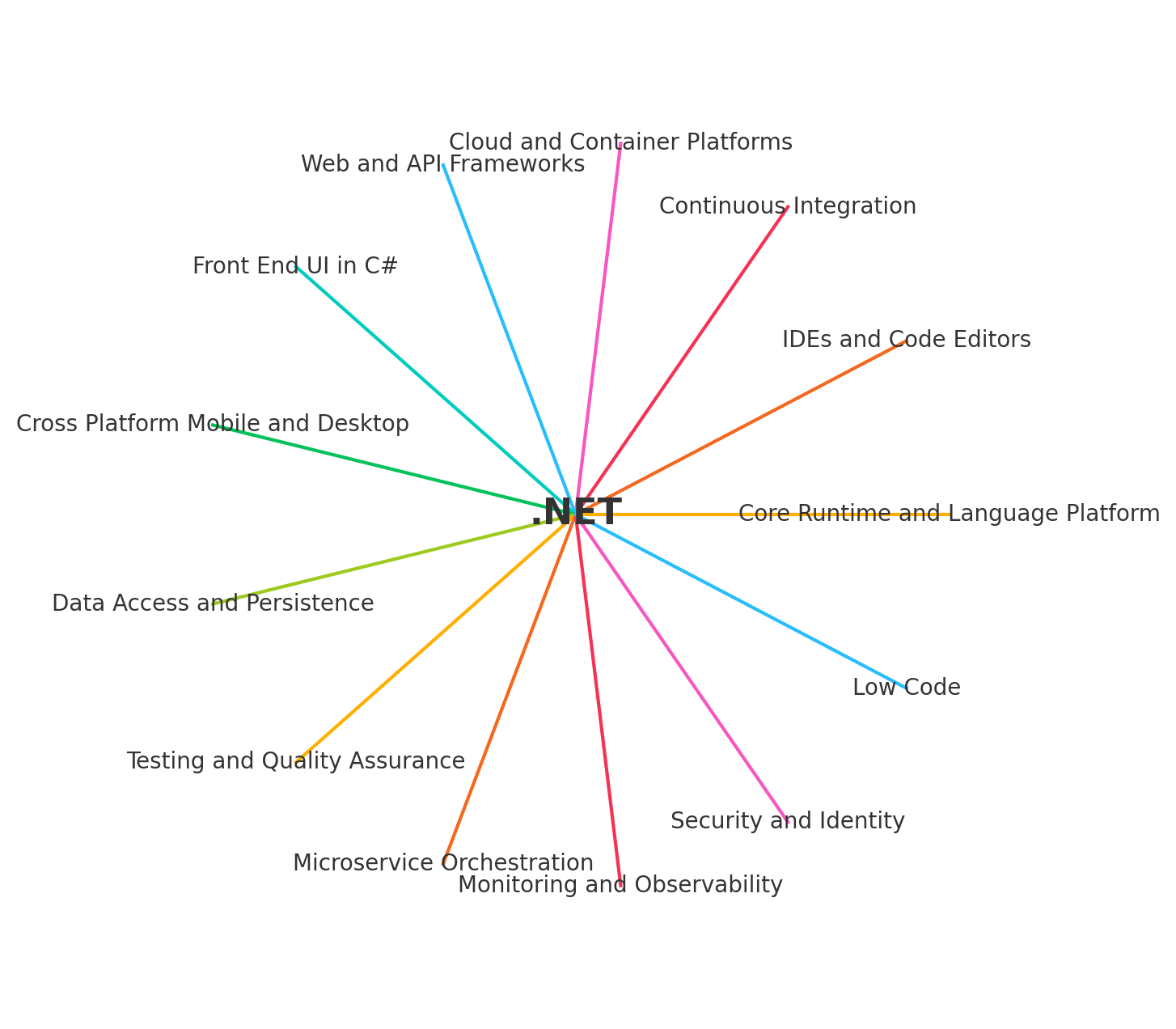
Azure SignalR in 2025
Azure SignalR Use Cases Azure SignalR is routinely chosen as the real-time backbone when organizations modernize legacy apps or design new interactive experiences. It can stream data to connected clients instantly instead of forcing them to poll for updates. Azure SignalR can push messages in milliseconds at scale. Live dashboards and monitoring Company KPIs, financial-market ticks, IoT telemetry and performance metrics can update in real time on browsers or mobile devices, and Microsoft’s Stream Analytics pattern documentation explicitly recommends SignalR for such dynamic dashboards. Real-time chat High-throughput chat rooms, customer-support consoles and collaborative messengers rely on SignalR’s group- and user-targeted messaging APIs. Instant broadcasting and notifications One-to-many fan-out allows live sports scores, news flashes, gaming events or travel alerts to reach every subscriber at once. Collaborative editing Co-authoring documents, shared whiteboards and real-time project boards depend on SignalR to keep all participants in sync. High-frequency data interactions Online games, instant polling/voting and live auctions need millisecond round-trips. Microsoft lists these as canonical "high-frequency data update" scenarios. IoT command-and-control SignalR provides the live metrics feed and two-way control channel that sit between device fleets and user dashboards. The official IoT sustainability blueprint ("Project 15") places SignalR in the visualization layer so operators see sensor data and alerts in real time. Azure SignalR Functionality and Value  Azure SignalR Service is a fully-managed real-time messaging service on Azure, so Microsoft handles hosting, scalability, and load-balancing for you. Because the platform takes care of capacity provisioning, connection security, and other plumbing, engineering teams can concentrate on application features. That same model also scales transparently to millions of concurrent client connections, while hiding the complexity of how those connections are maintained. In practice, the service sits as a logical transport layer (a proxy) between your application servers and end-user clients. It offloads every persistent WebSocket (or fallback) connection, leaving your servers free to execute only hub business logic. With those connections in place, server-side code can push content to clients instantly, so browsers and mobile apps receive updates without resorting to request/response polling. This real-time, bidirectional flow underpins chat, live dashboards, and location tracking scenarios. SignalR Service supports WebSockets, Server-Sent Events, and HTTP Long Polling, and it automatically negotiates the best transport each time a client connects. Azure SignalR Service Modes Relevant for Notifications Azure SignalR Service offers three operational modes - Default, Serverless, and Classic - so architects can match the service’s behavior to the surrounding application design. Default mode keeps the traditional ASP.NET Core SignalR pattern: hub logic runs inside your web servers, while the service proxies traffic between those servers and connected clients. Because the hub code and programming model stay the same, organizations already running self-hosted SignalR can migrate simply by pointing existing hubs at Azure SignalR Service rather than rewriting their notification layer. Serverless mode removes hub servers completely. Azure SignalR Service maintains every client connection itself and integrates directly with Azure Functions bindings, letting event-driven functions publish real-time messages whenever they run. In that serverless configuration, the Upstream Endpoints feature can forward client messages and connection events to pre-configured back-end webhooks, enabling full two-way, interactive notification flows even without a dedicated hub server. Because Azure Functions default to the Consumption hosting plan, this serverless pairing scales out automatically when event volume rises and charges for compute only while the functions execute, keeping baseline costs low and directly tied to usage. Classic mode exists solely for backward compatibility - Microsoft advises choosing Default or Serverless for all new solutions. Azure SignalR Integration with Azure Functions Azure SignalR Service teams naturally with Azure Functions to deliver fully managed, serverless real-time applications, removing the need to run or scale dedicated real-time servers and letting engineers focus on code rather than infrastructure. Azure Functions can listen to many kinds of events - HTTP calls, Event Grid, Event Hubs, Service Bus, Cosmos DB change feeds, Storage queues and blobs, and more - and, through SignalR bindings, broadcast those events to thousands of connected clients, forming an automatic event-driven notification pipeline. Microsoft highlights three frequent patterns that use this pipeline out of the box: live IoT-telemetry dashboards, instant UI updates when Cosmos DB documents change, and in-app notifications for new business events. When SignalR Service is employed with Functions it runs in Serverless mode, and every client first calls an HTTP-triggered negotiate Function that uses the SignalRConnectionInfo input binding to return the connection endpoint URL and access token. Once connected, Functions that use the SignalRTrigger binding can react both to client messages and to connection or disconnection events, while complementary SignalROutput bindings let the Function broadcast messages to all clients, groups, or individual users. Developers can build these serverless real-time back-ends in JavaScript, Python, C#, or Java, because Azure Functions natively supports all of these languages. Azure SignalR Notification-Specific Use Cases Azure SignalR Service delivers the core capability a notification platform needs: servers can broadcast a message to every connected client the instant an event happens, the same mechanism that drives large-audience streams such as breaking-news flashes and real-time push notifications in social networks, games, email apps, or travel-alert services. Because the managed service can shard traffic across multiple instances and regions, it scales seamlessly to millions of simultaneous connections, so reach rather than capacity becomes the only design question. The same real-time channel that serves people also serves devices. SignalR streams live IoT telemetry, sends remote-control commands back to field hardware, and feeds operational dashboards. That lets teams surface company KPIs, financial-market ticks, instant-sales counters, or IoT-health monitors on a single infrastructure layer instead of stitching together separate pipelines. Finally, Azure Functions bindings tie SignalR into upstream business workflows. A function can trigger on an external event - such as a new order arriving in Salesforce - and fan out an in-app notification through SignalR at once, closing the loop between core systems and end-users in real time. Azure SignalR Messaging Capabilities for Notifications Azure SignalR Service supplies targeted, group, and broadcast messaging primitives that let a Platform Engineering Director assemble a real-time notification platform without complex custom routing code. The service can address a message to a single user identifier. Every active connection that belongs to that user-whether it’s a phone, desktop app, or extra browser tab-receives the update automatically, so no extra device-tracking logic is required. For finer-grained routing, SignalR exposes named groups. Connections can be added to or removed from a group at runtime with simple methods such as AddToGroupAsync and RemoveFromGroupAsync, enabling role-, department-, or interest-based targeting. When an announcement must reach everyone, a single call can broadcast to every client connected to a hub.  All of these patterns are available through an HTTP-based data-plane REST API. Endpoints exist to broadcast to a hub, send to a user ID, target a group, or even reach one specific connection, and any code that can issue an HTTP request-regardless of language or platform-can trigger those operations.  Because the REST interface is designed for serverless and decoupled architectures, event-generating microservices can stay independent while relying on SignalR for delivery, keeping the notification layer maintainable and extensible. Azure SignalR Scalability for Notification Systems Azure SignalR Service is architected for demanding, real-time workloads and can be scaled out across multiple service instances to reach millions of simultaneous client connections. Every unit of the service supplies a predictable baseline of 1,000 concurrent connections and includes the first 1 million messages per day at no extra cost, making capacity calculations straightforward. In the Standard tier you may provision up to 100 units for a single instance; with 1,000 connections per unit this yields about 100,000 concurrent connections before another instance is required. For higher-end scenarios, the Premium P2 SKU raises the ceiling to 1,000 units per instance, allowing a single service deployment to accommodate roughly one million concurrent connections. Premium resources offer a fully managed autoscale feature that grows or shrinks unit count automatically in response to connection load, eliminating the need for manual scaling scripts or schedules. The Premium tier also introduces built-in geo-replication and zone-redundant deployment: you can create replicas in multiple Azure regions, clients are directed to the nearest healthy replica for lower latency, and traffic automatically fails over during a regional outage. Azure SignalR Service supports multi-region deployment patterns for sharding, high availability and disaster recovery, so a single real-time solution can deliver consistent performance to users worldwide. Azure SignalR Performance Considerations for Real-Time Notifications Azure SignalR documentation emphasizes that the size of each message is a primary performance factor: large payloads negatively affect messaging performance, while keeping messages under about 1 KB preserves efficiency. When traffic is a broadcast to thousands of clients, message size combines with connection count and send rate to define outbound bandwidth, so oversized broadcasts quickly saturate throughput; the guide therefore recommends minimizing payload size in broadcast scenarios. Outbound bandwidth is calculated as outbound connections × message size / send interval, so smaller messages let the same SignalR tier push many more notifications per second before hitting throttling limits, increasing throughput without extra units. Transport choice also matters: under identical conditions WebSockets deliver the highest performance, Server-Sent Events are slower, and Long Polling is slowest, which is why Azure SignalR selects WebSocket when it is permitted. Microsoft’s Blazor guidance notes that WebSockets give lower latency than Long Polling and are therefore preferred for real-time updates. The same performance guide explains heavy message traffic, large payloads, or the extra routing work required by broadcasts and group messaging can tax CPU, memory, and network resources even when connection counts are within limits, highlighting the need to watch message volume and complexity as carefully as connection scaling. Azure SignalR Security for Notification Systems Azure SignalR Service provides several built-in capabilities that a platform team can depend on when hardening a real-time notification solution. Flexible authentication choices The service accepts access-key connection strings, Microsoft Entra ID application credentials, and Azure-managed identities, so security teams can select the mechanism that best fits existing policy and secret-management practices.  Application-centric client authentication flow Clients first call the application’s /negotiate endpoint. The app issues a redirect containing an access token and the service URL, keeping user identity validation inside the application boundary while SignalR only delivers traffic.  Managed-identity authentication for serverless upstream calls In Serverless mode, an upstream endpoint can be configured with ManagedIdentity. SignalR Service then presents its own Azure identity when invoking backend APIs, removing the need to store or rotate custom secrets.  Private Endpoint network isolation The service can be bound to an Azure Private Endpoint, forcing all traffic onto a virtual network and allowing operators to block the public endpoint entirely for stronger perimeter control. The notification system can meet security requirements for financial notifications, personal health alerts, or confidential business communications and other sensitive enterprise scenarios. Azure SignalR Message Size and Rate Limitations Client-to-server limits Azure imposes no service-side size ceiling on WebSocket traffic coming from clients, but any SignalR hub hosted on an application server starts with a 32 KB maximum per incoming message unless you raise or lower it in hub configuration. When WebSockets are not available and the connection falls back to long-polling or Server-Sent Events, the platform rejects any client message larger than 1 MB. Server-to-client guidance Outbound traffic from the service to clients has no hard limit, but Microsoft recommends staying under 16 MB per message. Application servers again default to 32 KB unless you override the setting (same sources as above). Serverless REST API constraints If you publish notifications through the service’s serverless REST API, the request body must not exceed 1 MB and the combined headers must stay under 16 KB. Billing and message counting For billing, Azure counts every 2 KB block as one message: a payload of 2,001 bytes is metered as two messages, a 4 KB payload as three, and so on. Premium-tier rate limiting The Premium tier adds built-in rate-limiting controls - alongside autoscaling and a higher SLA - to stop any client or publisher from flooding the service. Azure SignalR Pricing and Costs for Notification Systems Azure SignalR Service is sold on a pure consumption basis: you start and stop whenever you like, with no upfront commitment or termination fees, and you are billed only for the hours a unit is running. The service meters traffic very specifically: only outbound messages are chargeable, while every inbound message is free. In addition, any message that exceeds 2 KB is internally split into 2-KB chunks, and the chunks - not the original payload - are what count toward the bill. Capacity is defined at the tier level. In both the Standard and Premium tiers one unit supports up to 1 000 concurrent connections and gives unlimited messaging with the first 1 000 000 messages per unit each day free of charge. For US regions, the two paid tiers of Azure SignalR Service differ only in cost and in the extras that come with the Premium plan - not in the raw connection or message capacity. In Central US/East US, Microsoft lists the service-charge portion at $1.61 per unit per day for Standard and $2.00 per unit per day for Premium. While both tiers share the same capacity, Premium adds fully managed auto-scaling, availability-zone support, geo-replication and a higher SLA (99.95% versus 99.9%). Finally, those daily rates change from region to region. The official pricing page lets you pick any Azure region and instantly see the local figure. Azure SignalR Monitoring and Diagnostics for Notification Systems Azure Monitor is the built-in Azure platform service that collects and aggregates metrics and logs for Azure SignalR Service, giving a single place to watch the service’s health and performance. Azure SignalR emits its telemetry directly into Azure Monitor, so every metric and resource log you configure for the service appears alongside the rest of your Azure estate, ready for alerting, analytics or export. The service has a standard set of platform metrics for a real-time hub: Connection Count (current active client connections) Inbound Traffic (bytes received by the service) Outbound Traffic (bytes sent by the service) Message Count (total messages processed) Server Load (percentage load across allocated units) System Errors and User Errors (ratios of failed operations) All of these metrics are documented in the Azure SignalR monitoring data reference and are available for charting, alert rules, and autoscale logic. Beyond metrics, Azure SignalR exposes three resource-log categories: Connectivity logs, Messaging logs and HTTP request logs. Enabling them through Azure Monitor diagnostic settings adds granular, per-event detail that’s essential for deep troubleshooting of connection issues, message flow or REST calls. Finally, Azure Monitor Workbooks provide an interactive canvas inside the Azure portal where you can mix those metrics, log queries and explanatory text to build tailored dashboards for stakeholders - effectively turning raw telemetry from Azure SignalR into business-oriented, shareable reports. Azure SignalR Client-Side Considerations for Notification Recipients Azure SignalR Service requires every client to plan for disconnections. Microsoft’s guidance explains that connections can drop during routine hub-server maintenance and that applications "should handle reconnection" to keep the experience smooth. Transient network failures are called out as another common reason a connection may close. The mainstream client SDKs make this easy because they already include automatic-reconnect helpers. In the JavaScript library, one call to withAutomaticReconnect() adds an exponential back-off retry loop, while the .NET client offers the same pattern through WithAutomaticReconnect() and exposes Reconnecting / Reconnected events so UX code can react appropriately. Sign-up is equally straightforward: the connection handshake starts with a negotiate request, after which the AutoTransport logic "automatically detects and initializes the appropriate transport based on the features supported on the server and client", choosing WebSockets when possible and transparently falling back to Server-Sent Events or long-polling when necessary. Because those transport details are abstracted away, a single hub can serve a wide device matrix - web and mobile browsers, desktop apps, mobile apps, IoT devices, and even game consoles are explicitly listed among the supported client types. Azure publishes first-party client SDKs for .NET, JavaScript, Java, and Python, so teams can add real-time features to existing codebases without changing their core technology stack. And when an SDK is unavailable or unnecessary, the service exposes a full data-plane REST API. Any language that can issue HTTP requests can broadcast, target individual users or groups, and perform other hub operations over simple HTTP calls. Azure SignalR Availability and Disaster Recovery for Notification Systems Azure SignalR Service offers several built-in features that let a real-time notification platform remain available and recoverable even during severe infrastructure problems: Resilience inside a single region The Premium tier automatically spreads each instance across Azure Availability Zones, so if an entire datacenter fails, the service keeps running without intervention.  Protection from regional outages For region-level faults, you can add replicas of a Premium-tier instance in other Azure regions. Geo-replication keeps configuration and data in sync, and Azure Traffic Manager steers every new client toward the closest healthy replica, then excludes any replica that fails its health checks. This delivers fail-over across regions.  Easier multi-region operations Because geo-replication is baked into the Premium tier, teams no longer need to script custom cross-region connection logic or replication plumbing - the service now "makes multi-region scenarios significantly easier" to run and maintain.  Low-latency global routing Two complementary front-door options help route clients to the optimal entry point: Azure Traffic Manager performs DNS-level health probes and latency routing for every geo-replicated SignalR instance. Azure Front Door natively understands WebSocket/WSS, so it can sit in front of SignalR to give edge acceleration, global load-balancing, and automatic fail-over while preserving long-lived real-time connections. Verified disaster-recovery readiness Microsoft’s Well-Architected Framework stresses that a disaster-recovery plan must include regular, production-level DR drills. Only frequent fail-over tests prove that procedures and recovery-time objectives will hold when a real emergency strikes. How Belitsoft Can Help Belitsoft is the engineering partner for teams building real-time applications on Azure. We build fast, scale right, and think ahead - so your users stay engaged and your systems stay sane. We provide Azure-savvy .NET developers who implement SignalR-powered real-time features. Our teams migrate or build real-time dashboards, alerting systems, or IoT telemetry using Azure SignalR Service - fully managed, scalable, and cost-predictable. Belitsoft specializes in .NET SignalR migrations - keeping your current hub logic while shifting the plumbing to Azure SignalR. You keep your dev workflow, but we swap out the homegrown infrastructure for Azure’s auto-scalable, high-availability backbone. The result - full modernization. We design event-driven, serverless notification systems using Azure SignalR in Serverless Mode + Azure Functions. We’ll wire up your cloud events (CosmosDB, Event Grid, Service Bus, etc.) to instantly trigger push notifications to web and mobile apps. Our Azure-certified engineers configure Managed Identity, Private Endpoints, and custom /negotiate flows to align with your zero-trust security policies. Get the real-time UX without security concerns. We build globally resilient real-time backends using Azure SignalR Premium SKUs, geo-replication, availability zones, and Azure Front Door. Get custom dashboards with Azure Monitor Workbooks for visualizing metrics and alerting. Our SignalR developers set up autoscale and implement full-stack SignalR notification logic using the client SDKs (.NET, JS, Python, Java) or pure REST APIs. Target individual users, dynamic groups, or everyone in one go. We implement auto-reconnect, transport fallback, and UI event handling.
Azure Functions in 2026
Benefits of Azure Functions With Azure Functions, enterprises offload operational burden to Azure or outsource infrastructure management to Microsoft. There are no servers/VMs for operations teams to manage. No patching OS, configuring scale sets, or worrying about load balancer configuration. Fewer infrastructure management tasks mean smaller DevOps teams and free IT personnel. Functions Platform-as-a-Service integrates easily with other Azure services - it is a prime candidate in any 2026 platform selection matrix. CTOs and VPs of Engineering see adopting Functions as aligned with transformation roadmaps and multi-cloud parity goals. They also view Functions on Azure Container Apps as a logical step in microservice re-platforming and modernization programs, because it enables lift-and-shift of container workloads into a serverless model. Azure Functions now supports container-app co-location and user-defined concurrency - it fits modern reference architectures while controlling spend. The service offers pay-per-execution pricing and a 99.95% SLA on Flex Consumption. Many previous enterprise blockers - network isolation, unpredictable cold starts, scale ceilings - are now mitigated with the Flex Consumption SKU (faster cold starts, user-set concurrency, VNet-integrated "scale-to-zero"). Heads of Innovation pilot Functions for business-process automation and novel services, since MySQL change-data triggers, Durable orchestrations, and browser-based Visual Studio Code enable quick prototyping of automation and new products. Functions enables rapid feature rollout through code-only deployment and auto-scaling, and new OpenAI bindings shorten minimum viable product cycles for artificial intelligence, so Directors of Product see it as a lever for faster time-to-market and differentiation. Functions now supports streaming HTTP, common programming languages like .NET, Node, and Python, and browser-based development through Visual Studio Code, so team onboarding is low-friction. Belitsoft applies deep Azure and .NET development expertise to design serverless solutions that scale with your business. Our Azure Functions developers architect systems that reduce operational overhead, speed up delivery, and integrate seamlessly across your cloud stack. Future of Azure Functions Azure Functions will remain a cornerstone of cloud-native application design. It follows Microsoft's cloud strategy of serverless and event-driven computing and aligns with containers/Kubernetes and AI trends. New features will likely be backward-compatible, protecting investments in serverless architecture. Azure Functions will continue integrating with other Azure services. .NET functions are transitioning to the isolated worker model, decoupling function code from host .NET versions - by 2026, the older in-process model will be phased out. What is Azure Functions Azure Functions is a fully managed serverless service - developers don’t have to deploy or maintain servers. Microsoft handles the underlying servers, applies operating-system and runtime patches, and provides automatic scaling for every Function App. Azure Functions scales out and in automatically in response to incoming events - no autoscale rules are required. On Consumption and Flex Consumption plans you pay only when functions are executing - idle time isn’t billed. The programming model is event-driven, using triggers and bindings to run code when events occur. Function executions are intended to be short-lived (default 5-minute timeout, maximum 10 minutes on the Consumption plan). Microsoft guidance is to keep functions stateless and persist any required state externally - for example with Durable Functions entities.  The App Service platform automatically applies OS and runtime security patches, so Function Apps receive updates without manual effort. Azure Functions includes built-in triggers and bindings for services such as Azure Storage, Event Hubs, and Cosmos DB, eliminating most custom integration code. Azure Functions Core Architecture Components Each Azure Function has exactly one trigger, making it an independent unit of execution. Triggers insulate the function from concrete event sources (HTTP requests, queue messages, blob events, and more), so the function code stays free of hard-wired integrations. Bindings give a declarative way to read from or write to external services, eliminating boiler-plate connection code. Several functions are packaged inside a Function App, which supplies the shared execution context and runtime settings for every function it hosts. Azure Function Apps run on the Azure App Service platform. The platform can scale Function Apps out and in automatically based on workload demand (for example, in Consumption, Flex Consumption, and Premium plans). Azure Functions offers three core hosting plans - Consumption, Premium, and Dedicated (App Service) - each representing a distinct scaling model and resource envelope. Because those plans diverge in limits (CPU/memory, timeout, scale-out rules), they deliver different performance characteristics. Function Apps can use enterprise-grade platform features - including Managed Identity, built-in Application Insights monitoring, and Virtual Network Integration - for security and observability. The runtime natively supports multiple languages (C#, JavaScript/TypeScript, Python, Java, PowerShell, and others), letting each function be written in the team’s preferred stack. Advanced Architecture Patterns Orchestrator functions can call other functions in sequence or in parallel, providing a code-first workflow engine on top of the Azure Functions runtime. Durable Functions is an extension of Azure Functions that enables stateful function orchestration. It lets you build long-running, stateful workflows by chaining functions together. Because Durable Functions keeps state between invocations, architects can create more-sophisticated serverless solutions that avoid the traditional stateless limitation of FaaS. The stateful workflow model is well suited to modeling complex business processes as composable serverless workflows. It adds reliability and fault tolerance. As of 2025, Durable Functions supports high-scale orchestrations, thanks to the new durable-task-scheduler backend that delivers the highest throughput. Durable Functions now offers multiple managed and BYO storage back-ends (Azure Storage, Netherite, MSSQL, and the new durable-task-scheduler), giving architects new options for performance. Azure Logic Apps and Azure Functions have been converging. Because Logic Apps Standard is literally hosted inside the Azure Functions v4 runtime, every benefit for Durable Functions (stateful orchestration, high-scale back-ends, resilience, simplified ops) now spans both the code-first and low-code sides of Azure’s workflow stack. Architects can mix Durable Functions and Logic Apps on the same CI/CD pipeline, and debug both locally with one tooling stack. They can put orchestrator functions, activity functions, and Logic App workflows into a single repo and deploy them together. They can also run Durable Functions and Logic Apps together in the same resource group, share a storage account, deploy from the same repo, and wire them up through HTTP or Service Bus (a budget for two plans or an ASE is required). Azure Functions Hosting Models and Scalability Options Azure Functions offers five hosting models - Consumption, Premium, Dedicated, Flex Consumption, and container-based (Azure Container Apps). The Consumption plan is billed strictly “per-execution”, based on per-second resource consumption and number of executions. This plan can scale down to zero when the function app is idle. Microsoft documentation recommends the Consumption plan for irregular or unpredictable workloads. The Premium plan provides always-ready (pre-warmed) instances that eliminate cold starts. It auto-scales on demand while avoiding cold-start latency. In a Dedicated (App Service) plan the Functions host “can run continuously on a prescribed number of instances”, giving fixed compute capacity. The plan is recommended when you need fully predictable billing and manual scaling control. The Flex Consumption plan (GA 2025) lets you choose from multiple fixed instance-memory sizes (currently 2 GB and 4 GB). Hybrid & multi-cloud Function apps can be built and deployed as containers and run natively inside Azure Container Apps, which supplies a fully-managed, KEDA-backed, Kubernetes-based environment. Kubernetes-based hosting The Azure Functions runtime is packaged as a Docker image that “can run anywhere,” letting you replicate serverless capabilities in any Kubernetes cluster. AKS virtual nodes are explicitly supported. KEDA is the built-in scale controller for Functions on Kubernetes, enabling scale-to-zero and event-based scale out. Hybrid & multi-cloud hosting with Azure Arc Function apps (code or container) can be deployed to Arc-connected clusters, giving you the same Functions experience on-premises, at the edge, or in other clouds. Arc lets you attach Kubernetes clusters “running anywhere” and manage & configure them from Azure, unifying governance and operations. Arc supports clusters on other public clouds as well as on-premises data centers, broadening where Functions can run. Consistent runtime everywhere Because the same open-source Azure Functions runtime container is used across Container Apps, AKS/other Kubernetes clusters, and Arc-enabled environments, the execution model, triggers, and bindings remain identical no matter where the workload is placed. Azure Functions Enterprise Integration Capabilities Azure Functions runs code without you provisioning or managing servers. It is event-driven and offers triggers and bindings that connect your code to other Azure or external services. It can be triggered by Azure Event Grid events, by Azure Service Bus queue or topic messages, or invoked directly over HTTP via the HTTP trigger, enabling API-style workloads. Azure Functions is one of the core services in Azure Integration Services, alongside Logic Apps, API Management, Service Bus, and Event Grid. Within that suite, Logic Apps provides high-level workflow orchestration, while Azure Functions provides event-driven, code-based compute for fine-grained tasks. Azure Functions integrates natively with Azure API Management so that HTTP-triggered functions can be exposed as managed REST APIs. API Management includes built-in features for securing APIs with authentication and authorization, such as OAuth 2.0 and JWT validation. It also supports request throttling and rate limiting through the rate-limit policy, and supports formal API versioning, letting you publish multiple versions side-by-side. API Management is designed to securely publish your APIs for internal and external developers. Azure Functions scales automatically - instances are added or removed based on incoming events. Azure Functions Security Infrastructure hardening Azure App Service - the platform that hosts Azure Functions - actively secures and hardens its virtual machines, storage, network connections, web frameworks, and other components.  VM instances and runtime software that run your function apps are regularly updated to address newly discovered vulnerabilities.  Each customer’s app resources are isolated from those of other tenants.  Identity & authentication Azure Functions can authenticate users and callers with Microsoft Entra ID (formerly Azure AD) through the built-in App Service Authentication feature.  The Functions can also be configured to use any standards-compliant OpenID Connect (OIDC) identity provider.  Network isolation Function apps can integrate with an Azure Virtual Network. Outbound traffic is routed through the VNet, giving the app private access to protected resources.  Private Endpoint support lets function apps on Flex Consumption, Elastic Premium, or Dedicated (App Service) plans expose their service on a private IP inside the VNet, keeping all traffic on the corporate network.  Credential management Managed identities are available for Azure Functions; the platform manages the identity so you don’t need to store secrets or rotate credentials.  Transport-layer protection You can require HTTPS for all public endpoints. Azure documentation recommends redirecting HTTP traffic to HTTPS to ensure SSL/TLS encryption.  App Service (and therefore Azure Functions) supports TLS 1.0 – 1.3, with the default minimum set to TLS 1.2 and an option to configure a stricter minimum version.  Security monitoring Microsoft Defender for Cloud integrates directly with Azure Functions and provides vulnerability assessments and security recommendations from the portal.  Environment separation Deployment slots allow a single function app to run multiple isolated instances (for example dev, test, staging, production), each exposed at its own endpoint and swappable without downtime.  Strict single-tenant / multi-tenant isolation Running Azure Functions inside an App Service Environment (ASE) places them in a fully isolated, dedicated environment with the compute that is not shared with other customers - meeting high-sensitivity or regulatory isolation requirements.  Azure Functions Monitoring Azure Monitor exposes metrics both at the Function-App level and at the individual-function level (for example Function Execution Count and Function Execution Units), enabling fine-grained observability. Built-in observability Native hook-up to Azure Monitor & Application Insights – every new Function App can emit metrics, logs, traces and basic health status without any extra code or agents.  Data-driven architecture decisions Rich telemetry (performance, memory, failures) – Application Insights automatically captures CPU & memory counters, request durations and exception details that architects can query to guide sizing and design changes.  Runtime topology & trace analysis Application Map plus distributed tracing render every function-to-function or dependency call, flagging latency or error hot-spots so that inefficient integrations are easy to see.  Enterprise-wide data export Diagnostic settings let you stream Function telemetry to Log Analytics workspaces or Event Hubs, standardising monitoring across many environments and aiding compliance reporting.  Infrastructure-as-Code & DevOps integration Alert and monitoring rules can be authored in ARM/Bicep/Terraform templates and deployed through CI/CD pipelines, so observability is version-controlled alongside the function code.  Incident management & self-healing Function-specific "Diagnose and solve problems" detectors surface automated diagnostic insights, while Azure Monitor action groups can invoke runbooks, Logic Apps or other Functions to remediate recurring issues with no human intervention.  Hybrid / multi-cloud interoperability OpenTelemetry preview lets a Function App export the very same traces and logs to any OTLP-compatible endpoint as well as (or instead of) Application Insights, giving ops teams a unified view across heterogeneous platforms.  Cost-optimisation insights Fine-grained metrics such as FunctionExecutionCount and FunctionExecutionUnits (GB-seconds = memory × duration) identify high-cost executions or over-provisioned plans and feed charge-back dashboards.  Real-time storytelling tools Application Map and the Live Metrics Stream provide live, clickable visualisations that non-technical stakeholders can grasp instantly, replacing static diagrams during reviews or incident calls.  Kusto log queries across durations, error rates, exceptions and custom metrics to allow architects prove performance, reliability and scalability targets. Azure Functions Performance and Scalability Scaling capacity Azure Functions automatically add or remove host instances according to the volume of trigger events. A single Windows-based Consumption-plan function app can fan out to 200 instances by default (100 on Linux). Quota increases are possible. You can file an Azure support request to raise these instance-count limits. Cold-start behaviour & mitigation Because Consumption apps scale to zero when idle, the first request after idleness incurs extra startup latency (a cold start). Premium plan keeps instances warm. Every Premium (Elastic Premium) plan keeps at least one instance running and supports pre-warmed instances, effectively eliminating cold starts. Scaling models & concurrency control Functions also support target-based scaling, which can add up to four instances per decision cycle instead of the older one-at-a-time approach. Premium plans let you set minimum/maximum instance counts and tune per-instance concurrency limits in host.json. Regional characteristics Quotas are scoped per region. For example, Flex Consumption imposes a 512 GB regional memory quota, and Linux Consumption apps have a 500-instance-per-subscription-per-hour regional cap. Apps can be moved or duplicated across regions. Microsoft supplies guidance for relocating a Function App to another Azure region and for cross-region recovery. Downstream-system protection Rapid scale-out can overwhelm dependencies. Microsoft’s performance guidance warns that Functions can generate throughput faster than back-end services can absorb and recommends applying throttling or other back-pressure techniques. Configuration impact on cost & performance Plan selection and tuning directly affect both. Choice of hosting plan, instance limits and concurrency settings determine a Function App’s cold-start profile, throughput and monthly cost. How Belitsoft Can Help Our serverless developers modernize legacy .NET apps into stateless, scalable Azure Functions and Azure Container Apps. The team builds modular, event-driven services that offload operational grunt work to Azure. You get faster delivery, reduced overhead, and architectures that belong in this decade. Also, we do CI/CD so your devs can stop manually clicking deploy. We ship full-stack teams fluent in .NET, Python, Node.js, and caffeine - plus SignalR developers experienced in integrating live messaging into serverless apps. Whether it's chat, live dashboards, or notifications, we help you deliver instant, event-driven experiences using Azure SignalR Service with Azure Functions. Our teams prototype serverless AI with OpenAI bindings, Durable Functions, and browser-based VS Code so you can push MVPs like you're on a startup deadline. You get your business processes automated so your workflows don’t depend on somebody's manual actions. Belitsoft’s .NET engineers containerize .NET Functions for Kubernetes and deploy across AKS, Container Apps, and Arc. They can scale with KEDA, trace with OpenTelemetry, and keep your architectures portable and governable. Think: event-driven, multi-cloud, DevSecOps dreams - but with fewer migraines. We build secure-by-design Azure Functions with VNet, Private Endpoints, and ASE. Our .NET developers do identity federation, TLS enforcement, and integrate Azure Monitor + Defender. Everything sensitive is locked in Key Vault. Our experts fine-tune hosting plans (Consumption, Premium, Flex) for cost and performance sweet spots and set up full observability pipelines with Azure Monitor, OpenTelemetry, and Logic Apps for auto-remediation. Belitsoft helps you build secure, scalable solutions that meet real-world demands - across industries and use cases. We offer future-ready architecture for your needs - from cloud migration to real-time messaging and AI integration. Consult our experts.
Azure Cost Management Best Practices for Cost-Minded Organizations
Azure Cost Management Best Practices
Reducing Cloud Costs Before Migration: Building a Budget Companies often face overpayment challenges due to Azure's complex pricing, cloud metric misconception, and lack of expert guidance. A key step in preparing for these intricacies is developing a strategic budgeting plan that sets the foundation for a smooth migration. Key budgeting process focuses on: identifying and optimizing major cost drivers selecting the right hosting region to balance cost with performance choosing cost-effective architectural solutions defining the necessary computing power and storage requirements Addressing these aspects is essential to avoid unnecessary expenses and make informed decisions throughout the Azure cloud migration journey. With Belitsoft's application modernization services, you can evaluate your legacy systems, decrease inefficiencies, and modernize architectures for improved cloud performance and reduced costs. Planning Cloud Resource Utilization Selecting the Appropriate Service As part of our cloud migration strategy, we conduct a thorough assessment of your current on-premises resources, encompassing databases, integrations, architecture, and application workloads. The goal is to transition these elements to the cloud in a way that maximizes resource efficiency, optimizes performance, and reduces costs post-migration. Consider, for instance, a customer database primarily active during business hours in your current setup. In planning its cloud migration, we assess cloud storage and access patterns, considering them a critical aspect. There are several methods for this, such as using Azure VM running SQL, Azure SQL Database, Managed Instance, or a Synapse pool, each offering unique features. In this scenario, for cost-efficiency, the Azure SQL Database’s serverless option might be the preferred choice. It scales automatically, reducing resources during off-peak times and adjusting to meet demand during busy periods. This decision exemplifies our approach to matching cloud services to usage patterns, balancing flexibility and cost savings. Our detailed pre-migration planning prepares you for a cloud transition that is both efficient and economical. You'll have a clear strategy to effectively manage and optimize cloud resources, leading to a smoother and more budget-friendly migration experience. Calculating necessary computing power and storage to avoid overpayment When migrating to the cloud, it's not a good idea to blindly match the resources 1:1, as it can lead to wasted spending. Why? On-premises setups usually have more capacity than needed for peak usage and future growth, with around 30% CPU utilization. In contrast, cloud environments allow for dynamic scaling, adjusting resources in real time to match current needs and significantly reducing overprovisioning. As a starting point, we aim to run cloud workloads at about 80% utilization to avoid paying for unused resources. Utilizing TCO Calculator for Cost Comparisons To define the optimal thresholds for computing power and storage, we evaluate your workloads, ensuring you only invest in what is necessary to build. There are tools like Database Migration Assistant (DMA), Database Experimentation Assistant (DEA), Azure Migrate, DTU Calculator, and others that can assist in this process. Our cloud migration team uses the Total Cost of Ownership (TCO) Calculator to provide a comprehensive financial comparison between on-premises infrastructure and the Azure cloud. This tool evaluates costs related to servers, licenses, electricity, storage, labor, and data center expenses in your current setup and compares them to the cloud. It helps you understand the financial implications of the move. Accurately Budgeting Your Cloud Resources with Azure Pricing Calculator After gaining a general understanding of potential savings with the TCO Calculator, we employ the Azure Pricing Calculator for a more detailed budget for your cloud resources. This free web-based tool Microsoft that helps estimate the costs of specific Azure services you plan to use. It allows you to adjust configurations, choose different service options, and see how they impact on your overall budget. Selecting the Region for Cloud Hosting When preparing for cloud migration, selecting the right Azure hosting region involves a balanced consideration of latency, and cost. Evaluating Latency Our assessment focuses on the speed of data access for your end-users. Contrary to assumptions, the best region is not always the closest to your company's office but depends on the location of your main user base and data center. For example, if your company is based in Seattle but most users and the data center are in Chicago, a region near Chicago would be more appropriate for faster data access. We use tools like Azurespeed for comprehensive latency tests, prioritizing your users' and data center's location over office proximity. Complexity with multiple user locations: Choosing a single Azure region becomes challenging, with a diverse user base spread across multiple countries. Different user groups may experience varying latency, affecting data transmission speed. In such scenarios, hosting services in multiple Azure regions could be the solution, ensuring all users, regardless of location, enjoy fast access to your services. Strategic planning for multi-region hosting: Operating in multiple regions requires careful planning and data structuring to balance efficiency and costs. This may include replicating data across regions or designing services to connect users to the nearest region for optimal performance. Evaluating Cost Costs for the same Azure services can vary significantly between regions. For instance, running a D4 Azure Virtual Machine in the East US region costs $566.53 per month, while the same setup in the West US region could rise to $589.89. This seemingly small price difference of $23.36 can cause significant extra expenses annually. Let's consider a healthcare enterprise with 20 key departments that requires about 40 VMs for data-intensive apps. If they choose the more expensive region, it could add around $11,212 to their annual costs. So, the decision of which region to choose is not just about picking the lowest cost option. It involves balancing cost with specific operational needs, particularly latency. We aim to guide you in selecting a hosting region that delivers optimal performance while aligning with your budgetary constraints. This will ensure a smooth and cost-effective cloud migration experience for your business. Reducing Cloud Costs Post-Migration Transfer existing licenses If you have existing on-premises Windows and SQL Server licenses, we can help you capitalize on the Azure Hybrid Benefit. This allows you to transfer your existing licenses to the cloud instead of buying new ones. To quantify the savings, Azure provides a specialized calculator. We use this tool to help you understand the financial advantages of transferring your licenses and discover potential cost reductions. Our goal is to ensure you get the most value out of your existing investments when moving to the cloud. For a 4-core Azure SQL Database with Standard Edition, for example, Azure Hybrid Benefit can save you about $292per month, which adds up to $3,507 in savings over a year Continual Architectural Review for Cost Savings After migrating to Azure, it’s vital to review your cloud architecture periodically. Cloud services frequently introduce new, cost-efficient alternatives, presenting opportunities to reduce expenses without compromising on functionality. While it's not recommended to overhaul your architecture for small savings, substantial cost reductions warrant consideration. For instance, let's say you initially set up an Azure virtual machine for SQL Server, but later discover that Azure SQL Database is a more affordable option. By switching early, you can save on costs and minimize disruption. To illustrate, consider a healthcare company that moved its patient data management system to Azure using Azure Virtual Machines. This setup cost them $7,400 per month (10 application server VMs at $500 each and 3 database server VMs at $800 each). However, after implementing Azure Kubernetes Service (AKS) and Azure SQL Database Managed Instance, they reevaluated their setup. Switching to AKS for application servers and Azure SQL Database Managed Instance for databases required a one time expense of $35,000, which covered planning, implementation, and training. This change brought their monthly expenses down to $4,500, (AKS at $3,000 and Azure SQL Database Managed Instance at $1,500), resulting in monthly savings of $2,900. Within a year, these savings will have offset the initial migration costs, resulting in an annual saving of approximately $34,800. Autoscale turning on and off the computing resources on demand Azure's billing model charges for compute resources, like virtual machines (VMs), on an hourly basis. To reduce the overall spend, we identify and turn off resources you don't need to run 24/7. Our approach includes: We thoroughly review your Azure resources to optimize spending, focusing on deactivating idle VMs. Organizing resources with clear naming and tagging helps us to track their purpose and determine the best times for activation and deactivation. Resources used for development, testing, or quality assurance, like Dev/Test/QA, often remain idle overnight and on weekends. We can automate turning them off when they're not needed, resulting in significant cost savings. Compared to production VMs, the savings from these resources can be substantial. For example, consider an organization with 1.5 TB of production data on SQL Servers, primarily used for monthly reporting, costing about $2,000 per month. Since these systems are idle about 95% of the time, they're incurring unnecessary costs for mostly unused resources. With Azure's autoscaling feature, the organization can configure the system to scale up during high-demand periods, like the monthly reporting cycle, and scale down when demand is low. This way, they only pay the full rate of $2,000 during active periods (only 5% of the month), reducing monthly costs to around $600. Annually, this leads to saving of $16,800, a significant reduction in expenditure. Cost-conscious organizations can effectively handle and save on cloud migration expenses by partnering with Belitsoft's cloud experts, who handle Azure migration budget planning and ongoing cost management. Contact us to involve our experts in your cloud migration process.
NET Developer Skills to Look For in a .NET Developer Resume
NET Developer Skills to Consider When Hiring
When you are looking for a .NET developer, the first thing you expect is to get a quality product on time. However, depending on your project you might have various requirements for .NET developer and need to create a different NET developer job description.  USE CASE 1. If you want to build a .NET web application Must-have .NET developer requirements in a nutshell Framework ASP.NET Core (ASP.NET Core MVC, ASP.NET Core Web API, ASP.NET Core Blazor) Databases MS SQL, MySQL, PostgreSQL, MongoDB, Azure Cosmos DB, SQLite, Redis, etc Languages C# or F#, HTML (HTML5, DHTML), CSS, JavaScript, Extensible Markup Language (XML & XMLT) Other tools SignalR, ASP.NET Core Blazor Recommended ASP.NET developer job description and skills needed for building a web app In case you are preparing .NET Core interview questions for senior developer or revising resume of experienced .NET developer with MVC, you can use this ready-to-use compilation of .NET developer roles and responsibilities that are must-haves or nice-to-haves for building a web app. Back-end Development Design and implement database schemas (both SQL and non-relational) to ensure fast and effective data retrieval; Develop REST APIs and microservices to scale complex software solutions. Use Docker containers on all major cloud platforms, including Azure; Use industry-standard authentication protocols supported by ASP.NET Core, built-in features to protect web apps from cross-site scripting (XSS) and cross-site request forgery (CSRF); Apply ASP.NET Core SignalR library to develop real-time web functionality and allow bi-directional communication between server and client. Publish ASP.NET Core SignalR app to Azure App Service and manage it. Front-end development Design ASP.NET Single Page Applications (SPA) with client-side interactions using HTML 5, CSS 3, and JavaScript. Apply templates of Visual Studio for building SPAs using knockout.js and ASP.NET Web API; Implement ASP.NET MVC design pattern to build dynamic websites, enabling a clean separation of UI, data, and application logic. As a part of MVC design, use ASP.NET Core Razor to create page- or form-based apps easier and more productive than using controllers and views; Apply ASP.NET Core Blazor framework to build interactive client-side web UI on C# and with a shared server-side and client-side app logic  Write clean, scalable code using .NET programming languages (C#, F#) in combination with JavaScript, HTML5, CSS, JQuery, and AJAX to create fast-performing websites with dynamic web content and interactive User Interfaces; Cloud Development/Deployment Use a cloud-ready ASP.Net application and host configuration, project templates, and .NET Aspire orchestration with CI/CD tools to deploy web apps to the cloud (Azure, AWS, Google, Oracle, etc.). API and Microservices Development Use ASP.NET Web API to build RESTful applications and HTTP services that reach a broad range of clients, including browsers and mobile devices; Apply Remote Procedure Call (RPC) in ASP.NET Core to build lightweight microservices, contract-first APIs, or point-to-point real-time services. USE CASE 2. If you want to build a mobile application Must-have full stack .NET developer skills in a nutshell Framework Xamarin, .NET MAUI (.NET MAUI Blazor) Databases SQLite, MySQL, PostgreSQL, DB2, MongoDB, Redis, Azure Cosmos DB, MariaDB, Cassandra, etc. Languages C# Other tools Xamarin.Forms, Xamarin.Essentials and SkiaSharp libraries, etc; Recommended .NET developer job requirements and skills for building a mobile app Both Xamarin and .NET Multi-platform App UI (MAUI) are .NET frameworks from Microsoft for building cross-platform apps. As a new framework, .NET MAUI is supposed to replace Xamarin. Skilled .NET MAUI developers use modern best practices and evolving Microsoft tools. So if you are developing a new application, .NET MAUI is a recommendation, in case you already have some projects in Xamarin, it can be your go-to option.  .NET MAUI Development Write clean code using C# and XAML to develop apps that can run on Android, iOS, macOS, and Windows from a single shared code-base in Visual Studio; Implement .NET MAUI and Blazor together to build client-side web UI with .NET and C# instead of JavaScript; Leverage a collection of .NET MAUI controls to display data, initiate actions, indicate activity, display collections, pick data, and more; Apply .NET MAUI cross-platform APIs to initiate browser-based authentication flows, store data securely, check the device's network connectivity state and detect changes, and more; Leverage re-usable, rich UI component ecosystem from compatible vendors such as UX Divers, DevExpress, Syncfusion, GrapeCity, Telerik, and others; Handle .NET MAUI Single Project functionality for shared resource files, a single cross-platform app entry point, access to platform-specific APIs and tools, while targeting Android, iOS, macOS, and Windows; Apply the latest debugging, IntelliSense, and testing features of Visual Studio to write code faster; Implement .NET hot reload feature to modify XAML and managed source code while the app is running, then observe the modifications result without rebuilding the app.  Xamarin Development Write clean, effective code using C# programming language to create apps for Android, iOS, tvOS, watchOS, macOS, and Windows; Implement Xamarin.Forms in-built pages, layouts, and controls to design and build mobile apps from a single API. Subclass controls, layouts, and pages to customize their behavior or define own to make pixel perfect apps; Leverage APIs like Touch ID, ARKit, CoreML, and many more to bring design from XCode or create user interfaces with built-in designer for iOS, watchOS, and tvOS; Leverage Android APIs, Android support libraries and Google Play services in combination with built-in Android designer to create user interfaces for Android devices; Apply .NET Standard to share code across the Android, iOS, Windows, and macOS platforms, as well as between mobile, web, and desktop apps;  Use Xamarin libraries (Xamarin.Essentials or SkiaSharp) for native APIs and 2D graphics to share code and build cross-platfrom applications. USE CASE 3. If you want to migrate or build .NET software in the cloud Must-have .NET developer responsibilities in a nutshell Framework .NET/.NET Core, ASP.NET/ASP.NET Core Cloud providers Azure, AWS Databases Any relational or NoSQL databases, including Microsoft SQL Server, Oracle Database, MySQL, IBM DB2, MongoDB, Cassandra, etc. Other tools .NET Upgrade Assistant Recommended .NET developer job duties and skills for building an app in the cloud (Azure, AWS) Making up a list of middle-level or senior .NET developer interview questions or creating .NET Core developer job description, you can rely on the following description to the necessary extent, depending on the selected cloud provider. Azure Cloud App Development Use project templates for debugging, publishing, and CI/CD tools cloud app development, deployment, and monitoring; Apply .NET Upgrade Assistant tool to modernize .NET software for the cloud to lower the migration costs and meet the requirements of the selected cloud provider; Leverage Azure App Service for ASP.NET websites and WCF services to get auto scaling, patching, CI/CD, advanced performance monitoring, and production debugging snapshots; Create (or migrate) a virtual machine, publish web applications to it, create a secure virtual network for VMs, create a CI/CD pipeline, and run applications on virtual machine (VM) instances in a scale set; Develop and publish C# Azure Functions projects using Visual Studio to run in a scalable serverless environment, and align with Azure Functions developer best practices; Containerize existing web app using Windows Server Docker containers; Run SQL Server in a virtual machine with full control of the database server and the VM. Manage database server administration, operating system administration, backup, recovery, scaling, and availability; Handle Azure SQL Database, supervising automated backup, recovery, scaling, and availability; Use Docker containers to isolate applications from the rest of the host system, sharing just the kernel, and using resources given to the application. AWS Cloud App Development Perform load balancing of .NET applications on AWS, using tools like Application Load Balancer (ALB), Network Load Balancer (NLB), or Gateway Load Balancer; Handle storage solutions on AWS, using a number of purpose-built relational database services, such as Amazon Relational Database Service (Amazon RDS), Amazon Aurora, and Amazon Redshift; Implement and configure AWS cloud infrastructure, using major AWS tools (AWS toolkits for Visual Studio Code, Rider, PowerShell, .NET Cli), test tools ( AWS SAM Local and the AWS .NET Mock Lambda Test Tool), CI/CD tools (AWS CloudFormation, AWS CDK), AWS developer tools (AWS CodeCommit, AWS CodeBuild) to make applications development, deployment, and testing fast and effective; Deploy and run .NET applications in AWS, using virtual machines (AWS Elastic Beanstalk, VMWare Cloud on AWS, or Amazon Elastic Compute Cloud); Apply AWS container services (Amazon Elastic Container Service/Amazon EKS, Amazon Elastic Kubernetes Service/Amazon EKS, or others) for application isolation in terms of security and data access, runtime packaging and seamless deployment, resource management for distributed systems, and more; Design modern .NET Core applications that can take advantage of all the cloud benefits, including targeting various types of serverless environment, including AWS Fargate or AWS Lambda; Leverage AWS SDKs for .NET to provide native .NET APIs to the AWS Services; Apply Porting Assistant for .NET analysis tool by AWS that scans .NET Framework applications and generates a .NET 5 compatibility assessment to prepare apps for the cloud deployment; Create Serverless Applications with AWS Lambda to manage container images, including the guest OS and any application dependencies; Deploy both microservices and monolithic applications in the AWS Cloud; Rehost applications using either AWS Elastic Beanstalk or Amazon EC2 (Amazon Elastic Compute Cloud). USE CASE 4. If you want to modernize your .NET software to improve performance Depending on your task and project specifics, the NET full-stack developer skills and NET developer job requirements will differ immensely. Let’s cover the basic and major net developer requirements. Migrating to .NET Core Upgrade technologies incompatible with .NET Core and make sure that all necessary dependencies, such as APIs, work as expected; Optimize databases, reducing the use of the stored procedures in DB; Migrate both 3rd-party and platform-specific (native) libraries to .NET Core; Optimize .NET apps further after migration by performing such tasks as query profiling or using more effective APIs for .NET Core for better performance; Optimizing existing functionality Analyze and resolve technical and application problems and identify opportunities for improvement; Optimize databases to minimize the response time of users’ requests; Perform targeted refactoring of the legacy code by implementing more modern and efficient approaches to achieve faster app performance;  Redesign software architecture, for example, separating frontend and backend by creating SPA for each application and REST Web API to increase servers performance; Ensure that the development and unit testing is in accordance with established standards. Still have questions about the .NET developer required skills that your project may require? Or need help from a well-organized and high-performance .NET team with on-hand experience? Just contact me directly.
.Net Core vs .NET Framework
When debating whether to migrate your server application from .NET Framework, it's natural to compare it with .NET Core. There’re Several factors drive this comparison: Cross-platform requirements Microservices requirements The need to use Docker containers Cross-platform requirements The .NET Framework only supports Windows. If you want your application to serve more than just Windows users without maintaining separate code for different operating systems, .NET Core is your solution. It allows your code to run on not just Windows, but macOS, Linux, and Android as well. A significant part of .NET Core is the ASP.NET Core web development framework. It's designed for building high-performance, cross-platform web apps, microservices, Internet of Things apps, and mobile backends. By utilizing ASP.NET Core, you can operate with fewer servers or virtual machines, resulting in infrastructure and hosting cost savings. Moreover, ASP.NET Core is faster than many other popular web frameworks. Microservices requirements With a 'monolithic app', you might need to halt the entire application to address critical bugs - a common and significant disadvantage. Breaking these sections into microservices allows for more targeted iterations. Microservices designs can also reduce your cloud costs, as each microservice can be independently scaled once deployed into the cloud. Microsoft recommends using .NET Core for microservices-oriented system. Although .NET Framework can be used to develop microservices, it tends to be heavier and lacks cross-platform compatibility. Docker container requirements Development and deployment can be like night and day. Software may work perfectly on a developer’s machine but fail when deployed to a hosting environment accessible to clients. Docker containers are often used to mitigate this issue. While Docker containers can simplify the deployment of your application onto a production web server, even with .NET Framework, Microsoft recommends their use with .NET Core, particularly for microservices architectures. Microsoft provides a list of pre-made Docker containers specifically for .NET. Migrating from .NET Framework to .NET Core Porting to .NET Core from .NET Framework is relatively straightforward for many projects. The central concern is the speed of the migration process and what considerations are necessary for a smooth transition. However, certain issues can extend the timeline and increase costs: Shifting from ASP.NET to ASP.NET Core requires more effort due to the need to rewrite app models that are in a legacy state. Some APIs and dependencies might not work with .NET Core if they depend on Windows-specific technology. In these cases, it's necessary to find alternative platform-specific versions or adjust your code to be universally applicable. If not, your entire application might not function. Certain technologies aren't compatible with .NET Core, such as application domains, remoting, and code access security. If your code relies on these, you'll need to invest time in exploring alternative strategies. Our Successful Migration to .NET Core: A Case Study Our client, a U.S. based Healthcare Technology company, delivers a customized EHR solution to healthcare organizations globally. Historically, they relied on the .NET Framework, which restricted their service to Windows users only. Their software was incompatible with macOS, thus motivating them to migrate to .NET Core. Our migration process unfolded as follows: Building a .NET development team. We presented the client with three potential developers, allowing them to select the best fit. Preparing for migration. We scrutinized the dependencies in .NET Framework that were crucial for transferring to .NET Core. This step was essential to prevent future issues such as inaccessibility of certain files and incompatibility with third-party apps, libraries, and tools. We compiled a list of technologies, libraries, and files unsupported by .NET Core that required upgrading. Upgrading dependencies. Refactoring. This included optimizing the database and modernizing APIs. Migrating the front end from AngularJS to Angular 2+. Our .NET development team successfully transitioned the backend of the EHR software to .NET Core and the front end to Angular 2+. This has now empowered our client to expand their customer base to include macOS users. For more detailed insights, please refer to the this case. Anticipated Outcomes after Migration to .NET Core Thomas Ardal, the founder and developer behind elmah.io (a service that provides error logging and uptime monitoring for .NET software), shares his experience following the migration of over 25 projects to .NET Core: “Migrating has been an overall great decision for us. We see a lot of advantages already. Simpler framework. Faster build times. Razor compilation way faster. … Better throughput on Azure and less resource consumption (primarily memory). The possibility to move hosting to Linux. And much more”.
to top