Software Testing in Financial Services

In financial systems, you’re not testing if your automation script ran green, but whether the system still moves money, handles identities, calculates correctly, and doesn’t trigger a compliance call. It is about protecting revenue, enforcing compliance, and avoiding regulator fallout. Whether you are building something new or trying to keep legacy from breaking, this is what real QA looks like.

Contents

What Testing Really Means in Finance

From small advisory firms to global banks, the priorities are the same: protect funds, manage risk, stay ahead of regulation. Behind that is software. Financial institutions run on it. If the software fails, the business fails.

That includes everything from CRM systems to investment platforms, Big Data analytics, compliance tools, and audit systems. New apps get added fast. Legacy systems stay around. The result is complexity. When something breaks, you do not just lose a transaction, you lose customers, revenue, and legal standing.

Banking and financial services are now technology. Core functions, from onboarding to risk modeling to KYC, are entirely digital. Billions of transactions happen daily across web and mobile. Most of that rides on infrastructure that is expected to be flawless or thoroughly tested.

A bug in a payment gateway is not just about UX. It may cause financial loss, trigger regulatory review, and generate fines. A logic error in interest calculation can result in misstatements that require remediation and disclosure.

With mobile-first banking, digital account origination, and real-time transactions, release cycles are measured in days, not quarters. QA teams are expected to deliver full coverage under pressure: faster than ever, with less tolerance for error.

Testing for Finance

Financial systems don’t just show content. They move money, manage identities, enforce regulatory logic. They handle authentication, fraud controls, settlement flows, and trading pipelines. One missed condition in a rule engine or calculation logic, and you’re explaining it to compliance.

Belitsoft delivers automated software testing services built specifically for banks, fintechs, and financial platforms. Our quality assurance automation engineers understand how financial systems work - from transactions to compliance - so we know what needs to be tested, and why it matters.

What Users Expect — And What Systems Must Prove

End users are not reading about uptime SLAs. They are managing retirement accounts, trading ETFs mid-flight, checking budgets poolside. If your app stalls, breaks, or delays - you don’t lose a click, you lose trust.

Mobile banking has now surpassed internet banking. These apps are not companion tools. They are the primary financial control center for millions. They must operate flawlessly under real-world usage: load spikes, regional handoffs, API throttling, identity checks and fraud detection logic. Testing has to cover that. And not just the happy path: the broken sessions, the dropped packets, the compliance edge cases.

The Core Challenges of Testing Financial Software

Sensitive Data Cannot Be Treated Like Test Data

Financial applications run on personal, high-value, regulated data. Testing teams cannot use raw production data. That’s not just a best practice - it’s a compliance issue.

Testing environments require anonymized or synthetic datasets that behave like real data, but carry zero exposure risk. That means format-valid, domain-accurate, and traceable - not a redacted spreadsheet someone exported and forgot to delete.

Masking, anonymization, and secure data provisioning are prerequisites. Without them, you're building test coverage on a legal liability.

Scale Makes It Worse

Most financial applications don’t operate in simple workflows. They're multi-tiered, highly concurrent, and designed for both real-time and batch processing. High throughput is the baseline.

You’re not testing an app. You’re testing encrypted transactions, large-scale user sessions, real-time pricing engines, API chains, audit and recovery logic, reporting and compliance logs, data warehousing under retention requirements.

Domain Knowledge Is Not Optional

This is where most generic QA fails. Testers in finance need to understand how money moves. That includes: FX conversions, settlement flows, lending logic, risk scoring, trading workflows, KYC/AML paths, regulatory edge cases.

You cannot validate a risk engine, pricing model, or loan approval rule without knowing what the system should do - not just what the spec says. Domain fluency is a baseline, not a bonus.

The Cost of Mistakes Is Measured in Real Money

Every missed bug has downstream consequences: security breaches, broken compliance audits, product delays, user attrition, regulator inquiries, missed SLA thresholds, financial exposure.

Testing for Finance

Types of Software Testing In Financial Services

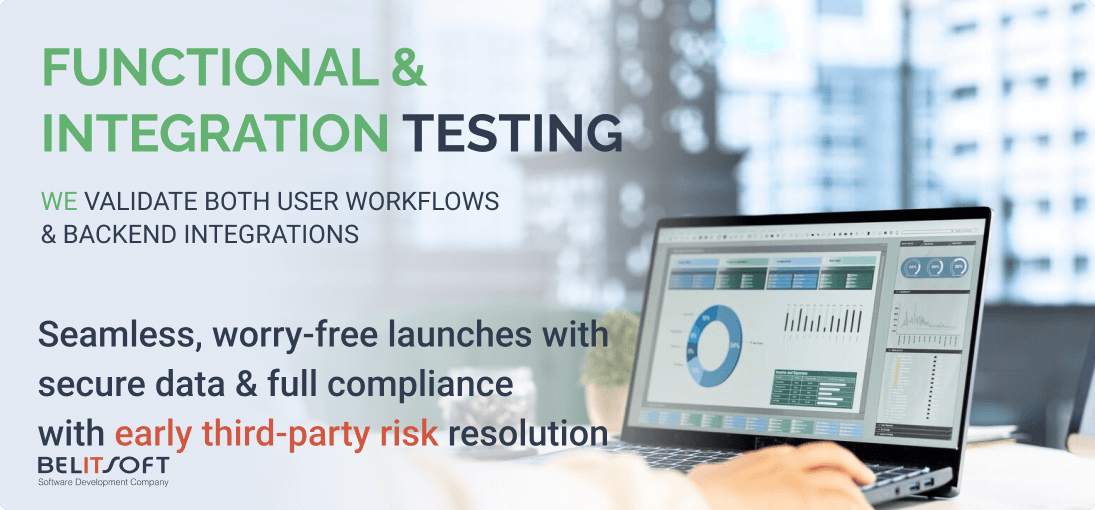
Functional & Integration Testing

Functional Testing

You test the application logic. Does it work: calculate, follow the rules, etc.? That means account creation, fund transfers, loan approvals, payment execution, dashboard reporting, etc. Each test confirms the platform behaves exactly as it should for users, regulators, and auditors.

Integration Testing

No system runs alone. Financial apps pull from CRMs, loan engines, identity providers, fraud tools, payment processors and gateways, trading platforms, merchant systems, internal APIs, bureaus, regulators. If the data doesn’t flow, the system fails, even if the UI looks fine. Integration testing checks data synchronization across systems, error handling when a dependency fails, secure transmission of PII, response time under normal and peak conditions, etc.
Testing for Finance

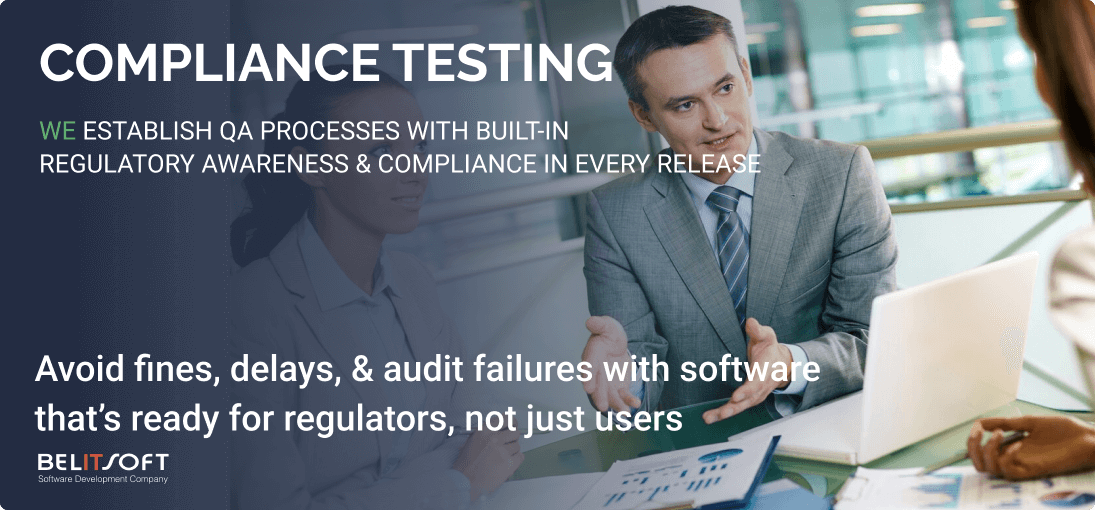
Compliance Testing

You’re not testing features. You’re testing whether the system can survive an audit.

Financial platforms operate under constant regulatory pressure - SOX, PCI DSS, GDPR, Basel III. Every release has to prove compliance. 

The QA suite must validate the things that regulators will ask about:

  • Data Privacy. Encryption, masking, and PII protection across environments
  • Audit Trails. Transactions, edits, and events - all timestamped, tamper-proof, and queryable
  • Transaction Integrity. Every calculation is accurate, consistent, and reproducible
  • Access Controls. Role-based restrictions that work everywhere, not just in production
  • Disaster Recovery. Failover plans that work. Backups that restore. Evidence that both are tested.

Automation helps, but only if it’s built to cover real regulatory logic. "Green test results" mean nothing if your coverage misses data residency, privacy enforcement, or cross-border compliance checks.

Compliance isn’t static. Frameworks change. New rules show up. You need testing that adapts - and proves that your system can handle it.
Testing for Finance

If you're operating across multiple jurisdictions, the rulebook multiplies: RBA, ASIC, APRA (Australia), CFPB, FTC (USA), RBNZ, FMA, Privacy Commissioner (New Zealand), SBV, SSC (Vietnam), etc.

Each body brings its own review process, documentation requirements, and audit expectations - all tied to the financial product, region, and user group.

You don’t pass this with a checklist. You pass it with a system that holds up under scrutiny.

Security Testing

Financial systems handle everything attackers want: personal data, payment flows, authentication tokens, and the logic that controls payouts.

Tests must cover it and simulate abuse. That means forcing credential misuse, invalid session tokens, malformed transaction payloads to prove resistance.

Security checks don’t start when code is "ready". They run with it. Penetration tests need to be continuous. Encryption has to be verified with inspection, not assumed because the config file says so. Permitted functions are accessible and restricted functions are not accessible according to the user’s role or job title.
Testing for Finance

Performance and Stress Testing

Financial platforms fail under pressure: market spikes, month-end loads, concurrent sessions, salary disbursements. Performance testing confirms system behavior under real load. 

Most high-volume systems don’t crash in staging, but in production. Load testing helps prevent that by simulating production behavior before production is involved.

Stress testing pushes that further. You don’t guess where it breaks: you find it out. That includes high-volume transfers, simultaneous logins, batch events. Any time the traffic goes high. 

Latency testing measures response times for real-time trading/payments.

You test for concurrent users under volatile traffic, system limits under forced degradation, and how fast the system recovers when it buckles.
Testing for Finance

Disaster Recovery Testing

Backups aren’t counted until they’re restored cleanly. Failover isn’t accepted until it happens under real load.

Specialized Financial Testing

Risk scenario testing for simulating market crashes, fraud attempts and liquidity crises.

End-of-Day batch testing for overnight processing validation.

Reconciliation testing for ensuring that transactions are matching across ledgers, bank statements and reports.

Currency and Localization testing for multi-currency handling, tax rules and regional compliance checks.

Regression Testing

Release cycles are shrinking. The pressure to deliver is constant. Every feature added introduces more paths, more data conditions, and more opportunities for something to break in a way that no UI script will ever catch.

Every update, patch, or release adds risk. Regression testing is how you contain it.

You’re proving that nothing critical broke in the process of adding new features, especially in revenue-producing or compliance-bound flows. Existing features must still function, logic paths must remain stable, no silent failures, no downstream side effects, no audit-triggering regressions in reporting or calculation.

A modular, evolving regression suite keeps coverage aligned with the platform. It needs to grow with the product, and not get replaced sprint by sprint.

Regression testing is the only way to ship with confidence when the system is already in production.
Testing for Finance

Test Automation for Financial Services

Manual testing can't track change at the speed it happens, and it doesn’t scale. By the time you’ve finished validating one release, three more are coming.

If a test runs every release, it should already be automated.

That’s where automation comes in place: core workflows, high-risk paths, anything repeatable. Run it nightly or trigger it in the pipeline.

Test automation tools simulate real users, log everything, run tests in parallel, and don’t get tired.

But this isn’t about full automation. That’s a fantasy. You automate what pays off. Everything else waits. Financial systems are expensive to test. So it’s done in stages. Modular.

Test Automation for Regression and API testing as well as AI/ML based testing for anomalies in transaction patterns detection (fraud detection) are considered to be the best practice for Automation in Financial systems.

Testing Process for Financial Services

Use a structured QA workflow: adaptable, but strict.

  1. Analysis & Planning. Understand business rules, compliance needs and risks. Define the scope, set objectives, and pick tools.
  2. Test Design & Case Development. Write the test cases. Map data requirements. Confirm coverage against regulatory and technical baselines.
  3. Environment Setup. Build isolated, compliant test environments. Mirror production architecture as closely as possible.
  4. Execution. Run the tests. Manual and automated. They run, they log, and failures get tracked to root.
  5. Issue Resolution. Fix defects. Verify the fixes. Use regression to confirm nothing else broke while patching.
  6. Retesting. Re-run the failed paths. Validate fixes hold. Check for downstream issues introduced by the change.
  7. Release Approval. Everything passed? Logs clean? Coverage holds? Vulnerabilities mitigated? Then you ship.
  8. Audit and Continuous Improvement. Strengthen future testing by learning from past gaps: review critical bugs that slipped through, update your test repository.

What Financial QA Teams Bring

Testing financial systems requires more than automation coverage. Yes, automation frameworks help. Yes, shift-left practices reduce risk. But unless the test team understands what matters, and how failure propagates downstream, they’re just running checklists. 

Financial QA means building coverage that’s audit-proof, risk-aware, and designed for volatility.

Internal teams may be overloaded, or unfamiliar with the testing domain. Testing gets squeezed between delivery targets and audit timelines. That’s where external QA partners come in.

When internal teams hit their limit, outside specialists do more than fill gaps. Firms that offer software testing for financial services bring:

  • Domain-aligned engineers who know what to test and what not to miss
  • Custom strategies, not templates
  • End-to-end test ownership, including test data management, security controls, and field-level reconciliation
  • Tool expertise across modern stacks: mobile, desktop, API, cloud, data-heavy systems

QA in this space includes everything from test case design to release signoff and risk ownership through each phase.

We support overloaded or growing teams with custom testing strategies, not one-size-fits-all templates. Our testing team understands how financial software fails, and how to catch issues before they reach production.

How Belitsoft can Help With Testing

We work with retail and merchant banks, investment houses, credit bureaus, insurers, and fintechs that move fast. Often faster than their test coverage.

We test where the risk is, nothing else:

  • Core financial platforms. Stability, security, accuracy. If it moves money or stores identity, we test it first.
  • Banking apps. Cross-device behavior, session handling, authentication. No UI passes if the state breaks on resume.
  • Compliance workflows. FCA, PCI, GDPR. We validate controls, data handling, and audit paths.
  • Fintech stacks. Third-party APIs, chained microservices, async delays. We test what happens when external dependencies don’t behave.
  • Load scenarios. Stress under transaction spikes, concurrent sessions, and batch jobs. What breaks gets fixed before production.
  • Penetration points. External and internal surfaces. Known exploits. Simulated misuse. We don’t assume the firewall holds.
  • Risk and fraud systems. Rules engines, signal noise, false positive tuning.
  • Data pipelines. Integrity checks, reconciliation logic. We test for gaps between source and output to find the mismatch.
  • Mobile interfaces. Multi-device behavior. No lags, no state loss, no friction. Just reliable flow, end to end.

Testing work spans several layers:

  • Manual testing for edge cases, flows with too much nuance to automate, or systems still in transition
  • Test automation using scalable frameworks, maintainable code, and repeatable patterns - built to last beyond the first sprint
  • QA outsourcing for when teams need immediate lift without hiring delays
  • QA consulting to refactor in-house processes or redesign flaky test suites
  • Full QA management, from planning to sign-off, across delivery pipelines

Projects range from modernizing legacy systems to greenfield fintech apps. Everything from thick-client platforms to microservice-heavy backends is in play.

Our QA setups use:

  • Physical devices for mobile and cross-platform testing
  • Cloud-based testing infrastructure to reduce on-premise drag
  • Environments tuned for high-throughput, secure, and parallel execution
  • Onshore, nearshore, or offshore coordination models depending on compliance and project load

Test artifacts live in CI/CD pipelines. Reports are integrated. Slack, Teams, and Jira are used for triage and resolution in live windows.

We run:

  • Database-level testing alongside front-end flows
  • Full-stack automation across UI, API, integration points, and data pipelines
  • Smoke, regression, and visual regression for each release
  • End-to-end validation with built-in rollback checks
  • Specialized Financial Testing

Test data is managed with care. Validation runs are tracked. 

With proper test automation in place, we provide higher release confidence, shorter onboarding time for new engineers, reduced manual test overhead: in some cases, 70%+ reduction, stability across high-volume workflows and fewer production rollbacks.

We use the right test automations stack, and apply the right discipline.

For financial products, project-based testing isn’t always enough. That’s where a dedicated Testing Center of Excellence comes in. We operate as your remote QA partner, building your test strategy, handling daily execution, and supporting your dev team long-term. You focus on the business. We’ll handle the quality.

Partner with Belitsoft to outsource financial QA to a team that knows the systems, the risks, and the regulations. From preparing safe test data to making sure your software is ready to launch, we take ownership of the QA process, so you don’t have to worry about gaps. Contact our team to secure audit-proof QA, tailored to your financial workflows.

Never miss a post! Share it!

Written by
Business Development Director at Belitsoft
Expert in IT staff augmentation (5 dedicated development teams have been created, 500 team members have been hired).
5.0
3 reviews

Rate this article

Leave a comment
Your email address will not be published.

Recommended posts

Belitsoft Blog for Entrepreneurs
Hire Test Automation Engineers for Regression Testing
Benefits of hiring regression testers from Belitsoft Regression Testing Time Reduction Manual regression testing takes a long time. Each company defines for itself what long means. If there are thousands of manual checks to perform before releases, a regression cycle may take days and involve more than one engineer. After automation, the time required to complete the same regression cycle, depending on the scope, may be cut down to hours. In Belitsoft's experience, regression testing time may be reduced by up to 70% compared with manual testing. One of the mechanisms behind the acceleration is the automated suite, which runs multiple tests concurrently. Such tests, even if there are many hundreds of them, may run on demand, at specified timeslots like overnight, multiple times a day, on triggers like an opened pull request or every time developers submit new code to the codebase, or within minutes before every release to production. According to Belitsoft, automated regression testing increases release frequency by 50% or more. At the same time, reliable regression testing makes the release process significantly more predictable. Improve the deployment cadence with Belitsoft and know with confidence that each build was thoroughly validated. Regression Testing Coverage Increase At some point, many software product companies realize that they have no automated tests in place and have never had any automated tests on their applications and websites. Test coverage in such projects is non-existent or less than 10%. Given competing priorities, it's challenging for an internal team to achieve the required level of automated testing within short timeframes. That's why companies hire remote test automation engineers or regression testers. If a company starts from zero, regression testers build the automated suite. If they already have a list of manual test cases, the task is to convert the appropriate part of the list into automated tests without going over the agreed test budget. Tests can be added to the suite continuously at an agreed rate. As for coverage within a deadline, the target may be set as a percentage by a date: for example, 90% of the product's test cases automated by the release scheduled for 1 September. Once the initial suite is done, the task shifts to keeping up with development: tests are written as new features are developed and ready for testing, or test cases are created during the sprint after the corresponding feature is developed. At the same time, the task includes maintaining automated regression coverage for a growing number of web, mobile, API, and integration workflows and test cases per release milestone. Before a full contract, a company may want proof to understand how many active tests and test runs can be achieved and how many bugs can be caught before customer impact during a short pilot project with regression testing developers. Where tests are run per release, the reporting counts not just the number of unique test cases but also the test cycles within which they run. Depending on the scope, Belitsoft test automation engineers can create hundreds of tests covering most workflows within several weeks. When the contract has a fixed number of tests, we can achieve that number ahead of schedule. Let's Talk Production Bug Reduction After automation, bugs are caught during pre-release regression testing, preventing rollbacks to a previous version after deployment. The key metrics regression test automation engineers look at have different names meaning similar things: production defects, field-reported defect rate, post-launch defects, post-deployment critical bugs, or bug escape rate. In Belitsoft's experience, after test automation, the reduction in those defects may exceed 90%, and for critical software bugs it is even higher. Clients immediately see the difference when end users of their applications begin to report fewer issues or even no critical bugs, especially when it comes to billing and payment processing or integrations in networks of websites like ecommerce stores or in businesses with a large number of legacy applications. No bugs will impact customers that use your applications. Test with Belitsoft test automation engineers and get successful releases with zero regressions found by your users. QA Staff and Cost Reduction Manual regression testing slows down feature delivery. Very often, full-time engineers are forced to update test scripts, hunt issues down, watch the test suite, chase unstable tests, and write test code instead of developing new features. Test automation engineer outsourcing via software testing companies like Belitsoft frees up internal teams, repurposing them for higher-value delivery work and reallocating hours to feature development. For a company that would otherwise need several in-house automation engineers, that is a six-figure annual saving. The number of employees involved in the QA process goes down, in some cases allowing several full-time positions to be replaced. Dependency on the manual regression team is substantially reduced or eliminated. In Belitsoft's experience, that means hundreds of hours of manual regression work saved and QA-related costs reduced by up to 40%. Even product managers stop spending their time every sprint on manual checks. All this happens while testing capacity increases severalfold. Test automation engineer outsourcing is like having your own team of experienced QA test automation engineers on staff, at a fraction of that cost and without hiring them as permanent employees. Belitsoft offers test automation engineers not just at very attractive rates but also with a guarantee that you achieve good results for your money if you're in the USA or UK. Let's Talk What Cooperation with Belitsoft Test Automation Engineers Looks Like Selecting Testers A client interviews potential testers, then selects them. You can even shortlist us along with two other regression testing companies and give them test projects. Then you can see if the quality of our work blows the other two out of the water. Belitsoft prepares the NDA and all the documents. The testing can be started in a few days. Let's Talk Proof-of-Concept It's important to see on a demo project whether the test automation engineers can do what is being asked of them. That's why Belitsoft offers a small proof-of-concept (POC) regression testing project. It shows whether our test automation engineers are as good as described. The POC is a small test task that can be done within a couple of weeks to make you familiar with us and our working style. Some clients give Belitsoft a set of specific tasks to automate. If there are a lot of tests to select from, first we agree with the client on which ones to automate first, then include them in the release process. To succeed during the pilot phase, Belitsoft, for example, may have to hit an agreed number of tests by a certain date. A successful POC provides confidence and trust in our process. That is why very pleased companies often sign a longer contract with us. Initiate a trial service period with Belitsoft test automation engineers! Contract Belitsoft offers customizable testing services. It easily aligns its services with your testing project scope and budget. A contract may include a fixed number of tests agreed upon within a timeline. In Belitsoft's experience, a negotiated plan or test budget may include, for example, 200 automated tests. A contract may also set a coverage target. For example, automate all critical user flows within the first quarter. Or feature coverage must exceed 80% and should be delivered within the agreed-upon time. A company may also work with Belitsoft using a time-and-materials model, for example, for QA app testing. The company pays for test automation engineers' time. So goals and work descriptions are managed on the fly. The billing rate and cost structure are simple and do not require long-term commitments. Alternatively, a company may have Belitsoft test automation engineers on retainer or on an open-ended contract. Align Belitsoft automation testing services with your regression testing project scope and budget. Let's Talk Onboarding A project starts with an initial assessment and test strategy development. Then comes a detailed plan. It outlines which types of tests are to be performed, the testing timeline overall, and the tools to be used. To help test automation engineers understand a company's software, clients share the available information. Engineers need relevant documentation on systems and platforms, as well as the software development process, so they know how the system works and how it is developed. If the software is too complex, the client can also provide a quick walkthrough. Engineers also need limited but sufficient business information, so they know which scenarios are the most important. The client's product development team may explain its needs in a format like Gherkin, describing different scenarios. To improve the project's time and cost metrics, the most experienced clients provide a detailed backlog listing what test automation engineers should be working on. The client may also grant access to its issue management system like Jira and to its account in a test management system like TestRail. So Belitsoft engineers work with those scenarios, test cases, and the backlog in the client's own tools. New resources don't need weeks to join the testing project. For a new project, it takes less than one day for Belitsoft testers to get onboard, and the team joins a company in a couple of days. Testers are put through a company's training and onboarding process, and hit the ground running: they're productive within a week or less. Belitsoft QA engineers pick up the process very quickly thanks to their ability to gain the business context from the existing application with just a few questions.Let's Talk During the Project The client responds to queries from our test automation engineers about expected behavior and fixes the bugs our tests catch. When the application changes, the client may provide a screen recording of the changes. Test automation engineers update the tests by the requested date. In Belitsoft's experience, the automation testing projects that go well have a well-defined scope. Articulate your scope, and Belitsoft test automation engineers will do the rest. FAQ How to Choose the Right Test Automation Company The one thing that makes a company choose a testing vendor is the ability to keep and use the test code that was written, even if the contract is terminated later. A testing vendor's commitment to non-proprietary open-source testing tools allows the client to retain the tests. On top of that, the testing vendor must maintain the tests and not just write and run them. That is why a good testing vendor makes a big effort to make the tests maintainable: if tests are very hard to maintain, they will not yield any return on investment. Also, before the project starts, a good testing vendor asks good questions upfront to identify the parts of each scenario that will be difficult to automate. To guarantee alignment, they are not afraid of challenging the assumptions a client may have.
Software Testing Outsourcing
What is software testing outsourcing? Software testing outsourcing is handing over testing-related tasks to an independent third party: a test specialist or a testing firm with QA engineers.  Your company transfers software testing to be carried out by external specialists not directly involved in the process of in-house software development.  Delegating the testing of a whole application or just any piece of software to an external testing vendor frees up your internal core team.  When testing is given out to independent testers, you are not only improving product quality and completing QA as early as your project or business demands, but you can also focus on speed to market while controlling costs. For example, your company develops complex software, like SaaS or multi-module enterprise software, but does not want to maintain a testing team with specialized testing skills.  Let's assume you need some combination of manual and automated testing, exploratory and regression testing, and security, performance, and usability testing. It's expensive to hire and retain individuals for in-house testing over the long term because the operational costs are higher than outsourcing service fees.  Contracting the testing work, in whole or in part, to them under a long- or short-term SLA-based contract gives you the required number of qualified testing professionals capable of taking the required level of responsibility.  There are three common QA outsourcing models: Full-cycle QA outsourcing.The testing provider takes responsibility for the entire testing process, from test planning and execution to release testing. Depending on the complexity of your software, this can be a testing team with a test lead or self-managed senior testing experts trained to work independently.  One-time testing project.The testing firm performs a one-time set of testing activities for a specific project, such as testing a web or mobile app with AI features before it goes live. Testing team augmentation. The software testing agency embeds individual testing experts in your team to work under your QA management. Best for companies that already have experienced QA managers.  Any of these models can include specialized testing, such as cybersecurity testing and embedded testing, as well as UI and API automated testing. If you are looking for the best companies offering a risk‑free PoC for outsourced QA, evaluate Belitsoft. What do companies need from software testing outsourcing in 2026? In 2026, companies mainly seek additional testing support from independent vendors when senior executives face time constraints and lack confidence in the internal capabilities to test the quality of their software. This may be due to special requirements related to data security, smart QA automation, or other scopes. To do business in Europe after August 2026, they may also need testing of their AI-based applications performed by someone with expertise in EU AI Act compliance. AI Product Testing Companies add AI assistants, chatbots, AI-based search, content generation, and AI agents to their products.    "We have started using AI. How do we check that it works correctly?" In 2026, this is the question every organization possessing an AI solution asks. Business owners want to establish what could go wrong and then estimate how any such situation can be averted: Does the AI in our product give correct answers? How often does it make mistakes? Can it disclose confidential data?    Can someone make our AI perform a prohibited action? What happens after an AI model from our provider, OpenAI or Anthropic, is updated? How do we check the quality of AI answers before a new version of our product goes live? This is why external QA providers are asked to validate the quality and accuracy of AI output, to ensure the system can combat any attempts to misuse it, and to monitor the actual behaviour of the AI across varying conditions. Check out how we tested the AI voice agent for HIPAA compliance , or let's talk about how we can test your AI software product. How does software testing and QA work in outsourced development? The complexity of the required tests and their number grow, making software releases slower. To reduce software release time, many companies bring on an external team to test their software project. This testing team must evaluate the product delivered by the client's development team to see whether it satisfies the acceptance criteria agreed with the client before development. Further changes to the approved requirements must be documented and approved by both parties. Before making this evaluation, the testing team draws up test cases based on these criteria. If these acceptance criteria are not documented as such but exist as tasks, specifications or other documents, test engineers review these documents and come up with examples that can be turned into test cases. Unit tests are generally written by programmers because writing them makes programmers write code that is easy to unit-test. For this reason, unit testing is usually not outsourced. Reviewing code is also not part of external testing. Developers do it themselves by reading a diff to compare a new commit with the existing code. But the testing team writes and maintains automated functional tests. To be part of your agile development, the external testing team must test the code as it is completed. These tests are executed in the client's CI tool: a new build is created when new commits are merged, and the test suite must pass. Whenever any changes are made to the code, these tests are executed as regression tests to detect unintended side-effects. The tester logs defects in the bug tracking software, and then bugs are prioritized. The testing team evaluates the bugs with the client's product owner and developer lead, and the priority can change based on business needs. Bugs are sent to the client's developers to fix, and fixed bugs are retested. If the bug appears again during retesting, a QA engineer reassigns it to the developer for reinvestigation. The test results are displayed on the client's dashboard. Status updates from the testing team should include a summary of discovered issues, with attention to anything that is blocking or slowing down testing, and residual risks. Before each release, the testing team also prepares a test report for the client: the areas tested, the test results and any unresolved defects. Acceptance criteria usually describe what the system should do, that is, its functional requirements. But the system may fulfil these requirements yet be rejected by end users due to inadequate performance or poor usability. However, acceptance criteria usually don't specify performance or usability requirements. That's why testers must scope out these non-functional requirements, get client approval for them and write the appropriate tests. For performance testing, testers model a load close to the real one, submit it to the system and check whether it meets the agreed performance requirements. For security, testers check basic scenarios: is it possible to access administrative functions if the tester is logged in as a user with standard privileges? Full security testing is a separate specialization and is outsourced separately. As for usability, it's checked during user acceptance testing. Testers share the prepared test cases with the client, and the client's end users test the software in real-world scenarios. When the number of unresolved defects is within an agreed limit, the client must sign off on the deliverable. Testing is done before release. If failures appear in production after release, they are sent back to the testing team as missed defects. After the deliverable is signed off, the testing team either leaves or stays for regression testing of the next releases. In this case, a contract should state the duration for which the team will provide testing.
Hire FinTech Software Developers
Why Companies Hire FinTech Software Developers in 2026 The demand for financial software developers who build new financial systems and modernize existing financial software stays high. The immediate task may be to create a digital wallet and payment gateway, provide a product engineering service for financial software platforms, or build a new SaaS product from scratch. In 2026, the global FinTech market is estimated at $460.76 billion. According to Fortune Business Insights, this market will reach about $1.76 trillion by 2034, with a compound annual growth rate of 18.2% from 2026 to 2034. New FinTech companies continue to enter this market, although the rate varies by year and region. The established providers of financial software answer this competition: they add new products, enter new regions and connect more third-party financial services. This growth can also expose the limits of the software that financial services companies already use:  a new region adds its own technical and regulatory requirements to an established product the volume of transactions grows with the number of customers the financial workflows of the businesses that use this product become more complex. The financial software that supported your business earlier may become slow under this load, while years of separate integrations and workarounds can leave it fragmented. Scaling an outdated or poorly designed system can cost more as the transaction volume and integration requirements grow. The company then needs to modernize their infrastructure or legacy banking system. When further patching costs more than rebuilding critical components, your company hires the financial app developers who rebuild them.  Manual data entry can be one source of this cost. When your company's data is divided between disconnected spreadsheets and applications, reporting is slow, and your managers receive the financial figures later than they need them. This can create a need for Power BI developers experienced in the finance industry who build the reporting pipelines, dashboards and financial data models that the existing systems do not provide. The underlying infrastructure can age. Сhanges to poorly documented legacy code can become more expensive and risky. When this platform does not support your new workflows, integration requirements or financial controls, your business needs cloud app developers experienced in finance to build the missing parts of the product and connect them to the existing infrastructure. Some financial services companies also need self-service infrastructure. Their developers lose time waiting for environments, deployments and infrastructure changes, while releases depend on manual work. Financial software developers and platform engineers automate these processes and give the product staff repeatable ways to build, test and release financial software. Depending on the product and the applicable regulations, software that processes payments or stores financial data may require: access controls that decide who inside your company sees a customer's balance audit trails that record every change encryption transaction monitoring regulatory reporting KYC and AML integrations other controls required by the product and the applicable regulations. What exactly you need depends on your financial product, your market and the jurisdictions where you operate. A payments app in the UK and a consumer lending app in Germany have different lists of requirements. However, most of the time this type of work requires remote financial software developers experienced with financial data security requirements and, for regulated products, software engineering and software testing expertise for banks and financial institutions.  North America accounted for more than 30% of the global FinTech market, and Asia Pacific accounted for a similar share. You may need financial software developers when you start selling to customers in several countries or expand into markets in Asia Pacific, Europe, South America or other regions. The same product may then need to work with additional currencies and the payment methods that customers in these markets commonly use. This product may also need to apply tax rules based on the transaction type, the locations of the customer and the seller, and the applicable local regulations. This expansion can also introduce requirements related to legal entities, cross-border data transfers, local data residency and regional banking APIs. Every jurisdiction you enter adds its own rules to the same product. Legal, compliance and product staff determine which rules apply to a customer and to a transaction. Financial software app developers implement these decisions in the code and maintain them after the applicable regulations change. This is why you hire financial software developers who have already worked with several jurisdictions. The UK FinTech sector includes more than 4,400 active companies, and London is the main hub of this sector. Your customer in this market compares your product with several other products before the purchase. They ask which banks and payment methods your product already connects to, how long the onboarding of their own users takes, which reports the product produces and in which format, how it stores and encrypts their financial data, and which regulatory requirements of your market it already covers. A product that already answers these questions has an advantage during vendor selection. This is why you hire financial software developers in the UK before you start selling in such a market. Depending on the product, it may exchange data with banking APIs, payment gateways, accounting platforms, ERP and CRM systems, identity providers, fraud detection services and your internal reporting software. The work may be to build and scale solutions across multiple business finance platforms  or to integrate return protection claim functionality into a financial services mobile app. When these connections are missing or unreliable, your employees may need to copy data between these systems by hand and correct the format of the files they transfer. Errors from this manual work accumulate, and the financial operations of your company take longer. This is why you also hire best financial app developers who can build and maintain these connections. By 2026, AI has become another common reason to review financial software. In a McKinsey US C-suite survey, 92% of executives expected their companies to increase spending on AI. This creates demand for developers specializing in AI integration for finance and for AI engineers in financial services. Some financial products use AI for document processing, reconciliation, fraud analysis, forecasting and customer support. The development work may include build and maintain data pipelines, implement ML models, integrate with your existing cloud infrastructure, or add retrieval-augmented generation pipelines without breaking the existing workflows. These features can process your customers' financial data, which means that they also need strict data controls, validation, monitoring and auditability. Financial services companies hire custom financial services developers for all of these reasons. These developers replace web, backend or app software that can no longer manage the load. In other cases, they rebuild only the parts that your business has outgrown or build the components that were not included in the product earlier.
Hire Python Developers Experienced in Financial Services
How the Fintech Industry Is Using Python Financial Process Automation Banks, investment firms, insurance companies, as well as FinTech and payment/financial software vendors serving them, often hire financial software developers comfortable with Python backend development to automate manual workflows in operations, compliance, investments, risk, and finance. In financial services, some data processing workflows haven't meaningfully evolved in decades. They're still spreadsheet-focused or manual: for authorizing payments, flagging risk, categorizing spend, or closing books there are more email queues, reviews, and approvals than necessary. Staff still too often fill out repetitive forms, re-type the same information into one website after another, or compare information by hand... This happens all the time in insurtech carriers with policy intake and quoting, wealth managers with intake and reconciliation, banks with regulatory reporting and stress testing, or CRE lenders with agency investor reporting. To reduce manual work and improve accuracy, hire Python developers from Belitsoft. Python developers from Belitsoft: set up OCR and AI-assisted document processing build document extraction (PDF/Excel) pipelines that convert unstructured data into validated JSON turn previously manual workflows into scalable applications for document ingestion, automated risk-monitoring, decisioning, and approval flows add scheduling, queue management, retries, and automated failure recovery. Financial Data Integration Financial software products often need to be integrated with customers' platforms: market-data vendors such as Bloomberg, custodians, brokers, clearing systems, digital banking platforms, CRMs, loan-origination systems, payment providers, document platforms, identity services and internal legacy applications. Integration engineering is a common reason financial companies hire Python developers.  A Python engineer experienced in financial services must combine backend, data and integration skills. They have to understand the financial meaning of each API field, the transaction lifecycle, source-of-truth rules, duplicate and delayed events, recovery from failed synchronization and validation of the result.  The complexity of these FinTech projects comes from different data models, incomplete vendor documentation, authentication, client-specific configurations and financial data validation requirements.  That's why FinTech enterprises often expect end-to-end ownership from financial software developers: from breaking down the client workflow and building the feature or integration through deployment, monitoring and incident resolution in production. AI for Financial Services Financial companies integrate AI into document processing, due diligence, investment research, finance Q&A, insurance paperwork, fraud, lending, payments and decision support.  Requirements for Python developers specializing in AI integration for finance don't come down to prompt engineering. Dedicated Python developers with AI expertise have to connect LLMs and agents to backend systems, APIs, enterprise data and existing workflows. They also work on orchestration, evaluations, observability, latency, cost, security, fallback behavior, testing and production support.  Custom Quantitative Trading Systems Development  Hedge funds, prop trading firms, and asset managers hire finance software developers proficient in Python to develop end-to-end quantitative trading systems. Experts in Python turn market data and quant research into production software systems for backtesting, portfolio construction, execution, P&L, and risk.  The complexity of such engineering tasks requires understanding financial models, market data, distributed systems, performance, and production reliability at the same time. That's why these firms usually need senior Python developers with finance domain expertise. Custom Financial Software for Banks, Insurers, Lenders and Wealth Managers Banks, insurers, lenders, wealth managers and fund services companies hire financial software developers highly skilled in Python to build, support and modernize regulated applications, data platforms and internal workflows.Python engineers work on mortgage origination and servicing, insurance underwriting and claims, advisor platforms, portfolio accounting, reconciliation, onboarding, reporting and compliance systems.The complexity of these financial software projects comes from financial data integrity, auditability, security, access controls, traceability of calculations and production reliability requirements. A backend engineer doesn't need prior financial services experience for every task in a financial software project. But developers who interpret, design or change financial calculations, transaction states, accounting rules or regulated decisions need to understand the relevant domain. They must understand the financial meaning of the data, identify missing cases and validate that the software produces the correct financial result. Why Belitsoft? In the past ten years, clients have ranked Belitsoft among the top Python development companies for fintech based on several considerations. First, Belitsoft offers senior full-stack Python developers with financial software experience and knowledge of financial data security and compliance requirements. Second, fintech companies prefer to work with Belitsoft as a cost-effective provider with over 20 years of expertise in traditional custom software engineering: backend and API, cloud, web and mobile app development, business intelligence and data management, as well as testing and DevOps. Finally, engineering managers from US-based enterprise financial services firms also value that Belitsoft takes care of all payroll, benefits, equipment provisioning, and other administrative overhead, has an office in the USA, and that its pricing is very flexible and transparent.
Inside JPMorganChase' Fintech .NET Product Engineering
Why .NET Is JPMorganChase's Choice for Enterprise Product Engineering  JPMorganChase is one of the oldest American financial institutions, with more than 200 years of history. In 2026, senior .NET developers help JPMorganChase's Commercial & Investment Bank teams in Irvine (CA), Plano (TX) and Chicago (IL) design and deliver software products for healthcare payments (electronic payment processing through InstaMed platform), securities services (custody and fund administration for institutional clients), and electronic trading (multi-broker trading through Neovest platform). Modern .NET fits JPMorganChase's product engineering strategy because as a cloud-native strategy it requires containerization, orchestration, resilience, security, observability, and CI/CD — every one of which .NET supports natively.  .NET Supports Cloud-Native Containerization JPMorganChase has built one of the largest container-based infrastructures in banking. The bank packages its software into standardized containers or portable units that include the software and everything it needs to run, ready to deploy anywhere from the bank's own data centers to public clouds. JPMorganChase uses .NET inside this container-based infrastructure for healthcare payments, securities custody, fund administration, and electronic trading.  Cloud-native containerization is important to JPMorganChase because the bank's size (tens of thousands of engineers building thousands of services) requires portability across the bank's hybrid infrastructure, standard packaging across different development teams, and efficient use of server capacity. Without containerization, it would be significantly harder for a bank of this size to deploy across multiple clouds, keep development teams working the same way, and control server costs at this scale.  Containers let the bank run the same applications on AWS, Azure, Google Cloud, or its own data centers without dependency on one cloud vendor.  They give every development team the same way to package software.  And by allowing more services to run on each server, containerization can reduce the costs of hosting them. .NET Capabilities for Cloud-Native Containerization Built-in Container Packaging If each team at banks or other large organizations writes its own instructions (Dockerfiles) for packaging software into containers, different instructions will produce inconsistent results and security gaps. .NET packages software into containers, using Microsoft's official building blocks by default, without requiring a separate Dockerfile. So the bank's software delivery processes have one less tool to maintain and one less place where security mistakes can happen.  Official Microsoft Container Images .NET fits the supply-chain documentation aspect of containerization. Container images are software components. When banks use them, they come under the same third-party software risk management scrutiny as everything else the bank uses: what is in them, who maintains them, how quickly security flaws get fixed. Microsoft provides official .NET base images that banks use as the foundation for their production application images, signed and patched as Microsoft products. So the bank can show Microsoft's documentation instead of writing its own.  Stripped-down Container Packages (Chiseled Images) The bank runs hundreds of services in containers, and every piece of software inside every container is a potential security vulnerability the security team has to track and fix. Microsoft provides a special version of their Linux-based container packages for .NET that includes only what the software needs to run and nothing else. So the bank's .NET services run on the smallest possible foundation, with the smallest target for attackers and the shortest list of security fixes the security team has to apply.  AOT Compilation The orchestrator inside cloud-native containerization infrastructure scales software up and down based on demand, but a container that takes too long to start cannot scale up fast enough to handle traffic spikes. Moreover, large software packages cost more to store and distribute across the bank's servers. .NET has a way to prepare software in advance, before it runs, producing containers 80-90% smaller than before and starting in milliseconds. This reduces the bank's infrastructure cost for every service it operates. Container-Aware Runtime Cloud-native containerization gives each piece of containerized software a strict budget for how much computer memory and processing power it can use. If the software uses more than its budget, the system shuts it down and starts a fresh copy, which causes banking transactions in progress to fail. Container-aware runtime lets .NET software automatically adjust to the resource budget (memory, processing power) it has been given inside a container. So .NET-built software does not exceed its limits, does not get shut down, and the bank does not lose transactions. .NET Fits Cloud-Native Orchestration  JPMorganChase manages its containerized software through Kubernetes, the platform that keeps the bank's services running by starting new copies when load increases, replacing failed copies automatically, and sending customer requests only to working services. A dedicated engineering team at the bank builds and operates Kubernetes across the bank's hybrid infrastructure, including Amazon's EKS on AWS plus Kubernetes on Azure, Google Cloud, and the bank's own data centers. JPMorganChase's .NET workloads in healthcare payments, securities custody, fund administration, and electronic trading all operate under this Kubernetes management. Cloud-native orchestration is important to JPMorganChase because the bank's services run 24/7 across global business lines and cannot wait for an engineer to restart them when they fail. Without orchestration, it would be significantly harder for a bank of this size to keep services running through failures, traffic spikes, and software updates.  The orchestrator automatically restarts failing services and routes customer requests away from them.  It scales services up and down as banking workloads change throughout the day.  And it lets the bank deploy software updates without taking services offline.  .NET Capabilities for Cloud-Native Orchestration  Built-in Health Check Endpoints Kubernetes needs to know which copies of a service are healthy enough to receive customer requests and which need to be restarted. Without feedback from each service, Kubernetes does not know which copies are available and which are down. It keeps sending customer requests to all copies, including broken ones, and customers see errors. .NET has built-in health check endpoints for Kubernetes. So Kubernetes restarts failing .NET services automatically and sends customer requests only to .NET services that are working. Built-in Key Management for Scaling When traffic increases, Kubernetes starts more copies of a service to share the load. But running multiple copies of the same service creates a problem: how do customer logins, encrypted cookies, and security tokens work across copies? .NET has built-in key management for multi-copy situations, sharing the necessary security keys across all running copies of a service automatically. So the bank's .NET services scale up without logging customers out or breaking their security tokens when Kubernetes starts new copies. Graceful Shutdown If Kubernetes is going to shut down a copy of a service due to a software update, scaling down, or server maintenance, it tells the service to finish its current work and then shut down. If the service does not understand this request and keeps working, Kubernetes stops it forcibly, which may interrupt the banking transactions the service was processing and cause them to fail. .NET understands the request from Kubernetes and finishes the transactions it is currently processing before shutting down. So when JPMorgan Chase updates its .NET services or scales them down, customers in the middle of paying a bill, placing a trade, or accessing their accounts can complete their actions instead of seeing errors. .NET Has All Tools Required to Implement Cloud-Native Resilience Patterns If orchestration is about managing failures at the infrastructure level by restarting failed copies of a service and redirecting customer requests away from broken ones, resilience covers failures inside the bank's software itself, when one piece of it needs an answer from another one but the answer is slow or never comes. JPMorganChase requires application resiliency from the code in the bank's software to keep it working, even when other systems it needs answers from, like an account service, a fraud check, or a customer database, slow down or fail. JPMorganChase's senior .NET engineers apply these resiliency practices when building software for healthcare payments, securities custody, fund administration, and electronic trading. Cloud-native resilience is important to JPMorganChase because the bank's software needs answers from many other systems to process a single customer transaction, and a slow or failing system would otherwise stop the transaction from completing. Without resilience patterns, it would be significantly harder for a bank of this size to keep customer transactions moving through temporary problems, avoid leaving customers waiting forever when a problem cannot be solved, and keep the rest of the bank's software working when one part fails. When a request doesn't go through because of a short outage, the retry pattern forces the code to wait a moment and try again, up to a set number of attempts. For example, when a patient's insurance payer briefly doesn't respond to an eligibility check from a doctor's office, JPMorganChase's InstaMed payment technology, working under this pattern, can keep retrying ahead of the visit until the payer starts responding, so the patient checks in and the visit goes ahead without the staff or the patient noticing anything went wrong. However, if the response from a service is taking too long, the timeout pattern forces the code to stop waiting. Any wait that takes too long often makes software unresponsive, causing irritation. So, for example, when one broker is slow to acknowledge an order on JPMorganChase's Neovest platform, the timeout cuts off the wait, and the trader can route the order to a different broker instead. Without isolation, a slow part of a system can make other parts of it also slow, so another pattern, the bulkhead pattern, forces the code to isolate the work with this slow part from other parts. So, for example, when JPMorganChase's fraud-monitoring system slows down, customers can still log in to the Chase Mobile app, see their balances, and view their recent transactions. .NET Capabilities for Cloud-Native Resilience Microsoft actively promotes cloud-native reliability. Its Azure Well-Architected Framework documents 31 design patterns that support reliable software, and many of them are, in essence, resilience patterns. Microsoft also develops its own products with these patterns in mind, so .NET 10 is no exception. For cloud-native systems where one piece of software depends on many others, like JPMorganChase's banking software, five core resilience patterns - retry, timeout, circuit breaker, bulkhead, and fallback - have high priority and are strong requirements for any .NET engineer working in a bank. .NET 10 has built-in tools to implement all of these core patterns. Built-in Outbound Resilience Pipeline Modern banking software platforms often use microservices: separate services for business capabilities such as accounts, payments, customer data, pricing, or ledger functions. Banking microservices exchange requests, responses, events, and data via HTTP/REST as a major synchronous method. No one can guarantee that when one banking microservice asks a second microservice for information (for example, to service a bank client's request), the answer comes back right away. So the question is what a microservice should do when it doesn't get a response. Senior architects use a special configuration mechanism that manages microservice behavior in these situations. A good development platform has to include such a configuration mechanism, otherwise there is no uniformity in how different microservices work, and every microservice team will configure microservice behavior its own way. Enterprise doesn't tolerate that kind of architectural mistake, especially in banking. Microsoft accounts for this modern requirement and offers a solution in its .NET platform: the Microsoft.Extensions.Http.Resilience component. It is responsible for the logic of how a microservice works when it doesn't get a response from another microservice: retry, circuit breaker, and timeout. For example, it determines whether the problem was temporary, and if so, whether it resolves after a short period of time. If it resolves quickly, work continues so the bank client doesn't even notice. If it doesn't resolve quickly, the bank client doesn't wait forever for a solution and instead gets an answer that the service is currently down. And at the internal level, the unresolved request isn't allowed to pull all the cloud resources onto itself, which would otherwise hang the whole system. Built-in Graceful Degradation with Cached Data If a bank app customer is trying to do some operation, do not show an error right away, even if technically there is one. Resilience engineers insist on that. One elegant technical solution used in the industry is to show data from cache when fresh data is temporarily unavailable. The cached data may already be stale. But stale data with a timestamp is often better than no data and a dead screen. For example, instead of showing "balance data unavailable because the service did not respond", the app can show "balance as of 9:22". Even if it is already 12 PM, and the balance may have changed, the customer still sees something useful. Any resilience strategy needs to be centralized for the reasons already discussed, and pulling data from cache is no exception. The Microsoft.Extensions.Http.Resilience component mentioned earlier lets you implement this kind of fallback from one place too. The bank avoids empty screens and unnecessary "service unavailable" responses when slightly stale data is still useful.
Inside Citi's Banking .NET Modernization and Process Automation
Why Does Citi Stick With .NET During Modernization and Process Automation? Citi is one of the oldest and largest banks in the world. In 2026, .NET developers help Citi's Enterprise Operations & Technology team in Jacksonville and Tampa, Florida, revise its legacy financial platforms while reimagining client and partner experiences. Modern .NET fits this top US bank's modernization strategy because the modernization strategy is based on several pillars that .NET supports, including distributed microservices, hybrid data workflows, and cloud-native containers and orchestrators. .NET Fits Distributed Microservices Architecture Citi is modernizing older application systems. They are engineering these services in .NET, using a microservices architecture and proven design patterns, which lets different components of their financial applications be developed, deployed, and scaled independently. .NET developers at Citi also create RESTful APIs in .NET. These APIs are required so other applications, departments, and/or external partners can request and receive data from Citi's databases, such as MS SQL, Oracle, or Couchbase. Citi developers also write .NET code that calls the APIs of other systems within the bank to get the data their target applications need to function. Citi is also upgrading its .NET architecture with Kafka. Typically, microservices make a data request through an API, thereby waiting for a response. With Kafka, this synchronous wait is removed, as services can publish real-time financial data and continue to operate while other services read the data whenever they choose. This makes the system more independent and faster. .NET Works Well With Cloud-Native Containers and Orchestrators To support a microservices architecture, the underlying infrastructure of Citi is also shifting to containers and orchestration platforms. Citi's .NET developers package microservices built with .NET into portable containers using Docker and run them on OpenShift, a Kubernetes-based orchestration platform, where containers are managed automatically at scale to guarantee reliability and fast, uniform deployment cycles. .NET Supports Fast CI/CD With Traceable, Compliant Releases Citi deploys its financial applications, based on .NET Core microservices and backend services, through Lightspeed, its internal CI/CD platform built on Tekton and Harness DevOps tools, with GitHub for source control. A commit or merge to GitHub triggers the deployment pipeline. Tekton, a CI/CD engine running on Kubernetes, builds and tests the service and produces a container image. Harness, a deployment and release-orchestration platform, then promotes and releases that image safely. .NET fits this CI/CD pipeline ideally: its standard SDK builds, tests, and packages the code through one toolchain, so each change moves through this deployment pipeline quickly. What else .NET contributes to Citi's CI/CD:  .NET builds are reproducible, so what gets deployed is exactly what was tested. Each .NET build is uniquely identifiable, so any release traces back to a build with a specific version number. .NET tests produce a clear pass/fail result, which the pipeline's gate uses to stop a bad release before production, lowering the probability of incorrect transactions or downtime for mission-critical financial applications. Automated CI/CD lets Citi release to its .NET financial systems fast, repeatedly, and safely, every change traceable, every release tested before it deploys, the control a bank is required to maintain.  .NET Suits Apps That Need Both Relational and NoSQL Databases Citi is modernizing its databases too, using both relational and NoSQL platforms with .NET as the engine connecting them.  There is a lot of financial data and it comes in different forms and one type of database simply cannot cover them all, that's why Citi pairs MS SQL and Oracle with Couchbase. Relational databases manage structured, transactional financial data, while NoSQL platforms are designed for high-performance, flexible storage well-suited to modern web interfaces that must be responsive even if they process large volumes of unstructured data for many users.  For this hybrid store, .NET developers first build scalable schemas, stored procedures and functions on both database types. They then add backends, automated workflows, and microservices in C# that connect the frontend UIs to this store. The result combines SQL's transactional integrity with NoSQL's flexibility behind a single .NET application.  .NET APIs Give Angular Frontends Fast and Secure Data As part of building new and revised application systems, full-stack .NET engineers develop client-facing web interfaces using Angular for Citi's banking applications. Angular sends requests to ASP.NET Core APIs to get dynamic data and update the UI as needed, while the ASP.NET Core backend manages logic, authentication, and database access on the server to keep them secure. ASP.NET Core is a high-performance framework that processes these requests with low latency, so Angular interfaces stay fast and responsive for users. .NET Has Capabilities That Banking Workflow Automation Needs Citi is modernizing its application systems, building new and revised systems and streamlining processes, and automation is a central part of that work. Cross-system automation is especially important for high-volume processes in a regulated financial environment, such as fraud detection, prevention, and investigation.  .NET developers automate end-to-end business processes through custom .NET and C# software, microservices, backend services, and scheduled or triggered processes.  Banking workflow automation needs the code to do specific things, and .NET has the matching capability for each: Call REST APIs reliably Read and write multiple database types Manage concurrency at production volume Execute scheduled and triggered jobs Produce audit trails and logging Operate inside the container and CI/CD stack Citi already uses Interact with application UIs where needed .NET, primarily through C#, ties APIs, databases, and UIs together, so the whole automated workflow can be written and maintained as .NET code. How .NET Developers from Belitsoft Can Help with Banking Software Development
Hire Dedicated QA Tester or Dedicated Software Testing Team
Ensuring the quality of your software solution through testing and QA is crucial for maintaining stability and performance, and for providing a reliable product to your users. However, building an in-house QA team can be costly and difficult. Finding highly skilled QA engineers may also be a challenge, and even the most experienced testers require time to integrate with your current operations. Dedicated software QA teams are the key to ensuring the quality of your software product. Vendors typically offer a comprehensive range of testing services to guarantee the spotless quality, performance, security, and stability of your software. By choosing cost-effective and flexible dedicated QA team services, you can save up to 40% on your initial testing budget. If you decide to hire dedicated remote development team, a dedicated QA team can provide the same level of service as an in-house team. They are fully integrated into all project activities, including daily stand-ups, planning, and retrospective meetings. The dedicated QA team firms customize their services to fit clients' specific needs, including setting up a QA process, creating test documentation, developing a testing strategy, and writing/executing a wide range of tests such as functional, performance, security, compatibility, compliance, accessibility, API and more. An external dedicated QA team can provide valuable insights that may have been overlooked during the development of your project. They thoroughly analyze every aspect of your product, identifying and highlighting areas for improvement. When To Hire A Dedicated QA Team? When you want: to augment your in-house development team with remote testers through a dedicated team model (you don't wish to hire, train, and retain QA staff) or even to mix dedicated team of developers from different vendors to add specific testing expertise; scale your QA team rapidly if you work in a fast-paced and constantly changing industry and the need to expand your team arises unexpectedly; to pause or terminate the partnership whenever your project reaches your desired level of quality; to concentrate on the business and not fully participate in the QA process; to ensure a swift launch for your project and deliver results within the agreed timeframe, because time is just as important as quality to you: with tough competition from industry leaders, every hour counts;  to take advantage of salary gaps, cut operational costs and avoid additional responsibilities such as taxes and payroll; to access top QA expertise and work with specialists who have years of experience in testing and have a proven track record of successfully completing complex QA projects; to get full involvement in your project, which is not impossible with freelance QA engineers who may work on multiple projects simultaneously.   Why Belitsoft’s Dedicated Testing Team At Belitsoft, we offer not only a wide range of software testing services but also can help you hire dedicated developers. To ensure the best outcome for each client, we carefully tailor each QA team to our clients' specific testing needs. Our QA specialists are handpicked based on their appropriate skill set. Expert quality assurance team  Only the most talented candidates are hired, ensuring that each QA engineer working on your project is a proven expert in their field. The team includes highly skilled manual testers, automation QA engineers, QA managers, QA analysts, QC experts, QA architects, and performance engineers who work together to provide exceptional software testing services to our clients. Additionally, if you need a person responsible for designing, implementing, and maintaining the infrastructure and tools needed to support continuous testing and deployment, we can recommend to hire dedicated DevOps engineers from Belitsoft. We offer a diverse pool of specialists with a range of technical skills and industry-specific expertise, including manual and automated testers, security testers, and UX testers across various industries, such as telecom, financial services, eCommerce and more. We also have experience in creating dedicated development teams for big projects. Minimal waiting times Provide us with details about your dedicated software testing team requiremets,  number of testers,  scope of testing services for your software product, and we launch your QA project in just a few days. Seamless blending in with your company's current operations Belitsoft's dedicated QA team easily adapts to inner workflows of our clients. We guarantee effective collaboration with your software developers, project and product managers, and other members of your team to achieve the desired results for you.  Scaling up and down a dedicated quality assurance team Whether you're a startup in need of a small QA team with manual testers, a medium-sized company looking for a mix of manual and automation testing or an enterprise requiring a large and specialized QA team with a focus on automation and continuous integration, we have a solution that fits your needs. We also provide the ability to change the headcount of your team on demand.  We may start with 2-3 specialists for a team of 10 and gradually expand as the project grows. We also offer a QA manager to oversee QA tasks and maximize results. Strong security and legal protection Safety and confidentiality are our top priorities.  With our QA team, you have peace of mind knowing that your confidential information is kept private and your intellectual property rights are fully protected.  Total transparency and easy management  We require minimal supervision that allows you to be as involved as you desire. Expect regular updates on the progress and no surprise changes without prior discussion. You will always receive comprehensive reports on the work's progress, ensuring you stay informed at every step.   Clients can track the team's success through KPIs. Full control can be taken through daily stand-ups, regular status reports, and tailored communication. No unexpected costs You know exactly what you are paying for. We take care of all expenses, including recruting, onboarding, and equipment purchases.   The dedicated team is paid monthly, and the billing sum depends on the team composition, size, and skillset. Creating a Tailored QA Team: A Step-by-Step Process Defining Goals, Needs, and Requirements Our software testing experts thoroughly analyze the project's requirements and determine the ideal team size and composition. Picking Relevant Talents We handpick QA specialists from our pool of candidates whose skills and experience match the project's needs. Holding Interviews The client is free to conduct additional one-on-one interviews with potential team members to ensure the best fit. Quick Onboarding Our recruitment process is efficient and streamlined, allowing us to set up a dedicated QA team within weeks. Integration and Communication Once the legal agreements are in place, our QA team seamlessly integrates into the client's workflow and begins work on the project, with instructions, access to internal systems, and communication channels provided by the client. Effective Management of Dedicated Software Testers Utilize the Right Task Management Tool Choosing a suitable task management tool that promotes instant communication between the QA manager, QA specialists, and the customer is crucial for streamlining the QA process and software testing. Jira is a popular choice among companies for QA tasks and bug tracking. Foster Seamless Collaboration To integrate offshore dedicated development team, including remote testers, into your in-house team,  hold regular team meetings, use collaboration tools, and assign a dedicated point of contact for communication. This will make the remote team feel like a cohesive and productive part of your project. Encourage Early Testing Start testing as soon as a testable component is ready to minimize errors and costs. This is particularly important for security testing, and we offer services to help streamline this process. Types of Dedicated Testing Teams We Provide Manual testing team Manual testing is necessary for small and short-term projects. It verifies new functionality in existing products and identifies areas that can be automated in medium to large projects.   Test automation team Automated software testing saves time and resources, speeds up release cycles, and reduces the risk of human error. It detects critical bugs, eliminating repetitive manual testing.   Web app testing team Web app testing ensures that websites deliver a high-quality, bug-free experience on various browsers and devices. It verifies that the functionality of a web application meets the requirements as intended. Web testing includes checking that the website functions correctly, is easy to navigate for end-users,  performs well, and so on. Having appreciated the professional approach to testing web-based aplications provided by Belitsoft, our clients often entrust the customization of their products to our team. In such cases we help to hire dedicated front-end developers, dedicated backend developers, or full-stack dedicated web development team of a certain level and expertise. Mobile app testing team Mobile app testing ensures that native or hybrid mobile apps function correctly and without bugs on various Android and iOS devices. Testing on real devices may be costly for small organizations, while a cloud-based testing infrastructure allows to use a wide range of devices. If you are thinking of ways to reduce repeated costly to fix mobile app bugs, we invite you to hire dedicated mobile app developers from Belitsoft. API testing team API testing is a method of evaluating the functionality, reliability, performance, and security of an API by sending requests and observing the responses. It allows teams such as developer operations, quality assurance, and development to begin testing the core functionality of an application before the user interface is completed, enabling the early identification and resolution of errors and weaknesses in the build and avoiding costly and time-consuming fixes later in the development process. IoT testing team IoT device testing is crucial to ensure the secure transmission of sensitive information wirelessly before launch. IoT testing detects and fixes defects, ensuring the scalability, modularity, connectivity, and security of the final product.  ERP testing team ERP testing during different stages of implementation can prevent unexpected issues like system crashes during go-live. It also minimizes the number of bugs found post-implementation. Once a defect is resolved in the software, beta testing is performed on the updated version. This allows for gathering user feedback and improving the application's overall user experience. CRM testing team CRM testing is essential before and after the custom software is installed, updated, or upgraded. Proper testing ensures that every component of the system works, and departmental workflow integrations are synchronized. This ultimately leads to a seamless internal experience. Check out how our manual and automated testing cut costs by 40% for Cybersecurity software product company. Find Out More QA Case Studies The dedicated QA team may focus on both automated software testing for checking large amounts of data in the shortest term and manual testing for specific test scenarios. Get a reliable, secure, and high-performance app. Verify the conformance of the application to specifications with the help of our functional testing QA engineers. Hire a dedicated performance testing group to check the stability, scalability, and speed of your app under normal and higher-than-normal traffic conditions. Choose migration testing after legacy migration to compare migrated data with the original one to detect any discrepancies. Be sure that new features function as intended. Use integration testing specialists to check whether a new feature works properly not by itself but as an organic whole with the particular existing features and regression testing experts to validate that adding new functionality doesn't negatively affect the overall app functionality. Enhance user experience. Our usability testing team will find where to improve the UX based on observing your app's real users' behavior. We also provide GUI testing to ensure that user interfaces are implemented as per specifications by checking screens, menus, buttons, icons, and other control points.
Regression Testing Services
Regression Testing is a software testing practice of re-running tests to make sure that the software continues to perform correctly after any code changes. Belitsoft's regression testing, integrated into CI/CD pipelines, ensures previously fixed bugs don't quietly re-enter the codebase with each new build, reducing the cost of fixing the same bugs twice. Rely on our regression testing services to confirm your business software systems stay totally stable after frequent new releases. Regression testing, both automated and manual, verifies that front-end refactoring, backend changes, and database migrations don't introduce new UI regressions or API regressions into the existing software. Regression testing services provided by Belitsoft offer experienced QA engineers who embed directly into your own team to handle full regression cycles for major releases, hotfix regression testing, and impact-based regression testing for new features, avoiding the overhead of a permanent internal QA team. Our end-to-end, fully managed affordable automated regression testing service accelerates your release cycle so you can deliver flawless code quickly. We operate as an in-house quality assurance team that scales as your needs grow. Dedicated, fluent English test managers work directly in your Slack, Jira, or Microsoft Teams workspace, operating in your time zone and assigned to your account for the long term. There is no staff turnover. You get a stable, deep partnership. Why We Offer Regression Testing Users expect each software update, interface change, or new feature to arrive quickly and work correctly the first time. To meet that expectation, most companies now use Continuous Integration and Continuous Deployment pipelines. Rapid delivery is safe only when every release is validated by continuous, automated testing. For this reason, regression testing - rerunning key functional and non-functional checks after every change - has become the industry's best practice. In today's era of digital transformation, software updates are expected. However, each new release carries the risk that existing functionality may "regress" - slip back into failure - if changes introduce unintended side effects. That is why regression testing preserves product integrity as code evolves. Regression testing is the discipline of re-running relevant tests after every code change to confirm that the software still behaves exactly as it did before the change. Its value is in preventing the return of previously fixed defects and in catching new side effects that a change may introduce. Even a minor refactor, library upgrade, or configuration tweak can ripple through a large codebase. For this reason, regression testing is considered as important as unit, integration, or new feature testing. Regression testing asks: after we add, tweak, or fix something, does everything that used to work still work? Because modern applications - from a single-page web app to an end-to-end business workflow - depend on interconnections, even a minor change can ripple outward and disrupt core user journeys. Systematic, repeatable retests after every change catch those surprises early, when a fix is cheap, rather than in production, where every minute of downtime is costly. With hands-on experience, our dedicated QA team verifies new features without disrupting current workflows. We support fast release cycles, legacy systems, and compliance-driven projects. Regression Testing Benefits You hand off all script maintenance, shorten development cycles, and let your developers focus on features rather than firefighting. This produces faster daily deployments, lower costs, and eliminates unexpected issues in production. Our automated regression testing enables development teams to innovate at full speed. Our clients have reduced manual regression effort and achieved perfect customer satisfaction scores after adopting our service.  Other clients have used the same continuous quality checks to accelerate multi-cloud projects and keep release costs predictable.  Regression Testing Strategies Teams usually begin with a full rerun of the entire test suite after each build, because it guarantees maximum coverage. However, the time cost grows quickly as the product expands. To keep feedback fast, larger projects map each test case to the files or functions it exercises, and then run only the tests that intersect with the latest commit. When even selective reruns take too long, tests are ranked so that those covering user-facing workflows, security paths, and recently fixed bugs execute first, while low-risk cases finish later without blocking deployment. In practice, organizations blend these ideas: a small, high-value subset protects the main branch, while the broader suite runs in parallel or overnight. Because no team has infinite time or budget, effective regression strategies are risk-based.  Prioritize:  Core flows and dependencies - login, checkout, payments - where failure directly hurts revenue or credibility.  Recently introduced or historically bug-prone areas.  Environment-sensitive logic - integrations, date/time calculations, or configurations that behave differently across browsers or devices. Types Of Regression Testing Corrective regression testing When the requirements have not moved an inch, QA engineers turn to corrective regression testing. They simply rerun the existing test cases after a refactor or optimization to prove the system still behaves exactly as before. If a developer rewrites a query so it runs in half the time, corrective tests verify that the search results themselves do not change. Retest-all regression testing At the opposite extreme is retest-all regression testing. After a large architectural shift or simultaneous changes in many critical areas, every module and integration path is exercised from scratch. It is expensive, but it is also the surest way to spot hidden side effects - much like a hotel-booking platform that retests its entire stack after migrating to a new inventory service. Selective regression testing For smaller, well-scoped changes, teams prefer selective regression testing. Here, they run only the cases that cover the altered code and its immediate neighbors. A patch to the payment gateway, for example, triggers checkout and billing tests but leaves unrelated streaming or recommendation functions untouched, saving hours of execution time. Progressive regression testing When the product itself grows new capabilities or its behavior is redefined, progressive regression testing becomes necessary. Engineers update existing test cases so they describe the new expectations, then rerun them. Without that refresh, outdated tests could pass even while defects slip by. Adding a live-class feature to an e-learning site demands such updates so the suite now navigates to and interacts with live sessions. Partial regression testing Sometimes a tiny fix needs only a narrow confirmation that it affects nothing else. Partial regression testing zeroes in on the surrounding area to ensure the change is contained. After resolving a coupon bug, testers run through the discount path and a short section of checkout, just far enough to verify no other pricing or loyalty logic was disturbed. Unit regression testing Developers often want immediate feedback on a single function or class, and unit regression testing delivers it. By isolating the code under test, they can hammer it with edge-case data in a few seconds. Complete regression testing When a major release cycle wraps up - one that has modified many subsystems - the team performs complete regression testing. This holistic sweep establishes a fresh baseline that future work will rely on. A finance application that overhauls both its user interface and reporting engine typically resets its benchmark this way before the next sprint begins. Regression Testing Automation Automation makes the process sustainable.  Manual passes are slow, error-prone, and do not scale to the thousands of permutations found in modern web and mobile applications. Many QA teams rely on tools like Playwright and Selenium to implement fast, scalable, and reliable regression suites.  Automated scripts run unattended, in parallel, and with consistent precision. This frees quality engineers to design new coverage instead of repeating old checks. Manually re-executing hundreds or thousands of scenarios each sprint is tedious, error-prone, and unsustainable as the test suite grows. Once scripted, automated regression tests can run 24×7, triggered automatically in CI/CD pipelines after every commit, nightly build, or pre-release checkpoint.  Parallel execution reduces feedback loops to minutes, accelerating release cadence while freeing testers to focus on higher-value exploratory and usability work that still demands human judgment. Automation works when tests are stable, repetitive, data-driven, or performance-oriented. Manual checks remain superior for exploratory charters, nuanced UX assessments, or novel features that change rapidly. Regression testing vs retesting Retesting (or confirmation testing) re-runs the exact scenarios that previously failed, to confirm that a specific defect is gone. Retesting verifies that a single reported defect is fixed, while regression testing checks that the entire application still works after any change, including that fix. Regression testing, in contrast, hunts for unexpected breakage across all previously passing areas. The former is narrow and targeted, the latter is broad, comprehensive, and - because of its repetitive nature - ideal for automation. Skipped regression tests can allow old bugs to resurface or new ones to slip through. For this reason, automated regression suites are viewed as a fundamental safeguard for reliable, continuous delivery. Types of Regression Failures Three patterns of regression failures typically appear.  A local regression occurs when the module that was modified stops working.  A remote regression happens when the change breaks an apparently unrelated area that depends on shared components or data.  An unmasked regression arises when new code reveals a flaw that was already present but hidden.  A sound regression testing practice is expected to detect all three. Maintaining a regression suite Every resolved defect should add a corresponding test so the issue cannot recur unnoticed. New features and code paths also require tests to keep coverage up to date. Environments must remain stable during a run. Version-controlled infrastructure, isolated databases, and tagged builds help ensure that failures reflect real defects rather than mismatched dependencies. Successful teams follow a disciplined, continuously improving loop: Analyze risk to decide where automation delivers the most value. Set measurable goals - coverage percentage, defect-leakage rate, execution time - to track ROI. Select fit-for-purpose tools that match the tech stack and tester skill set. Design modular, reusable tests with stable locators and shared components to minimize maintenance. Integrate into CI/CD, execute in parallel, and surface clear, actionable reports so defects move swiftly into the backlog. Maintain relentlessly - retire obsolete cases, add new ones, and refine standards so the suite grows in value. How Belitsoft Can Help Belitsoft provides automated regression testing. Our senior test engineers customize the workflow for your environments and toolsets. Throughout the process, your business team receives hands-on support for acceptance testing, and stakeholders get a concise go/no-go report for every release. Our testing methodology integrates functional, performance, and security testing across web, mobile, and desktop applications. We provide automated regression testing tailored to your stack. Anyone on your team can read, execute, or even create new scenarios, with no hidden "black box". Our senior test engineers build end-to-end automation across API, UI, and unit tests that are mapped directly to your requirements. We define the modules most likely to fail, and obsolete tests to remove so the test suite remains efficient. Our approach is designed to fit any delivery model, including waterfall, Agile, DevOps, or hybrid. We analyze each change for impact, define both positive and negative test scenarios, and track every defect until it is resolved and verified. If you want your product team to move faster, book a demo and see how affordable, reliable testing coverage can help your company scale without the bugs. Need expert support to improve quality and speed of delivery? Our offshore software testing engineers tailor regression coverage to your stack, align it with your workflows, and deliver clear release readiness insights. Let’s talk about how we can help with your testing process cost-effectively.

Why is Playwright Better than Selenium in 2026?
Market Position GitHub metrics also show Playwright's popularity: it has over 74,000 stars, much larger than Selenium's 32,000. The number of projects depending on Selenium is still large, but Playwright is far away (around 412,000 repositories use Playwright vs. 354,000 for Selenium). Selenium benefits from its very large installed user base and long history. It remains one of the most widely used testing tools globally, a common standard for web UI testing in many enterprises. It is used in many test suites. The wide community and environment around Selenium, built up over nearly two decades, means many resources, integrations, and skilled users across the industry. However, its overall share is declining as teams seek faster and more stable alternatives. Even some core Selenium contributors acknowledge Playwright's progress, calling its growth notable. Both frameworks are open source. Enterprise and Industry Adoption Startups and cloud-native SaaS companies often use Playwright, attracted by its current features and speed compared with legacy Selenium setups. Many teams have either adopted Playwright or plan to do so. Larger companies from Fortune 500 companies have historically standardized on Selenium (given its maturity and wide support), but even in enterprise QA, newer entrants like Playwright are seeing quick uptake due to their stability and enhanced capabilities. Even conservative organizations are trying it out. Highly regulated sectors (finance, healthcare, fintech) that once may have stuck with older, proven tools are evaluating Playwright, thanks to increased confidence in the security and stability of open-source QA solutions. Many enterprises are now continuing to run extensive Selenium test suites for older applications while introducing Playwright for new web apps. The backing of Microsoft and an active community give management confidence that Playwright is not a risky experimental choice. Performance and Architecture Selenium uses the W3C WebDriver protocol and talks to browsers through an extra server that sends HTTP messages. Playwright keeps an open WebSocket link directly with the browser and speaks the browser's own protocol, so it skips the HTTP layer. This makes Playwright tests run faster. One benchmark found a Playwright script took ~290 ms vs. ~536 ms for Selenium on the same task (almost twice as fast). The lower delay and effective communication allow Playwright to better process dynamic, JavaScript-heavy pages without slowing down. It's also optimized for headless mode by default, further speeding up CI test runs. Selenium tests can certainly be run headless as well, but historically required extra configuration, whereas Playwright's headless operations are built in and simplified. For teams needing quick feedback loops, this performance edge is critical, and many have reported faster execution and shorter test cycles with Playwright. Setup and Ease of Use Playwright was designed with simplicity in mind. It has a unified API and an all-in-one approach. Installing Playwright is one command (npm init playwright@latest for Node) that auto-downloads browsers and scaffolds a test project, so you can start writing tests in minutes. Selenium's setup has improved (Selenium Manager now auto-downloads browser drivers), but it still requires more manual configuration. More importantly, Playwright auto-waits for elements and conditions by default, avoiding instability caused by timing issues. Selenium, on the other hand, relies on the user to implement waits or use its explicit wait APIs. If done improperly, Selenium tests can suffer from intermittent failures (for example, trying to click an element before it's loaded). Teams consistently report far less instability with Playwright thanks to these intelligent waiting and built-in retries. Playwright scripts also tend to be brief — its API was designed to require fewer lines of code for common actions, making tests easier to read and maintain. Overall, Playwright offers a less steep learning curve compared to Selenium. Language Support Selenium is well known for its wide language support. Testers can write Selenium scripts in Java, Python, C#, Ruby, JavaScript/Node, PHP, Perl, and more. This adaptability made Selenium suitable for many teams' existing tech stacks. Playwright, being newer, supports a slightly narrower set of languages: initially JavaScript/TypeScript, and now also Python, Java, and .NET (C#) bindings. Those languages cover the majority of automation needs (and Playwright's API is kept very similar across JavaScript, Python, Java, and C#). However, organizations deeply invested in Ruby or PHP for test scripts may find Selenium is still the viable choice since Playwright lacks official support there. On the other hand, Playwright's multi-language offering is sufficient for most modern teams, and its design makes it feel "native" in each of those languages. For example, a Python shop or a Java enterprise can adopt Playwright without changing their core language — a huge advantage in large-scale projects. This polyglot support, combined with easy integration into various build systems (Node/NPM, PyPI, Maven, NuGet, etc.), means Playwright can fit into diverse tech stacks. Selenium still has an edge in the total number of supported languages, but for the languages most commonly used in web development and test automation today, both tools are covered. Browser Compatibility and Platform Support Selenium's long existence and WebDriver-based approach give it very broad browser compatibility. It can automate Chrome/Chromium, Firefox, Safari, Edge, and even legacy browsers like Internet Explorer or Opera. Playwright focuses on current browser engines: Chromium (which covers Chrome, Edge, and any Chromium-based browser), WebKit (Safari's engine), and Mozilla's Gecko (Firefox). Playwright covers all current major browsers used by end-users, but it doesn't support aging browsers like IE11. For most organizations in 2025, lack of IE support isn't a dealbreaker (as IE is officially retired), but if legacy browser testing is needed, Selenium is the go-to. Playwright does not require external browser driver executables — when you install it, it downloads a compatible version of Chromium, WebKit, and Firefox for you. This makes cross-browser testing effortless: the same script can run on all three engines via one API, with no extra setup. Selenium typically requires installing or configuring a driver for each browser (for example, ChromeDriver, GeckoDriver), although Selenium Manager has started automating that step. Playwright's consistency can simplify test code and maintenance. Both tools are cross-platform (Windows, Linux, macOS are supported) — Selenium even supports niche platforms like Solaris for remote execution. Mobile Testing Capabilities For mobile device testing, Selenium extends via Appium to support real iOS/Android app automation. Selenium Grid also allows running tests on real mobile devices in clouds. Playwright's out-of-the-box mobile support is limited to mobile browser emulation (for example, simulating viewport sizes, touch events, geolocation, etc., in a desktop browser engine). It cannot directly control native mobile apps or real mobile browsers without third-party tools. In web contexts, however, Playwright's coverage of mobile web is quite strong — it includes a WebKit build for iPhone/iPad testing and can emulate devices, which covers many responsive-design test cases. For organizations needing true on-device mobile automation, Selenium (with Appium) might still be needed. But for web apps across desktop and mobile browsers, Playwright's built-in cross-browser support is comprehensive and very convenient. Advanced Features and API Capabilities A main reason developers prefer Playwright is the wealth of detailed features built into its API. Playwright allows detailed control over browser behavior in ways Selenium historically hasn't. For example, Playwright can intercept network requests and responses (to stub APIs or test offline scenarios), simulate geolocation or permissions, and handle multiple browser contexts or tabs easily. Many of these capabilities stem from its direct use of browser DevTools protocols. Selenium WebDriver was more limited to the standard web automation commands, though in Selenium 4+ some of these features have been introduced via the "Chrome DevTools" interface (for Chrome) or the WebDriver BiDi. Still, Playwright's API is ahead in offering an all-in-one solution for not just clicking links and filling forms, but also doing things like file downloads/uploads, intercepting network calls, and running API calls directly. Playwright can also test APIs. It lets your test send HTTP requests and check the responses, so you can test both APIs and web pages with the same tool. Selenium has no native concept of API calls — testers would need a separate library (like RestAssured or requests) for that. This integration of API and UI tests is attractive for end-to-end testing needs. Playwright's parallel test execution feature can launch multiple browser contexts in one process, or use its test runner to run tests concurrently across workers, achieving parallelism without extra infrastructure. Selenium can run in parallel too, but it typically requires setting up Selenium Grid or using a cloud service to coordinate multiple processes — an extra overhead that smaller teams may find burdensome. Playwright's design for concurrency helps teams easily scale up their test suites for faster results. Debugging and Development Tools Finally, debugging and authoring tools are a strong suit for Playwright. It includes a trace viewer that lets you visually inspect test run traces, snapshots, and console logs after a failure. It also has a code generator that can record user actions in a browser and generate test code — a great way to bootstrap tests or troubleshoot selectors. Selenium's counterpart is the Selenium IDE (a browser extension that records scripts), but it's more limited and not integrated into most users' development workflows. Playwright's ability to record videos of test runs and capture screenshots on failures by default also greatly aids debugging. Community and Support Being a newer project, Playwright's community is smaller but very fast growing. Microsoft ensures active development and good documentation, and an increasing number of contributors from the open-source community are enhancing it. There are already growing discussions on Stack Overflow and a multitude of guides. Selenium has a very large, well-established community and many years' worth of knowledge base. For any obscure browser quirk or error, there's likely a Selenium user who has encountered it and shared a solution. Selenium also integrates with countless frameworks and tools (JUnit/TestNG, NUnit, pytest, etc.), and there are lots of commercial services supporting it (cloud testing grids, official training, etc.). In terms of support, Selenium has sponsors and an open governance model (with vendors like BrowserStack, Sauce Labs contributing), whereas Playwright is backed by Microsoft and the open-source community. Both are free and open source (no licensing costs). Analyst reports note that modern open-source testing tools, including Selenium and Playwright, are now seen as enterprise-grade solutions, not just "cheap alternatives" — most IT leaders say they choose open source for its strategic value. So organizations can feel confident that both communities will continue to thrive. Playwright is often the top recommendation for new UI automation projects, and communities of practice (meetups, conferences) are increasingly highlighting Playwright know-how. Selenium's community isn't shrinking overnight — but many Selenium experts are also learning Playwright, and tool vendors now often support both. Use Cases and Application Types Both Playwright and Selenium are primarily used for browser-based UI test automation. That includes functional UI tests, end-to-end tests, regression tests on web applications, and web scraping or RPA-like scenarios. In this domain, Playwright has proven especially useful for current web apps (single page applications, heavily interactive UIs) where its handling of asynchronous events and dynamic content works well. Teams building React, Angular, or Vue applications use Playwright because it was designed with these frameworks in mind — its automatic waiting and strong handling of elements make testing dynamic interfaces much easier. Selenium can test such apps too, but often requires more careful synchronization logic. Playwright also excels at cross-browser testing for web apps that must work on Chrome, Firefox, and Safari — with one Playwright test, you can ensure consistency across these browsers quickly. Enterprises that maintain customer-facing web portals (for example, banking websites or SaaS dashboards) value this capability to run nightly suites on multiple browsers without a complex grid setup. In contrast, Selenium's use cases sometimes extend further due to its age: for example, if a team needs to automate an older web application or an internal app that only works in IE, Selenium is virtually the only choice (Playwright cannot automate IE). Selenium is also often the backbone for large-scale integration test frameworks in enterprises — many custom frameworks and test harnesses have been built on Selenium WebDriver over the years. These might integrate with test management tools, generate detailed reports, or tie into legacy systems. Replacing them with Playwright overnight isn't easy. Thus, Selenium remains relevant for projects with heavy legacy dependencies or where its wide language support and long-term community trust are factors. Extended Testing Capabilities Beyond classic UI automation, the question is: what about API testing, performance testing, and how do these tools fit in? Playwright includes API testing capabilities — teams can use it to call REST/GraphQL endpoints, verify responses, and even combine those calls with UI interactions in a single test flow. Selenium does not offer this. API testing would be a separate concern. For performance testing, neither Playwright nor Selenium is a dedicated performance or load testing tool (they aren't designed to generate thousands of requests per second — tools like JMeter, Gatling, or k6 are more suitable for that). However, both can play a role in performance automation. Testers can use Playwright or Selenium to measure page load times, transaction durations, or memory usage in the browser. Playwright's direct access to browser internals means it can capture performance metrics and even simulate low bandwidth or high CPU conditions. Including simple performance checks via Playwright or Selenium in your CI pipeline can give early visibility into performance issues. Additionally, some frameworks allow reusing Playwright or Selenium scripts for load generation — running many instances of a browser test in parallel to simulate multiple users (though this is limited by the heavy resource cost of real browsers). Playwright's efficient parallelization and headless mode make it somewhat more viable for this than Selenium in many cases. Playwright is described as a perfect tool for cross-browser performance testing, especially for current web apps, since it requires no extra setup to test across Chrome, Safari (WebKit), and Firefox in parallel. For true high-scale load testing, teams typically still turn to specialized tools or cloud services. CI/CD Integration Finally, consider test environments and CI/CD integration. In modern DevOps workflows, having tests that run reliably in CI pipelines (GitHub Actions, Jenkins, GitLab CI, etc.) is critical. Both Selenium and Playwright support CI usage, but Playwright's design makes it especially CI/CD-friendly. It runs headless by default, works well in Docker containers, and has built-in reporters for CI output. It also integrates smoothly with containerized browsers or cloud browser providers. Selenium tests can run in CI too, but traditionally one had to manage browser drivers on the CI agents or use a Selenium Server. With improvements (Selenium's official Docker images, Selenium Manager), this has gotten easier for Selenium. Still, many have found that plugging Playwright into a current pipeline is a bit simpler — running a set of tests in parallel on a single machine using Playwright doesn't require orchestrating a Selenium Grid hub/node. This ease of configuration is a factor for teams who want to quickly set up continuous testing. Both tools are used in CI pipelines widely, and both integrate with cloud testing platforms (for example, you can run Selenium or Playwright tests on BrowserStack or Sauce Labs for access to real devices and browsers). Cloud vendors now support Playwright similarly to Selenium, providing real device clouds for Playwright tests too. So, while CI integration is not a differentiator in terms of possibility, Playwright offers a simpler configuration and faster feedback in such environments. Future Outlook Selenium 5 is on the horizon and aims to implement the new WebDriver BiDi (Bidirectional) protocol, which will allow two-way communication with browsers, narrowing the gap with Playwright in areas like real-time DOM updates and event handling. Meanwhile, Playwright's future looks very promising. We can expect Playwright to expand its capabilities. It already integrates deeply with the Microsoft ecosystem (Azure DevOps, GitHub Actions). There is also a push toward AI-augmented testing, and Playwright may incorporate AI-driven features such as smart locators or test generation assistance. How Belitsoft Can Help Belitsoft offers a comprehensive end-to-end QA and DevOps services that places dedicated Playwright and Selenium engineers at your disposal. You can engage a single specialist to fill a skills gap or assemble an entire cross-functional automation team experienced in Playwright, Selenium, Appium, and the languages your teams already use — whether that is Python, JavaScript/TypeScript, Java, or .NET. Because our engagement model is flexible, you can expand the team when release frequency spikes and reduce it again when the pace slows, so your test automation capacity always aligns with your product roadmap.
Belitsoft Company Offers Risk-Free POC for Outsourced QA
What Is Risk-Free POC for Outsourced QA A risk-free proof of concept for an outsourced quality assurance vendor is a trial testing strategy. You do not need to hire a third-party testing firm full-time and hope for the best. Just give them a short, but possibly difficult, test assignment to prove their worth. Limit the PoC scope to one problem area. It may be a user journey (signing up, making a purchase, or submitting claims), a microservice that breaks often, or a recent buggy update. Then agree on success criteria. You may ask them to find a minimum number of critical bugs and log them (with steps to reproduce, screenshots), prepare manual test checklists, and write code that tests your software automatically in your test environment. As a goal, you may set regression coverage. If the vendor catches issues your developers introduced by accident, they show their value right away by relieving your development team. Such a project may take one to four weeks. During this time, the QA vendor designs and executes manual tests or builds and runs automated tests, and logs bugs in your bug tracker with detailed descriptions. Throughout the PoC, they update your internal development teams about what they are doing and what issues they find. One or two QA engineers may work with your development team for one sprint. Before any testing, you sign an NDA to protect information about your product details, approve the scope of what you want to test, the timeline, and specify what deliverables you expect to receive. Once testing is finished, you check if the results meet the goals you set in the PoC scope and decide whether to end the project, extend the PoC, or sign a longer agreement. In any case, you should be able to keep ownership of all deliverables created during the PoC: test scripts, bug reports, and automated tests. Even if you stop working with that vendor, you still gain useful QA insights. Why Belitsoft is one of the Best Companies Offering a Risk‑Free PoC for Outsourced QA Belitsoft’s QA Services and Risk-Free PoC Offer Belitsoft is a software testing and QA outsourcing firm that provides end-to-end quality assurance services, including manual testing, automated testing, mobile app testing, API testing, UI/UX testing, performance and security testing.  They have experience delivering QA solutions across healthcare, e-commerce, fintech, IOT, AI, telecommunications and other domains. Belitsoft covers functional, regression, usability and compatibility testing and other specialized testing needs. Like any top QA vendor, Belitsoft gives new clients confidence in their service quality without a major investment. Belitsoft offers a risk-free option—a pilot project—with no long-term commitments. Client References and Case Studies Belitsoft has been providing QA and testing services since 2004. They work with companies of all sizes: startups, mid-sized companies, and large corporations. Half of their current customers have worked with them for more than five years. This shows that customers keep coming back and like their work. In total, Belitsoft has completed 300+ medium and large projects (each over 2,000 hours of work) across its services. Many of these engagements involve ongoing QA outsourcing, demonstrating that Belitsoft is able to integrate with clients’ teams and deliver long-lasting value. Belitsoft case studies show their QA outsourcing works. For example, a cybersecurity software company chose Belitsoft to augment its testing team – Belitsoft built a dedicated team of 70 QA engineers for this client, handling regression, functional, and other testing needs. As a result, the client was able to reduce QA and development costs by 40% and accelerate product delivery. Independent reviews confirm these results. Clients say Belitsoft communicates proactively and delivers on time and within budget. There are no surprise fees. Belitsoft knows how to scale fast QA teams that work well with in-house developers.
PHP Automation Testing For Legacy Projects in India Fails
The Legacy PHP Challenge In older PHP projects, the code was usually written without much thought about future testing. Everything is closely connected, and there are many global variables. Because of this, it is not possible to test a single function by itself. Before you can automate tests, you need to change the code: rewrite parts of the program, get rid of unnecessary dependencies, and separate business logic from the user interface. This is called refactoring. Only then tests work as expected and actually save time. Studies show that doing this work can cut the time spent fixing bugs nearly in half. If you skip refactoring and just write a lot of automated tests (such as with Selenium), those tests will often fail for no clear reason and will not give reliable results. This usually leads to disorder in the project. The Indian Offshore Experience Many companies handed the test automation of legacy projects to teams in India. Often these efforts ended in failure. Reddit is full of comments like, "Three of my last four roles I was hired specifically to fix automation built by outsourced teams in India". In those cases, the engineers did attempt to automate the tests, but the code was poor and the frameworks awkward, so they had to be discarded or extensively reworked. Someone even claimed they'd seen "the most shit code" - tests written by somebody who had only heard of Selenium the week before and had no idea how to use modern tools. Indian offshore teams delivered flaky or unmaintainable test suites, forcing the company to spend more time fixing tests than the tests saved. Attracted by the low hourly rates of Indian contractors, the company moves its test automation work offshore. However, Indian offshore teams always cost more in the long run than just paying nearshore developers once you account for the quality issues and delays. It does pay less for each "hour of development", but ends up spending many more hours on rework, communication, and stabilization. As a result, the initial cost savings are partly - or even completely - eroded. When legacy PHP projects (already risky for automation) are handed to teams with little context or oversight, it's easy to end up with a lot of tests that are poorly designed, or simply not aligned with the product's needs. Fully Offshore QA Automation Team in India When all test automation gets sent to a team in India while the main engineers work in the U.S. or Europe, problems usually appear. Companies that are new to offshoring make mistakes. The details of old systems get lost between time zones. Project management studies show that bad communication causes most project failures. This risk gets worse when teams work offshore. Without good feedback, the offshore team works on the wrong things. They write tests that miss the bugs that actually matter. Problems go unnoticed for weeks. By the time someone sees the tests are broken, you already paid for a lot of useless work. Augmented Onsite Team (Indian Engineers in the US) Sometimes companies hire QA testers from India to offices in the United States or the United Kingdom. On site, it is easier to communicate with other teams. But if these testers receive only simple tasks and no authority to make decisions, nothing changes. Architectural mistakes remain. Code quality does not improve. Culture matters. In India, disagreement with management and open discussion of problems is not encouraged. So testers do exactly what they are told ("just automate these cases"), even if it does not help. For example, they automate tests for legacy PHP code that needs to be fixed first. The outcome isn't much better than a fully offshore setup. By comparison, teams from Eastern Europe (commonly used in nearshore setups) tend to communicate more directly — for example, Polish engineers are known for their straightforwardness. This style is closer to clients in the United States and the United Kingdom and easier for them to understand. It is often easier to work with them when honest and direct feedback on the product is needed. Root Causes of Failure Experience and Skill Gaps If a PHP project is large and legacy, it contains a lot of complexities and subtleties. Setting up tests requires more than just knowing how to "click buttons" in tools like Selenium  —  you need to understand how the code is organized, anticipate where bugs might appear, and build a truly resilient testing system. A junior engineer who's just starting with automation will most likely write tests that only work in the simplest cases (for example, when tests are run in isolation). But when it comes to real bug hunting and running tests continuously across the whole project, those tests will start to fail or simply won't catch real issues. Good test automation requires a systematic approach. You must design the test architecture, keep an eye on maintainability, stability, and execution speed, and evaluate how well the tests actually protect the project from bugs. Simply "recording" mouse actions isn't enough. Lack of Domain Knowledge Large, long-lived products contain a lot of code that encodes complex business logic and one-off tweaks whose purpose may be known only to the system's developers. An external team coming in "cold" may not understand which parts of the system are critical or how real users interact with the product. If you automate test cases based on incomplete understanding, the suite will miss important scenarios (and real regressions) while wasting effort on trivial checks. At older companies engaging offshore for the first time, knowledge transfer via documents alone is often insufficient. Key context also gets lost on infrequent cross-continent calls. Communication Barriers When the team in India is working at night while the U.S. team is asleep, if a test fails or an error appears the Americans only find out about it in the morning their time. That slows the process down because responses to problems are delayed. If you arrange for teams in different countries to have at least a few hours of overlapping work time (when everyone is online), questions and issues get resolved much faster. Statistics show this can speed up task resolution by about one third. Even if engineers in India speak English well, the average level of English in the country is lower (around 60th globally) than in, for example, Poland (around 13th). This can lead to misunderstandings  —  requirements may be interpreted incorrectly, bugs may be described unclearly, etc. Even small language mistakes or imprecisions affect the final result. Process and Oversight Problems If you bring on a team in another country — say, India — but keep them outside your day-to-day workflow, you're setting yourself up for trouble. Without planning together, talking through tasks, or reviewing code, that team lacks context and can easily build the wrong thing — or build it differently than the core group expects. From a distance, everything may look fine until the deadline hits and the bugs and gaps show up. But if nobody's looking at their pull requests, quality slips. Reliance on Manual Methods Not long ago, many QA teams in India ran tests entirely by hand. These days there are more automation specialists, but in some teams automation is still done just to check a box. For example, testers simply record their actions with record-and-playback tools, do almost no verification, and don't think about test structure. In other words, instead of real automation you get the same manual testing — just executed automatically. This approach is unreliable: the automation breaks often and is hard to maintain. It doesn't deliver the benefits of true automation. Real automation means treating tests like code: Everything lives in version control (like developers do — Git, for example). Tests run automatically on a regular basis (on every change to the project). There's a clear structure and architecture for the tests. How to Improve the QA Automation Process When a company with a growing legacy PHP application wants to add automated testing, that's a smart move for long-term stability. But you need to understand the situation fully — especially when working with engineers from other countries. Hire for Seniority and Experience Many companies still run older PHP systems. They are difficult to maintain and to test. Automating tests for this kind of code is hard. Even strong teams struggle with it. What to do: bring in specialists with this background. These are test architects or senior automation engineers. They will write the tests you need, fix risky parts of the code, and set up a testing pyramid. Start with fast unit tests. Then add integration tests. Finish with checks of the entire system from start to finish. When you choose a vendor, do not focus only on price. Experienced engineers with higher rates usually deliver faster and with higher quality. In total it costs less. The size of a vendor does not guarantee the level you need. Big teams also include people without the right experience. Check candidates’ skills on your stack and real tasks. Integrate QA and Engineering, and Communicate Frequently Treat the overseas team as part of your organization. Give teams at least 3–4 hours of daily overlap so people can communicate live (video calls or messaging), resolve issues quickly, and help one another. Use Slack or Teams for day-to-day communication and Jira or Trello for task and project tracking so everyone can see who is working on what. Hold daily meetings that include offshore staff. This way problems come up right away. Build a culture where team members ask questions and raise problems immediately. Start Small Big, old systems are hard to test all at once. Pick a smallest possible testable unit of your codebase that you can isolate and work with independently to start — one module or function — and ask the QA automation team to write tests for it. Take a look at what they've done, and if it's good, move on to the next stage. Doing it this way helps the QA automation team get the lay of the land, cuts down on bugs, and makes automation manageable. Follow Standards Outsourced test code often gets less scrutiny — fight that tendency. Define automation KPIs (coverage, reduction in production bugs, test stability) to keep quality front and center. Measure outcomes — for example, by how many percent did critical production bugs drop after adopting tests? Consider Nearshore Models If experience with an Indian offshore team was unsuccessful, you can consider nearshore (for example, QA specialists from Eastern Europe). Nearshore often provides a compromise: it's still cost savings, but time and cultural differences are smaller. For example, Poland has become a popular destination — Polish developers rank high in global ratings, speak English well, and are accustomed to direct communication that's closer to Western companies. Of course, simply changing regions isn't a guarantee of success — you still need to choose a competent team, but if the Indian model isn't working, it's worth trying. In any case, it's important to evaluate the nearshore team's past experience with legacy system automation and how well they know how to fit into your workflow. How Belitsoft Can Help Belitsoft is a custom software development company that provides QA automation & legacy PHP modernization services with senior SDET and PHP developers. We help companies make their old PHP projects work better and easier to maintain. Your code gets reviewed to find what is slow and what causes problems. Everything gets cleaned up. Unnecessary parts are removed and code becomes clearer. Adding new features becomes easier. Testing gets set up so changes can be checked quickly and safely. Checks get automated so developers do not waste time on manual work. The system catches errors by itself. The team works with yours. There is talking, advice, and sharing of knowledge. Results come fast and everyone stays comfortable. Security stays strong. Customer data stays protected and processes follow the rules. Belitsoft's senior test automation engineers do not just write many tests. They make your project stable, faster to update, and less of a headache for the business.
Top 10 Software Testing Companies for Your Project [2025]
Why Choose Software Testing for Your Project? Software testing uses unit tests, integration tests, system tests and user acceptance tests. These check if each part and the whole application work correctly in normal situations and when things go wrong. Automated tests run all the time and catch problems when developers change code. Dedicated manual QA experts test by hand too to find problems with how things look and work that automated tests miss. Today software runs on phones and in the cloud. It connects to other programs through APIs and microservices. Testing makes sure it all works. Cost Reduction  Testing prevents bigger expenses later. When you find bugs during development, they're cheap to fix and you avoid emergency patches and system failures. Fewer emergency fixes. When you find bugs before customers do, you avoid those expensive scrambles to fix things at the last minute. No one has to restore lost data either. Otherwise multiple teams have to stop what they're doing and fix the problem right away. Less time spent debugging. When you fix code problems during development, it takes a few hours. But when customers report bugs, it takes days. Engineers have to discover how to make the bug happen again, find what actually caused it, and coordinate fixes across different parts of the system. This holds up other teams' work too. Automated testing saves money. You write test scripts once, then they check hundreds of different situations automatically. They test different versions of your code at the same time. What used to take days of manual testing now takes a few hours. Engineers spend less time on repetitive testing - maybe 20 to 40 percent less - so they can work on other things. Lower IT maintenance costs. Engineers spend less time on customer support. The automated tests run continuously with each code change. Unit tests check small pieces of code. Integration tests verify modules work together. Developers review each other's code to catch mistakes and violations of coding standards.  Continuous Integration saves money. Tests run automatically when developers merge their code. They catch problems between different parts of the code right away, so developers fix them ASAP. You don't need a separate testing phase later and to rebuild everything at the last minute. Features get released faster and cost less to build. Resource optimization. Performance tests tell you how much of your servers your apps are using - things like processor power, memory, and network capacity. Once you know this, you can see what you really need. You don't buy servers you won't use. Your apps run fast and you don't waste money on hardware. Risk Mitigation Software testing is an early-warning system for your brand image. Fixing issues in design or coding phases — when a developer can correct them in minutes —  reinforces customer confidence in your product. Defect Prevention Systems. You set up automated tests - unit tests, integration tests, regression tests to check the important parts of your code. They test payments and logins to catch calculation errors and missing error handlers before you release. Quality Assurance Protocols. Test leaders analyze which features (for example, order processing or inventory updates) change most frequently or handle the most rules, then run focused test cycles there first to catch critical bugs early and reduce late‑stage debugging risks. Code Vulnerability Detection. Static and dynamic analysis tools scan for known security flaws (like SQL injection or outdated libraries), performance chokepoints (slow database queries), and mismatched service interfaces, preventing gaps that could allow data leaks or crashes. Business Continuity Protection. Peak traffic needs testing too. What happens when servers fail? When databases go down? Billing has to keep working. Authentication can't break. Orders need to process without someone jumping in to fix things manually. Customer Experience Safeguarding.  By scripting common user journeys (checkout flow, account settings, dashboard navigation) and checking response times, form validations, and visual consistency, software testing prevents interface glitches that frustrate customers and drive them to competitors. Regulatory Compliance Verification. Testing maps each legal or industry mandate (GDPR data handling, PCI payment security, HIPAA privacy) to specific test cases and produces audit‑ready logs, so you can prove adherence and avoid fines, lawsuits, or forced shutdowns. Compliance and Regulatory Adherence By building simple, regular checks into your development, you stop surprises from regulators before they happen. This upfront work cuts the chance of heavy fines, drawn‑out legal fights, and emergency product halts. It also shows customers and investors that you run a reliable, risk‑aware operation — turning compliance from a headache into a strength. Legal Framework Validation. Software testing allows you to automatically review each new feature against the exact rules you must follow (for example, privacy or financial laws). You get a straight‑forward pass/fail report so you know immediately if anything breaks a law that could trigger an audit or service freeze. Data Protection Mechanisms. Software testing checks that all sensitive information is locked down: data is kept unreadable when stored or sent, only the right people can see it, and every access is logged. These tests prove to auditors and courts that you actively prevent leaks and misuse. Industry‑Specific Standards Compliance. Software testing runs realistic simulations that match your field’s toughest safety or quality rules — whether you handle drug data, aircraft controls, or power‑plant systems. Passing these checks gives you concrete proof your software stays safe and compliant under real‑world conditions. Brand Protection Software testing prevents your company from becoming a headline for all the wrong reasons. When software fails publicly, it damages brand reputation through customer frustration, security breaches, and loss of market confidence. Investment in comprehensive testing creates a protective barrier between your brand and the reputational disasters that sink competitors who cut corners on quality assurance. Security Vulnerability Prevention. Testing identifies exploitable weaknesses before hackers do, preventing data breaches that trigger regulatory fines, customer lawsuits, and media coverage that destroys customer trust for years. Security vulnerabilities can seriously tarnish brand reputation, making proactive testing critical for C-suite risk management. Performance Reliability Assurance. Load testing and stress testing reveal system breaking points under real-world usage, preventing public crashes during peak business periods like product launches or holiday sales when maximum customers witness failures and share negative experiences across social platforms. Revenue Protection Software testing is your financial insurance policy as it prevents costly system failures that directly drain company profits. When applications crash during peak usage, freeze during checkout processes, or expose customer data through security vulnerabilities, businesses lose immediate sales and face long-term customer abandonment. Testing validates that your software performs reliably under real-world conditions. Defect Prevention. Systematic bug detection through automated test suites prevents revenue loss from broken features, transaction failures, or system downtime that would otherwise force users to abandon purchases or switch to competitor platforms permanently. Performance Load Validation. Stress testing simulates peak traffic conditions to verify your application maintains response times under maximum user loads, verifying checkout processes, payment gateways, and core business functions remain operational during high-revenue periods. E-commerce Transaction Integrity. End-to-end testing validates complete purchase workflows from product selection through payment confirmation, verifying shopping cart calculations, payment processing, and order fulfillment systems function correctly to capture every potential sale without technical barriers blocking revenue conversion. Customer Retention Through Reliability. User experience testing identifies interface confusions, slow loading pages, and workflow interruptions that cause customer frustration and churn, maintaining steady subscription revenues and repeat purchase patterns by eliminating technical friction points in customer journeys. Time-to-Market Optimization Software testing accelerates launch schedules by preventing late-stage development delays that extend release timelines, and enables faster resolution cycles that keep projects on track for planned market entry dates. Automated Regression Testing. Continuous tests during development phases validates code changes within hours, preventing integration failures that would otherwise halt development progress when engineering teams must manually trace and fix cascading system errors across interconnected application modules. Feature Flag Testing. Controlled rollout testing validates new functionality with limited user groups before full deployment, reducing rollback risks and enabling rapid iteration cycles that compress traditional month-long feature validation periods into week-long feedback loops for faster market responsiveness. Parallel Testing Environments. Multi-stage test automation runs simultaneously across development, staging, and pre-production systems, so there is no need for sequential testing bottlenecks that traditionally required waiting for each environment to complete validation before proceeding to the next development milestone or feature implementation phase. Performance Baseline Validation. Load testing checks acceptable response times and throughput thresholds during early development sprints, preventing last-minute performance optimization crises that could delay launches. Quality Control and Market Competitiveness Successful companies view testing as revenue generation and capture market share from competitors who skip rigorous testing, through consistently reliable products. Your products become the reliable choice customers recommend, creating organic market expansion. Release Reliability. Test plans covering performance benchmarks, stress scenarios (high user load), and compatibility checks (across different operating systems, browsers, and network conditions) verify that each component meets your agreed-upon thresholds and guarantees consistent behavior in every environment your customers use. User Experience Consistency. By simulating real user journeys (form submissions, page navigations, transaction flows) in early builds, software testing identifies UI glitches or slow responses before they reach customers. This preserves smooth interactions that drive repeat purchases and positive word-of-mouth. Competitive Market Positioning. Monitoring key reliability metrics — uptime percentage, average response time, and defect escape rate — against industry benchmarks helps you continue delivering superior stability. This gives you an advantage in attracting new customers and retaining existing ones.
Regression Testing: A Complete Guide
What Is Regression Testing CEOs, COOs, CTOs, VPs and Heads of Engineering or Software Delivery don't want the definition of what regression testing in software testing is. They need to understand whether the professionals who claim to be experts in regression testing have real experience in this kind of testing. That experience has to be comprehensive enough on systems like theirs. Only then can they believe that handing over the execution of this critical part of their delivery process will help them regain control over their evolving application behavior. From the point of view of technical and non-technical stakeholders, the definition of regression testing is less important than the final goal of such activity. One change could inadvertently affect the quality of business features of the software their clients are already paying for. After the implementation of each change, update, new feature and each release as a whole, the existing functionality of their platform must remain unaffected, critical workflows stay fully functional, none of the old features break, new bugs are not introduced and everything still works. It's not smoke testing, which checks if the core functions work at all, and neither is it the testing of a new feature they build for their clients, which checks whether all its details work as specified. Regression testing in its full form retests all features of the app, not just the core ones, focusing above all on the old features. To continuously find errors, only an automated process can check the product's behaviors every time developers commit new code to the codebase, and repeat full test cycles on a schedule plus after each deployment. Automated testing scenarios executed periodically, for example, several hundred automated tests weekly, every day, twice a day or even more often, allow stakeholders to see new regression issues almost immediately. Automated regression tests at the unit, API and end-to-end levels before delivery to customers catch regressions before release, reduce the volume of bugs and regressions reaching production and also cut down manual effort in repetitive testing tasks. Belitsoft provides a software testing and QA team that strengthens regression coverage where it matters most - so rapid updates don't reintroduce old bugs or break core workflows. Why Regression Testing Is Important Regression testing is a quality assurance practice that allows a team to add, fix, or tune code without sacrificing stability. After every change - whether a bug fix, new feature, performance tweak, or platform or configuration update - the already built application is retested methodically. The run serves two goals: retesting confirms that the new change behaves as intended, regression testing verifies that no existing feature has been harmed. By running this suite, engineers check for unexpected faults ("regressions") that may be introduced anywhere in the product as side effects of the latest work. The primary role of regression testing is to confirm that new code changes leave existing features untouched. By rerunning selected tests after each update, the process uncovers any unintended defects that modifications may introduce. This protects stability across the software life cycle, and lowers business risk. Organizations that apply a regression testing strategy deliver more reliable, higher quality products. Modern software is full of hidden dependencies. A single application can knit together thousands of classes, APIs, and configuration flags, so large, complex codebases inevitably develop intricate interconnections. Because of that tight coupling, even a modest, well-intentioned edit can ripple outward in unexpected ways. Regression issues are common: in large codebases such as the Linux kernel and Google Chromium, studies attribute roughly half of all defects to unintended side effects of change. By tying test depth to change impact, maintaining strong collaboration between development and QA, and cycling quickly through detection, correction, and retest, organizations keep that share under control and protect release schedules. Regression testing keeps critical systems stable and reliable. A regular automated regression suite run gives teams assurance that updates do not destabilize the application. It checks that existing features remain intact even as internal dependencies deepen. Otherwise, one module's improvement could unpredictably undermine another, and side effects stay hidden until they disrupt production. By rerunning automated tests after each change, QA teams catch those side effects early, avoid defect spread, and cut the time spent on difficult debugging later. Without systematic regression, there is no dependable guarantee of stability. Hidden dependencies carry financial implications. Regression testing catches ripple effects early, and early detection saves both cost and disruption: fixing a defect minutes after introduction is far cheaper than doing so late in the cycle or firefighting in production. Quality is built in from the outset rather than added on later, so a strong regression practice delivers long-term savings in both cost and time. Regression testing is therefore a strategic investment, not a discretionary expense. In the most critical domains - healthcare, finance, transportation - an inadequate regression process can endanger human safety itself. Our software testing and QA experts align regression testing with your delivery process combining strategy, automation, and domain expertise to keep releases stable and defects contained, even during rapid or frequent deployments. When to Do Regression Testing Regression testing begins the moment a codebase changes. A new feature, an enhancement, a bug fix, an integration with another system, a move to a new platform, a refactor or optimization, even a simple configuration tweak - all trigger the need to verify that existing behavior still works. The size of the change and the importance of the affected functions dictate how often the regression suite should run and how deep it should probe. Regression testing in Agile is usually incorporated into every sprint. If the team uses test automation, regression checks become a natural part of development, boosting speed and reliability. Team structure and experience influence when automated tests are run. Pipeline execution varies: some run on each commit, others at sprint, release, urgent fix or major refactor intervals. In many CI/CD setups, automated regression tests run on selected builds and provide feedback within minutes. If any test fails, the pipeline can stop the code from moving forward. The same automated loop keeps development and operations aligned in a DevOps workflow. Set frequency rules that adapt to risk: for automated tests, run the high-priority subset on every commit, the full suite nightly, and an extended suite - including low-risk paths - before major releases. Where possible, trigger only the tests that cover the changed code paths to save time. How to Build a Regression Testing Strategy An effective test strategy combines both perspectives: it verifies "what's new" through retesting and functional checks, and safeguards "what else" through a solid, regularly executed regression suite. Start by defining a clear purpose for regression testing: protect existing business-critical behavior every time the code changes. Then rank the parts of the product according to business and technical risk, and focus regression effort where a fault would hurt the most.  Translate that purpose into measurable objectives - zero escaped regressions in high-risk areas, fast feedback that fits within the team's "definition of done," and predictable cycle times that never block a release.  Create explicit entry criteria (build succeeds, key environments are available, required test data is loaded) and exit criteria (all critical tests pass, defects triaged, flakiness below an agreed threshold).  How to Do Regression Testing Step by Step The team first identifies the exact change set, recorded in version control such as Git. Developers and testers then conduct an impact analysis together, mapping out which modules, data flows, or performance characteristics might feel the ripple. That analysis drives how to select test cases for regression testing and prioritize them: critical customer paths, areas with a history of defects, heavily used features, and complex components rise to the top of the queue. A production-like, isolated environment is set up to ensure clean results, and the chosen tests are executed. The team reviews the output, logs any regressions, and pushes fixes. Once the fixes land, the same tests run again - an iterative loop that repeats until all essential checks pass. Design test cases as small, modular building blocks that target a single outcome and share common setup and utilities.  Tag each case with metadata such as risk level, business impact, and execution cost so the pipeline can choose the right blend for any build.  Review tags and priorities after each release to be sure they still reflect reality, and remove redundant or obsolete tests to keep the suite lean. Back every decision with impact-analysis reports that show exactly which components changed and which tests matter for each build. Reserve manual regression testing and exploratory sessions for complex, low-predictability risks where human insight is irreplaceable. Regression Test Suite Management A regression test suite begins with a small set of tests that protect the features most important to customers and revenue. Every test in the suite should defend a business-critical function, a high-risk integration, or a part of the code that changes often. Tests also need variety. Quick unit tests catch simple logic errors, integration tests confirm that services talk to one another correctly, and end-to-end tests walk through real customer scenarios. Together, they give leadership confidence that new releases will not break essential workflows. As the product grows, the suite expands in step with it. Engineers add tests when new features appear, update them when existing features change, and remove them when functionality is retired. Flaky tests - those that fail unpredictably - are fixed or discarded immediately, because false alarms waste engineering time. Regular reviews keep coverage aligned with current business priorities, and version control records every change. How to Improve Regression Testing Schedule maintenance alongside feature work: refactor flaky locators, update data sets, and archive tests that no longer add value. Track flaky tests with the same discipline you apply to product defects: isolate them quickly, find the root cause, and either fix or delete them to preserve trust in the results.  Track key metrics - defect detection rate, total execution time, coverage versus risk, and the percentage of flaky tests - and review them in regular retrospectives.  Use the data to tune priorities, expand coverage where gaps appear, and slim down areas that no longer matter. Treat regression testing as a software project and the test suite as living code: apply clear objectives, modular design, and continuous improvement, monitor it, refactor it, and remove duplication to keep it useful over time.  Finally, make quality everyone's job. Share dashboards that expose test results in real time, involve developers in fixing failing scripts, invite product owners to flag rising risks, and triage failures together. How to Automate Regression Testing Because regression tests repeat the same checks, they are well-suited for automated regression testing. This is especially true in environments with frequent changes: automated test suites can rerun after each update without manual effort, enabling teams to swiftly and reliably verify software functionality. Automation brings speed, consistency, broader coverage, reusable scripts, rapid feedback, and lower long-term cost, and it is ideal for early issue detection in fast-paced development cycles. However, automation is not suited for tests that are subjective or cover highly volatile areas. Automate the scenarios that bring the highest return - stable paths that change rarely, have clear pass/fail oracles, and save the most manual effort. Write scripts so they are easy to read, easy to update, and able to "self-heal" when minor UI changes occur.  Hook these scripts into the CI/CD pipeline so they run unattended, in parallel, and close to the code. Use cloud resources to spin up as many test environments as needed and drop them when finished.  Regression Testing Tools Widely used regression testing tools include Selenium, Appium, JUnit, TestNG, Cypress, Playwright, TestComplete, Katalon, Ranorex, and CI orchestrators such as Jenkins, GitLab CI, GitHub Actions, and Azure DevOps. These require upfront investment, specialist skills, and ongoing script maintenance. Automation promises relief, yet it introduces its own complexities: framework installation, unstable XPaths or CSS selectors, and the need for engineers who can debug the harness as readily as the application code. These overheads are the price of the consistency and round-the-clock execution that manual runs simply cannot match. Realistic, repeatable test data adds another layer of complexity - keeping databases, mocks, and external integrations in a known state demands disciplined version control. Regression Testing Future Trends Regression testing is becoming smarter and more proactive. AI and machine learning models already analyze past results, code changes, and production incidents to pick only the tests that matter most, rank them by risk, and heal broken locators automatically. The next step is predicting where the next defect is likely to surface. The practice is also shifting in both directions along the delivery pipeline. "Shift-left" efforts are pushing more regression checks into developer workflows - unit-level suites that run with every local build so problems are caught before code ever reaches the main branch. At the same time, "shift-right" techniques such as canary releases, real-user monitoring, and anomaly-detection dashboards watch live traffic for signs of post-release regressions. UI quality gets extra protection from automated visual-regression tools that compare screenshots or DOM snapshots to baseline images and flag unintended layout or style changes. Functional suites are starting to capture lightweight performance indicators (response time, memory spikes) so that a passing feature test can still fail if it degrades user experience. Managing realistic, compliant test data - especially in regulated domains - remains a challenge, and new on-demand data-management platforms are emerging to mask, generate, or subset data sets automatically. Toolchains are evolving as well: frameworks now support micro-services, containerized environments, multi-device matrices, and globally distributed teams working in parallel. Taken together, these trends do not replace regression testing - they make it more intelligent, better integrated, and able to keep pace with modern development. How Belitsoft Can Help Belitsoft is the regression testing partner for teams that ship fast but can't afford mistakes. We provide QA engineers, automation developers, and test architects to build scalable regression suites, integrate with your CI/CD flows, catch defects before users do, and protect your product as it evolves. Whether you're launching new features weekly or migrating to the cloud, Belitsoft ensures that what worked yesterday still works tomorrow. Automated Regression Testing We design and maintain regression suites that cover units, integrations, user interfaces, and performance. Stable automation frameworks such as Selenium, Cypress, and Playwright run inside your CI/CD pipeline, so each build validates existing functionality without manual effort. Regression Strategy and QA Architecture Our architects define clear testing objectives, apply risk-based prioritization, and map critical regression paths. Fixes for past defects are preserved as permanent tests, and we separate the scope for new code from reused modules to keep regression debt under control. Dedicated Regression QA Teams Specialized engineers handle test creation, maintenance, and continuous execution. They diagnose flaky tests, improve stability, and maintain full traceability to business requirements, allowing your in-house developers to remain focused on feature delivery. Custom Test Automation Development We build scalable automation solutions tailored to your technology stack, whether legacy monoliths, microservices, or complex front-end frameworks, and integrate functional tests with performance and security checks. The result is faster release cycles, cleaner code, and fewer post-deploy hotfixes. Post-Integration Stability Testing After configuration changes, integrations, or environment updates such as operating system patches or database migrations, we run targeted regression passes to confirm that the system remains stable through continuous change. Our offshore QA teams reduce regression workload and catch critical defects early, so your team avoids late-cycle disruptions and delivers updates on schedule. With deep experience across industries and technologies, we help companies lower testing overhead, speed up delivery, and prevent costly production issues with savings of up to 40% on quality assurance costs. Start your QA collaboration! Regression Testing FAQ What does regression testing mean? The meaning of regression testing in software development is simple. Each time developers fix a bug, add a feature, or update a library, hidden side effects can appear. To catch them, the QA team should rerun its functional and non-functional tests after every change to check if earlier behavior still matches the specification. Regression testing helps keep existing features stable after code changes. The faster and more often a codebase changes, the higher the chance of accidental breakage, and the greater the need for systematic regression testing. Regression test results help preserve product integrity as the software evolves. Why is it called regression testing? The term "regression" itself means a step backward. In statistics, Galton used it to describe values sliding back toward an average. In software, it signals a move from "working" to "broken". Continuous regression testing prevents that slide and keeps released behavior intact as the system evolves. What is the ISTQB and IEEE definition of regression testing? The ISTQB describes it as retesting the program after the software or its environment is modified, to ensure no defects appear or surface in untouched areas. The IEEE provides a similar definition, with one refinement: it describes regression testing as selective retesting. That raises the "selective-retest" question - how to pick a test subset that is both fast and reliable. What is the purpose of regression testing? Regression testing is explicitly designed to avert any step back, acting as a safety net that preserves the application's overall integrity. Regression tests complement unit and feature tests. While those validate the new code paths, regression tests defend everything else, ensuring that unchanged areas remain unaffected. This embodies the conservative "first, do no harm" principle, counterbalancing innovation so quality never degrades. Recognizing this fragility forces us to adopt an organized, repeatable reverification. That is regression testing. Software evolves continuously, and sustained quality is unattainable without a mechanism that proves every change leaves yesterday's stable behavior intact. What are the main objectives of regression testing? A solid regression testing strategy starts with clear, measurable objectives. Objective 1 - Protect existing functionality. Every enhancement, patch, refactor, or configuration change is retested not only in isolation but also for possible systemwide ripple effects. The foremost goal is to prove that the new code has not weakened any feature that was already working. Objective 2 - Keep old bugs from coming back. When a defect is fixed, the test that proved the fix stays in the suite permanently. Each new cycle reruns that test to verify the fix still holds, because later changes can quietly reopen earlier issues. These targeted checks ensure "zombie" bugs stay buried. Objective 3 - Preserve compatibility after integrations and updates. Modern systems depend on tightly linked modules and services. Whenever a new module is integrated - or an existing one is updated - regression tests confirm there is no collateral damage. Adding a payment gateway, for example, must not disrupt accounts, orders, or reporting. The same suite runs after performance tuning, after linking the product to external systems, and whenever the runtime environment changes, proving the software stays robust under new conditions. These objectives form a proactive risk management stance: systematic checks stop defects before they escape to production. What are the benefits of regression testing? Regression testing delivers clear, measurable gains across engineering, product, and business dimensions.  Faster Development. Automated suites provide immediate green or red results on every commit, so defects are detected while the code change is still small. This early feedback fuels faster development velocity, prevents expensive rework, and keeps continuous integration pipelines flowing without the long bug-fix phases that slow teams. When most tests are automated, regression testing stops being a bottleneck and becomes an enabler of fast development cycles. As each build passes, teams gain confidence that new code will not break existing behavior, which accelerates iteration and shortens release cycles. Quality Improvement. Rerunning functional, integration, performance, and other nonfunctional checks verifies that the system remains stable, meets user requirements, and performs reliably after optimizations. Consistent early detection of regressions avoids wasted diagnostic effort and reduces the business impact of defects. Verified critical functionality lowers deployment risk and supports predictable releases, which are essential in modern Agile, DevOps, and CI/CD environments. Financial benefits. Lower defect-removal cost, faster time to market, and higher customer satisfaction translate into clear return on investment, stronger competitive position, and improved brand loyalty. Better engineering culture. Regular automated runs reinforce collective responsibility for quality, give each developer actionable feedback tied to their change, and encourage mindful, modular design. The growing suite records past failures, codifies critical knowledge about failure modes, and prevents recurrence of previously fixed bugs even as the system and team evolve. Well-named tests act as executable documentation and speed onboarding while consolidated unit, integration, and functional coverage preserve system knowledge. Automation. It removes repetitive manual work, reduces human error, releases testers for exploratory activities, and accelerates releases. Modern tools - commercial and open source - make large-scale automation accessible, especially for stable areas of code. Done well, regression testing transforms a perceived burden into a strategic asset, but the payoff requires planning, data-driven maintenance, and sound management practices. Suites must remain maintainable and applications must expose stable interfaces. Otherwise, brittle or flaky tests limit value and often signal problems in the test design or the application interfaces. When these prerequisites are met, regression testing forms a virtuous quality cycle. Automated feedback drives better design, reliable tests sustain rapid delivery, and the organization consistently ships high-quality software with lower cost and risk. Why do businesses rely on regression testing? The stakes are commercial as well as technical. Businesses rely on predictable software behavior, and regression testing underpins that dependability. Ongoing verification is essential for long-term stability, allowing teams to move quickly while remaining confident. Conversely, unverified updates risk introducing failures, so regression tests are the guardrails that validate stability at every iteration and build the confidence needed for future change - a need that only grows as applications scale. Users expect reliability. Regressions are uniquely frustrating because they break something users already trust. Each failure erodes user confidence and damages the provider's credibility. Therefore, a visible regression strategy signals a commitment to quality. What are the types of regression testing? "Retest-all" means running the entire test suite after a code change. Because every functional and non-functional case is tested, this approach delivers the highest possible coverage and the strongest assurance that nothing has regressed. The price is significant: full-suite execution consumes substantial time, compute capacity, and staff attention, making it unsuitable for day-to-day updates in an active codebase. Teams therefore reserve retest-all for exceptional events - major releases, architecture overhauls, platform migrations, or any change whose impact cannot be scoped. Selective regression testing targets only the cases tied to the latest code changes. By skipping unrelated scenarios, it trims execution time and resource use compared with a full-suite run. The trade-off is safety: the approach relies on accurate impact analysis to choose the right subset. If that analysis misses an affected component, a defect can slip through untested. When change mapping is reliable, selective testing delivers a practical balance between speed and coverage. When it is not, the risk of undetected regressions rises sharply. Test-case prioritization (TCP) rearranges the test suite so the cases with the highest business or technical importance run first. By front-loading these critical tests, teams surface defects sooner and shorten feedback loops. Because code, usage patterns, and risk profiles change over time, the priority order should be reviewed and adjusted regularly. TCP accelerates fault detection but does not trim the suite itself - every test still runs; only the sequence changes. Regression testing comes in several scopes, each matched to a specific change profile.  Unit regression reruns only the unit tests for the component that changed, confirming the local logic still works.  Partial regression widens the net, exercising the modified code plus the modules it directly interacts with, catching side effects near the change.  Complete (full) regression is the retest-all approach described above: the entire system suite runs, so teams reserve it for large releases or high-risk shifts.  Corrective regression re-executes existing tests after a code change that does not touch the specification - a bug fix, a refactor, an environment or data update - so the established suite can be reused as is.  Progressive regression applies when the specification itself changes. It blends new test cases that cover updated requirements with the established suite, ensuring fresh functionality behaves as specified while legacy behavior remains intact. What is the difference between retesting and regression testing? When a defect is fixed, retesting confirms that the specific fault is gone, while regression testing checks that the rest of the application still behaves as expected.  Unit testing vs regression testing Unit tests focus on single, isolated pieces of code and prove them once. Regression reruns tests at any level - unit, integration, system - after a change to make sure edits in one area have not disrupted another.  Integration testing vs regression testing Integration tests look at how modules work together, and regression testing reassures the team that those connections continue to hold after new code is merged.  Smoke testing vs regression testing A smoke test is a quick gate that tells you whether the latest build is even worth deeper investigation, whereas regression digs much further to validate overall stability.  Sanity testing vs regression testing Sanity tests offer a narrow, post-fix spot-check - regression provides a systematic sweep across key workflows.  Functional testing vs regression testing New feature functional tests prove that fresh capabilities perform as intended, while regression protects all the established behavior from being broken by those new changes. 
Software Testing Cost: How to Reduce
Categories of Tests Proving the reliability of custom software begins and ends with thorough testing. Without it, the quality of any bespoke application simply cannot be guaranteed. Both the clients sponsoring the project and the engineers building it must be able to trust that the software behaves correctly - not just in ideal circumstances but across a range of real-world situations.  To gain that trust, teams rely on three complementary categories of tests. Positive (or smoke) tests demonstrate that the application delivers the expected results when users follow the intended and documented workflows. Negative tests challenge the system with invalid, unexpected, or missing inputs. These tests confirm the application fails safely and protects against misuse. Regression tests rerun previously passing scenarios after any change, whether a bug fix or a new feature. This confirms that new code does not break existing functionality. Together, these types of testing let stakeholders move forward with confidence, knowing the software works when it should, fails safely when it must, and continues to do both as it evolves. Test Cases Every manual test in a custom software project starts as a test case - an algorithm written in plain language so that anyone on the team can execute it without special tools.  Each case is an ordered list of steps describing: the preconditions or inputs the exact user actions the expected result A dedicated QA specialist authors these steps, translating the acceptance criteria found in user stories and the deeper rules codified in the Software Requirements Specification (SRS) into repeatable checks. Because custom products must succeed for both the average user and the edge-case explorer, the suite is divided into two complementary buckets: Positive cases (about 80%): scenarios that mirror the popular, obvious flows most users follow every day - sign up, add to cart, send messages. Negative cases (about 20%): less likely or invalid paths that stress the system with missing data, bad formats, or unusual sequencing - attempting checkout with an expired card, uploading an oversized file, refreshing mid-transaction. This 80/20 rule keeps the bulk of effort focused on what matters most. By framing every behavior - common or rare - as a well-documented micro-algorithm, the QA team proves that quality is systematically, visibly, and repeatedly verified. Applying the Pareto Principle to Manual QA The Pareto principle - that a focused 20% of effort uncovers roughly 80% of the issues - drives smart test planning just as surely as it guides product features.  When QA tries to run positive and negative cases together, however, that wisdom is lost. Developers must stop coding and wait for a mixed bag of results to come back, unable to act until the whole run is complete. In a typical ratio of one tester to four or five programmers, or two testers to ten, those idle stretches mushroom, dragging productivity down and souring client perceptions of velocity. A stepwise "positive-first" cadence eliminates the bottleneck. For every new task, the tester executes only the positive cases, logs findings immediately, and hands feedback straight to the developer. Because positive cases represent about 20% of total test time yet still expose roughly 80% of defects, most bugs surface quickly while programmers are still "in context" and can fix them immediately. Only when every positive case passes - and the budget or schedule allows - does the tester circle back for the heavier, rarer negative scenarios, which consume the remaining 80% of testing time to root out the final 20% of issues. That workflow looks like this: The developer has self-tests before hand-off. The tester runs the positive cases and files any bugs in JIRA right away. The tester moves on to the next feature instead of waiting for fixes. After fixes land, the tester re-runs regression tests to guard existing functionality. If the suite stays green, the tester finally executes the deferred negative cases. By front-loading the high-yield checks and deferring the long-tail ones, the team keeps coders coding, testers testing, and overall throughput high without adding headcount or cost. Escaping Murphy’s Law with Automated Regression Murphy’s Law - "Anything that can go wrong will go wrong" - hangs over every release, so smart teams prepare for the worst-case scenario: a new feature accidentally crippling something that used to work. The antidote is mandatory regression testing, driven by a suite of automated tests. An autotest is simply a script, authored by an automation QA engineer, that executes an individual test case without manual clicks or keystrokes. Over time, most of the manual test catalog should migrate into this scripted form, because hand-running dozens or hundreds of old cases every sprint wastes effort and defies the Pareto principle. Automation itself splits along the system’s natural boundaries: Backend tests (unit and API) Frontend tests (web UI and mobile flows) APIs - the glue between modern services - get special attention. A streamlined API automation workflow looks like this: The backend developer writes concise API docs and positive autotests. The developer runs those self-tests before committing code. Automation QA reviews coverage and fills any gaps in positive scenarios. The same QA then scripts negative autotests, borrowing from existing manual cases and the API specification. The result is a "battle-worthy army" of autotests that patrols the codebase day and night, stopping defects at the gate. When a script suddenly fails, the team reacts immediately - either fixing the offending code or updating an obsolete test. Well-organized automation slashes repetitive manual work, trims maintenance overhead, and keeps budgets lean. With thorough, continuously running regression checks, the team can push new features while staying confident that yesterday’s functionality will still stand tall tomorrow. Outcome & Value Delivered By marrying the Pareto principle with a proactive guard against Murphy’s Law, a delivery team turns two classic truisms into one cohesive strategy. The result is a development rhythm that delivers faster and at lower cost while steadily raising the overall quality bar. Productivity climbs without any extra headcount or budget, and the client sees a team that uses resources wisely, hits milestones, and keeps past functionality rock-solid. That efficiency, coupled with stability, translates directly into higher client satisfaction. How Belitsoft Can Help We help software teams find bugs quickly, spend less on testing, and release updates with confidence. If you are watching every dollar We place an expert tester on your team. They design a test plan that catches most bugs with only a small amount of work. Result: fewer testing hours, lower costs, and quicker releases. If your developers work in short, agile sprints Our process returns basic smoke test results within a few hours. Developers get answers quickly and do not have to wait around. Less waiting means the whole team moves faster. If your releases are critical We build automated tests that run all day, every day. A release cannot go live if any test fails, so broken features never reach production. Think of it as insurance for every deployment. If your product relies on many APIs and integrations We set up two layers of tests: quick checks your own developers can run, plus deeper edge case tests we create. These tests alert you right away if an integration slows down, throws errors, or drifts from the specification. If you need clear numbers for the board You get live dashboards showing test coverage, bug counts, and average fix time. Every test is linked to the user story or requirement it protects, so you can prove compliance whenever asked. Belitsoft is not just extra testers. We combine manual testing with continuous automation to cut costs, speed up delivery, and keep your software stable, so you can release without worry.
.NET Performance Testing
.NET Performance Testing Tools When a leadership team decides to test the performance of its .NET apps, the central question is which approach will minimize risk and total cost of ownership over the next several years. You can adapt an open source stack or purchase a commercial platform. Open source Apache JMeter remains the workhorse for web and API tests. Its plugin ecosystem is vast and its file-based scripts slot easily into any CI system. Gatling achieves similar goals with a concise Scala DSL that generates high concurrency from modest hardware. Locust, written in Python, is popular with teams that prefer code over configuration and need to model irregular traffic patterns. NBomber brings the same philosophy directly into the .NET world, allowing engineers to write performance scenarios in C# or F#. JMeter, k6, or Locust can be downloaded today without a license invoice, and the source code is yours to tailor. That freedom is valuable, but it moves almost every other cost inside the company. Complex user journeys must be scripted by your own engineers. Plugins and libraries must be updated whenever Microsoft releases a new .NET runtime. For high volume tests, someone must provision and monitor a farm of virtual machines or containers. When a defect appears in an open source component, there is no guaranteed patch date. Your team waits for volunteers or writes the fix themselves. For light, occasional load tests, these overheads are tolerable. Once you run frequent, large-scale tests across multiple applications, the internal labor, infrastructure, and delay risk often outstrip the money you saved on licenses. If you have one or two web applications, test them monthly, and can tolerate a day's delay while a developer hunts through a GitHub issue thread, open source remains the cheaper choice. Commercial OpenText LoadRunner remains the gold standard when the estate includes heavy ERP or CRM traffic, esoteric protocols, or strict audit requirements. Its scripting options cover everything from old style terminal traffic to modern web APIs, and the built-in analytics reveal resource bottlenecks down to individual threads on the application server. Tricentis NeoLoad offers many of the same enterprise controls but with a friendlier interface and stronger support for microservice architectures. Organizations already invested in IBM tooling often default to Rational Performance Tester because it fits into existing license agreements and reporting workflows. Modern ecosystems extend the scope from pure load to holistic resilience. Grafana's k6 lets developers write JavaScript test cases and then visualize the results instantly in Grafana dashboards. Taurus wraps JMeter, Gatling, and k6 in a single YAML driver so that the CI pipeline remains declarative and consistent. Azure Chaos Studio or Gremlin can inject controlled failures, such as dropped network links or CPU starvation, during a load campaign to confirm that the application degrades gracefully. Overlaying these activities with Application Insights or another application performance monitoring platform closes the loop. You see not just that the system slowed down, but precisely which microservice or database call was responsible. Cloud native, fully managed services have changed the economics of load testing. Instead of buying hardware to mimic worldwide traffic, teams can rent it by the hour, sometimes within the same cloud that hosts production. Broadcom's BlazeMeter lets you upload JMeter, Gatling, or Selenium scripts and run them across a global grid with a few clicks. LoadRunner Cloud provides a similar pay-as-you-go model for organizations that like LoadRunner's scripting depth but do not want to maintain the controller farm. For a .NET shop already committed to Azure, the fastest route to value is usually Azure Load Testing. It executes open source JMeter scripts at scale, pushes real time metrics into Azure Monitor, and integrates natively with Azure DevOps pipelines. A product such as LoadRunner, NeoLoad, or WebLOAD charges an annual fee or a virtual user tariff. This fee bundles in the engineering already done. You receive protocol packs for web, Citrix, or SAP traffic, built-in cloud load generators, and reporting dashboards that plug straight into CI/CD. You receive a vendor service level agreement. When the next .NET Core version is released, the vendor - not your staff - handles the upgrade work. The license line in the budget is higher, but many organizations recover those dollars in reduced engineering hours, faster test cycles, and fewer production incidents. If you support a portfolio of enterprise systems, face regulatory uptime targets, or need round-the-clock vendor support, the predictability of a commercial contract usually wins. Financially, the inflection often appears around year two or three of steady growth, when the cumulative salary and infrastructure spend on open source surpasses the subscription fee you declined on day one. Types of .NET Performance Testing Load testing verifies whether the system can handle the expected number of concurrent users or transactions and still meet its SLAs, whereas stress testing focuses on finding the breaking point and observing how the system fails and recovers when demand exceeds capacity Load Testing for .NET Applications Load testing is a rehearsal for the busiest day your systems will ever face. By pushing a .NET application to, and beyond, its expected peak traffic in a controlled environment, you make sure it will stay online when every customer shows up at once. A realistic load test doubles or triples the highest traffic you have seen, then checks that pages still load quickly, orders still process, and no errors appear. PriceRunner, UK's biggest price and product comparison service, once did this at twenty times normal traffic. As you raise traffic step by step, you see the exact point where response times slow down or errors rise. That data tells you whether to add servers, increase your Azure SQL tier, or tune code before real customers feel the pain. The same tests confirm that auto scaling rules in Azure or Kubernetes start extra instances on time and shut them back down when traffic drops. This way you pay only for what you need. Run the same heavy load after switching traffic to a backup data center or cloud region. If the backup hardware struggles, you will know in advance and can adjust capacity or move to active-active operation. Take a cache or microservice offline to verify the system degrades gracefully. The goal is for critical functions, such as checkout, to keep working even if less important features pause. After each test, report three points. Did the application stay available? Did it keep data safe? How long did it take to return to normal performance once the load eased? Answering those questions in the lab protects revenue and reputation when real world spikes arrive. Stress Testing for .NET Applications Stress testing pushes a .NET application past its expected peak, far beyond typical load testing levels, until response times spike, errors appear, or resources run out. By doing this in a controlled environment, the team discovers the precise ceiling (for example, ten thousand concurrent users instead of the two thousand assumed in requirements) and pinpoints the weak component that fails first, whether that is CPU saturation, database deadlocks, or out of memory exceptions. Equally important, stress tests reveal how the application behaves during and after failure. A well designed system should shed nonessential work, return clear "server busy" messages, and keep core functions, such as checkout or order capture, alive. It should also recover automatically once the overload subsides. If, instead, the service crashes or deadlocks, the test has exposed a risk that developers can now address by adding throttling, circuit breakers, or improved memory management. Long running stress, sometimes called endurance testing, uncovers slower dangers such as memory leaks or resource exhaustion that would never surface in shorter load tests. Combining overload with deliberate fault injection, such as shutting down a microservice or a cache node mid-test, shows whether the wider platform maintains service or spirals into a cascade failure. The findings feed directly into contingency planning. The business can set clear thresholds, such as "Above three times peak traffic, we trigger emergency scale out," and document recovery steps that have already been proven in real scenarios. How to Test ASP.NET Web Applications When you plan performance testing for an ASP.NET web application, begin by visualizing the world in which that software will operate. An on-premises deployment, such as a cluster of IIS servers in your own data center, gives you total control of hardware and network. Your chief risk is under sizing that infrastructure or introducing a single network choke point. By contrast, once the application moves to Azure or another cloud, Microsoft owns the machines, your workloads share resources with other tenants, and hidden service ceilings such as database throughput, storage IOPS, or instance SKU limits can become the new bottlenecks. Effective tests therefore replicate the production environment as closely as possible. You need the same network distances, the same resource boundaries, and the same scaling rules. The application's architecture sets the next layer of strategy. A classic monolith is best exercised by replaying full customer journeys from log in to checkout, because every transaction runs inside one code base. Microservices behave more like a relay team. Each service must first prove it can sprint on its own, then the whole chain must run together to expose any latency that creeps in at the handoffs. Without this end to end view, a single chatty call to the database can silently slow the entire workflow. Location matters when you generate load. Inside a corporate LAN you need injectors that sit on matching network segments so that WAN links and firewalls reveal their limits. In the cloud you add a different question. How fast does the platform react when demand spikes? Good cloud tests drive traffic until additional instances appear, then measure how long they take to settle into steady state and how much that burst costs. They also find the point at which an Azure SQL tier exhausts its DTU quota or a storage account hits the IOPS wall. APIs require special attention because their consumers - mobile apps, partner systems, and public integrations - control neither payload size nor arrival pattern. One minute they ask for ten rows, the next they stream two megabytes of JSON. Simulate both extremes. If each web request also writes to a queue, prove that downstream processors can empty that queue as quickly as it fills, or you have merely moved the bottleneck out of sight. Static files are easy to ignore until an image download slows your home page. Confirm that the chosen CDN delivers assets at global scale, then focus the bulk of testing effort on dynamic requests, which drive CPU load and database traffic. Executives need just four numbers at the end of each test cycle: the peak requests per second achieved, the ninety-fifth percentile response time at that peak, average resource utilization under load, and the seconds the platform takes to add capacity when traffic surges. If those figures stay inside agreed targets - typically, sub two second page loads, sub one hundred millisecond API calls, and no resource sitting above eighty percent utilization - the system is ready. How to Test .NET Applications After Modernization A migration is never just a recompile. Every assumption about performance must be retested. Some metrics improve automatically. Memory allocation is leaner and high performance APIs such as Span are available. Other areas may need tuning. Entity Framework Core, for example, can behave differently under load than classic Entity Framework. Running the same scenarios on both the old and new builds gives clear, comparable data. Higher speed can also surface new bottlenecks. When a service doubles its throughput, a database index that once looked fine may start to lock, or a third party component might reach its license limit. Compatibility shims can introduce their own slowdown. An unported COM library inside a modern host can erase much of the gain. Performance tests should isolate these elements so that their impact is visible and remediation can be costed. Modernization often changes the architecture as well. A Web Forms application or WCF service may be broken into smaller REST APIs or microservices and deployed as containers instead of a single server. Testing, therefore, must show that the new landscape scales smoothly as more containers are added and that shared resources, such as message queues or databases, keep pace. Independent benchmarks such as TechEmpower already place ASP.NET Core near the top of the performance tables, so higher expectations are justified, especially for work that uses JSON serialization, where .NET 5 introduced substantial gains. Finally, deployment choices widen. Whereas legacy .NET is tied to Windows, modern .NET can run in Linux containers, often at lower cost. Although the framework hides most operating system details, differences in file systems, thread pool behavior, or database drivers can still affect results, so test environments must reflect the target platform closely. .NET Performance Testing Team Structure and Skill Requirements Every sizable .NET development team needs a performance testing capability. Performance Test Engineers They are developers who also can use load testing tools. Because they understand C#, garbage collection behavior, asynchronous patterns, and database access, they can spot whether a sluggish response time is coming from a misused async or await, an untuned SQL query, or the wrong instance type in Azure. Performance Test Analyst When tests face problems, an experienced Performance Test Analyst or senior developer digs into profilers such as dotTrace or PerfView, then translates findings into concrete changes, whether that means caching a query, resizing a pool, or refactoring code. Performance Center of Excellence This unit codifies standards, curates tooling, and assists on the highest risk projects. As teams scale or adopt agile at speed, that model is often complemented by "performance champions" embedded in individual scrum teams. These champions run day-to-day tests while the Center of Excellence safeguards consistency and big picture risk. The blend lets product teams move fast. Integration into the delivery flow From the moment architects design a new service expected to handle significant traffic, performance specialists join design reviews to highlight load bearing paths and make capacity forecasts. Baseline scripts are written while code is still fresh, so every commit runs through quick load smoke tests in the CI/CD pipeline. Before release, the same scripts are scaled up to simulate peak traffic, validating that response time and cost per transaction targets remain intact. After go-live, the team monitors live metrics and tunes hot spots. This process often reduces infrastructure spend as well. Continuous learning Engineers rotate across tools, such as JMeter, NBomber, and Azure Load Testing, and domains, such as APIs, web, and databases, so no single expert becomes a bottleneck. Quarterly "state of performance" reports give product and finance leaders a clear view of user experience trends and their cost implications. This ensures that performance data informs investment decisions. A focused team of three to five multi-skilled professionals, embedded early and measured against business level KPIs, can shield revenue, protect brand reputation, and control cloud spend across an entire product portfolio. Belitsoft provides performance testing expertise for .NET systems - supporting architecture reviews, CI/CD integration, and post-release tuning. This helps your teams identify scalability risks earlier, validate system behavior under load, and make informed decisions around infrastructure and cost. Hiring Strategy Hiring the right people is a long term investment in the stability and cost effectiveness of your digital products. What to look for A solid candidate can write and read C# with ease, understand how throughput, latency, and concurrency affect user experience, and have run large scale tests with tools such as LoadRunner, JMeter, Gatling, or Locust. The best applicants also know how cloud platforms work. They can create load from, or test against, Azure or AWS and can interpret the resulting monitoring data. First hand experience tuning .NET applications, including IIS or ASP.NET settings, is a strong indicator they will diagnose problems quickly in your environment. How to interview Skip trivia about tool menus and focus on real situations. Present a short scenario, such as "Our ASP.NET Core API slows down when traffic spikes," and ask how they would investigate. A capable engineer will outline a step by step approach. They will reproduce the issue, collect response time data, separate CPU from I/O delays, review code paths, and consult cloud metrics. Follow with broad questions that confirm understanding. Finally, ask for a story about a bottleneck they found and fixed. Good candidates explain the technical details and the business result in the same breath. Choosing the engagement model Full time employees build and preserve in-house knowledge. Contractors or consultants provide fast, specialized help for a specific launch or audit. Many firms combine both. External experts jump start the practice while mentoring internal hires who take over ongoing work. Culture fit matters Performance engineers must persuade as well as analyze. During interviews, listen for clear, concise explanations in non-technical terms. People who can translate response time charts into business impact are the ones who will drive change. Training and Upskilling Formal certifications give engineers structured learning, a shared vocabulary, and external credibility. The ISTQB Performance Testing certificate covers core concepts such as throughput, latency, scripting strategy, and results analysis. This credential acts as a reliable yardstick for new hires and veterans alike. Add tool specific credentials where they matter. For example, LoadRunner and NeoLoad courses for enterprises that use those suites, or the Apache JMeter or BlazeMeter tracks for teams built around open source tooling. Because .NET applications now run mostly in the cloud, Azure Developer or Azure DevOps certifications help engineers understand how to generate load in Kubernetes clusters, interpret Azure Monitor signals, and keep cost considerations in view. Allocate a modest training budget so engineers can attend focused events such as the Velocity Conference or vendor run hands-on labs for k6, NBomber, or Microsoft Azure Load Testing. Ask each attendee to return with a ten minute briefing to share with the team. .NET Consulting Partner Selection The most suitable partner will have delivered measurable results in an environment that resembles yours, such as Azure, .NET Core, and perhaps even your industry's compliance requirements. Ask for concrete case studies and contactable references. A firm that can describe how it took a financial trading platform safely through a market wide surge, or how it defended an e-commerce site during sales peaks, demonstrates an understanding of scale, risk, and velocity that transfers directly to your own situation. Tool familiarity is equally important. If your standard stack includes JMeter scripting and Azure Monitor dashboards, you do not want consultants learning those tools on your time. Look for a team with depth beyond the load generation tool itself. The partner you want will field not only seasoned testers but also system architects, database specialists, and cloud engineers - people who can pinpoint an overloaded SQL index, a chatty API call, or a misconfigured network gateway and then fix it. One simple test is to hand them a hypothetical scenario, such as "Our ASP.NET checkout slows noticeably at one thousand concurrent users. What do you do first?" Observe whether their answer spans test design, code profiling, database tuning, and infrastructure right sizing. Engagement style is the next filter. Some firms prefer tightly scoped projects that culminate in a single report. Others provide a managed service that runs continuously alongside each release. Still others embed specialists within your teams to build internal capability over six to twelve months. Choose the model that matches your operating rhythm. Whichever path you take, make knowledge transfer non negotiable. A reputable consultancy will document scripts, dashboards, and runbooks, coach your engineers, and carefully design its own exit. Performance investigations can be tense. Release dates loom, customers are waiting, and reputations are on the line. You need a partner who communicates clearly under pressure, respects your developers instead of lecturing them, and can brief executives in language that ties response time metrics to revenue. Sector familiarity magnifies that value. A team that already knows how market data flows in trading, or how shoppers behave in retail, will design more realistic tests and deliver insights that resonate with product owners and CFOs alike. The strongest proposals list exactly what you will receive: test plans, scripted scenarios, weekly dashboards, root cause analyses, and a close out workshop. They also define how success will be measured, whether that is a two second page response at peak load or a fully trained internal team ready to take the reins.
.NET Unit Testing
.NET Unit Testing
Types of .NET Unit Testing Frameworks When your engineering teams write tests for .NET code, they almost always reach for one of three frameworks: NUnit, xUnit, or MSTest. All three are open-source projects with active communities, so you pay no license fees and can count on steady updates. NUnit NUnit is the elder statesman, launched in 2002. Over two decades, it has accumulated a set of features - dozens of test attributes, powerful data-driven capabilities, and a plugin system that lets teams add almost any missing piece. That breadth is an advantage when your products rely on complex automation. xUnit xUnit was created later by two of NUnit's original authors. xUnit express almost everything in plain C#. Microsoft's own .NET teams use it in their open-source repositories, and a large developer community has formed around it, creating a steady stream of how-tos, plugins, and talent. The large talent pool around xUnit reduces hiring risk. MSTest MSTest goes with Visual Studio and plugs straight into Microsoft's toolchain - from the IDE to Azure DevOps dashboards. Its feature set sits between NUnit's abundance and xUnit's austerity. Developers get working tests the moment they install Visual Studio, and reports flow automatically into the same portals many enterprises already use for builds and deployments. MSTest works out of the box means fewer consulting hours to configure IDEs and build servers. Two open-source frameworks - xUnit and NUnit - have become the tools of choice, especially for modern cloud-first work. Both are maintained by the .NET Foundation and fully supported in Microsoft's command-line tools and IDEs. While MSTest's second version has closed many gaps and remains serviceable - particularly for teams deeply invested in older Visual Studio workflows - the largest talent pool is centered on xUnit and NUnit. Open-source frameworks cost nothing but talent, while commercial suites such as IntelliTest or Typemock promise faster setup, integrated AI helpers, and vendor support. We help teams align .NET unit testing frameworks with their architecture, tools, and team skills and get clarity on the right testing stack - so testing fits your delivery pipeline, not the other way around. Talk to a .NET testing expert. How safe are the tests? xUnit creates a new test object for each test, so tests cannot interfere with each other. Cleaner tests mean fewer false positives. Where are the hidden risks? NUnit allows multiple tests to share the same fixture (setup and teardown). This can speed up development, but if misused, it may allow bugs to hide. Will your tools still work? All major IDEs (Visual Studio, Rider) and CI services (GitHub Actions, Azure DevOps, dotnet test) recognize both frameworks out of the box, with no extra licenses, plugins, or migration costs. Is one faster? Not in practice. Both libraries run tests in parallel - the total test suite time is limited by your I/O or database calls, not by the framework itself. Additional .NET Testing Tools While the test framework forms the foundation, effective test automation relies on five core components. Each one must be selected, integrated, and maintained. 1. Test Framework The test framework is the engine that actually runs every test. Because the major .NET runners (xUnit, NUnit, MSTest) are open-source and mature, they rarely affect the budget. They simply need to be chosen for their fit and community support. The real spending starts further up the stack with developer productivity boosters, such as JetBrains ReSharper or NCrunch. The license fee is justified only if it reduces the time developers wait for feedback. 2. Mocking and Isolation Free libraries such as Moq handle routine stubbing - they create lightweight fake objects to stand in for things like databases or web services during unit tests, letting the tests run quickly and predictably without calling the real systems. However, when the team needs to break into tightly coupled legacy code - such as static methods, singletons, or vendor SDKs - premium isolators like Typemock or Visual Studio Fakes become the surgical tools that make testing possible. These are tools you use only when necessary. 3. Coverage Analysis Coverlet, the free default, tells you which lines were executed. Commercial options, such as dotCover or NCover, provide richer analytics and dashboards. Pay for them only if the extra insight changes behavior - for example, by guiding refactoring or satisfying an auditor. 4. Test Management Platforms Once your test counts climb into the thousands, raw pass/fail numbers become unmanageable. Test management platforms such as Azure DevOps, TestRail, or Micro Focus ALM turn those results into traceable evidence that links requirements, defects, and regulatory standards. Choose the platform that already integrates with your backlog and ticketing tools. Poor integration can undermine every return on investment you hoped to achieve. 5. Continuous Integration Infrastructure The continuous integration (CI) infrastructure is where "free" stops being free. Cloud pipelines and on-premises agents may start out inexpensive, but compute costs rise with every minute of execution time. Paradoxically, adding more agents in services like GitHub Actions or Azure Pipelines often pays for itself because faster runs reduce developer idle time and catch regressions earlier, cutting down on rework. Three principles keep costs under control: start with the free building blocks, license commercial tools only when they solve a measurable bottleneck, and always insist on a short proof of concept before making any purchase. Implementing .NET Unit Testing Strategy With the right tools selected, the focus shifts to implementation strategy. This is where testing transforms into a business differentiator. Imagine two product launches. In one, a feature-rich release sails through its automated pipeline, reaches customers the same afternoon, and the support queue stays quiet. In the other, a nearly done build limps into QA, a regression slips past the manual tests, and customers vent on social media. The difference is whether testing is treated as a C-suite concern. IBM's long-running defect cost studies reveal that removing a bug while the code is still on a developer's machine costs one unit. The same bug found in formal QA costs about six units, and if it escapes to production, the cost can be 100 times higher once emergency patches, reputation damage, and lost sales are factored in. Rigorous automated tests move defect discovery to the cheapest point in the life cycle, protecting both profit margin and brand reputation. Effective testing accelerates progress rather than slowing it down. Test suites that once took days of manual effort now run in minutes. Teams with robust test coverage dominate the top tier of DORA metrics (KPIs of software development teams), deploying to production dozens of times per week while keeping failure rates low. What High-Performing Firms Do They start by rewriting the "Definition of Done". A feature is not finished when the code compiles. It is finished when its unit and regression tests pass in continuous integration. Executives support this with budget, but insist on data dashboards to track coverage for breadth, defect escape rate, and mean time to recovery and watch those metrics improve quarter after quarter. Unit Testing Strategy During .NET Core Migration Testing strategy becomes even more critical during major transitions, such as migrating to .NET Core/Platform. When teams begin a migration, the temptation is to dive straight into porting code. At first, writing tests seems like a delay because it adds roughly a quarter more effort to each feature. But that small extra investment buys an insurance policy the business can't afford to skip. A well-designed test suite locks today's behavior in place, runs in minutes, and triggers an alert the moment the new system isn't perfectly aligned with the old one. Because problems appear immediately, they can be solved in hours, not during a frantic post-go-live scramble. Executives sometimes ask, "Can't we just rely on manual QA at the end?" Experience says no. Manual cycles are slow, expensive, and incomplete. They catch only what testers happen to notice. Automated tests, by contrast, compare every critical calculation and workflow on every build. Once they are written, they cost almost nothing to run - the ideal fixed asset for a multi-year platform. The biggest technical obstacle is legacy "God" code - monolithic difficult to maintain, test, and understand code that handles many different tasks. The first step is to add thin interfaces or dependency injection points, so each piece can be tested independently. Where that isn't yet possible, isolation tools like Microsoft Fakes allow progress without a full rewrite. Software development engineers in test (SDETs) from day one write characterization tests around the old code before the first line is ported, then keep both frameworks compiling in parallel. This dual targeted build lets developers make progress while the business continues to run on the legacy system - no Big Bang weekend cutover required. Teams that invested early in tests reported roughly 60 percent fewer user acceptance cycles, near-zero defects in production, and the freedom to adopt new .NET features quickly and safely. In financial terms, the modest test budget paid for itself before the new platform even went live. Unit Tests in the Testing Pyramid While unit tests form the foundation, enterprise-scale systems require a comprehensive testing approach. When you ask an engineering leader how they keep software launches both quick and safe, you'll hear about the testing pyramid. Picture a broad base of unit tests that run in seconds and catch most defects while code is still inexpensive to fix.  Halfway up the pyramid are integration tests that verify databases, APIs, and message brokers really communicate with one another.  At the very top are a few end-to-end tests that click through an entire user journey in a browser. These are expensive to maintain. Staying in this pyramid is the best way to keep release cycles short and incident risk low. Architectural choices can bend the pyramid. In microservice environments, leaders often approve a "diamond" variation that widens the middle, so contracts between services get extra scrutiny. What they never want is the infamous "ice cream cone", where most tests occur in the UI. That top-heavy pattern increases cloud costs, and routinely breaks builds. These problems land directly on a COO's dashboard. Functional quality is only one dimension. High growth platforms schedule regular performance and load tests, using tools such as k6, JMeter, or Azure Load Testing, to confirm they can handle big marketing pushes and still meet SLAs. Security scanning adds another safety net. Static analysis combs through source code, while dynamic tests probe running environments to catch vulnerabilities long before auditors or attackers can. Neither approach replaces the pyramid. They simply shield the business from different kinds of risk. From a financial standpoint, quality assurance typically absorbs 15 to 30 percent of the IT budget. The latest cross-industry average is close to 23 percent. Most of that spend goes into automation. Over ninety percent of surveyed technology executives report that the upfront cost pays off within a couple of release cycles, because manual regressions testing almost disappears. The board level takeaway is: insist on a healthy pyramid, or diamond if necessary, supplement it with targeted performance and security checks, and keep automation integrated end to end. That combination delivers faster releases, fewer production incidents, and ultimately, a lower total cost of quality. Security Unit Tests Among the specialized testing categories, security testing deserves particular attention. In the development pipeline, security tests should operate like an always-on inspector that reviews every change the instant it is committed. As code compiles, a small suite of unit tests scans each API controller and its methods, confirming that every endpoint is either protected by the required [Authorize] attribute or is explicitly marked as public. If the test discovers an unguarded route, the build stops immediately. That single guardrail prevents the most common access control mistakes from traveling any farther than a developer's laptop, saving the business the cost and reputation risk of later stage fixes. Because these tests run automatically on every build, they create a continuous audit log. When a PCI-DSS, HIPAA, or GDPR assessor asks for proof that your access controls really work, you just export the CI history that shows the same checks passing release after release. Audit preparation becomes a routine report. Good testing engineers give the same attention to the custom security components - authorization handlers, cryptographic helpers, and policy engines - by writing focused unit tests that push each one through success paths, edge cases, and failure scenarios. Generic scanners often overlook these custom assets, so targeted tests are the surest way to protect them. All of these tests are wired into the continuous integration gate. A failure - whether it signals a missing attribute, a broken crypto routine, or an unexpected latency spike - blocks the merge. In this model, insecure or slow code simply cannot move downstream. Performance matters as much as safety, so experienced QA experts add microbenchmark tests that measure the overhead of new security features. If an encryption change adds more delay than the agreed budget, the benchmark fails, and they adjust before users feel any slowdown or cloud bills start to increase. The unit testing is the fastest and least expensive place to catch the majority of routine security defects. However, unit tests, by nature, can only see what happens inside the application process. They cannot detect a weak TLS configuration, a missing security header, or an exposed storage bucket. For those risks, test engineers rely on integration tests, infrastructure as code checks, and external scanners. Together, they provide complete coverage. Hire Experts in .NET Unit Testing Implementing all these testing strategies requires skilled professionals. Great testers master the language and tools of testing frameworks so the build pipeline runs smoothly and quickly and feedback arrives in seconds. They design code with seams (technique for testing and refactoring legacy code) that make future changes easy instead of expensive. They also produce stable test suites. The result is shorter cycle times and fewer defects that are visible to customers. According to the market, "quality accelerators" are scarce and highly valued. In the USA, test focused engineers (SDETs) average around $120k, while senior developers who can lead testing efforts command $130k to $140k. Hiring managers can see mastery in action. A short question about error handling patterns reveals conceptual depth. A live coding exercise, run TDD style, shows whether an engineer works with practiced rhythm or with guesswork. Scenario discussions reveal whether the candidate prepares for future risks, like an unexpected surge in traffic or a third party outage, instead of just yesterday's problems. Behavioral questions complete the picture: Have they helped a team improve coverage? Have they restored a flaky test suite to health? Belitsoft combines its client-focused approach with longstanding expertise in managing and providing testing teams from offshore locations to North America (Canada, USA), Australia, the UK, Israel, and other countries. We deliver the same quality as local talent, but at lower rates - so you can enjoy cost savings of up to 40%.
Dot NET Automated Testing
What kinds of tests are we talking about? Unit tests exercise a single "unit of work" - typically a method or class - completely in isolation, without access to a database, filesystem, or network. Integration tests verify that two or more components work together correctly and therefore interact with infrastructure, such as databases, message queues, or HTTP endpoints. Load (or stress) tests measure whether the entire system remains responsive under a specified number of concurrent users or transactions, and how it behaves when pushed beyond that limit. Belitsoft brings 20+ years' experience in manual and automated software testing across platforms and industries. From test strategy and tooling to integration with CI/CD and security layers, our teams support every stage of the quality lifecycle. Why Invest in .NET Test Automation Automation looks expensive up front (tools, infrastructure), but the lifetime cost curve bends downward - machines handle repetitive work, catch bugs earlier, speed up testing, and prevent costly production issues. Script maintenance, support contracts, and hidden expenses (even for open source) remain - but they’re predictable once you plan for them. Security automation multiplies the ROI further, while shifting test infrastructure to the cloud reduces capital expense. For modern, fast-moving, compliance-sensitive products, automation is the economically rational choice. .NET Automation Testing Tools Market A billion-dollar automation testing market is stabilizing (most companies now test automatically, mostly in the cloud) and reshuffling (all tool categories blend AI, governance, and usability). Understanding where each family of automated testing tools for .Net applications shines, helps buyers plan test automation roadmaps for the next two to three years. Major platform shift For nearly a decade, VSTest was the only engine that the dotnet test command could target. Early 2024 brought the first stable release of Microsoft.Testing.Platform (MTP), and the .NET 10 SDK introduces an MTP-native runner. Teams planning medium-term investments should expect to support both runners during the transition or migrate by enabling MTP in a dotnet.config file. Build, Buy, or Hybrid? Before diving into tool categories, first decide how to acquire the capability: build, buy, or combine the two. Building on open source (like Selenium, Playwright, SpecFlow) removes license fees and grants full control, but it also turns the team into a framework vendor that needs its own roadmap and funding line. Buying a commercial suite accelerates time-to-value with vendor support and ready-made dashboards, at the price of recurring licenses and potential lock-in. Hybridizing by keeping core tests in open source while licensing targeted add-ons such as visual reporting or cloud grids. A simple three-year Net Present Value (NPV) worksheet - covering developer hours, licenses, infrastructure, and defect-avoidance savings - gives stakeholders a quantitative basis for choosing the mix. Mature Open-Source Frameworks Selenium WebDriver (C# bindings), Playwright for .NET, NUnit, xUnit, MSTest, SpecFlow, and WinAppDriver remain the first stop for many .NET teams because they offer the deepest, most idiomatic C# hooks and the broadest browser or desktop reach. New on the scene is TUnit, built exclusively on Microsoft.Testing.Platform. Bridge packages let MSTest and NUnit run on either VSTest or MTP, easing migration risk. That flexibility comes at a price: you need engineers who can script, maintain repositories, and wire up infrastructure. Artificial intelligence features such as self-healing locators, visual-diff assertions, or prompt-driven test generation are not built in - you bolt them on through third-party libraries or cloud grids. Hidden costs surface in headcount and infrastructure - especially when you scale Selenium Grid or Playwright across Kubernetes clusters and have to keep every node patched and performing well. From a financial angle, this path is CapEx-heavy up front for people and hardware and then rolls into ongoing OpEx for cloud or cluster operations. Full-Stack Enterprise Suites Azure Test Plans, Tricentis Tosca (Vision AI), OpenText UFT One (AI Object Detection), SmartBear TestComplete, Ranorex Studio, and IBM RTW wrap planning, execution, analytics, and compliance dashboards into one commercial package. Most ship at least a moderate level of machine-learning help: Tosca and UFT lean on computer vision for self-healing objects, while other vendors layer in GenAI script creation or risk-based test prioritization. Azure Test Plans slots neatly into existing Azure DevOps pipelines and Boards - an easy win for Microsoft-centric shops that already build and deploy .NET code in that environment. The flip side is the license bill and the strategic question of lock-in - once reporting, dashboards, and compliance artifacts live in a proprietary format, migrating away can be slow and costly. Mitigate that risk by insisting on open data exports, container-friendly deployment options, and explicit end-of-life or service-continuity clauses, while also confirming the vendor’s financial health, roadmap, and support depth. Licenses here blend CapEx (perpetual or term) with OpEx for support and infrastructure. AI-Native SaaS Platforms Cloud-first services such as mabl, Testim, Functionize, Applitools Eyes (with its .NET SDK), and testRigor promise a lighter operational load. Their AI engines generate and self-heal tests, detect visual regressions, and run everything on hosted grids that the vendor patches and scales for you - so a modern ASP.NET, Blazor, or API-only application can achieve meaningful automation coverage in days rather than weeks. testRigor, for example, lets authors express entire end-to-end flows (including 2FA by email or SMS) in plain English steps, dramatically cutting ramp-up time. That convenience, however, raises two flags. First, the AI needs to "see" your test data and page content, so security and privacy clauses deserve a hard look. Demand exportable audit trails that show user, time, device, and result histories, plus built-in PII discovery, masking, and classification to satisfy GDPR or HIPAA. Second, most of these vendors are newer than the open-source projects or the long-standing enterprise suites, which means less historical evidence of long-term support and feature stability - so review SOC 2 or ISO 27001 attestations and the vendor’s funding runway before committing. Subscription SaaS is almost pure OpEx and therefore aligns neatly with cloud-finance models, but ROI calculations must capture the value of faster onboarding and reduced maintenance as well as the monthly invoice. Testing Every Stage Whichever mix you choose, the toolset must plug directly into CI/CD platforms such as Azure DevOps, GitHub Actions, or Jenkins, influence build health through pass/fail gates, and surface results in Git and Jira while exporting metrics to central dashboards. Embedding SAST, DAST, and SCA checks alongside functional tests turns the pipeline into a true "security as code" control point and avoids expensive rework later. Modern, cloud-native load testing engines - k6, Gatling, Locust, Apache JMeter, or the Azure-hosted VSTS load service - push environments to contractual limits and verify service level agreement headroom before release. How to Manage Large-Scale .NET-Based Test Automation Governance First If nobody sets rules, the test code grows like weeds. A governance model (standards, naming, reviews, ownership) is the guardrail that keeps automation valuable over time. Testing Center of Excellence (CoE) Centralize leadership in a CoE, so it owns the enterprise automation roadmap, shared libraries, KPIs, training, and tool incubation. Scalable Infrastructure & Test Data Systems need to test against huge, varied datasets and many browsers/OSs. Best practices to scale safely and cost-effectively: Test-data virtualization/subsetting/masking to stay fast and compliant Cloud bursting: spin up hundreds of VMs or containers on demand, run in parallel, then shut them down Reporting & Debugging Generate clear reports Log test steps and failures for traceability Talent & Hiring Tools don’t write themselves. Two key roles: Automation Architects design the enterprise framework and enforce governance. SDETs (Software Devs in Test) craft and maintain the individual tests. Benefits of DevSecOps for .NET Test Automation An all-in-one DevSecOps platform is a modern solution that plugs directly into your CI/CD pipeline to automatically scan every code change, rerun tests after each patch, run load- and latency-tests, generate tamper-evident audit logs, and continuously mask or synthesize test data - everything you need for security, performance, compliance, and data protection. Find and Fix Fast Run security tests automatically every time code changes (Static App Security Testing - SAST, Dynamic - DAST, Interactive - IAST, and Software Composition Analysis - SCA). Doing this in the pipeline catches bugs while developers are still working on the code, when they’re cheapest to fix. The pipeline reruns only the relevant tests after a patch to prove it really worked - fast enough to satisfy tight healthcare-style deadlines. Prevent Incidents and SLA Violations Because flaws are found early, there are fewer breaches and outages. The same pipelines also run load- and latency-tests so production performance won’t miss the service-level agreements (SLAs) you’ve promised customers. Prove Compliance Continuously Every automated test spits out tamper-evident logs and dashboards, so auditors (SOX, HIPAA, GDPR, etc.) can see exactly what was tested, when, by whom, and what the result was - without manual evidence gathering. Protect Sensitive Data Along the Way Test data management tooling scans for real customer PII, masks or synthesizes it, versions it, and keeps the sanitized data tied to the tests. That lets teams run realistic tests without risking a data leak. Test Automation in C# on .NET with Selenium Pros and Cons of Selenium Why Everyone Uses Selenium Selenium is still the go-to framework for end-to-end testing of .NET web apps. It’s been around for 10+ years, so it supports almost every browser/OS/device combination. The C# API is mature and well-documented. There’s a huge community, lots of plug-ins, tutorials, CI/CD integrations, and the license is free. The Hidden Catch Running the test "grid" (the pool of browser nodes) is resource-hungry. If CPU, RAM, or network are tight, test runs get slow and flaky. Self-hosting a grid means you must patch every browser/driver as soon as vendors release updates - or yesterday’s green builds start failing. Cloud grids help, but low-tier plans often limit parallel sessions or withhold video logs, hampering debugging. Symptoms of grid trouble: longer execution time, browsers crashing mid-test, intermittent failures creeping above ~2–5% - developers waiting on slow feedback. Solution Watching the right KPIs (execution time, pass vs. flake rate, defect-detection effectiveness & coverage, maintenance effort & MTTR, grid utilization) turns Selenium into a cost-effective cornerstone of .NET quality engineering. Reference Architecture Here is an example of reference architecture to show how .NET test automation engineers make their Selenium C# tests scalable, reliable, and fully integrated with modern DevOps workflows. Writing the Tests QA engineers write short C# “scripts” that describe what a real user does: open the site, log in, add an item to the cart. They tuck tricky page details inside “Page Object” classes so the scripts stay simple. Talking to Selenium Each script calls Selenium WebDriver. WebDriver is a translator: it turns C# commands like Click() into browser moves. Driving the Browser A tiny helper program - chromedriver, geckodriver, etc. - takes those moves and physically clicks, types, and scrolls in Chrome, Edge, Firefox, or whatever browser you choose. Running in Many Places at Once On one computer, the tests run one after another. On a Selenium Grid (local or in the cloud), dozens of computers run them in parallel, so the entire suite finishes fast. The Pipeline Keeps Watch A CI/CD system (GitHub Actions, Jenkins, Azure DevOps) rebuilds the app every time someone pushes code. It then launches the Selenium tests. If anything fails, the pipeline stops the release - bad code never reaches customers. Seeing the Results While tests run, logs, screenshots, and videos are captured. A dashboard turns those raw results into a green–red chart anyone can read at a glance. Why This Matters Every code change triggers the same checks, catching bugs early. Parallel runs mean results in minutes. Dashboards show managers and developers exactly how healthy today’s build is. Need API, load, or security tests? Plug them into the same pipeline. 30-60-90-Day Plan for .NET Test Automation Success Once a leadership team has agreed on why automated testing matters and how much they are willing to invest, the real hurdle becomes execution. A three-phase, 90-day roadmap gives CTOs and CIOs a clear plotline to follow - whether they are building a bespoke framework on Selenium and NUnit or purchasing an off-the-shelf platform that snaps into their existing .NET Core stack. Days 1-30 – Plan & Pilot Align Strategy and People The first month is about laying foundations. Product owners, Development, QA, and DevOps must all understand why automation matters and what success looks like. Choose a pilot application of moderate complexity but high business value, so early wins resonate with leadership. Decide on Tools - or a Partner Whether you commit to an open-source stack (for example, Selenium and NUnit wired into Azure DevOps) or commercial suites, selection must finish in this window. The requirement is full support for .NET Core and the rest of your tech stack. Stand Up Environments Provision CI pipelines, configure Selenium Grid or cloud equivalents, and verify that the system under test is reachable. For commercial platforms, installation and licensing should be complete, connectivity smoke-tested, and user accounts issued. Automate the Pilot Tests Automate five to ten critical path end-to-end tests. Establish coding standards, solve for authentication and data management, and integrate reporting. By Day 30, those tests should run headlessly in CI, publish results automatically, and capture baseline metrics - execution time, defect count, and manual effort consumed. Communicate Early Wins Present those baselines - and the first bugs caught - to executives. Tangible evidence at Day 30 keeps sponsorship intact. Days 31-60 – Expand & Integrate Grow Coverage Start adding automated tests every sprint, prioritizing the "high-value" user journeys. Use either (a) home-built frameworks that may need helper classes or (b) commercial "codeless" tools to accelerate things. Keep the growth steady so people still have time to fix flaky tests. You get quick wins without overwhelming the team or creating a brittle suite. Embed in the Delivery Pipeline By about day 60, every commit or release candidate should automatically run that suite. A green run becomes a gating condition before code can move to the next environment. Broadcast results instantly (dashboards, Slack/Teams alerts). Makes tests part of CI/CD, so regressions are caught within minutes, not days. Upskill the Organization Run workshops on test-automation patterns (page objects, dependency injection, solid test design). Bring in outside experts if needed so knowledge isn’t trapped with one "automation guru". Building internal skill and shared ownership prevents bottlenecks and maintenance nightmares later. Measure and Adjust Track metrics: manual-regression hours saved, bugs caught pre-merge, suite runtime, flaky test rate. Tune hardware, add parallelism, and improve data stubs/mocks to keep the suite fast and reliable, then share the gains with leadership. Hard numbers prove ROI and keep the initiative funded. Days 61-90 – Optimize & Scale Broaden Functional Scope Aim for 50-70% automation of critical regression by the end of month three. Once the framework is stable, onboard a second module or an API component to prove reuse. Pursue Stability and Speed Large suites fail when there are unstable tests. Introduce parallel execution, service virtualization, and self-healing locators where supported. Quarantine or fix brittle tests immediately so CI remains authoritative. Instrument Continuous Metrics Dashboards should track pass rate, mean runtime, escaped defects, and coverage. Compare Day 90 numbers to Day 30 baselines: perhaps regression shrank from three days to one, while deployment frequency doubled from monthly to bi-weekly. Convert those gains into person-hours saved and incident reductions for a concrete ROI statement. How Belitsoft Can Help Belitsoft is the .NET quality engineering partner that turns automated testing into a profit: catching defects early, securing every commit, and giving leadership a numbers-backed story of faster releases and lower risk. From unit testing to performance and security automation, Belitsoft brings proven .NET development expertise and end-to-end QA services. We help teams scale quality, control risks, and meet delivery goals with confidence. Contact our team.
Bloomberg's AI is Live. It Just Isn't BloombergGPT
BloombergGPT Is in Production or Not? In March 2023, Bloomberg published a paper about BloombergGPT, "a 50 billion parameter language model that is trained on a wide range of financial data". The training set was "a 363 billion token dataset based on Bloomberg's extensive data sources, perhaps the largest domain-specific dataset yet, augmented with 345 billion tokens from general purpose datasets". Bloomberg claimed that BloombergGPT "outperforms existing models on financial tasks by significant margins without sacrificing performance on general LLM benchmarks". After the paper, Bloomberg gave no official updates about BloombergGPT. You could not find a GitHub repo or a Hugging Face model card with a downloadable checkpoint, no public demo was available, and the price was not announced. However, only two months after Bloomberg's paper, a general model available through an API beat BloombergGPT on most of the tested financial tasks. Researchers from Queen's University and J.P. Morgan AI Research tested ChatGPT against BloombergGPT on financial tasks. According to their findings, ChatGPT performed "better on financial NLP tasks than BloombergGPT, which was specifically trained on financial corpora". On question answering, it was ahead of BloombergGPT by more than 15 percentage points. Despite this criticism, Bloomberg kept silent. Nine months later, Doug Levin, founder and first CEO of Black Duck Software and now an Executive Fellow at Harvard Business School, wrote a review in February 2024: "I recently had the opportunity to use BloombergGPT on the Bloomberg Professional service. The way I understand it, BloombergGPT was developed by Bloomberg's ML Product and Research group collaborating with the firm's AI Engineering and data teams." His experience was very positive: the AI was able to quickly generate high-quality financial reports, market summaries and trading ideas or analysis that incorporated real-time data from the platform. He wrote that "the potential for augmented intelligence in finance is clear", and that "BloombergGPT has disrupted the Bloomberg terminal with a new technology that is likely to replace the established one". Directly mentioned use cases from Doug Levin's article: Financial report generation Market summaries Trading ideas or analysis Financial data analysis Market trend predictions Sentiment analysis Automated report generation Language translation Financial document text generation Risk assessment Real-time market updates Support in client communication Support in regulatory compliance S-1 analysis and modeling Search functionality via Bloomberg Search (SEAR) It seemed that, despite the skepticism of the researchers, Bloomberg had rolled out its model in its products and the clients were very happy. Bloomberg had a custom model, and this was now the only way to build a financial LLM that stands out. This opinion held in the community until 2026. However, in April 2026, Wayne Barlow, Global Head of Terminal Products at Bloomberg, told A-Team Insight that "BloombergGPT was a research model and is actually not used at all in any of our products". In fact, their products "are built on a combination of models". They have "some commercial models, some open-weight LLMs, some smaller, custom language models that we build ourselves. Because we have an agentic system, different layers may use different models, each solving specific needs. Some of it relates to latency and speed, in which case you may need a smaller model. In other cases, it's simply which model performs best for a specific task." Shawn Edwards, Bloomberg's CTO, confirmed this. He told Fortune that the system uses "a variety of AI models, including some built by Bloomberg itself and others from frontier AI model companies such as Anthropic", routing queries "to the cheapest model that can handle a given task". So Bloomberg trained its own large financial LLM (around 1.3 million GPU hours, a core team of about nine people), but this particular model never went into a product. They learned how to build one mega custom model, and then applied this knowledge to build small custom models for specific tasks, and only for the tasks where the ready-made LLM models did not have enough capabilities. Where a big commercial model did a task at a higher cost than a cheaper model, the task went to the cheaper model. In fact, they built the conversational AI interface ASKB, which uses different models depending on the task, and this matches the way financial AI products are built now. BloombergGPT-like LLM: Train from Scratch or Use the APIs of Public Commercial Models? In July 2023, four months after the paper, David Rosenberg, who leads the Machine Learning Strategy team in the Office of the CTO at Bloomberg and is a co-author of BloombergGPT, told The TWIML AI Podcast with Sam Charrington how the model was built. This is the only detailed description of the custom LLM development process from Bloomberg. Then Rosenberg explained why Bloomberg trained its own model this way. "Using an API like OpenAI’s is not suitable for us: we have data we don’t want to send out. So for internal and sensitive use, in-house models are preferable." — David Rosenberg, The TWIML AI Podcast It seems that in 2026 Bloomberg's position was clarified and adjusted, and in some cases they are no longer against using external LLM APIs and do not worry about security. Nevertheless, it looks like the most critical data still stays inside anyway, and it is processed by custom self-hosted models based on what the team learned from BloombergGPT. The results of BloombergGPT are outdated, but the cutom development process is not, and it is still useful for any company that plans its own financial LLM. Backstage of Bloomberg's Custom Financial LLM Development Decision Behind Creating a Custom Financial LLM BloombergGPT is an example of a project where a team inside an enterprise trained and built a custom large language model specializing in financial language. The enterprise made a strategic decision to invest money, time, and human resources into this machine learning effort. In 2026, as Barlow said, the model itself is not used in any product, and what they got from this investment is the experience of training a large model, the data pipeline and the team, which they now use for small custom models. "It was clearly a big investment. We decided it was worth to start building our own model. I'm not sure we knew exactly at that time what it would be used for." — — David Rosenberg, The TWIML AI Podcast Financial LLM use cases What the BloombergGPT development team actually spent the most time on was thinking about financial LLM use cases from a variety of angles: could the model help them solve problems they already had solutions for, but in a better way, or with less investment in training data? They explored several use cases, including the following ones: Natural language to BQL. Bloomberg Query Language is used inside Bloomberg Terminal to pull structured financial data, and the idea was to build a kind of financial code assistant that translates human language into Bloomberg-specific queries. Interaction with a large document. The user inputs a document and asks what information it contains. In fact, these particular two use cases became products much later. In April 2025, Bloomberg launched Document Insights, where users "ask questions in everyday conversational language" about a company document, such as an earnings call transcript, and get "transparency links to highlight relevant excerpts in the original document". In February 2026, their financial AI product ASKB started to generate BQL. According to The TRADE, "where queries involve data analysis, the system generates the associated Bloomberg Query Language code, allowing traders to extend outputs directly into Excel, BQuant Desktop or BQuant Enterprise for further modelling and workflow integration". LLM Hallucination problem "As for production use, we need to be very cautious. No one has really solved the hallucination problem yet. These language models can say wrong things, do strange things, so there needs to be a process around making them safe to use, either internally or, eventually, with clients." — David Rosenberg, The TWIML AI Podcast Moreover, if an LLM product seems reliable at first, the users who rely on it for everyday internal tasks may become less critical of its output in the future, and if the LLM eventually returns something wrong to the people who trust it, this can end in disaster. So the hallucination problem has to be solved at the system level. However, hallucinations were the second priority at the start of the custom financial LLM development. They started with internal use, paying less attention to safety or reputation and more to the development and testing of the functionality. The main question was: did it do the job? That was their focus at the time. Nevertheless, the question of solving hallucinations was still there. The simple solution seemed to be that the user just checks the output for hallucinations. But after this came another strategic question: how much of the responsibility for checking should be moved to the user, and will it turn out in the end that the users spend as much time or more on checking, and there is no efficiency gain that is expected from using an LLM? At that time, they had no answer to this question, so they kept things internal. However, by 2026 it became known how Bloomberg solved the hallucination problem and built "a useful, trustworthy system" (Shawn Edwards, Bloomberg's CTO). Evaluations at the product development level. As Edwards told Fortune, using AI models as evaluators "can work for easy cases", and "for everything else, human assessors are required". During development, Bloomberg pulled bond covenant experts, equity analysts, market structure specialists and journalists off their day jobs both to write benchmarks for sub-agents and to help evaluate entire workflows". Checking at the user level, which is still cheaper fro business users than collecting the information yourself. According to Bloomberg's press release, every ASKB answer comes with "transparent attribution to original sources and the underlying Bloomberg Query Language code for any data analysis".  Training Dataset for Bloomberg AI The training dataset was a mix of standard general-purpose data and Bloomberg's proprietary financial data. About half of the dataset (51.27%) came from Bloomberg's curated collection called FinPile, built over many years starting in 2007. Most of FinPile (298 of 363 billion tokens) was financial content scraped from the web. The rest was news articles, filings, press releases, and Bloomberg's own content. There was a problem with the tokenization of numerical data, and they solved it. In 2026, this problem is solved at the tokenizer level in most open-weight models, so a company that fine-tunes a ready-made model does not need to do this work again. The BloombergGPT model did not go into a product, but the data did. In 2026, ASKB draws on "hundreds of millions of company documents like earnings call transcripts, presentations and filings", and Shawn Edwards told Fortune that the data is the hard part: "You have to buy all those sources, do all the validation work, build benchmarks, and tokens aren't cheap." Custom BloombergGPT Training Process At that time, Meta had just released the OPT model together with its training logs, and Hugging Face had published the detailed logs of BLOOM. The team used these logs as a roadmap. "We copied the BLOOM model architecture fairly closely, with some small tweaks. "— David Rosenberg, The TWIML AI Podcast The training took three attempts: v0, curriculum learning. FinPile data was sorted chronologically by month, because the newer data was more similar to the future documents, and the validation set was the month after the training set. After about a week, the model was stuck on both training and validation loss, and they stopped this run, because they "deemed this to be too risky to catch any other potential problems with the training that might require early intervention". They restarted with fully shuffled data. v1, gradient norm growth. After about 4.5 days (12k steps) the gradient norm started to grow, and the validation loss jumped. They made four attempts to fix it (a rollback to an earlier checkpoint, reshuffled data, a lower learning rate, gradient clipping, FP32 in the LM head), and none of them worked. Then they found that out of 70 layers, the layer norm weights of the first layer shrank until steps 11-12k and then started to grow. During this investigation, they also found a bug: weight decay was applied to the layer norm weights that should stay around one. v2, the final run. They started from scratch with conservative hyperparameters (a lower learning rate, gradient clipping 0.3, a longer warm-up, an extra layer norm at the embedding layer, no weight decay on layer norm weights, fully shuffled data) and additional monitoring of the first layer. The training was "very smooth and uneventful" for about 42 days. Around day 48, the validation loss stopped improving for a week, they tried six more runs with a lower learning rate, a rollback and reshuffled data, and stopped training after 53 days at about 80% of the dataset, because "the loss on our held-out development set was no longer improving". Resources Used to Train BloombergGPT The core team was about nine people (four on implementation, three on ML and data, one on optimization and compute, and the rest on evaluation, literature review and support). The compute was 512 40GB A100 GPUs on Amazon SageMaker (64 p4d.24xlarge instances with 8 GPUs each) with the SageMaker Model Parallelism library. Bloomberg pre-purchased around 1.3 million GPU hours at a negotiated rate. They took this compute budget and calculated from it, by the Chinchilla scaling laws, how big a model (50 billion parameters) and how much training data (569 billion tokens) fit into 1.3 million GPU hours. So the whole project was about $1.3 million at the low end of cloud pricing ($1 per hour for reserved capacity). Custom Financil LLM Validation and Performance Evaluation During training, they used the month after the training data for validation. Later, they added a second validation set from the last 105 million tokens of the shuffled training data. They also monitored downstream tasks like MMLU and BBH (Big Bench Hard). After training, they did a full evaluation and compared BloombergGPT to other models. On financial tasks, it outperformed the open models of that time. They also had internal benchmarks: Sentiment analysis on financial news and social media Named entity disambiguation (linking "Apple" to its stock ticker, etc.) Natural language to BQL, which is like SQL for Bloomberg Terminal Even though the model wasn't trained on BQL directly, it performed well in few-shot scenarios. They also experimented with headline generation and other generative tasks. In 2026, the evaluation is the main part of the work. The benchmarks are now written by domain experts, and not only by the ML team. What’s Next for the BloombergGPT Team? Already in 2023, with a working large model, they understood that they needed to move to small-scale experiments and test tokenization strategies, data mixtures and architecture choices in a more disciplined way. "We're more interested now in smaller models. They're easier to use: you can run inference on a single GPU. Our 50B model requires multi-GPU infrastructure. Inspired by the LLaMA paper, we're exploring what we can achieve with smaller models, longer training, and careful design. We want both small and large models for practical use."— David Rosenberg, The TWIML AI Podcast They managed to move in this direction and stick with it. In 2026, Bloomberg's products run on "smaller, custom language models that we build ourselves" together with commercial and open-weight models, as Barlow said. The 50B model never went into a product. They also continued the small-scale experiments. On July 2, 2026, Bloomberg's AI researchers presented 8 papers at ACL 2026, including "a new training recipe that enables smaller models to match or outperform larger specialized guardrails on unseen policies" and "a novel approach to complex text-to-SQL". Your own Financial LLM: A Mirage? Financial LLMs are not a fantasy. There are already startups in this space that have gone to production, raised funding, and landed their first clients. The most well-known are those backed by YCombinator, for example, Truewind ($17 million raised, Series A in January 2025, over 100 customers in 2026). However, Truewind did not train its own model and uses models from OpenAI, as well as JPMorgan's LLM Suite, launched in 2023, which uses models from OpenAI and Anthropic. Goldman Sachs built its GS AI Assistant so that it can interact with different LLMs from OpenAI, Google and Anthropic, as well as open source models. The model vendors came to finance themselves. On May 5, 2026, Anthropic released "ten ready-to-run agent templates for the most time-consuming work in financial services". Today, Claude connects to dozens of market data, research platforms, and financial companies' internal systems, including FactSet, S&P Capital IQ, MSCI, PitchBook, Morningstar, Chronograph, LSEG, and Daloopa. The financial models became small. Fin-R1 (latest version March 2026) has "a compact size of 7 billion parameters" and, despite it, achieves competitive performance across financial benchmarks. The mirage is one big custom financial LLM. Bloomberg trained one, and in 2026 this model is not used in any of its products. LLMs also have core limitations by design, and you can't expect a financial LLM to do what it simply wasn't built to do. So, one big custom financial LLM is a mirage. Small custom models for specific tasks, together with pre-built commercial models, are not. How Belitsoft Can Help Building a financial LLM is not a technical challenge. It's a product challenge. Belitsoft helps financial firms build AI products on a combination of models, as Bloomberg did with ASKB, where each task goes to the model that handles it at the lowest cost. This means: Training small custom models for specific tasks, where ready-made models do not have enough capabilities Fine-tuning existing open-weight models with in-house financial content Connecting commercial models (OpenAI, Anthropic, Google) for the tasks where they are cheaper or better Routing tasks between these models depending on latency and cost Evaluations at the product development level by your domain experts Checking at the user level: every answer comes with its sources and the underlying query A conversational AI interface for your users or an integration into your dashboards and query layers You get your own financial AI product: an internal assistant, a decision tool or a document engine. The most critical data stays inside and is processed by custom self-hosted models. The other tasks go to pre-built commercial models through their APIs. Frequently Asked Questions
Financial LLM: Use Cases and Examples
What Is a “Financial LLM”? A financial LLM is a large language model, trained or fine-tuned on financial data, to be tailored for the finance domain, able to answer questions or generate content with an understanding of financial context, instruments, and regulations. Such models grasp industry jargon (tickers, regulations, accounting terms), handle numeric and tabular context, and comply with financial regulations in their outputs.  Organizations seek to apply the power of GPT-style models to banking, markets, insurance, and financial analytics while incorporating domain expertise and control. General-purpose LLMs (like GPT-4) lack certain finance-specific knowledge or precision, and companies have begun developing specialized “FinLLMs”.  BloombergGPT was one of the first large models trained specifically on a wide range of financial data (in addition to general text). Core Features and Capabilities of Financial LLMs Financial LLMs can answer questions, analyze and summarize text, classify sentiment or intent, check compliance, and produce financial writing.   Financial LLMs are used to generate content tailored to finance needs: draft research reports, write personalized portfolio explanations for clients, compose client emails, or generate financial news articles. Such a model writes in a style and context that financial professionals and customers expect. Question Answering on Financial Knowledge It's a chat assistant that understands your world and speaks your financial language, backed by actual data. Financial LLMs help answer questions like “What happened in Company X’s Q3 results?” or “What does Basel III actually require?” not by guessing, but by pulling answers from internal docs, or research.  They’re built to understand finance, and talk like a human, whether you’re a banker checking policy, or an investor tracking the market.  Most financial LLMs now prioritize auditability, because in this space you need to show where the answer came from. No black box. Just traceable output linked to source. Document Summarization and Report Generation It summarizes lengthy financial documents (research reports, earnings call transcripts, 10-K filings, insurance policies) into concise, clear narratives.  A financial LLM produces an executive summary of a 100-page annual report or distils key points from an earnings call in a few sentences. This is a highly valued feature given the volume of texts.  JPMorgan’s internally-developed DocLLM is designed to process visually complex documents and extract key information, providing summaries and answering questions about the content. Automating report generation (writing first drafts of market commentary or credit memos) is another capability of LLM. Sentiment Analysis and Market Insights LLMs are getting better at pulling signals from fast sources like news, Twitter, and analyst notes. They can tag headlines or posts as positive, negative, or neutral for a stock. That's basic for a fintech LLMs.  Regulatory Compliance and Risk Assessment Finance is heavily regulated. LLMs in this space need to support compliance and risk, not just generate text. Most real deployments use retrieval augmentation or guardrails to keep answers accurate and policy-aligned. FinLLMs are used to cross-check text against rules - for example, scan loan docs for compliance issues, flag SEC or FINRA violations, and pull policy red flags from internal communications. Financial LLMs are also used for risk checks. They parse financial statements, credit history, and reports to surface red flags or consolidate exposure data. Domain-tuned models are safer, because they stay within boundaries: no leaks, no speculation, no policy violations. Financial Data Extraction and Synthesis Extracting structured data from unstructured financial text is another core capability.  An LLM ingests a pile of earnings reports or claim forms and pulls out key fields (revenues, dates, loss amounts, etc.), performing data entry and aggregation. These models can then synthesize data across sources by aggregating and comparing data from multiple quarterly reports to answer “How did revenue grow quarter-over-quarter?”.  They can fill out templates or spreadsheets with information gathered from documents. This capability supports use cases like automating due diligence (consolidating data on a company from various filings) and feeding downstream analytics or models. FinBERT (financial sentiment analysis) FinBERT is a specialized open-source BERT-based model trained on financial text (news, filings, social media) for sentiment analysis. FinBERT was released years ago and hasn’t been actively updated, but 2024 year’s paper shows that it’s still useful, especially when fine-tuned and combined with a time-series model like LSTM. FinBERT hasn’t been updated in years, however this 2024 paper shows it’s still usable when fine-tuned and combined with other models like LSTM. FinBERT is based on BERT, trained on financial text to work as a sentiment classifier, not a full LLM by current standards. The study shows it still holds as a reliable component inside a larger pipeline. If you work with financial news and need sentiment signals, you can fine-tune it on your own data and feed the output into whatever model you already use (forecasting, scoring, classification). Load the model, run inference on news or filings, and map the output to positive, neutral, or negative. Output can be used as a feature in trading logic: entry/exit signals, risk filters, portfolio weighting. Use cases: news sentiment on equities, regulatory sentiment for risk exposure, general signal extraction from contracts or disclosures. For example, FinBERT can be used with QuantConnect, a cloud platform for developing, testing, and deploying algorithmic trading strategies across equities, FX, futures, options, derivatives, and crypto. FinGPT (financial sentiment analysis) FinGPT is an open-source financial large language model (LLM) developed by the SecureFinAI Lab at Columbia University for sentiment analysis, market trend prediction, and financial report summarization. FinGPT is a model built using transformer architecture. The model itself hasn't been updated since 2023 due to lack of funding, but it's still being actively used. For example, in 2025, there was news about fine-tuning this model to do extra tasks like financial risk prediction via audio analysis or end-to-end trading.  FinGPT v3.3 shows that a fine-tuned open-source model can outperform GPT-4 and earlier domain-specific models like FinBERT on narrow financial tasks without needing GPT-4 scale or cost.
Katalon Regression Testing Nightmares
Switching from Katalon to a Real Test Automation Framework This is a pain point we see all the time. It’s not rare, it follows nearly every software development department working on a product. Let’s say a company has a product, something like an ERP/ CRM system for B2B clients. It was built a long time ago, works fine, brings real money, and the business keeps expanding: UK, EU, US, Canada. Their biggest issue: the backlog is packed with business-critical tasks. The dev team delivers. No problem there. But the product keeps evolving, and now they hit the wall: they need solid regression testing to make sure each new release doesn’t break something in production. To do that, they need automation. Real automation. Clients like this usually have developers (in-house or outsourced) but they don’t have strong QA automation people. So they try to automate things with the team they have. And without the right specialists, they end up reaching for something like a Katalon Recorder. Six to eight months later? Nothing changed. No progress in regression quality. The tool wasn’t the solution. It just recorded mouse clicks and played them back. It acted more like a manual testing shortcut than actual automation. And that’s the moment they start looking for a vendor who can build the real thing: from scratch, with actual best practices. A company like ours steps in, looks at the product, the pain points, the budget. And we build the right setup. In this case, that meant a part-time QA automation engineer and a full-time manual QA. The manual QA starts by writing real test cases: detailed, up-to-date, system-wide. Usually, whatever test cases exist are outdated and useless. And without solid test cases, there’s nothing to automate. Zero. Meanwhile, the QA automation engineer builds a framework from scratch.  And because the setup is done right, the first automated test results show up within the first month. We wrapped the initial 3-month phase with several key modules covered, both with test cases and automation, and proved we could deliver. Now? The work continues. One part-time QA automation engineer. Two full-time manual QAs. Long-term engagement. Stable. Growing with the client’s business. That’s the usual pattern. So... is it really worth wasting time on Katalon? Rhetorical question. But let’s ask it anyway: are we blowing this out of proportion? Or was this just one unlucky case? Frustration with Katalon is Fairly Common  Not Just One Case — This Happens All the Time Our clients aren’t the only ones chasing a “quick win” in test automation when there’s no QA automation team on board. Katalon looks tempting: easy setup, polished reviews, slick case studies. It gives fast-growing teams the sense that full regression automation is finally within reach. But that confidence doesn’t last. Plenty of teams start with Katalon, thinking they’ve found the shortcut — only to hit the wall when things get more complex. The pattern is familiar: Basic web or API tests go fine. Then come branching logic, dynamic elements, edge cases. Katalon stalls.The team has no in-house automation engineers to troubleshoot or extend it. And now what was supposed to “save time” starts wasting it. One user nailed it: “for overall complicated scenarios, it’s not so good.” That’s the blocker. Teams expected a plug-and-play solution and instead found limitations they didn’t see coming. Some features, flows, or apps just weren’t testable at all. This happens even in large enterprises. A manual QA lead, under pressure to “do automation,” rolls out Katalon as a fast track. But enterprise systems are messy, layered, dynamic, and that’s exactly where Katalon’s weaknesses show. Not Great for Mobile Either One team spent two months trying to use Katalon Studio for Android and iOS. They fought with flaky selectors, inconsistent behavior, especially on iOS. After all that time, they dropped it. Their verdict? “Pretty inconsistent.” They scrapped it and moved to Appium, scripting everything manually — and finally got reliable results. You Still Need Developers Katalon promises “no-code” automation. But in reality? You’ll still need developers — especially once tests start breaking. One tester put it simply: “Resolving issues sometimes requires a developer to help fix the test case.” In large enterprise teams, this becomes a blocker. Manual testers can’t troubleshoot edge cases, and devs are already stretched. Every time something weird happens in a scripted test, a developer gets pulled in to debug and patch it. One user on the forum summed up the reality after the honeymoon phase: “For my actual use cases, I need to do API testing, DB testing, and data-driven testing… so I started reading Groovy docs alongside Katalon docs.” So much for no-code. Performance & Scaling Break Down Fast Then there's the speed issue. On G2, “slow performance” is one of the most common complaints about the Katalon platform. Running many tests? The tool eats memory, slows down, even crashes. One user said it plainly: “Uses a pretty big memory… crashes or slows down when running many scenarios.” Without a dedicated QA engineer cleaning up object repositories, refactoring long tests, and optimizing test runs — Katalon starts dragging. Teams with large test suites watched the tool get slower and heavier over time. And forget about parallel runs unless you start paying. The free Katalon Studio doesn’t support parallel execution out of the box. You’ll need extra licenses (Katalon Runtime Engine + TestOps) just to scale: something many teams discover too late. The Recorder Isn’t Reliable The core recorder feature? It’s not even reliable. One tester ran Katalon against three different web apps — and in every case, the recorder failed to capture his actions properly. One specific bug: if you type text and hit Enter, the recorder sometimes ignores it completely. That’s a major hole. The test passes, but the critical input was never even recorded. Result: false positives, missed bugs, and flaky scripts. Teams believed they had regression coverage, until something broke in prod, and no one knew why. Others hit freezes, crashes, or IDE bugs. One paying customer described an ongoing issue: “If you cut or delete more than 3 lines of code, the IDE goes into a crash loop.” He added, “They’ve known about it for over a year — still not fixed.” Flaky Tests and Fragile Scripts Katalon tests often fail for the wrong reasons — not because the app is broken, but because the script couldn’t find the element in time or clicked the wrong thing. Even with features like Smart Wait and Self-Healing Locators, dynamic web elements (iframes, shadow DOMs, complex loaders) cause issues Katalon just doesn’t handle well. Without someone writing proper wait logic or custom locator strategies, the tests break. A lot. One best practice shared in the community: “Don’t rely on the recorder. For complex stuff, craft your XPaths or CSS selectors manually.”  Which again — takes technical skill. What Happens When You Compare It to Real QA Automation Teams that actually used Katalon in production eventually started comparing it to code-based frameworks, and the gap became obvious. Reddit is full of posts like: "A Selenium WebDriver framework with good architecture is way better than Katalon — even if it takes more time to build." "We went back to PyTest + Selenium. Way more stable, and cheaper in the long run." Yes, Katalon gives you a fast start. To a mid-level manager, it looks great — test cases running in a day or two with record-and-play. But real automation takes more than that. Building a test framework from scratch (with page objects, utilities, data layers) takes a few weeks. But then you own it — fully. Maintainability Is Where Katalon Fails In solid QA setups, you use design patterns: Page Object Model, data-driven testing, reusable functions. Katalon technically supports these, but doesn’t enforce or guide you. That’s where teams get sloppy — and things break. Professional QA teams have debugging workflows. They log what matters, plug into dev tools, and can trace issues fast. Katalon? Has basic logs and screenshots. Doesn’t let you pause or inspect a failed step mid-run. One user said it best: “The compiler just jumps to the next line without telling you what the real error is.” That leads to guesswork. Workarounds. Lost time. Sure, some advanced users plug Katalon into TestOps or external reporting. But again — only if someone technical sets that up. Most teams don’t. CI/CD and Scaling? Not Without a Fight Professional frameworks are built to live inside CI/CD: Jenkins, GitHub Actions, GitLab runners, whatever. They run in parallel. They fit into version control. They play nice with code review and team workflows. Katalon… sort of supports this. You can trigger it via CLI, push results to TestOps, but there’s friction. Example: Git integration? “Awful.” No diff view. No decent commit interface. Want to run tests in CI? Sure, but you’ll pay extra (Runtime Engine licensing). One user flat out called that model “absurd.” In open-source stacks, you don’t pay for test execution, just your servers. That’s why many teams drop Katalon and move back to custom frameworks once they hit scale. Bottom Line Yes, Katalon can be used like a professional tool, but only if you treat it like a framework and apply actual engineering discipline. Most teams don’t. The ease-of-use that draws people in becomes a trap. Without strategy and expertise, Katalon falls short. For teams that do recognize this, the story splits: Some bring in real test automation engineers to fix what’s broken. Others ditch it entirely and move to engineer-driven, open-source frameworks. Because in the end, no tool replaces a good strategy. And Katalon, for all its promises, is not a magic wand. Plenty of teams learned that the hard way. Belitsoft enhances your regression testing with expert QA engineers. By outsourcing our testing teams, you eliminate flaky test scripts, reduce maintenance efforts, and ensure stable, automated regression cycles. Get expert consultation for robust, reliable test automation. Contact us to discuss your testing needs.
Truewind AI ($17M): AI Use Case in Finance and Accounting
What is Truewind?  Truewind is generative AI-based company based in San Francisco, raised a total funding of $17M over 2 rounds from 15 investors (Rho Capital, Thomson Reuters Ventures, Pathlight Ventures, Fin Capital, and Y Combinator). It has over 100 customers, including accounting firms like EisnerAmper and Frank Rimerman. How Truewind Uses AI for Accounting?  Transaction Classification Transaction classification (coding each transaction to the proper account, department, etc.) is a core bookkeeping step and a standard part of every accounting close process. All financial records depend on correctly classifying transactions in the general ledger. This includes identifying the payee, determining the account category (expense vs asset), and matching payments to invoices. Virtually 100% of accounting workflows involve transaction coding in some form. Every industry and company size (beyond perhaps the smallest cash-only operations) requires sorting of transactions into accounts. While the complexity may vary (a tech startup vs a manufacturing enterprise), the act of categorizing transactions (whether manually or via software rules) is universal in accounting. Bookkeepers and accounting staff are the primary people performing this workflow. Coding transactions is a repetitive, high-volume task that can consume a large portion of an accountant’s time. Accountants often spend hours identifying payees, choosing accounts, and adding tracking classes for thousands of transactions. Traditional accounting software offers limited automation, often requiring manual rule creation and constant oversight. This means the process is prone to errors (misclassified expenses) and drudgery, making it one of the more burdensome parts of bookkeeping. For transaction-heavy businesses, this pain is acute. In fact, automating even 90% of high-volume items (like credit card charges) saves substantial time and reduces errors, underscoring how much effort manual classification normally takes. Truewind AI classifies each transaction before it is synced (posted) into the client’s accounting system. It assigns the correct category (expense type or asset type), payee (vendor or merchant name), class (department, location, project), etc. Truewind also gives explanations and a confidence score, flags exceptions or low-confidence transactions for manual review, and allows bulk approval or review. The accountant opens their dashboard and finds that most transactions are classified and posted, exceptions are neatly flagged with explanations, and the ledger is nearly closed. All they need to do is review a small handful of items and approve. Transaction auto-classification using historical data is a classic LLM classification task. AI can achieve high accuracy (over 90%) in context-aware classification for this workflow. The manual coding step takes up to 60–70% of the total time spent on the transaction classification workflow. After automation, this drops to 5–10%, leaving only the review of flagged items. The AI classifies, flags exceptions, shows transactions in a structured format, and allows quick syncing to the ledger. The Truewind demo screenshot shows automated classification of bank and credit card transactions by category, payee, and class, with confidence indicators and review options before posting to the accounting system. Accrual Automation Accrual workpapers are a fundamental component of the month-end close in accrual accounting. They are used to record expenses and revenues in the correct period (prepaid expenses, accrued liabilities), ensuring compliance with GAAP/IFRS. Any company using accrual basis accounting (virtually all beyond the very small cash-basis businesses) must prepare such workpapers each period, especially subscription-based businesses requiring precise monthly accruals. Corporate accountants and controllers on accounting teams prepare and use accrual workpapers. This includes staff accountants compiling entries for accrued expenses or deferred revenue, and accounting managers or controllers reviewing them. Audit teams also examine these workpapers during financial audits, though the creation is done by the accounting department. Maintaining accrual schedules manually is time-consuming and error-prone. Accountants often juggle disjointed Excel spreadsheets for items like prepaid expenses and fixed asset depreciation. It’s considered a tedious workload that adds to close deadlines. Truewind automates accrual workpapers. AI prepares a clean, structured, audit-ready accrual package that’s 95% done, where the accountant only needs to double-check flagged items and click "approve". The system uses AI to read the transaction description and decide whether it's a prepaid expense that should be spread over future periods or a regular expense to book right away. This helps make accrual entries accurate and automatic. Preparation of accrual workpapers takes up to 50% of the entire accrual workflow, but after automation, this time is reduced by up to 10 times. At the same time, the entire accrual workflow becomes approximately 30–40% faster. Truewind AI automatically suggests accrual entries based on historical data and transaction patterns. The accountant simply reviews, selects, and confirms entries. AI Reconciliation Tool Reconciliation is a cornerstone of accounting and financial reporting. Financial records (like the general ledger) should match with external statements or subledgers. Common examples are bank reconciliations (matching the books to bank statements) and intercompany or subledger reconciliations. This process is fundamental for verifying that all transactions are recorded completely and accurately. In practice, every period-end close includes multiple reconciliations to catch discrepancies. Any organization that keeps books performs reconciliations regularly. Mid-size and large companies typically reconcile every bank account, credit card, and key balance sheet account each month. Even smaller companies perform at least bank and cash reconciliations. Accountants and controllers are responsible for reconciliations. Staff accountants or accounting analysts usually do the detailed matching. For example, ticking and tying transactions in bank recs or reconciling subledger reports (AR, AP, inventory) to the general ledger. Accounting managers or controllers then review and sign off on these reconciliations. External auditors also heavily scrutinize reconciliations during audits to verify that balances are supported. Reconciliation is a major bottleneck in the month-end close, often requiring hours or even days of manual work to match transactions line-by-line in Excel or other tools. High-volume accounts (such as cash or intercompany clearing accounts) make the process even more time-consuming, forcing teams to work late nights just to complete reconciliations. This error-prone, stressful “ticking and tying” process is a key reason why 82% of accountants view the close negatively, according to surveys. Truewind is currently working on AI-powered matching and anomaly detection, but it’s not in production yet. AI Contract Management Software Contract management is about aligning financial records (revenue recognition, lease liabilities, etc.) with contract terms (start/end dates, payment terms, performance obligations, etc.). For example, under revenue recognition standards (ASC 606 / IFRS 15), accountants must identify all key contract terms to allocate and time the revenue properly.  This workflow is essential for software, telecom, construction, leasing, and other industries. Many large companies have material contracts (SaaS subscriptions, multi-year sales agreements, vendor contracts, leases), so they require this process.  Often a technical accounting or revenue recognition team reviews customer contracts to determine how to record revenue or expenses. They coordinate with legal or sales operations to obtain contract details. Auditors also pay close attention to contract accounting (for example, checking that revenue is recognized according to the contract terms). Extracting key data from contracts is typically manual: accountants must read lengthy agreements and enter key details into spreadsheets or an ERP. AI streamlines contract management by employing optical character recognition (OCR) and natural language processing to automatically extract key terms from complex sales contracts. For example, the system pulls out payment schedules, renewal dates, deliverables, cancellation clauses, and other critical data directly from the contract documents. Rather than an accountant manually poring over each PDF, AI scans the text and populates those details into the accounting system or workpapers. Complex Contracts Complex contract management is an extension of contract management for businesses with highly customized or multi-element contracts. It covers scenarios like contracts with multiple performance obligations, custom pricing & billing terms, contract amendments, and revenue that must be recognized over time or under various conditions. Managing these manually is difficult, as revenue often needs to be broken into multiple components over time. For example, a SaaS company with custom contracts splits a contract into software license revenue, service revenue, and subscription revenue over different periods. Enterprise software companies, telecommunications, defense contractors, or any industry offering configurable bundles and multi-year deals have complex contracts.  Complex contracts are one of the most challenging areas of accounting. Many ERPs don’t fully support intricate arrangements out of the box, so companies resort to manual processes or expensive add-on systems. The workload involves reading through unique contract terms, manually configuring billing or revenue schedules, and constantly updating them for contract changes (amendments, renewals).  AI platform ingests a complex contract and then automatically generates the necessary sales orders or accounting entries directly in the ERP. For example, if a contract has multiple components (subscription fee, one-time setup fee, future rate increases, etc.), the system parses those details and creates accurate billing schedules. Truewind is currently working on AI-powered contract management, but it’s not in production yet. AI automates complex processes and improves decisions in finance and accounting industries. If you're looking to build an AI system, our guide on AI classification model costs breaks down key factors that influence development budgets and strategic AI investments. For a real-world example, see how BloombergGPT leverages AI for financial document classification, sentiment analysis, and more. Automation of Flux Analysis in Accounting Flux analysis (fluctuation analysis) is a common process during financial close and review. It compares account balances or financial line items between periods (month-over-month or year-over-year, or against budget) and analyses significant variances. In many organizations, flux analysis is part of internal controls or audit preparation, as management and auditors ask, “Why did this number change so much from last period?” Therefore, it’s a standard analytical step in the accounting/FP&A workflow for medium and large companies. Public companies, for example, must explain period-to-period changes in financial statements (Management Discussion & Analysis), so flux analysis is mandatory for them.   Flux analysis is used by those who need insight into financial changes: corporate accounting teams produce the analysis, and CFOs, controllers, audit committees, and auditors consume the results. Flux analysis can be quite tedious and is often cited as a pain point, especially because it’s traditionally done with a lot of manual work in spreadsheets. Accountants export trial balances to Excel, compute variances, and then manually write explanations or investigate transaction details for the differences. This process is time-consuming, and it becomes frustrating when late adjustments require re-doing the analysis.   Truewind is currently working on automating flux analysis by using advanced algorithms and AI, but it’s not in production yet. Pro-forma Forecasting Pro-forma and forecasting tools are used to create projected or “as if” financial statements (for example, forecasting the next quarter’s income statement, or combining entities for a what-if scenario). While not part of the ledger bookkeeping itself, they rely on accounting data and are often maintained by finance teams in conjunction with accounting. Many accounting departments (especially in firms that offer client advisory or in family office contexts) include forecasting as a service to provide insight to management.  Nearly all public companies and many mid-size to large firms use these tools for budgeting, cash flow forecasting, and strategic planning, such as annual budgets and fundraising. In accounting firms, offering projections and advisory is a value-add, especially for larger clients. So while not a required step for compliance, in practice, most companies perform this workflow to guide decision-making. In a corporate setting, the FP&A (Financial Planning & Analysis) department typically takes actual accounting data and projects it forward, and these are the primary users of forecasting software.  Financial forecasting and pro-forma budgeting are quite challenging. The pain comes from dealing with uncertain variables, large data sets, and the limitations of manual tools. Many teams still use spreadsheets for budgeting. According to a CFO study, 56% of finance leaders said the growing complexity of forecasting and budgeting is their greatest internal challenge. Common pain points include: consolidating data from multiple sources, updating forecasts for actual results, and running multiple scenarios without a good system. If done manually, producing a rolling forecast or pro-forma statements can consume a lot of time and still yield inaccurate results, making it a notable pain area in finance. Truewind is currently working on a cash flow projection feature that uses real-time data from the books to predict future cash positions. The system employs predictive analytics and machine learning to analyze historical cash patterns, upcoming payables/receivables, and other inputs, and then produces a forecast. However, it’s not in production yet. Intercompany Reconciliation Automation For companies with multiple legal entities, managing intercompany transactions is a critical part of the accounting and consolidation workflow. These financial dealings between subsidiaries or business units under the same parent, such as sales of goods from one subsidiary to another, or shared expenses must be recorded in each entity’s books and then eliminated or adjusted upon consolidation so that they don’t inflate the group’s overall financials. Intercompany accounting also involves transfer pricing adjustments, foreign exchange for cross-border intercompany, and reconciliation of intercompany balances. It’s considered one of the most complex routine tasks in finance because of the volume and need for precision. For any sizable or global company with subsidiaries, this process is absolutely required.  In fact, many large enterprises have dozens or hundreds of entities and thus heavy intercompany activity (e.g. cross-charges, intercompany sales, loans between entities). In those environments, intercompany accounting is unavoidable and happens every month. Nearly all multinational corporations must deal with it (often at a large scale, since intercompany entries are multiples of external transactions in volume).  Accounting teams at multinational or multi-entity companies, including consolidation accountants, corporate controllers, and treasury or tax specialists, use this workflow. The process starts with local entity accountants recording intercompany invoices or transfers, but the critical part is handled by corporate accounting during consolidation (to reconcile and eliminate those intercompany balances). Sometimes a company has a dedicated “Intercompany Accountant” or a team focused on intercompany reconciliations. The tax department also gets involved because transfer pricing (pricing of intercompany sales) has tax implications.   Intercompany accounting is widely recognized as a headache for finance teams. Surveys have found that 96% of finance stakeholders report challenges with intercompany processes, and an astounding 90% said their staff pull all-nighters at least once a year solely due to intercompany issues. The pain comes from difficulties in matching transactions between entities (discrepancies in timing or amounts), dealing with different currencies and exchange rates, and ensuring all parties record the transactions consistently. Overdue intercompany reconciliations can linger for years, causing uncertainty and even risk of audit issues. Nearly half of companies report that unresolved intercompany imbalances create business uncertainty and risk of compliance problems.   AI and intelligent rules automatically identify intercompany pairs. For example, if one entity records an intercompany sale, it finds the corresponding purchase in the other entity. During consolidation, AI automatically eliminates those intercompany entries so they won’t double count in the consolidated financials. This ensures compliance with accounting standards (GAAP/IFRS requires that intercompany revenue/expenses be removed) and saves a huge amount of manual work. The system also manages currency conversion and exchange rate adjustments in real-time, which is a big part of intercompany for global companies. Truewind is currently working on intercompany reconciliation automation with AI, but it’s not in production yet. How Belitsoft Can Help Belitsoft offers standout software engineers to build AI and machine learning applications, as well as data-intensive distributed systems for finance and accounting. We also provide exceptional full-stack engineering services to architect and develop software products that use AI technology to reimagine traditional bookkeeping and finance processes. Our developers create web applications and LLM applications using both custom LLMs and the OpenAI API integrated with vector databases. They also build and manage the technical infrastructure supporting databases, servers, and APIs. Partner with Belitsoft and automate your accounting workflows with Generative AI. By outsourcing our software developers, you eliminate manual entry, receive audit-ready outputs and generate accrual workpapers, financial statements, and variance reports in minutes ready for an accountant’s review to flag items, not rebuild them. Contact us to discuss your project.
Data Migration Testing
Types of Data Migration Testing Clients typically have established policies and procedures for software testing after data migration. However, relying solely on client-specific requirements might limit the testing process to known scenarios and expectations. The inclusion of generic testing practices and client requirements improves data migration resilience.  Ongoing Testing Ongoing testing in data migration refers to implementing a structured, consistent practice of running tests throughout the development lifecycle. After each development release, updated or expanded portions of the Extract, Transform, Load (ETL) code are tested with sample datasets to identify issues early on. Depending on the project's scale and risk, it may not be a full load but a test load. The emphasis is on catching errors, data inconsistencies, or transformation issues in the data pipeline in advance to prevent them from spreading further. Data migration projects often change over time due to evolving business requirements or new data sources. Ongoing testing ensures the migration logic remains valid and adapts to these alterations. A well-designed data migration architecture directly supports ongoing testing. Breaking down ETL processes into smaller, reusable components makes it easier to isolate and test individual segments of the pipeline. The architecture should allow for seamless integration of automated testing tools and scripts, reducing manual effort and increasing test frequency. Data validation and quality checks should be built into the architecture, rather than treated as a separate layer. Unit Testing Unit testing focuses on isolating and testing the smallest possible components of software code (functions, procedures, etc.) to ensure they behave as intended. In data migration, this means testing individual transformations, data mappings, validation rules, and even pieces of ETL logic. Visual ETL tools simplify the process of building data pipelines, often reducing the need for custom code and making the process more intuitive. A direct collaboration with data experts enables you to define the specification for ETL processes and acquire the skills to construct them using the ETL tool simultaneously. However, visual tools can help simplify the process, but complex transformations or custom logic may still require code-level testing. Unit tests can detect subtle errors in logic or edge cases that broader integration or functional testing might miss. A clearly defined requirements document outlines the target state of the migrated data. Unit tests, along with other testing types, should always verify that the ETL processes are correctly fulfilling these requirements. While point-and-click tools simplify building processes, it is essential to intentionally define the underlying data structures and relationships in a requirements document. This prevents ad hoc modifications to the data design, which can compromise long-term maintainability and data integrity. Integration Testing Integration testing focuses on ensuring that different components of a system work together correctly when combined.  The chances of incompatible components rise when teams in different offshore locations and time zones build ETL processes. Moving the ETL process into the live environment introduces potential points of failure due to changes in the target environment, network configurations, or security models. Integration testing confirms that all components can communicate and pass data properly, even if they were built independently.  It simulates the entire data migration flow. This verifies that data flows smoothly across all components, transformations are executed correctly, and data is loaded successfully into the target system. Integration testing helps ensure no data is lost, corrupted, or inadvertently transformed incorrectly during the migration process. These tests also confirm compatibility between different tools, databases, and file formats involved in the migration. We maintain data integrity during the seamless transfer of data between systems. Contact us for expert database migration services. Load Testing Load testing assesses the target system's readiness to handle the incoming data and processes.  Load tests will focus on replicating the required speed and efficiency to extract data from legacy system(s) and identify any potential bottlenecks in the extraction process. The goal is to determine if the target system, such as a data warehouse, can handle the expected data volume and workload. Inefficient loading can lead to improperly indexed data, which can significantly slow down the load processes. Load testing ensures optimization in both areas of your data warehouse after migration. If load tests reveal slowdowns in either the extraction or loading processes, it may signal the need to fine-tune migration scripts, data transformations, or other aspects of the migration.  Detailed reports track metrics like load times, bottlenecks, errors, and the success rate of the migration. It is also important to generate a thorough audit trail that documents the migrated data, when it occurred, and the responsible processes.  Fallback Testing Fallback testing is the process of verifying that your system can gracefully return to a previous state if a migration or major system upgrade fails.  If the rollback procedure itself is complex, such as requiring its own intricate data transformations or restorations, it also necessitates comprehensive testing. Even switching back to the old system may require testing to ensure smooth processes and data flows. It's inherently challenging to simulate the precise conditions that could trigger a disastrous failure, requiring a fallback. Technical failures, unexpected data discrepancies, and external factors can all contribute. Extended downtime is costly for many businesses. Even when core systems are offline, continuous data feeds, like payments or web activity, can complicate the fallback scenario. Each potential issue during a fallback requires careful consideration. Business Impact How critical is the data flow? Would disruption cause financial losses, customer dissatisfaction, or compliance issues? High-risk areas may require mitigation strategies, such as temporarily queuing incoming data. Communication Channels Testing how you will alert stakeholders (IT team, management, customers) about the failure and the shift to fallback mode is essential. Training users on fallback procedures they may never need could burden them during a period focused on migration testing, training, and data fixes. In industries where safety is paramount (e.g., healthcare, aviation), training on fallback may be mandatory, even if it is disruptive. Mock loads offer an excellent opportunity to integrate this. Decommissioning Testing Decommissioning testing focuses on safely retiring legacy systems after a successful data migration.  You need to verify that your new system can successfully interact with any remaining parts of the legacy system. Often, legacy data needs to be stored in an archive for future reference or compliance purposes.  Decommissioning testing ensures that the archival process functions correctly and maintains data integrity while adhering to data retention regulations. When it comes to post-implementation functionality, the focus is on verifying the usability of archived data and the accurate and timely creation of essential business reports. Data Reconciliation (or Data Audit)  Data reconciliation testing specifically aimed at verifying that the overall counts and values of key business items, including customers, orders, financial balances, match between the source and target systems after migration. It goes beyond technical correctness, with the goal of ensuring that the data is not only accurate but also relevant to the business. The legacy system and the new target system might handle calculations and rounding slightly differently. Rounding differences during data transformations may seem insignificant, but they can accumulate and result in significant discrepancies for the business. Legacy reports are considered the gold standard for data reconciliation, if available. Legacy reports used regularly in the business (like trial balances) already have the trust of stakeholders. If your migrated data matches these reports, there is greater confidence in the migration's success. However, if new reports are created for reconciliation, it is important to involve someone less involved in the data migration process to avoid unconscious assumptions and potential confirmation bias. Their fresh perspective can help identify even minor variations that a more familiar person might overlook. Data Lineage Testing Data lineage testing provides a verifiable answer to the crucial question: "How do I know my data reached the right place, in the right form?" Data lineage tracks: where data comes from (source systems, files, etc.) every change the data undergoes along its journey (calculations, aggregations, filtering, format changes, etc.) where the data ultimately lands (tables, reports, etc.) Data lineage provides an audit trail that allows you to track a specific piece of data, like a customer record, from its original source to its final destination in a new system. This is helpful in identifying any issues in the migrated data, as data lineage helps isolate where things went wrong in the transformation process. By understanding the exact transformations that the data undergoes, you can determine the root cause of any problems. This could be a flawed calculation, incorrect mapping, or a data quality issue in the source system. Additionally, data lineage helps you assess the downstream impact of making changes. For example, if you modify a calculation, the lineage map can show you which reports, analyses, or data feeds will be affected by this change. User Acceptance Testing User acceptance testing is the process where real-world business users verify the migrated data in the new system meets their functional needs.  It's not just about technical correctness - it's also about ensuring that the data is coherent, the reports are reliable, and the system is practical for their daily activities. User acceptance testing often involves using realistic test data sets that represent real-world scenarios. Mock Load Testing Challenges Mock loads simulate the data migration process as closely as possible to a real-life cutover event. It's a valuable final rehearsal to find system bottlenecks or process hiccups. A successful mock load builds confidence. However, it can create a false sense of security if limitations aren't understood. Often, real legacy data can't be used for mock loads due to privacy concerns. To comply, data is masked (modified or replaced), which potentially hides genuine data issues that would surface with the real dataset during the live cutover. Let's delve deeper into the challenges of mock load testing. Replicating the full production environment for a mock load demands significant hardware resources. This includes having sufficient server capacity to handle the entire legacy dataset, a complete copy of the migration toolset, and the full target system. Compromising on the scale of the mock load limits its effectiveness. Performance bottlenecks or scalability issues might lurk undetected until the real data volume is encountered. Cloud-based infrastructure can help with hardware constraints, especially for the ETL process, but replicating the target environment can still be a challenge. Mock loads might not fully test necessary changes for customer notifications, updated interfaces with suppliers, or altered online payment processes. Problems with these transitions may not become apparent until the go-live stage. Each realistic mock load is like a mini-project on its own. ETL processes that run smoothly on small test sets may struggle when dealing with full data volumes. Considering bug fixing and retesting, a single cycle could take weeks or even a month. Senior management may expect traditional, large-scale mock loads as a final quality check. However, this may not align with the agile process enabled by a good data migration architecture and continuous testing. With a good data migration architecture, it is preferable to perform smaller-scale or targeted mock loads throughout development, rather than just as a final step before go-live. Data consistency  Data consistency ensures that data remains uniform and maintains integrity across different systems, databases, or storage locations. For instance, showing the same number of customer records during data migration is not enough to test data consistency. You also need to ensure that each customer record is correctly linked to its corresponding address. Matching Reports In some cases, trusted reports already exist to calculate figures like a trial balance for certain types of data, such as financial accounts. Comparing these reports on both the original and the target systems can help confirm data consistency during migration. However, for most data, tailored reports like these may not be available, leading to challenges. Matching Numeric Values This technique involves finding a numeric field associated with a business item, such as the total invoice amount for a customer. To identify discrepancies, calculate the sum of this numeric field for each business item in both the legacy and target systems, and then compare the sums. Each customer has invoices. If Customer A has a total invoice amount of $1,250 in the legacy system, then Customer A in the target should also have the same total invoice amount. Matching Record Counts Matching numeric values relies on summing a specific field, making it suitable when there is such a field (invoice totals, quantities, etc.) On the other hand, matching record counts is more broadly applicable as it simply counts associated records, even if there is no relevant numeric field to sum. Example with Schools Legacy System: school A has 500 enrolled students. Target System: after migration, School A should still display 500 enrolled students. Preserve Legacy Keys Legacy systems often have unique codes or numbers to identify customers, products, or orders. This is its legacy key. If you keep the legacy keys while moving data to a new system, you have a way to trace the origins of each element back to the old system. In some cases, both the old and new systems need to run simultaneously. Legacy keys allow for connecting related records across both systems.  The new system has a dedicated field for old ID numbers. During the migration process, the legacy key of each record is copied to this new field. Conversely, any new records that were not present in the previous system will lack a legacy key, leading to an empty field and wasted storage. This unoccupied field can negatively impact the database's elegance and storage efficiency. Concatenated keys Sometimes, there is no single field that exists in both the legacy and target systems to guarantee a unique match for every record, like a customer ID. This makes direct comparison difficult.  One solution is to use concatenated keys, where you choose fields to combine like date of birth, partial surname, and address fragment. You create this combined key in both systems, allowing you to compare records based on their matching concatenated keys. While there may be some duplicates, it is a more focused comparison than just checking record counts. If there are too many false matches, you can refine your field selection and try again. User Journey Testing Let's explore how user journey testing works with an example.    To ensure a smooth transition to a new online store platform, a user performs a comprehensive journey test. The test entails multiple steps, including creating a new customer account, searching for a particular product, adding it to the cart, navigating through the checkout process, inputting shipping and payment details, and completing the purchase. Screenshots are taken at each step to document the process. Once the store's data has been moved to the new platform, the user verifies that their account details and order history have been successfully transferred.  Additional screenshots are taken for later comparison. Hire offshore testing team to save up to 40% on cost, guaranteeing a product free from any errors, while you dedicate your efforts to development and other crucial processes. Seek our expert assistance by contacting us. Test Execution During a data migration, if a test fails, it means there is a fault in the migrated data. Each problem is carefully investigated to find the root cause, which could be the original source data, mapping rules used during transfer, or a bug in the new system. Once the cause is identified, the problem is assessed based on its impact on the business. Critical faults are fixed urgently with an estimated date for the fix. Less critical faults may be allocated to upcoming system releases. Sometimes, there can be disagreements about whether a problem is a true error or a misinterpretation of the mapping requirements. In such cases, a positive working relationship between the internal team and external parties involved in the migration is crucial for effective problem handling. Cosmetic faults Cosmetic faults refer to discrepancies or errors in the migrated data that do not directly impede the core functionality of the system or cause major business disruptions. Examples include slightly incorrect formatting in a report.  Cosmetic issues are often given lower priority compared to other issues. User Acceptance Failures When users encounter issues or discrepancies that prevent them from completing tasks or don't match the expected behavior, these are flagged as user acceptance failures. If the failure is due to a flaw in the new system's design or implementation, it's logged into the system's fault tracking system. This initiates fixing it within the core development team. If the failure is related to the way the data migration process was designed or executed (for example, errors in moving archived data or incorrect mappings), a data migration analyst will initially examine the issue. They confirm its connection to the migration process and gather information before involving the wider technical team. Mapping Faults Mapping faults typically occur when there is a mismatch between the defined mapping rules (how data is supposed to be transferred between systems) and the actual result in the migrated data. The first step is to consult the mapping team. They meticulously review the documented mapping rules for the specific data element related to the fault. This guarantees accurate rule following. If the mapping team confirms the rules are implemented correctly, their next task is to identify the stage in the Extract, Transform, Load process where the error is happening.  Process Faults Within the Migration Unlike data-specific errors, process faults refer to problems within the overall steps and procedures used to move data from the legacy system to the new one. These faults can cause delays, unexpected disconnects in automated processes, incorrect sequencing of tasks, or errors from manual steps. Performance Issues Performance issues during data migration focus on the system's ability to handle the expected workload efficiently. These issues do not involve incorrect data, but the speed and smoothness of the system's operations.   Here are some common examples of performance problems: Slow system response times Users may experience delays when interacting with the migrated system. Network bottlenecks causing delays in data transfer The network infrastructure may not have sufficient bandwidth to handle the volume of data being moved. Insufficient hardware resources leading to sluggish performance The servers or other hardware powering the system may be underpowered, impacting performance. Root Cause Analysis Correctly identifying the root cause ensures the problem gets to the right team for the fastest possible fix.  Fixing a problem in isolation is not enough. To truly improve reliability, you need to understand why failures are happening repeatedly. It's important to differentiate between repeated failures caused by flaws in the process itself, such as lack of checks or insufficient guidance, and individual mistakes. Both need to be addressed, but in different ways. Without uncovering the true source of problems, any fixes implemented will only serve as temporary solutions, and the errors are likely to persist. This can undermine data integrity and trust in the overall project. During a cutover to a new system (transition to the new system), data problems can arise in three areas: Load Failure. The data failed to transfer into the target system at all. Load Success, Production Failure. The data is loaded, but breaks when used in the new system. Actually a Migration Issue. The problem is due to an error during the migration process itself. Issues within the Extract, Transform, Load Process Bad Data Sources. Choosing unreliable or incorrect sources for the migration introduces problems right from the start. Bugs. Errors in the code that handle extracting, modifying, or inserting the data will cause issues. Misunderstood Requirements. Even if the code is perfectly written, it won't yield the intended outcome if the ETL was designed with an incorrect understanding of requirements. Test Success The data testing phase is considered successful when all tests pass or when the remaining issues are adequately addressed. Evidence of this success is presented to stakeholders in charge of the overall business transformation project. If the stakeholders are satisfied, they give their approval for the data readiness aspect. This officially signals the go-ahead to proceed with the complete data migration process. We provide professional cloud migration services for a smooth transition. Our focus is on data integrity, and we perform thorough testing to reduce downtime. Whether you choose Azure Cloud Migration services or AWS Cloud migration and modernization services, we make your move easier and faster. Get in touch with us to start your effortless cloud transition with the guidance of our experts.
Types of Front End Testing in Web Development
Cross-Browser and Cross-Platform Testing Strategies in Cross-Browser and Cross-Platform Testing There are two common strategies: testing with developers or having a dedicated testing team. Developers usually only test in their preferred browser and neglect other browsers, unless they are checking for client-specific or compatibility issues. The Quality Assurance (QA) team prioritizes finding and fixing compatibility issues early on. This approach ensures a focus on identifying and resolving cross-browser issues before they become bigger problems. The QA professionals use their expertise to anticipate differences across browsers and use testing strategies to address these challenges. Tools for Cross-Browser and Cross-Platform Testing Specific tools are employed to guarantee complete coverage and uphold high quality standards. This process involves evaluating the performance and compatibility of a web application across different browsers, including popular options like Firefox and Chrome, as well as less commonly used platforms. Real device testing: Acknowledging the limitations of desktop simulations, the QA team incorporates testing on actual mobile devices to capture a more accurate depiction of user experience. This is a fundamental practice for mobile application testing services, enhanced by detailed checklists and manual testing to achieve this. Virtual machines and emulators: Tools like VirtualBox are used to simulate target environments for testing on older browser versions or different operating systems. Services like BrowserStack offer virtual access to a wide range of devices and browser configurations that may not be physically available, facilitating comprehensive cross-browser/device testing. Developer tools: Browsers like Chrome and Firefox have advanced developer tools that allow for in-depth examination of applications. These tools are useful for identifying visual and functional issues, although they may not perfectly render actual device performance, leading to some inaccuracies. Quite often, when the CSS tested in Chrome's responsive mode appears correct, clients report issues, highlighting discrepancies between simulated and actual device displays. Mobile testing in dev tools has limitations like inaccurate size emulation and touch interaction discrepancies in browsers. We have covered mobile app testing best practices that can bridge the gap for optimal performance across devices and user scenarios in this article. CSS Normalization: Using Normalize.css helps create a consistent baseline for styling across different browsers. It addresses minor CSS inconsistencies, such as varying margins, making it easier to distinguish genuine issues from stylistic discrepancies. Automated testing tools: Ideally, cross-browser testing automation tools are integrated into the continuous integration/continuous deployment (CI/CD) pipeline. These tools are configured to trigger tests as part of the testing phase in CI/CD, often after code is merged into a main branch and deployed to a staging or development environment. This ensures that the application is tested in an environment that closely replicates the production setting. These tools can capture screenshots, identify broken elements or performance issues, and replicate user interactions (e.g., scrolling, swiping) to verify functionality and responsiveness across all devices before the final deployment. We provide flawless functionality across all browsers and devices with our diverse QA testing services. Reach out to ensure a disruption-free user experience for your web app. Test the applications on actual devices To overcome the limitations of developer tools, QA professionals often test applications in actual devices or collaborate with colleagues for accurate cross-device compatibility. Testing on actual hardware provides a more precise visual representation, capturing differences in spacing and pixel resolution that simulated environments in dev tools may miss. Testing on actual hardware gives a more accurate visual representation. It captures spacing and pixel resolution differences that may be missed in simulated environments in dev tools. Firefox's Developer Tools have a feature for QA teams. It lets them inspect and analyze web content on Android devices from their desktops. This helps understand how an application behaves in real devices. It highlights device-specific behaviors like touch interactions and CSS rendering. These behaviors are important for ensuring a smooth user experience. This method is invaluable for spotting usability issues that might be ignored in desktop simulations. Testing on a physical device also allows QA specialists to assess how their application performs under various network conditions (e.g., Wi-Fi, 4G, 3G), providing insights into loading times, data consumption, and overall responsiveness. Firefox's desktop development tools offer a comprehensive set of debugging tools, such as the JavaScript console, DOM inspector, and network monitor, to use while interacting with the application on the device. This integration makes it easier to identify and resolve issues in real-time. Testing on physical device, despite its usefulness, is often overlooked, possibly because of the convenience of desktop simulations or a lack of awareness about the feature. However, for those committed to delivering a refined, cross-platform web experience, it represents a powerful component of the QA toolkit, ensuring thorough optimization for the diverse range of devices used by end-users. The hands-on approach helps QA accurately identify user experience problems and interface discrepancies. In the workplace, a 'device library' offers QA professionals access to various hardware like smartphones, tablets, and computers. It also helps in testing under different simulated network conditions. This allows the team to evaluate how an application performs at different data speeds and connectivity scenarios, such as Wi-Fi, 4G, or 3G networks. Testing in these diverse network environments ensures that the application provides a consistent user experience, regardless of the user's internet connection. When QA teams encounter errors or unsupported features during testing, they consult documentation to understand and address the issues, refining their approach to ensure compatibility and performance across all targeted devices. For a deeper insight into refining testing strategies and enhancing software quality, explore our guide on improving the quality of software testing. Integration Testing & End-to-end Testing Increased code reliability confidence is a key reason for adopting end-to-end testing. It allows for making significant changes to a feature without worrying about other areas being affected. As testing progresses from unit to integration, and then to end-to-end tests within automated testing frameworks, the complexity of writing these tests increases. Automated test failures should indicate real product issues, not test flakiness. To ensure the product's integrity and security, QA teams aim to create resilient and reliable automated tests. In the transition from unit to integration and end-to-end tests, complexity rises. It's crucial for tests to identify genuine product issues, avoiding failures due to test instability. Element selection Element selection is a fundamental aspect of automated web testing, including end-to-end testing. Automated tests simulate user interactions within a web application, like clicking buttons, filling out forms, and navigating through pages. To achieve this, modern testing frameworks, like test automation framework, are essential as they provide efficient and reliable strategies for selecting elements. For these simulations to be effective, the testing framework must accurately identify and engage with specific elements on the web page. Element selection facilitates these simulations by providing a mechanism to locate and target elements. Modern web applications introduce additional complexities, with frequent updates to page content facilitated by AJAX, Single Page Applications (SPAs), and other technologies that enable dynamic content changes. Testing in such dynamic environments requires strategies capable of selecting and interacting with elements that may not be immediately visible upon the initial page load. These elements become accessible or change following certain user actions or over time. The foundation of stable and maintainable tests lies in robust element selection strategies. Tests that are designed to consistently locate and interact with the correct elements are less likely to fail due to minor UI adjustments in the application. This enhances the durability of the testing suite. The efficiency of element selection affects the speed of test execution. Optimized selectors can speed up test runs by quickly locating elements without scanning the entire Document Object Model (DOM). This is especially important in continuous integration (CI) and continuous deployment (CD) pipelines, with frequent testing. Tools such as Cypress assist with this by enabling tests to wait for elements to be prepared for interaction. However, there are constraints like a maximum wait time (e.g., two seconds), which may not always align with the variability in how quickly web elements load or become interactive. WebDriver provides a simple and reliable selection method, similar to jQuery, for such tasks. When web applications are designed with testing in mind—especially through the consistent application of classes and IDs to key elements—the element selection process becomes considerably more manageable. In such cases, issues with element selection are rare, and mostly occur when unexpected changes to class names happen, which is more of a design and communication problem within the development team rather than the issue with the testing software itself. Component Testing  Write Сustom Сomponents to save time on testing third-party components  QA teams might observe that when a project demands full control over its components, opting to develop these in-house could be beneficial. This ensures a deep understanding of each component's functionality and limitations, which may lead to higher quality and more secure code.  It also helps avoid issues like vulnerabilities, unexpected behavior, or compatibility problems that can arise from using third-party components.   By vetting each component thoroughly, the QA team can ensure adherence to project standards and create a more predictable development environment during software testing services. When You Might Need to Test Third-Party Components Despite the advantages of custom components, there are certain scenarios where the use of third-party solutions is necessary. These scenarios include: When a third-party component is integral to your application's core functionality, test it for expected behavior in specific use cases, even if the component itself is widely used and considered reliable.  If integrating a third-party component requires extensive customization or complex configuration, testing can help verify that the integration works as intended and doesn't introduce bugs or vulnerabilities into your application. In cases where the third-party component lacks a robust suite of tests or detailed documentation, conducting additional tests can provide more confidence in its reliability and performance. For applications where reliability is non-negotiable, like in financial, healthcare, safety-related systems, even minor malfunctions can have severe consequences. Testing all components, including third-party ones, can be a part of a risk mitigation strategy. Snapshot Testing in React development  Snapshot testing serves as a technique used in software testing to ensure the UI does not change unexpectedly. In React development projects—a popular JavaScript library for building user interfaces—snapshot testing involves saving the rendered output of a component and comparing it with a reference 'snapshot' in subsequent tests to maintain UI consistency. The test fails if the output changes, indicating a rendering change in the component. This method should catch unintended modifications in the component's output. As the project evolves, frequent updates to the components lead to constant changes in the snapshots. Each code revision might necessitate an update to the snapshots, a task that becomes more challenging as the project scales, consuming significant time and resources. Snapshot testing can be valuable in certain contexts. However, its effectiveness depends on the project's nature and implementation. For projects with frequent iterations and updates, maintaining snapshot tests may have more disadvantages than benefits. Tests may fail due to any change, resulting in large, unreadable diffs that are difficult to parse. Improve the safety and performance of your front-end applications with our extensive QA and security testing services. Contact us now to protect your web app and deliver an uninterrupted user experience. Accessibility Testing Fundamentals and Broader Benefits of Web Accessibility The product should have some level of accessibility instead of being completely inaccessible. Incorporating alt text for images, semantic HTML for better structure, accessible links, and color contrast is vital for making digital content usable by people with disabilities, such as those who use screen readers or have visual impairments.  The broader benefits of accessibility testing extend beyond aiding individuals with disabilities but also enhance overall usability, such as keyboard navigation and readability. Challenges and Neglect in Implementing Web Accessibility Implementing accessibility features often requires time, resources, and, sometimes, specialized skills. This can be difficult due to economic or resource constraints. Adding accessibility features takes extra design and development time, which can be challenging when working with tight deadlines. After a product is launched, the focus often shifts to avoid changes that could disrupt the product, making accessibility improvements less of a priority. Easy-to-implement accessibility elements may be included during initial development, but more complex features are often overlooked. Companies may not allocate resources for accessibility features unless there is a clear customer demand or legal requirement. Media companies recognize the need for certain accessibility requirements and make efforts to ensure their apps are accessible, such as considering colorblind users in their branding and style choices. Government projects strictly enforce accessibility requirements and consistently implement them. A lack of support and prioritization occurs when there is not a strong emphasis or commitment to ensuring products are accessible. This is a common situation in web development, where accessibility considerations are often secondary. Accessibility is not yet recognized as a critical aspect of development and is thus not actively encouraged or mandated by leadership. Even when implemented, these features are often neglected over time. Accessible websites require active testing to accommodate all users, including those who rely on assistive technologies like screen readers. Automating Web Accessibility Checks Software tools can automatically check certain accessibility elements of a website or app. Examples include: Ensuring images include alternative text (alt text) for screen reader users. Verifying proper labeling of interactive elements like buttons to assist users with visual or cognitive impairments in navigation and understanding. Checking the association of input fields with their respective labels for clarity in forms, which helps users understand what information is required. Development tools in browsers, particularly Firefox's developer tools, are increasingly valuable for conducting accessibility testing, revealing potential barriers. Limitations of Accessibility Tools Accessibility tools can sometimes be complex or tricky to implement without proper guidance or experience. For instance, VoiceOver, an accessibility tool on Mac, encounters technical issues that can prevent its effective use. Tools like WAVE and WebAxe are helpful in identifying certain accessibility issues, such as missing alt tags or improper semantic structure, but they cannot address all aspects.  For example: They are not able fully to assess whether the website's semantic structure is correct, including proper heading hierarchy. They cannot determine the quality of alt text, such as whether it is descriptive enough. They have limitations in checking for certain navigational aids like skip navigation links, which are important for keyboard-only users. Automated accessibility testing has a limitation in assessing color contrast with text overlapping image backgrounds. This is because the color contrast can vary based on the colors and gradients of the underlying image. Web accessibility standards and the different levels of compliance Adherence to web accessibility standards, such as the Web Content Accessibility Guidelines (WCAG), is not only a matter of legal compliance in many jurisdictions but also a best practice for inclusive design. These standards are categorized into different levels of compliance: A (minimum level), AA (mid-range), and AAA (highest level). Each level imposes more stringent requirements than the previous one. Resources like the Accessibility Project (a11Yproject.com), the Mozilla Developer Network (MDN), and educational materials by experts such as Jen Simmons help developers, designers, and content creators understand and effectively implement accessibility standards. Performance Testing Varied Approaches to Performance Testing by QA Team For performance testing, QA teams adopt diverse strategies. The aim is to identify potential bottlenecks and areas for improvement without relying solely on specific development tools or frameworks. Challenges in Assessing Website Performance Assessing website performance is challenging due to unpredictable factors like device capabilities, network conditions, and background processes. This unpredictability makes performance testing unreliable, as test results can vary significantly. For example, using tools like Puppeteer can be affected by device performance, background processes, and network stability. At Belitsoft, we address performance testing challenges by employing the Pareto Principle. This allows us to enhance efficiency while maintaining the quality of our work. Learn how Belitsoft applies the Pareto principle in custom software testing in this article. Common Tools for Performance Testing in Pre-Production During the pre-production phase, QA teams use a suite of tools like GTMetrix, Lighthouse, and Google Speed Insights to thoroughly assess website speed and responsiveness. For example, Lighthouse provides direct feedback on areas requiring optimization for metrics such as SEO and load times. It highlights issues such as oversized fonts that slow down the site, ensuring QA teams address specific performance problems.   The Importance of Monitoring API Latencies for User Experience However, API latencies—delays in response time when the front end makes requests to backend services—are critical for shaping user experience but not always captured by traditional page speed metrics. Teams can establish early warning systems for detecting performance degradation or anomalies by integrating alarms and indicators into their comprehensive API testing strategy, enabling timely interventions to mitigate impacts on the user experience.  Tools for Monitoring Bundle Size Changes During Code Reviews Integrating a performance monitoring tool that alerts the QA team during code reviews, like GitHub pull requests, about significant bundle size changes is essential. This tool automatically analyzes pull requests for increases in the total bundle size—comprising JavaScript, CSS, images, and fonts—that exceed a predefined threshold. This guarantees that the team is promptly alerted to potential performance implications. Unit Testing End-to-End vs. Unit Tests End-to-end testing simulates real user scenarios, covering the entire application flow. They are effective in identifying major bugs that affect the user's experience across different components of the application. In contrast, unit tests focus on individual components or units of code, testing them in isolation. Written primarily by developers, unit tests are essential for uncovering subtle issues within specific code segments, complementing end-to-end tests by ensuring each component functions correctly on its own. Immediate Feedback from Unit Testing QA teams benefit from the immediate feedback loop provided by unit testing, which allows for quick detection and correction of bugs introduced by recent code changes. This feedback enhances the QA team's confidence in the code's integrity and mitigates deployment anxieties. Challenges of Unit Testing in Certain Frameworks QA professionals face challenges with unit testing in frameworks like Angular or React, where unit testing can be complicated by issues with DOM APIs and the need for extensive mocking. The dynamic nature of these frameworks causes frequent updates to unit tests, making them quickly outdated. The React codebase is often not "unit test friendly," and time constraints make it difficult to invest in rewriting code for better testability. Consequently, testing often becomes a lower priority. The Angular testing ecosystem, particularly tools like Marbles for testing reactive functional programming, may be complex and not intuitive. Therefore, unit testing is typically reserved for small, pure utility functions. Visual Testing/Screenshot Testing  In front-end development, various methods are employed for maintaining visual integrity of websites. QA teams adopt methods beyond the informal "eyeballing" approach to ensure visual consistency with design specifications. This technique involves directly comparing the developed site with design files, like Figma files or PDFs, by placing them side by side on the screen to check for visual consistency. QA professionals employ tools to simulate different screen sizes and resolutions. This effort is part of a broader user interface testing strategy, which helps to check if websites are responsive and provide a good user experience on different devices. Testing includes mobile-first optimization and compatibility with desktops. Automation is important for efficient and thorough visual verification. Advanced testing frameworks, such as Jest, renowned for its snapshot testing feature, and Storybook for isolated UI component development, automate visual consistency checks. These tools seamlessly integrate into CI/CD pipelines, identifying visual discrepancies early in the development cycle. Automated visual testing ensures UI consistency and alignment with design intentions, improving front-end development quality. QA teams play a critical role in delivering visually consistent and responsive web applications that meet user expectations, improving product quality and reliability. Achieving the desired software quality requires integrating a variety of testing strategies and leveraging QA expertise. Our partnership with an Israeli cybersecurity firm demonstrates these strategies in practice. Learn how we established a dedicated offshore team to handle extensive software testing, which resulted in improved efficiency and quality. This effort highlighted the value of assembling a focused team and the practical benefits of offshore QA testing. Belitsoft, a well-established software testing services company, provides a complete set of software QA services. We can bring your web applications to high quality and reliability standards, providing a smooth and secure user experience. Talk to an expert for tailored solutions.

Mobile App QA: Doing Testing Right
Mobile app quality: why does it matter? According to the survey from Dimensional Research, users are highly intolerant of any software issues. As a result, they are quick to ditch mobile apps after just a couple of occurrences. The key areas were mistakes are unforgivable are: Speed: 61% of users expect apps to start in 4 seconds or less; 49% of users expect apps to respond in 2 seconds or less. Responsiveness: 80% of users only attempt to use a problematic app three times or less; 53% of users uninstall or remove a mobile app with severe issues like crashes, freezes or errors; 36% of users stop using a mobile app if it is not battery-efficient. Stability: 55% of users believe that the app itself is responsible for performance issues; 37% lose interest in a company’s brand because of crashes or errors. The app markets, such as Google Play and App Store encourage users to leave reviews of apps. Low-point reviews will naturally lead to decreased app’s attractiveness. ‘Anyone can read your app store rating. There’s no way to hide poor quality in the world of mobile.’ Michael Croghan, Mobile Solutions Architect ‘Therefore,“metrics defining the mobile app user experience must be measured from the customer’s perspective and ensure it meets or exceeds expectations at all times.’ Dimensional Research The findings reinforce the importance of delivering quality mobile apps. This, in turn, necessitates establishing proper mobile app testing procedures. QA and testing: fundamentals Quality assurance and testing are often treated as the same thing. The truth is, quality assurance is a much broader term than just testing. Software Quality Assurance (SQA) consists of a means of monitoring the software engineering processes and methods used to ensure quality. SQA encompasses the entire software development process. It includes procedures such as: requirements definition, software design, coding, source code control, code reviews, software configuration management, testing, release management, and product integration. Testing, in its turn, is the execution of a system conducted to provide information about the quality of the software product or service under test. The purpose is to detect software bugs (errors or other flaws) and confirm that the product is ready for mass usage. The quality management system usually complies with one or more standards, such as ISO 9000 or model such as CMMI. Belitsoft leverages ISO 9001 certificate to continuously provide solutions that meet customer and regulatory requirements. Learn more about our testing services! Mobile app testing: core specifics The mobile market is characterized by fierce competition and users expect app vendors to update their apps frequently. Developers and testers are pushed to release new functionality in a shorter time. It often results in a “fail fast” development approach, with quick fixes later on. Source:http://www.perfecto.io Mobile applications are targeted for a variety of gadgets that are manufactured by different companies (Apple, Samsung, Lenovo, Xiaomi, Sony, Nokia, etc.). Different devices run on different operating systems (Android, iOS, Windows). The more platforms and operating systems are supported, the more combinations one has to test. Moreover, OS vendors constantly push out updated software, which forces developers to respond to the changes. Mobile phones were once devised to receive and make calls, so an application should not block communication. Mobile devices are constantly searching for the network connection (2G, 3G, 4G, WiFi, etc.) and should work decently at different data rates. Modern smartphones enable input through multiple channels (voice, keyboard, gestures, etc.). Mobile apps should take advantage of these capabilities to increase the ease and comfort of use. Mobile apps can be developed as native, cross-platform, hybrid or web (progressive web apps). Understanding the application type can influence a set of features one would check when testing an app. For example, whether an app relies on internet connection and how its behavior changes when it is online and offline. Mobile app testing: automated or manual? The right answer is both manual and automated. Each type has its merits and shortcomings and is better suited for a certain set of tasks at the certain stages of an app’s lifecycle. As the name implies, automated mobile app testing is performed with the help of automation tools that run prescripted test cases. The purpose of test automation is to make the testing process more simple and efficient. According to the World Quality Report, around 30% of testing is automated. So where is automation an option? Regression testing. This type of testing is conducted to ensure that an application is fully functional after new changes were implemented. As regression tests can be repeated, automation enables to run them quickly. Writing test scripts will require some time initially. However, it will pay off with fast testing in the long run, as the testers will not have to start the test from scratch each time. Load and performance testing. Automated testing will do a good job when it is needed to simulate an app’s behavior strained with thousands of concurrent users. Unit testing. The aim of unit testing is to inspect the correctness of individual parts of code, typically with an automated test suite. ‘A good unit test suite augments the developer documentation for your app. This helps new developers come up to speed by describing the functionality of specific methods. When coupled with good code coverage, a unit test acts as a safeguard against regressions. Unit tests are important for anything that does not produce a UI.’ Adrian Hall, AWS blog contributor Repetitive tasks. Automation can save the need to perform tedious tests manually. It makes the testing time-efficient and free of human errors.       While the primary concern of automated testing is the functionality of an app, manual testing focuses on user experience. Manual mobile app testing implies that testers manually execute test cases without any assistant automation tools. They play the role of end-user by checking the correct response of the application features as quickly as possible. Manual testing is a more flexible approach and allows for a more natural simulation of user actions. As a result, it is a good fit for agile environments, where time is extremely limited. As the mobile app unfolds, some features and functionality codes are also changing. Hence, automated test scripts have to be constantly reworked, which takes time. When working on a smaller product like MVP, manual testing allows to quickly validate whether the code behaves as it is intended. Moreover, manual testing is a common practice in: Exploratory testing. During the exploratory testing, a tester follows the given script and identify issues found in the process. Usability testing. Personal experience is the best tool to assess if the app looks, feels and responds right. This facet is about aesthetics and needs a human eye.  ‘While automated tests can streamline most of the testing required to release software, manual testing is used by QA teams to fill in the gaps and ensure that the final product really works as intended by seeing how end users actually use an application.’ Brena Monteiro, Software Engineer at iMusics Mobile app testing: where? When testing a mobile app one typically has three options for the testing environment: real devices, emulators/simulators, a cloud platform. Testing on real devices is naturally the most reliable approach that provides the highest accuracy of results. Testing in natural conditions also provides an insight into how an app actually works with all the hardware and software specifics. 70% of failures occur because apps are incompatible with device OS versions, and customization of OS by many manufacturers. About 30% of Android app failures stem from the incompatibility of apps with the hardware (memory, display, chips, sensors, etc.) Such things as push-notifications, devices sensors, geolocation, battery consumption, network connectivity, incoming interruptions, random app closing are easier to test on physical gadgets. Perfect replication and bug fixing are also can be achieved only on real devices. However, the number of mobile devices on the market makes it highly unlikely to test the software on all of them directly. The variety of manufacturers, platforms, operating systems versions, hardware and screen densities results in market fragmentation.  Moreover, not only devices from different manufacturers can behave differently, but the devices from the same manufacturer too. Source: mybroadband.co.za Source:developer.android.com. The share of Android OS versions When selecting a device’s stack, it is important not only to include the most popular of them but also to test an app on different screen sizes and OSes. Consumer trends may also vary depending on the geographical location of the target audience. Source: https://www.kantar.com As the names imply, emulators and simulators refer to special tools designed to imitate the behavior of real devices and operating systems. An emulator is a full virtual machine version of a certain mobile device that runs on a PC. It duplicates the inner structure of a device and its original behavior. Google’s Android SDK provides an Android device emulator. On the contrary, a simulator is a tool that duplicates only certain functionality of a device that does not simulate a real device’s hardware. Apple’s simulator for Xcode is an example. ‘Emulators and simulators “have many options for using different configurations, operating systems, and screen resolutions. This makes them the perfect tool for quick testing checks during a development workflow.’ John Wargo, Principal Program Manager for Visual Studio App Center at Microsoft ‘While this speeds up the testing process, it comes with a critical drawback — emulators can’t fully replicate device hardware. This makes it difficult to test against real-world scenarios using an emulator. Issues related to the kernel code, the amount of memory on a device, the Wi-Fi chip, and other device-specific features can’t be replicated on an emulator.’ Clinton Sprauve, Sauce Labs blog contributor The advent of cloud-based testing made it possible to get web-based access to a large set of devices for testing mobile apps. It can help to get over the drawbacks of both real devices and emulators/simulators. ‘If you want to just focus on quality and releasing mobile apps to the market, and not deal with device management, let the cloud do it for you.’ Eran Kinsbruner, lead software evangelist at Perfecto Amazon’s Device Farm, Google’s Firebase Test Lab, Microsoft's Xamarin Test Cloud, Kobiton, Perfecto, Sauce Labs are just some of the most popular services for cloud tests execution. ‘Emulators are good for user interface testing and initial quality assurance, but real devices are essential for performance testing, while device cloud testing is a good way to scale up the number of devices and operating systems.’ Will Kelly, a freelance technology writer Mobile app testing: what to test? Performance Performance testing explores functional realm as well as the back-end services of an app. Most vital performance characteristics include energy consumption, the usage of GPS and other battery-killing features, network bandwidth usage, memory usage, as well as whether an app operates properly under excessive loads. ‘It is recommended to start every testing activity with a fully charged battery, and then note the battery state every 10 minutes in order to get an impression of battery drain. Also, test the mobile app with a remaining device battery charge of 10–15%, because most devices will enter a battery-safe mode, disabling some hardware features of the device. In this state, it is very likely to find bugs such as requiring a turned-off hardware feature (GPS, for example).’ Daniel Knott, a mobile expert During the testing process, it is essential to check the app’s behavior when transiting to lower bandwidth networks (like EDGE) or unstable WiFi connections. Functionality Functional testing is used to ensure that the app is performing in the way in its expected. The requirements are usually predefined in specifications. Mobile devices are shipped with specific hardware features like camera, storage, screen, microphone, etc., and sensors like geolocation, accelerometer, ambient light or touch sensors. All of them should be tried out in different settings and conditions. ‘For example, “every camera with a different lens and resolution will have an impact on picture dimension and size; it is important to test how the mobile app handles the different picture resolutions, sizes, and uploading photos to the server.’ Daniel Knott No device is also safe from interruption scenarios like incoming calls, messages or other notifications. The aim is to spot potential hazards and unwanted issues that may arise in the event of an interruption. One should not also forget that mobile apps are used by human beings who don’t always do the expected things. For example, what happens when a user randomly pokes at an application screen or inputs some illogical data? To test such scenarios, monkey testing tools are used. Usability The goal of usability testing is to ensure the experience users get meets their expectations. Users easily get frustrated with their apps, and the most typical culprits on the usability side are: Layout and Design. User-friendly layout and design help to complete tasks easily. Therefore, mobile app testers should understand the guidelines each OS provides for their apps. Interaction. An application should feel natural and intuitive. Any confusion will eventually lead to the abandonment of an app. However, the assessment of an app’s convenience by a dedicated group may be a bit subjective. To get a more well-grounded insight into how your users perceive your app, one can implement A/B testing. The idea is to ship two different versions of an app to the same segment of end-users. By analyzing the users’ behavior, one can adjust the elements and features to the way the target audience likes it more. The practice can also guide marketers when making some strategic decisions. Localization When an app is targeted at the international market, it is likely to need the support of different languages to which devices are configured. The most frequent challenges associated with localization mobile app testing are related to date, phone number formats, currency conversion, language direction, and text lengths, etc. What is more, the language may also influence a general layout of the screen. For example, the look of the word “logout” varies considerably in different languages. Source: http://www.informit.com Therefore, it is important to think about language peculiarities in advance to make sure UI is adapted to handle different languages. Final thoughts The success of a mobile app largely depends on its quality. ‘The tolerance of the users is way lower than in the desktop era. The end-users who adopt mobile applications have high expectations with regards to quality, usability and, most importantly, performance.’ Eran Kinsbruner Belitsoft is dedicated to providing effective and quality mobile app testing. We adhere to the best testing practices to make the process fast and cost-effective. Write to us to get a quote!
Why Do We Use Frameworks in Test Automation?
Optimize your project with Belitsoft's tailored automation testing services. We help you identify the most efficient automated testing framework for your project and provide hands-on assistance in implementing it. What is Test Automation Framework? In a nutshell, a test automation framework is a set of guidelines for creating and designing test cases. These guidelines usually include various coding standards, data handling methods, object repositories, test results storage, and many other details. The primary goals of applying a test automation framework are: to optimize testing processes, to speed up test creation & maintenance, to boost test reusability. As a result, the testing team’s efficiency grows, developers get accurate reports, and business in general benefits from better quality without increasing expenses. Benefits of a Test Automation Framework According to the authoritative technology learning resource InformIT, a subsidiary of Pearson Education, the world's largest education company, the major benefits of test automation frameworks derive from automating the core testing processes: test data generation; test execution; test results analysis; plus, scalability is worth highlighting from a growing business perspective. 1. Automating test data generation Effective test strategies always involve the acquisition and preparation of test data. If there is not enough input, functional & performance testing can suffer. Conversely, gathering rich test data increases testing quality and flexibility, and reduces maintenance efforts. There are thousands of possible combinations, so manually gathering a production-size database can take several months. Besides, the human factor also makes the procedure error-prone. An automated approach speeds up the process and increases accuracy. The team outlines the requirements, which is the longest part. Then a data generator is used within the framework. This tool models multiple input variants significantly faster than a QA engineer would do. Thus, you speed up the process, minimize errors, and eliminate the tedious part. 2. Automating test execution Manual test execution is exceptionally time-consuming and error-prone. With a proper test automation framework, you can minimize manual intervention. This is what the regular testing process would look like: The QA engineer launches the script. The framework tests the software without human supervision. The results are saved in comprehensive & detailed reports. As a result, the test engineer can focus on other tasks while the tool executes all the scripts. It is also necessary to note that test automation frameworks simplify environment segregation and settings configuration. All these features combined reduce your test time. Sometimes, getting new results might even be a matter of seconds. 3. Test results analysis automation A test automation framework includes a reporting mechanism to maintain test logs. The results are usually very detailed, including every bit of available information. This lets the QA engineer understand how, when, and what went wrong. For example, the framework can show a comparison of the failed and original data with highlighted differences. Additionally, successful tests can be marked green, while processes with errors will be red. This speeds up output analysis and lets the tester focus on the main information. 4. Scalability Most projects constantly grow, so it’s necessary that the testing tools keep up with the pace. Test frameworks can be adapted to support new features and the increased load. If required, QA engineers update the scripts to cover all innovations. The only requirement to keep the process simple is code consistency. This will help the team improve the scripts quickly and flawlessly. Test automation frameworks are particularly strong in front-end testing. With the increasing complexity of web applications and the need for seamless user experiences across various platforms, automation frameworks provide a robust foundation for conducting comprehensive front-end tests. To learn more about front-end testing methodologies, including UI testing, compatibility testing, and performance testing, read our guide on the 'Types of Front-end Testing'. If you are ready to reduce your testing costs, deliver your software faster, and improve its quality, consider outsourcing software testing to our experts with 16+ years of expertise in testing. Types of Automated Testing Frameworks There are six different types of frameworks used in software automation testing. Each comes with its own pros & cons, project compatibility, and architecture. Let’s have a closer look. Linear Automation Framework A linear framework does not require code writing. Instead, QA engineers record all the test steps like navigation or user input to perform an automatic playback. All steps are created sequentially. This type is most suitable for basic testing. Advantages: The fastest way to generate test scripts; The sequential order makes it easy to understand results; Simple addition to existing workflows as most frameworks have preinstalled linear tools. Disadvantages: No reusability, as the data from each test case is hardcoded in scripts; No scalability, as any changes require a complete rebuild of test cases. Modular Based Testing Framework A modular framework involves dividing a tested application into several units checked individually in an isolated environment. QA engineers write separate scripts for each part. Then, the scripts can be combined to build complex test structures covering the whole software. Advantages: Changes in an application only affect separate modules, meaning you won’t have to rewrite all scripts; High reusability rate due to the possibility to apply scripts in different modules; Improved scalability to support new functionality. Disadvantages: Requires some programming skills to build an efficient framework; Using multiple data sets is impossible because data remains hardcoded in scripts. Library Architecture Testing Framework A library architecture framework is a better version of a modular one. It identifies similar tasks in each script to group them by common goals. As a result, your tests are added to a library where they are sorted by functions. Advantages: A high level of modularization leads to increased maintenance cost-efficiency and scalability; Better reusability due to the creation of libraries with common features that can be applied in other projects. Disadvantages: Requires high-level technical expertise to modularize the tasks; The data remains hardcoded, meaning that any changes will require rewriting the scripts; The framework’s increased complexity requires more time to create a script. Data-Driven Framework A data-driven framework allows external data storage by separating it from the script logic. QA engineers mostly use this type when there is a need to test different data with the same logic. There is no hard coding. Thus, you can experiment with various data sets. Advantages: You can execute tests with different data sets because there is no hardcoding; You can test various scenarios by only changing the input, reducing time expenses; The scripts can be adapted for any testing need. Disadvantages: A high level of QA automation expertise is required to decouple the data and logic; Creating a data-driven framework is time-consuming, so it may delay the delivery pipeline. Keyword-Driven Framework A keyword-driven framework is a better version of the data-driven one. The data is still stored externally, but we also use a sheet with keywords associated with various actions. They help the team test an application’s GUI, as we may use labels like “click,” “clicklink,” “login,” and others to understand better the actions applied. Advantages: You can create scripts that are independent of an application; Improved test categorization, flexibility, and reusability; Requires less maintenance in the long run, as all new keywords are automatically updated in test cases. Disadvantages: It is the most complicated framework that is time-consuming and very complex; Requires high-level expertise in QA automation; You will have to update your keyword base constantly to keep up with the growing project. Hybrid Testing Framework A hybrid testing framework is a combination of the previous types. It has no specific rules. Combining different test automation frameworks allows you to get the best features that suit your product’s needs. Advantages: You leverage the strengths and reduce the weaknesses of various frameworks; You get maximum code reusability to suit the project’s needs. Disadvantages: Only an expert in QA automation can get the best out of a hybrid framework. FAQ What are automation testing frameworks? An automation testing framework is a collection of tools and processes for creating & designing test cases. Some of the functions include libraries, test data generators, and reusable scripts. What are the components of an automation framework? The main components of a test automation framework are management tools, testing libraries, equipment, scripts, and qualified QA engineers. The set may vary depending on your project’s state. What is a hybrid framework in test automation? A hybrid framework is one that combines the features of different frameworks. For example, this could be a mix of data-driven and keyword-driven types to simplify the testing process and leverage all advantages. Which framework is best for automation testing? The best test automation frameworks are those that suit your project’s needs. However, multiple QA engineers point to Selenium, Playwright, WebdriverIO, and Cypress as the most appropriate tools in the majority of cases. TestNG is the latest automation testing framework with multiple positive reviews. How to Choose the Right Test Automation Framework The real mastery in quality assurance is knowing which approach brings the maximum benefits for your product. Consider the following points to understand how to choose an automation framework. 1. Analyze the project requirements You must consider your product’s possible environments, future development plans, and team bandwidth. These points will help you pick the required functionality from each framework. You might even come up with a combination of features to get the best results. 2. Research the market You will need powerful business intelligence to understand which features suit your project best. Analyzing the market will help you determine potential errors, get a user-based view of the application, and find the right mix of framework features. 3. Discuss it with all stakeholders A test automation framework is likely to be used across multiple team members. Therefore, your task is to gather their priorities and necessities to highlight the most important features for your framework. Based on this info, you should choose the most appropriate option. 4. Remember the business goals The task of any test automation framework is to simplify the development process and facilitate bug searches. Your business might have a goal to complete tasks quicker at any cost, reduce financial expenses, or find a balanced and cost-efficient approach. Align the framework strategy with these objectives to make the right choice.
Mobile Payment Integration
Contact us if you need a Mobile Payments integration Modern mobile payment systems make this task easier, but before choosing one you should understand how they all work. In our new article, we’ve explained how mobile payments are organized and which things to consider while integrating them with your app. Check it out and start getting an edge with the right mobile payment solution. Introduction of Google Wallet (now is Google Pay) inspired a gradual decline of traditional heavy leather wallets. It's no longer OK for mobile apps to use one tunnel for card-based transactions. To reach a wider audience of progressive users, one should also accept other payment types like digital wallets, Automated Clearing House (ACH) payments, and cryptocurrencies. However, integration of mobile payments functionality into a mobile app is more than just adding a new app screen and writing a bunch of code. Read our article to find out what things to consider while adding mobile payments to your app. Mobile payment gateway A mobile payment gateway is a front-end technology that authorizes a transfer of funds between a user’s payment portal (mobile phone) and the merchant acquiring bank. One can think of it in the same way as of a traditional Point of Sale (POS) terminal. Source: squareup.com At checkout, the gateway transfers the cardholder information to the issuing bank to verify the request. The data is further handled by a payment processor at which one has a merchant account, although some processors have their own gateways. At this stage, the bank will either approve or reject the payment with the corresponding message appearing on the end user’s mobile screen. The payment gateway is actually an API you integrate to make a request for charging a customer's card. Most reputable payment platforms provide an API that works with the backend language of your mobile app. Using this API, the app can talk to the payment platform. Typically, API integration services can complete the integration within a few working days. The data traffic that goes through a gateway is transferred privately and always enciphered. If the payment information was transmitted right to the processor (without a gateway stage) it could be easily interpreted. This would allow an intruder to make fraudulent transactions. Integration strategy The integration strategy depends on the types of goods being offered to the customers. Typically, there are two options you can have: Virtual goods (in-app purchases). Both Apple and Google take a 30 percent off any transaction that is made within your mobile app for in-app purchases. For this reason, both OSes do not allow using any third-party payment services and provide the developers with their specialized StoreKIt framework and In-App Billing API for iOS and Android respectively. The purchases are made in AppStore or Google Play via Apple or Gmail accounts that users are already supposed to have. Source: developer.apple.com/documentation/storekit Physical goods and services. When it comes to the goods and services outside of the app, both Apple and Google recommend using third-party mobile payment gateway providers. However, a platform will charge a percentage of the transaction as a fee. The most common figure is 2.9 percent. How to choose a payment solution According to the annual Mobile Payments & Fraud report, merchants that provide mobile payment capabilities in their apps offer a wide range of payment methods. However, there is a gradual shift from standard credit and debit cards to PayPal, mobile wallets, ACH or bank transfer payments, prepaid cards and cryptocurrencies. The top two consideration when choosing a payment method are: How well it integrates with your payment platform and bank account. In fact, most of the well-known payment platforms support the popular mobile payment solutions like Apple Pay, Google Pay, PayPal, Samsung Pay as well as ACH and traditional swipe cards. For cryptocurrency adopters, there will be probably a need to turn to specialized payment gateways. Yet, such payment giants as Paypal (through Braintree) and Shopify do allow their customers to pay with bitcoin, while Stripe has officially stopped its support. How secure payment data is. “The biggest fear of corporates and consumers is that transactions will not be processed properly, that their bank access details might be compromised and that their data and therefore their money may be stolen. This is why the focus on data and data security is the key to the future," Chris Skinner, Digital Bank: Strategies to launch or become a digital bank. Today, mobile payment providers have a set of security measures to stick to. Most of them never store raw cardholder information without tokenizing or encrypting it. Tokenization is a process of substituting sensitive information like the PAN (primary account number) with an algorithmically generated non-sensitive counterpart called a token to prevent credit card fraud. It means that during the payment processing the actual card data is never exposed. Tokenization is mathematically irreversible unless you get access to the original key used to generate a token. Even if the system is hacked, all the fraudster will see is a bunch of randomized devalued symbols. Source: https://developer.samsung.com Encryption transforms the data into a form unreadable by anyone without a secret decryption key. Its purpose is to ensure privacy by keeping the information hidden from anyone for whom it is not intended, even those who can see the encrypted data. Both practices decrease the number of systems allowed to see the customer’s data, thus reducing the scope of PCI Compliance. However, neither Apple Pay nor Google Pay does adhere to the standard. Therefore, they need to be integrated with the PCI-compliant payment platform, like PayPal’s Braintree or Stripe and the issuing bank must be PCI compliant. Final thoughts Integrating payments to a mobile app may seem not a big thing as reputable payment systems provide well-built APIs. Yet, being aware of the industry nuances can help to avoid unwanted risks related to the security considerations and technology deployment.
How to Improve the Quality of Software Testing
10 Steps to Improve the Quality of Your Software Testing Process
How to Improve the Quality of Software Testing 1. Plan the testing and QA processes The QA processes directly determine the quality of your deliverables, making test planning a must. Building a test plan helps you understand the testing scope, essential activities, team responsibilities, and required efforts. Method 1. The IEEE 829 standard The IEEE 829 software testing standard is developed by the Institute of Electrical and Electronics Engineers, the world’s largest technical professional association. Applying their template in QA planning will help you cover the whole process from A to Z. The paper specifies all stages of software testing and documentation, ensuring you get a standardized approach. Following the IEEE 829 software testing standard, you have to consider 19 variables, namely, references, functions, risk issues, strategy, and others. As a result, the standard removes any doubts regarding what to include and in what order. Following a familiar document helps your team spend less time preparing a detailed test plan, focusing on other activities. Method 2. Google’s inquiry technique Anthony Vallone, a Software Engineer and Tech Lead Manager at Google, shared his company’s inquiry method for test planning. According to the expert, the perfect test plan is built of the balancing of several software development factors: Implementation costs; Maintenance costs; Monetary costs; Benefits; Risks. However, the main part is asking a set of questions in each stage. If you think of the risks, the questions you should ask are: 1. Are there any significant project risks, and how to mitigate them? 2. What are the project’s technical vulnerabilities? The answers to these points will help you get an accurate view of the details to include in your test plan. More questions are covered in Google’s testing blog. 2. Apply test-oriented development strategies Approach 1. Test-driven development Test-driven development (TDD) is an approach where engineers first create test cases for each feature, then write the code. If the code fails the test, the new code is written before moving on to the next feature. The TDD practice is also mentioned in Google Cloud’s guide for continuous testing. It is explained that unit tests help the developer test every method, class, or feature in an isolated environment. Thus, the engineer detects bugs almost immediately, ensuring the software has little to no defects during deployment. Approach 2. Pair programming Pair programming is when two software developers work simultaneously: one writes the code while the other reviews it. Empirical research concludes that pair programming is most effective when working on complex tasks. Thus, test-driven development and pair programming leave nearly no space for errors and code inconsistency. 3. Start testing early with a shift-left approach Many teams have a common mistake in putting the testing activities as the last process before production. Considering that the costs to find & fix a bug increase 10 times with each development stage, this is an immense waste of resources. Shifting left comes as a cost-efficient solution. If you start testing early, you get the following benefits: Bug detection during early SDLC stages; Reduced time and money expenses; Increased testing reliability; Faster product delivery. Moving the testing activities to an earlier stage gives the QA team more space for strategizing. The engineers can review & analyze the product requirements from a fresh viewpoint, create bug prevention mechanisms by collaborating with developers, and implement automated testing for repetitive actions. 4. Conduct formal technical reviews A formal technical review is a group meeting where the project’s software engineers evaluate the developed application based on the set standards and requirements. It is also an efficient way to detect hidden issues collectively. The meeting usually involves up to 5 specialists and is planned ahead in detail to maintain maximum speed & consistency. It should last no more than 2 hours. This is the optimal timeframe to review specific parts of the software. It also includes such types of reviews as: Walkthroughs; Inspections; Round-robin reviews, and others. One person records all mentioned issues during the meeting to consolidate them in one file. Afterward, a technical review summary is created that answers the following questions: 1. What was reviewed? 2. Who reviewed it? 3. What are the discoveries and conclusions? These answers help the team choose the best direction for enhancement and improve the software’s quality. 5. Build a friendly environment for your QA team Psychological well-being is one of the factors that directly influence a person’s productivity and job attitude. Keeping a friendly work environment will help you keep the team motivated & energetic. Define the QA roles during the planning stage At least six QA roles are often combined in software testing. Aligning the responsibilities with each position is the key to a proper load balance and understanding. Encourage communication and collaboration Well-built communication helps the team solve tasks much faster. It is the key to avoiding misunderstandings and sourcing creative ideas for enhancing work efficiency. Here is what you can do: Hold team meetings during the work process and discuss current issues & opinions; Communicate with teammates in private; Hold retrospective meetings to celebrate success and ponder upon failures. Enhancing communication & collaboration increases the quality of your testing processes, as the team always has a fresh view of the situation. 6. Apply user acceptance testing User acceptance testing determines how good your software is from an end user's standpoint. For example, the software may be perfect technically but absolutely unusable for your target audience. That’s why you need your customers to estimate the app. Do not use functional testers A functional tester is unlikely to cover all real-world scenarios because he would focus on the technical part. This is already covered in unit tests. Thus, you need as many unpredictable scenarios as possible. Hire professional UAT testers An acceptance tester focuses on the user-friendliness of your product by running multiple scenarios & scripts, and involving interested users. The process ensures you get an app focused on real people, not personas. You can hire a professional UAT team with an extensive testing background for the job. Set clear exit criteria Evaluating the results of UAT tests is challenging due to immense subjectiveness. Setting several exit criteria helps you get more precise information. Stanford University has developed a template for UAT exit criteria that simplifies the process. 7. Optimize the use of automated testing Applying automated testing increases test’s depth, scope, and overall quality by saving time, money, and effort. It is the best approach when running a repetitive task multiple times throughout a project. However, note that it is not a complete substitute for manual testing. Use a test automation framework A test automation framework is a set of tools and guidelines for creating test cases. There are different types, each designed for specific needs. A framework’s major benefit is automating the core testing processes: Test data generation; Test execution; Test results analysis. Additionally, test automation frameworks are very scalable. They can be adapted to support new features and increased load as your business grows. Stay tuned for Meta’s open-source AI tools Facebook’s engineering team has recently published an article about their usage of SapFix and Sapienz. These are AI hybrid tools created to reduce the team's amount of time to test and debug. One of the key benefits is the autonomous generation of multiple potential fixes per bug, evaluating the proposition’s quality, and waiting for human approval. It is expected that the tools will be released in open source in the near future. Meanwhile, you can check out Jackson Gabbard’s description of Facebook’s software testing process when he was an engineer there. Hire a professional QA automation team Hiring an outsource test automation team helps you get high-quality solutions and reduce the load on your in-house engineers. Some of the areas covered include: GUI testing Unit testing API testing Continuous testing. You can get a QA team with a background in your industry, bringing the required expertise at cost-efficient terms. 8. Combine exploratory and ad hoc testing Exploratory and ad hoc testing is when testers cover random lifelike situations, usually to discover bugs that aren’t found by regular test types. Major key points: Minimum documentation required; Random actions with little to no planning; Maximum creativity. Both are somewhat similar to user acceptance testing, but the minor differences are the total game-changers. Exploratory testing Exploratory testing is all about thinking outside the box. Testers get nearly complete freedom of the process, as there are no requirements except for the pre-defined goals. Also, the approach is somewhat structured due to the mandatory documentation. The results are used to build future test cases, so the exploratory method is closer to formal testing types. It is best used for quick feedback from a user perspective. Joel Hynoski, a former Google Engineer Manager, wrote about Google’s usage of exploratory testing when checking their applications. Irina Bobrovskaya, Testing Department Manager "Exploratory testing should be applied in all projects in one way or another. It helps the tester see the app from the end user's view, regularly shift case scenarios, cover more real-life situations, and grow professionally. Exploratory testing is especially helpful in projects with scarce or absent requirements and documentation. As an example, our SnatchBot project (web app for chatbot creation) illustrates how explanatory testing helped us get to know the project, set the right priorities, build a basic documentation form, and test the app. " Ad hoc testing Ad hoc testing is an informal approach that has no rules, goals, or strategies. It’s a method that implies the usage of random techniques to find errors. Testers chaotically check the app, counting on their experience and knowledge of the system. QA engineers typically conduct ad hoc testing after all formal approaches are executed. It's the last step to find bugs missed during automated & regression tests, so no documentation is created. 9. Employ code quality measurements If your team gets a clear definition of quality, they’ll know which metrics to keep in mind during work. The CISQ Software Quality Model defines four aspects: Security – based on the CWE/SANS top 25 errors; Reliability – issues that affect availability, fault tolerance, and recoverability; Performance efficiency – weaknesses that affect the response time and hardware usage; Maintainability – errors that impact testability, scalability, etc. The model includes a detailed set of standards for each aspect, providing 100+ rules every software engineer must consider. 10. Report bugs effectively Good bug reports help the team identify and solve the problem significantly faster. Apart from covering the general data, you must always consider adding the following: Potential solutions; Reproduction steps; An explanation of what went wrong; A screenshot of the error. Bug report template You can see a very basic bug report template on GitHub. It can be changed according to your needs based on the project’s requirements. Here is the bug report template used in most projects at Belitsoft. Depending on the project’s needs, we may modify the sheet by adding a video of the bug, information about the bug’s environment, and application logs. Summury: Priority: Environment: If bug is reproduced in specific environment it can be mentioned here (e.g. Browser, OS version, etc.) Reporter: Assignee: Person responsible for fixing is mentioned here Affect version: Product version where bug is reproduced Fix version: Component: Component/part of the project Status: Issue descriprion: Pre-conditions: if there are any Steps to reproduce: 1. 2. .. n Actual result: Expected result: Can also include the link to the requirements Additional details: Some specific details of reproducing can be mentioned here Attachments: - Screenshots - Video (if it is helpful) Additional: - Screenshots with error (in console/network) - Logs with error Links to the Story/Task (or related issue): if there are any Want the help of a professional QA team to improve your software testing quality? Get a free consultation from Belitsoft’s experts now!
How to Choose the Right Monetization Model
App monetization models can be largely divided into two broad categories: apps that rely on revenues from advertising and those that opt for other sources of income. Ad-based model According to the AppAnnie’s The State of Mobile 2019 report, this year will see a 60% increase in companies choosing in-app ads for monetization. With in-app ads model, your business makes money through providing brands with paid advertising space. The technique is especially valuable within apps that have a large audience with frequent visits and long app sessions. In fact, 4 of every 10 users of the top 100 apps and games in the US in 2018 were acquired through paid advertising. At the same time, the total number of downloads driven by paid ads increases 10% year over year across both iOS App Store and Google Play in the US. As the majority of app users are not that eager to splash their money, ads within an app also allow them to access the functionality for free, thus erasing the price barrier. App vendors usually choose between the following types of in-app ads: Banner ads are the most common types of in-app ads, that are positioned at the top or at the bottom of the screen. However, as 60% of clicks on mobile banner ads were made accidentally, users get annoyed and frustrated. Native ads are perceived as the most flexible ad format that smoothly integrates with the app’s look and feel. A decent native ad looks more like an engaging part of content than a traditional ad. The research has also shown that native ads are 2x more effective for user engagement than other formats. Moreover, “people engage more with native ads than standard banners, with an uplift in engagement between 20%- 60%.” Full screen (or interstitial) ads may come in a static (images) or dynamic (videos) form and show up at natural transition points after completing a certain activity. This type of ads has a higher click-through potential, as the user should either tap on the ad to follow the link or close it and come back to the app screen. ‘Interstitial ads are best suited for apps with linear user experiences. There should be very clear starting and stopping points in an app. If you have an app that may not meet this criteria (e.g., utility apps like flashlight apps), consider using another AdMob ad format such as a banner ad.’ Google Video ads serve as a promotional presentation in either a full-screen format or as a native ad. Video apps have also shown the greatest revenue-generating results due to its popularity in gaming apps (57%). For non-gaming apps, the major profit drivers were static banner ads (35%), followed by video (18%) and native ads (16%). However, the majority of users say that video and static full-screen apps are the most likely culprits for a negative app experience, as the app won’t function while they are shown. Offer wall & rewarded ads encourage users to perform some action like watching a video, downloading another app, playing a game or making a purchase (for offer walls) in exchange for some bonuses. Gaming apps particularly benefit from these adds with rewards in the form of extra lives, game currencies, and other gifts. The model is successfully applied to non-gaming apps as well. One of the examples is Spotify, which offers users to watch a video add and get thirty minutes of ad-free listening. Rewarded video ads help businesses to reduce their reliance on in-app purchases to monetize their users. Depending on your app type, audience, the offer, and the advertising partner your revenue may be generated based on the following pricing models: Cost per mille (CPM) - for every 1000 times an ad is shown; Cost per click (CPC) - for every time an ad is clicked; Cost per action (CPA) - for clicks that lead to a certain action; Cost per view (CPV) - for having a video ad played; Cost per install (CPI) - for every advertised app installed. Increased number of businesses leveraging ads leads to enhanced competition and requires matured advertising strategies. And as 66 % of users said that their encountered banner ads were useless, it is essential to ensure that promotions are relevant for targeted users and do not deteriorate in-app experience. Ad-free monetization models Premium Premium apps require an upfront payment before download. As a result, app vendors are less affected by user retention rates and lifetime value. However, with so many free alternatives (around 90%), your app should offer exclusive content and boosted functionalities that give you an edge over competitors. This monetization model works best for businesses that have already gained wide recognition for delivering a certain service. For example, PlantSnap Pro: Identify Plants allows users to instantly learn the name of a plant with a photo or through an AR interface. The database currently contains 90% of all known plant species and is continuously enriched. Freemium The basic idea of freemium mobile apps is to provide users with a standard, but functional product for free, while encouraging them to upgrade to a more advanced version with premium content and features. This approach allows to attract a large user audience and satisfy their desire to see the value of what they buy. The main challenge for freemium apps is to find a perfect balance between baked-in and paid features. As freemium apps are highly dependent on user engagement, they should show their worth without imposing anything on the user. The free version should give enough value to attract users and convince them to purchase. Fortunately enough, global consumer spends are constantly increasing, as App Store marked a whopping $101B revenue in 2018, up 75% from 2016. As seen from the table below, premium promotions come in all shapes and sizes. Yet, all of them are unlocked on either an in-app purchase or subscription basis. Source: App Annie App Monetization Report In-app purchases (virtual goods) may be for one-time (e.g. game credits) or lifetime use (e.g. ads removal, extra features, etc.) A popular augmented reality app Pokémon Go offers users a variety of digital goods like PokéCoins. Yet, app owners should thoroughly consider their pricing schemes, as both Apple and Google charge 30% off every in-app purchase. The subscription model allows users to upgrade to a premium version of an app that provides additional features. These apps are a good fit for industries that offer dynamic content like news, music, dating apps, etc. The model is well-received by users, with conversion rates increased by 32% from 2.5% (2017) to 3.3% (2018), according to 2018 Liftoff App Engagement Index. Meanwhile, the cost of acquiring a new user has dropped by almost half from $86.99 to $46.4. Moreover, both Apple and Google encourage the growth of this model, by reducing the transaction fee for subscriptions from 30% to 15%. The top 5 most lucrative non-gaming apps of 2018 offered in-app subscriptions. ‘The rise in subscription app engagement is a boon for developers, as the subscription app model provides them with more consistent revenue streams. That’s because subscription apps generate revenue from recurring weekly or monthly payments from established consumers, rather than unpredictable, one-off purchases, for example.’ 2018 Liftoff App Engagement Index To increase retention rates for paying customers, developers can also offer lower rates for users that subscribe for a longer period. The users also appreciate when an app offers a number of plans to select from. This way, they can choose the set of features they need without overpaying for something they won’t use. A free trial can give an insight into your value proposition and benefits. Paid transactions Paid transactions are a natural source of revenue for apps that operate as digital marketplaces where financial operations occur regularly. Payments apps like Paypal and Stripe get their revenues from charging users a fee for every completed transaction. Similarly, booking.com charges accommodations for every successful reservation through their platform. Data monetization App data monetization is the process of gathering, processing and transferring of non-personal user’s data to data collectors. Advertising and marketing agencies, brands, research institutes, and telecom companies usually act as data collectors, as their business largely depends on knowing what people do. It is important to remember that data monetization is about selling only the non-personal information, such as device type and OS version, screen size, mobile operator and network type, country, etc. However, even though you can not identify the person with the help of non-personal data, you still have to explicitly ask the user for their permission through a consent form. As the revenue from data is closely tied to the number of users who share it, the model is only suited for apps with high engagement rates that have at least 50 000 daily users. ‘The best part of data monetization is the app developer gets paid for the same users over and over again. The more DAU you have, the more appealing your app is to investors.’ Epom Apps, a monetization platform provider To enable data gathering, app developers should add a data monetization SDK. After this, the data collection will take place in the background without hindering the user experience. For example, a free location data app Foursquare gathers the information about users’ location, compiles it in massive databases and sells to businesses that want to optimize their campaigns. Paid API access Application programming interfaces (APIs) are a set of routines, protocols, and tools that enable developers to access features they need to build an app. When you have developed an app that provides an innovative functionality or solves a problem that may drive interest from other companies, it is time to cash in on your API. Some companies offer their APIs for free, aiming to create a larger developer community around their app. Walgreens suggests its core services (e.g filling prescriptions or ordering photo prints) as APIs. It enables Walgreens to “extend its brand presence into ecosystems it neither owns nor had to build”. When the API delivers unique data or features, it makes sense to start to charge for its access to get direct value. That was the case with a weather data provider AccuWeather. The company gained great success from sharing its APIs that were integrated into a number of apps from global vendors. Yet, the company wanted to reach also small businesses and individual developers. For this, AccuWeather created a developer portal with API-packages each with their own rate limits and pricing. Key takeaways In-app ads (banner, native, video, offer wall and rewarded) allow you to get money for ad space and remove the price barrier for users. However, their excessive use hampers app experience and may lead to high abandonment rates. Premium apps charge for download. Such apps should provide exclusive content and buffed experience to convince users to pay. Freemium apps offer a standard functionality for free while asking users for payments to unlock additional functionalities. Upgrades are provided either as in-app purchases or subscriptions. Paid transactions have good monetization potential for payment apps and apps that serve as an online marketplace. The idea is to charge a fee for every successful transaction. Data selling is a good way for apps with a large user base to profit without degrading the user experience. With a lightweight SDK users’ non-personal data is transmitted to interested parties. However, explicit user consent is obligatory. API access can bring you revenues if your app has unique functionalities. Most top companies opt for a multi-pronged approach that combines two or more of these monetization models. It enables them to cater to a diverse user base and get higher revenues. Mobile A/B testing can give marketers worthy insights into user behavior patterns and preferred mobile app monetization model.
Integration in the Financial Software
Source: https://actioncoach.co.za ‘In software systems it is often the early bird that makes the worm.’ Alan Perlis In September of 2016, users downloaded approx 130 billion apps from the App Store, and about 2.23% of those downloaded were financial apps. In 2018 the picture looks like that: Source: www.statista.com Financial apps didn’t gain popularity on charm alone. Finances, at last, became a manageable task you can resolve from any place and using different devices. In the mobile section, you can see advisors, budget-builders, online-banking and many more. However, here we’re interested mostly in web applications that stand behind every modern company in the world.  But even though some companies are making good dough, the inside is dying out. Integration is the easy way to prevent your business from fading away and increase software functionality. ‘Grow fast or die slow.’ Silicon Valley series Cooperation expands your software. And this in turn gradually improves the quality of the services you offer, and make them relevant for the next decades. And before we start, the key questions of the article are: What is financial software, its definition, and types Accounting software Insurance software Banking software Trade and stock exchange software Why integrate these virtual creatures? Monsters under the covers Small business vs Large enterprise   Intro to the financial software Financial software is designed to automate, assist and store financial information, whether it personal or business. Moreover, this software store, analyse, and handles management and processing of financial transactions and records. It may be a standalone software or a part of a financial information system (IS). Most financial software incorporates all aspects of personal or business finance and provides numerous features, including: Basic financial data management Financial transactions Budgeting Account management Financial assets management   Financial software also may provide other related services, such as accounting, bookkeeping, and be integrated within other enterprise information systems. Accounting software Source: financialfuse.co.uk Accounting software automates accounting and finance-related tasks. It stores and analyzes transactions within diverse functional domains of accounting and finance. Key features: Integration with banking & insurance systems Accounts payable Accounts receivable Cash flow management Tax and compliance management Payroll management Insurance software Source: https://bancorpinsurance.com Insurance software is designed to help manage day-to-day operations and monitor the administrative side of insurance companies. Moreover, it allows clients to check their policy information, fill out forms and make online payments over the internet. Banking software Source: https://www.rcrwireless.com/ Banking software typically refers to Core Banking and trading software that is used by investment banks to access capital markets. Features of the banking software are: Commercial billing system (refinancing and some daily operations, including billing, collections/recovery, and interest rate adjustments) Making and servicing loans Opening and managing new accounts Processing cash deposits and withdrawals Processing payments and cheques CRM (Customer Relationship Management) activities Managing customers accounts Setting minimum balances, interest rates, number of withdrawals allowed etc. Maintaining records for all the bank’s transactions.   Trade and stock exchange software Source: http://cryptotimes.org Trading software helps investors improve their stock picking decisions through its fundamental analysis and advanced technical analysis. Stock market trading software is relied on by traders to pick out shares quickly. Some of the most common features include: Placing Trades Technical Analysis - (interactive charting capabilities, including both chart patterns and technical indicators) Fundamental Analysis (financial statements, analyst ratings, etc.) Programmatic Trading - advanced trading software rules out the necessity of manual clicking by developing programmatic trading systems. In addition, there’s the function of backtesting designed to see how automated trading systems would have performed in the past Paper Trading means placing faux trades. That way, traders can test out their skills and see how they would perform before committing actual capital   Why integrate? ‘Companies in every industry need to assume that a software revolution is coming.’ Marc Andreessen Well, first of all, you don’t have to reinvent the wheel. There’s no need to pay millions for the app that implements everything that has already been done. Instead of the one-shot-application, gather the best existing ones. Secondly, spreading business functions across multiple applications creates a flexible business with a choice to get the best (accounting package, CRM etc.). However, implementation of the request commonly involves several inner systems at once. This creates the necessity of a solid connection between them so that the data flow becomes much safer. Moreover, optimization of systems interaction (elimination of any discrepancies between them) decreases the overall time of development and prevents the need to start from scratch.   Moreover, integration makes the connection between supply chain management, customer relations management, and business intelligence simpler and smoother. So, instead of changing the whole application some business processes will become automated due to the “simple” integration solution. So, in order to support the effective implementation of business functions and reliable data exchange, software integration is a good choice. If you want to perfect your business, we at Belitsoft are quite experienced in integration solutions. Contact us here for a free quote and expert advice! Monsters under the covers The pitfalls concealed under the thoughtful word “integration” may change one’s mind to get the ball rolling. However, let’s get through the cover and see the truth. Data security is the most important aspect of finances. And here’s the place for the tethered goat to hide because data protection is what many companies struggle with. Careless integration may compromise it: a hacker accessing one of the systems can access them all. In this case, the integrated app is a weak spot. Moreover, integrating applications can actually create new vulnerabilities, because the figurative portals through which data flows from one system into another are the natural Achilles heel that crackers and/or your own employees can have an advantage of. When it comes to the finances, enterprise software inevitably comes up. Here, software promoters offer EAI suites that provide cross-platform, cross-language integration in addition to cooperation with many popular business apps. However, the true challenges of integration span far across business and technical issues. For example: Enterprise integration requires a change in corporate politics. Business apps mostly focus on a specific functional area, such as Customer Relationship Management, Billing, Finance, etc. As a result, many IT groups are organized in alignment with those. Once the most critical business functions incorporated into the integration solution, that well-functioning solution becomes vital. A fail here costs millions of dollars in lost orders and misrouted payments which lead to angry and never-come-back customers. Next difficulty you may probably meet is lack of control. In many cases when you want to integrate your software with others’ legacy systems and/or packaged applications. They can’t be changed just to be connected to your integration solution. This often leaves your developers nothing more than making up for deficiencies or peculiarities inside the applications and differences between them. Moreover, despite the widespread need for integration solutions, only a few standards are broadly used today (XML, XSL and Web services). In the meantime, the excitement centered around Web services has led to new fragmentation of the market, resulting in a flurry of new “extensions” and “interpretations” of the standards. Even though XML is treated as a versatile way of presentation, bringing all data exchange to it is just the same as if somebody wrote all the documentation in the world using only the Roman alphabet. It is common, but cannot be easily understood by all readers. So, in spite of the same “interpretation way” (XML), we have to meticulously eliminate the semantic differences between systems what will cost time and additional efforts.   Small business vs Large enterprise. All that different? Source: http://www.dijitalyol.com Enterprise integration software is the use of software and computer systems' architectural principles to integrate a set of enterprise computer applications. it mainly focuses on system interaction, EDI, data exchange, and distributed computing devices: The first question is why to integrate already complex software that runs behind the scenes of a huge corporation. Well, it is clear that any company, especially large and “extensive”, works well while all the elements cooperate perfectly. So frankly speaking, most of the giants that exist today have integrated their systems and live happy life serving clients and milking them as long as they need to. Now let’s put puzzle pieces together. To realize how extend the enterprise back-end itself, see the main ERP modules: What makes the enterprise integrated software so different from the “ordinary” one? Well, all the systems above are linked and operate naturally as a network. Moreover, software integration improves data flow across multiple systems by modifying the connections between them into solid links and cleans them up by means of API. Important thing is that API gets an access to the systems’ information without breaking the connection between them. These facets as a whole create secure point-to-point communication channels, what allows developers to access information responsibly without affecting the connection. The key purposes of enterprise software integration are to make the easy access to the information and turn the app into the complex versatile field with the entire business stuff on board. From now on you don’t have to use any additional tools to offset the blank spaces of the original application. Conclusion Flexibility mostly defines constant development which is the crucial aspect to be in demand on the market. While you read this article, the modern IT industry keeps changing. To survive and open up new levels one needs to move with times and learn how to cooperate. Integration is another word for the partnership where systems perfect each other and grow. And even if you don’t run a company $100M company, it doesn’t mean integration is less profitable. Integration is one of the numerous facets which make the remote functioning of giant corporations safer, easier and helps to earn money having only clouds over the head. In the end, software integration makes data exchange more efficient, reliable and secure what improves the communication between diverse enterprise applications manifold. So, if you’ve chosen the path of IT and already think through the common pitfalls that drove many successful startups to an earlier grave, start the creation from the very beginning with us!

Portfolio

Portfolio
Offshore Dedicated Team of 100 QA Testers and Developers at 40% Lower Cost
Our client is a high-tech company. They’ve grown into a leading global provider of innovative network intelligence and security solutions (both software and hardware). Among their clients, there are over 500 mobile, fixed, and cloud service providers and over 1000 enterprises.
Manual and Automated Testing to Cut Costs by 40% for Cybersecurity Software Company
Belitsoft has built a team of 70 QA engineers for performing regression, functional, and other types of software testing, which cut costs for the software cybersecurity company by 40%.
Software Testing for Fast Release & Smooth Work of Resource Management App
The international video production enterprise Technicolor partnered with Belitsoft to get cost-effective help with software testing for faster releases of new features and higher overall quality of the HRM platform.

Our Clients' Feedback

Any software development, programming, or design needs we have had, Belitsoft company has always been able to handle this for us

We have been working for over 10 years and they have become our long-term technology partner. Any software development, programming, or design needs we have had, Belitsoft company has always been able to handle this for us.

We are very happy with Belitsoft

Belitsoft has been the driving force behind several of our software development projects within the last few years. This company demonstrates high professionalism in their work approach. They have continuously proved to be ready to go the extra mile. We are very happy with Belitsoft, and in a position to strongly recommend them for software development and support as a most reliable and fully transparent partner focused on long term business relationships.

We can recommend Belitsoft and are looking forward to start a follow-up project

It was a great pleasure working with Belitsoft. Software Development Company. New requirements and adjustments were implemented fast and precisely. We can recommend Belitsoft and are looking forward to start a follow-up project.

Let's Talk Business
Do you have a software development project to implement? We have people to work on it. We will be glad to answer all your questions as well as estimate any project of yours. Use the form below to describe the project and we will get in touch with you within 1 business day.
Contact form
We will process your personal data as described in the privacy notice
This site is protected by reCAPTCHA and the Google Privacy Policy and Terms of Service apply
Contact us

USA +1 (917) 410-57-57
700 N Fairfax St Ste 614, Alexandria, VA, 22314 - 2040, United States

UK +44 (20) 3318-18-53
26/28 Hammersmith Grove, London W6 7HA

Poland +48 222 922 436
Warsaw, Poland, st. Elektoralna 13/103

Email us

[email protected]